
Introduzione
This manual provides essential information for the proper setup, operation, and maintenance of your Sony PlayStation 2 DualShock 2 Analog Wired Controller, model SCPH-10010. This controller is designed for use with the PlayStation 2 console, offering enhanced control and immersive feedback for your gaming experience.
Informazioni sulla sicurezza
- Non esporre il controller a temperature estreme, umidità o luce solare diretta.
- Evitare di far cadere o di sottoporre il controller a forti urti.
- Keep the controller away from liquids. If liquid enters the controller, discontinue use immediately and consult a qualified technician.
- Do not attempt to disassemble or modify the controller. Doing so may cause damage and void any warranty.
- Ensure the cable is not tangled or stretched excessively to prevent damage.
Contenuto della confezione
Verifica che il tuo pacco contenga il seguente articolo:
- One (1) Sony PlayStation 2 DualShock 2 Analog Wired Controller (SCPH-10010)

This image displays the Sony PlayStation 2 DualShock 2 Analog Wired Controller, model SCPH-10010, in its original clear plastic packaging. The front of the package shows the controller's design and branding.
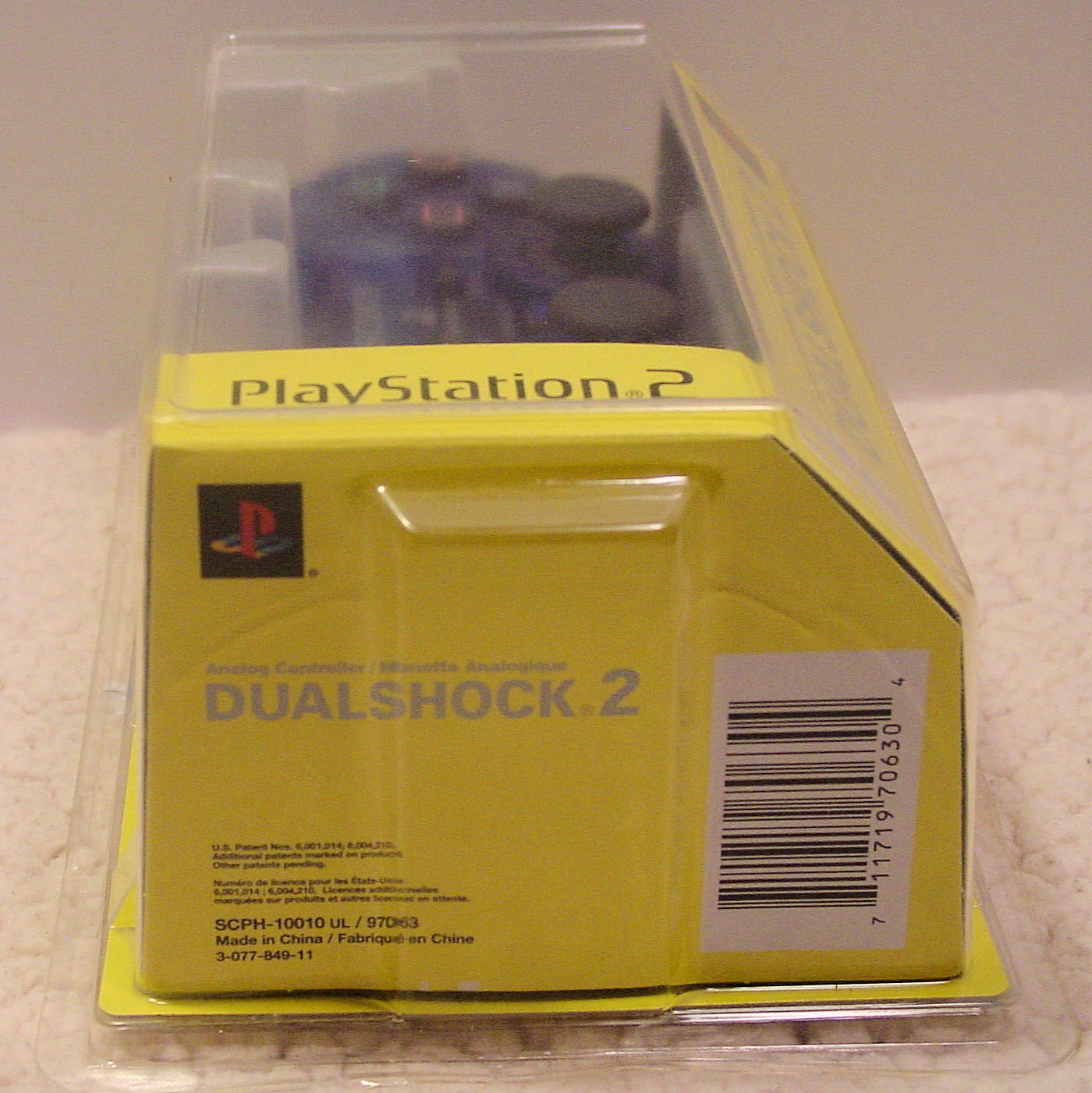
Questa immagine mostra un lato view of the Sony PlayStation 2 DualShock 2 Analog Wired Controller packaging. The barcode with the UPC 0711719706304 and the model number SCPH-10010 UL / 97063 are visible on the yellow cardboard insert.
Controllore finitoview
The DualShock 2 controller features an ergonomic design for comfortable gameplay and precise control. Key components include:
- Pad direzionale (D-Pad): For digital movement and menu navigation.
- Stick analogici sinistro e destro: For 360-degree analog movement and camera control. These are clickable buttons as well.
- Pulsanti di azione (triangolo, cerchio, croce, quadrato): Pressure-sensitive buttons for in-game actions.
- Pulsante Start: Pauses games or confirms selections.
- Pulsante SELEZIONA: Often used for in-game menus or secondary functions.
- ANALOG Button: Toggles analog stick functionality on/off (indicated by a red LED).
- Pulsanti L1, L2, R1, R2: Shoulder buttons, with L2 and R2 being pressure-sensitive.
- Funzione di vibrazione: Fornisce un feedback tattile durante il gioco.

Questa immagine presenta una vista dall'alto verso il basso view of the Sony PlayStation 2 DualShock 2 Analog Wired Controller. It highlights the layout of the directional pad, action buttons (Triangle, Circle, Cross, Square), analog sticks, START, SELECT, and ANALOG buttons, and the wired connection.
Impostare
- Locate Controller Port: Identify an available controller port on the front of your PlayStation 2 console. The PlayStation 2 typically has two controller ports.
- Collega il controllore: Insert the controller's plug firmly into the desired controller port. Ensure the plug is oriented correctly.
- Accendere la console: Turn on your PlayStation 2 console. The controller is ready for use once the console has booted.
- Modalità analogica: Premere il tasto ANALOGICO button located between the two analog sticks to activate or deactivate analog mode. A red LED will illuminate when analog mode is active, indicating that the analog sticks are enabled for control.
Istruzioni per l'uso
The DualShock 2 controller offers precise control for a wide range of PlayStation 2 games. Its pressure-sensitive buttons and analog sticks provide a nuanced gaming experience.
- Controllo analogico: When the ANALOG light is on, the analog sticks provide variable input, allowing for subtle movements in games like racing or action titles. The face buttons (Triangle, Circle, Cross, Square) and shoulder buttons (L2, R2) are also pressure-sensitive, meaning the game can detect how hard you press them.
- Controllo digitale: When the ANALOG light is off, the D-Pad provides digital (on/off) input. The analog sticks will not function in this mode.
- Risposte di vibrazione: The controller's vibration function provides immersive feedback, reacting to in-game events such as impacts, explosions, or specific actions. This feature is automatically managed by compatible games.
- Compatibilità: This controller is compatible with all PlayStation 2 software and most original PlayStation software that supports the DualShock controller.
Manutenzione
- Pulizia: Utilizzare un panno morbido e asciutto per pulire l'esterno del controller. Per lo sporco ostinato, leggermente dampLavare il panno con acqua. Evitare l'uso di prodotti chimici aggressivi o detergenti abrasivi.
- Magazzinaggio: Store the controller in a clean, dry place away from direct sunlight and extreme temperatures when not in use. Avoid wrapping the cable too tightly around the controller to prevent damage.
- Cura del cavo: Regularly inspect the controller cable for any signs of wear, fraying, or damage. Do not pull the cable forcefully when disconnecting it from the console; always grasp the plug.
Risoluzione dei problemi
- Controller is unresponsive:
- Ensure the controller cable is securely plugged into the PlayStation 2 console's controller port. Try a different controller port if available. Test the controller with another game or console if possible to rule out game-specific issues or console port malfunction.
- Vibration function is not working:
- Verify that the game you are playing supports vibration feedback. Some games may have an option to enable/disable vibration in their settings menu. Ensure the controller is fully functional otherwise.
- Analog sticks or buttons are not responding correctly:
- Check if the ANALOG light is on if you intend to use analog control. If buttons feel sticky, gently clean around them with a slightly damp cloth. If the issue persists, the controller may require professional service.
Specifiche
| Caratteristica | Dettaglio |
|---|---|
| Numero di modello | SCPH-10010 |
| Item Model Number (UPC) | 711719706304 |
| Connettività | Cablato |
| Dimensioni (L x P x A) | 8.75 x 5.75 x 2.75 pollici |
| Peso | 4 once |
| Produttore | Sony |
| Caratteristiche | DualShock 2 vibration, Analog control, Pressure-sensitive buttons |
Garanzia e supporto
For information regarding warranty coverage and technical support for your Sony PlayStation 2 DualShock 2 Analog Wired Controller, please refer to the documentation included with your original purchase or visit the official PlayStation support websito. Conservare la prova d'acquisto per eventuali reclami in garanzia.