
Introduzione
The Logitech Z-640 is a 6-speaker surround sound system designed to enhance audio experiences for computer games and DVD movies. This system includes four satellite speakers, one center-channel speaker, and a powered subwoofer. It delivers immersive sound with deep bass, suitable for various multimedia applications.

Immagine: Frontale view of the Logitech Z-640 subwoofer, featuring a large speaker grille.
Caratteristiche principali:
- Six-speaker system with a patented subwoofer design for enhanced bass.
- Innovative satellite design with rotating pedestals for flexible placement (wall or desk).
- Internal power supply, eliminating the need for bulky external adapters.
- Includes an adapter cable for easy connection to video game consoles.
- Total output power: 71.2 Watts RMS.
Istruzioni di installazione
Follow these steps to correctly set up your Logitech Z-640 speaker system.
1. Disimballaggio e posizionamento:
Carefully unpack all components. The system includes four satellite speakers, one center speaker, one subwoofer, and necessary cables. Place the subwoofer on the floor, ideally near your computer or console. Position the four satellite speakers (two front, two rear) and the center speaker around your listening area. The satellite speakers feature rotating pedestals for desk or wall mounting.

Image: Four satellite speakers, still in their protective packaging, ready for setup.
2. Connecting Speakers to Subwoofer:
Connect each satellite speaker and the center speaker to the corresponding ports on the back of the subwoofer. Ensure a secure connection for each speaker cable.
3. Connecting Subwoofer to Audio Source:
The Z-640 system connects to your computer's sound card or a video game console using the provided cables. The input jacks on the subwoofer are color-coded for ease of connection:
- Verde: Connects to the front speaker output of your sound card.
- Nero: Connects to the rear speaker output of your sound card.
- Arancia: Connects to the subwoofer and center channel output of your sound card.
For video game consoles, use the included adapter cable to connect to the console's audio output.

Image: Rear panel of the Logitech Z-640 subwoofer, showing the color-coded input jacks for front, rear, and center/subwoofer channels, along with the sub volume knob and power cable.
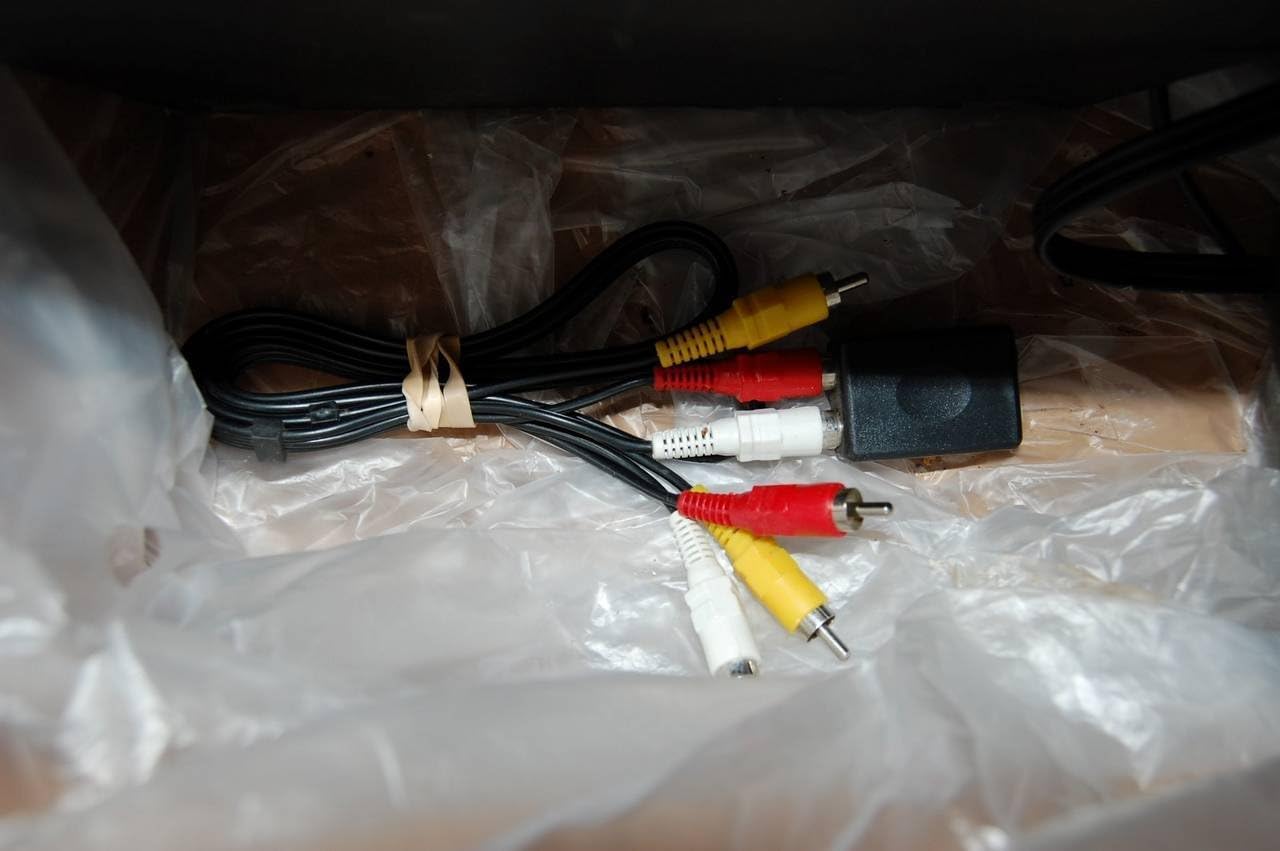
Image: Various RCA adapter cables, including a console adapter, used for connecting the Z-640 system to different audio sources.
Ensure all connections are firm before powering on the system.
Istruzioni per l'uso
Once the system is set up, you can control its functions using the controls located on the center speaker and the subwoofer.
Center Speaker Controls:

Image: Close-up of the Logitech Z-640 center speaker, displaying the control panel with buttons for power, volume, matrix mode, fader, and a headphone jack.
- Pulsante di accensione: Accende o spegne il sistema di altoparlanti.
- Controllo del volume: Adjusts the overall volume of the system.
- Matrix Button: Engages or disengages the Matrix mode, which mixes two front channels to create a surround sound effect for stereo sources.
- Controllo fader: Adjusts the balance between the front and rear speakers. Turning it up increases the volume of the rear speakers relative to the front.
- Jack per cuffie: For private listening. Plugging in headphones will mute the speakers.
Controllo subwoofer:
- Sub Volume Knob: Located on the back of the subwoofer, this knob adjusts the bass level independently.
Impostazioni della sorgente audio:
For optimal sound, adjust the equalizer settings on your computer's sound card or audio player software. Experiment with different presets (e.g., Rock, New Age) to find the sound profile that best suits your preferences and content.
Manutenzione
To ensure the longevity and performance of your Logitech Z-640 speaker system, follow these simple maintenance guidelines:
- Pulizia: Use a soft, dry cloth to wipe down the speakers and subwoofer. Avoid using liquid cleaners or abrasive materials, as they can damage the finish or internal components.
- Posizionamento: Keep speakers away from direct sunlight, excessive heat, and moisture. Ensure adequate ventilation around the subwoofer to prevent overheating.
- Gestione dei cavi: Controllare periodicamente tutti i collegamenti dei cavi per assicurarsi che siano saldi e privi di pieghe o danni.
- Spegni: When not in use for extended periods, it is advisable to power off the system using the power button on the center speaker.
Risoluzione dei problemi
If you encounter issues with your Z-640 system, refer to the following common problems and solutions:
| Problema | Possibile causa/soluzione |
|---|---|
| Nessun suono dagli altoparlanti. |
|
| Suono debole o distorto. |
|
| No bass or weak bass. |
|
| Rear speakers are too quiet or too loud. |
|
| Bright blue LED on center speaker is distracting. |
|
Specifiche
- Numero modello: 970073-0403
- Potenza RMS totale: 71.2 Watt
- Satellite Speaker Power: 7.3 Watts RMS per satellite (x4)
- Center Channel Speaker Power: 16.3 Watt RMS
- Potenza subwoofer: 25 Watt RMS
- Risposta in frequenza: Down to 35 Hz (subwoofer)
- Connettività: Stereo analog (RCA), Multi-channel analog (for 4- or 6-channel sound cards)
- Schermatura: All speakers are video shielded for distortion-free placement near monitors.
- Dimensioni del prodotto: 16.7 x 13.4 x 13.1 inches (overall package/subwoofer)
- Peso dell'articolo: 1 pound (system weight)
- Lingua: Inglese
Informazioni sulla garanzia
The Logitech Z-640 6 Speaker Surround Sound System is covered by a garanzia limitata di due anni from the date of purchase. This warranty covers defects in materials and workmanship under normal use. For warranty service or claims, please retain your proof of purchase and contact Logitech customer support.
Supporto
Per ulteriore assistenza, supporto tecnico o per accedere a risorse aggiuntive, visitare il supporto ufficiale Logitech websito. Spesso è possibile trovare FAQ, download di driver e informazioni di contatto per l'assistenza clienti.
Visitare il Negozio Logitech su Amazon for product information (Note: This link is for product information, not direct support).