
Introduzione
This manual provides essential instructions for the safe installation, operation, and maintenance of your APC AP7922 32A 230V Switched Rack PDU. The AP7922 is a rack-mountable power distribution unit designed to provide advanced power control and monitoring capabilities for IT equipment in data centers and server rooms. It features AC 230V input, Ethernet 10/100 connectivity, and 16 output connectors, all within a 2U, 19-inch form factor.
Informazioni importanti sulla sicurezza
Please read and understand all safety instructions before installing or operating this equipment. Failure to follow these instructions could result in electric shock, fire, or serious injury.
- Questo dispositivo è destinato esclusivamente all'uso in ambienti interni.
- Connect the PDU to a properly grounded power source.
- Do not attempt to open or service the PDU. Refer all servicing to qualified personnel.
- Ensure the total current draw of connected equipment does not exceed the PDU's maximum current rating (32 AmpS).
- Scollegare l'alimentazione prima di eseguire qualsiasi procedura di manutenzione o installazione.
Contenuto della confezione
Verificare che tutti gli articoli siano presenti al momento del disimballaggio:
- APC AP7922 Switched Rack PDU
- Guida all'installazione
- Staffe per montaggio su rack
- Serial configuration cable
- CD di documentazione
Caratteristiche del prodotto
The APC AP7922 Switched Rack PDU offers the following key features:
- Prese commutate: Remotely control power to individual outlets for power cycling, delayed sequencing, and load shedding.
- Gestione della rete: Full-featured network management interface via Ethernet 10/100 for remote monitoring and control.
- Monitoraggio corrente: Monitor the aggregate current draw per PDU to prevent circuit overloads.
- Design montabile su rack: Occupies 2U of rack space, compatible with standard 19-inch racks.
- Connettori di uscita: Equipped with 16 C13 output connectors.
- Ingresso volumetage: Supports AC 230V input.
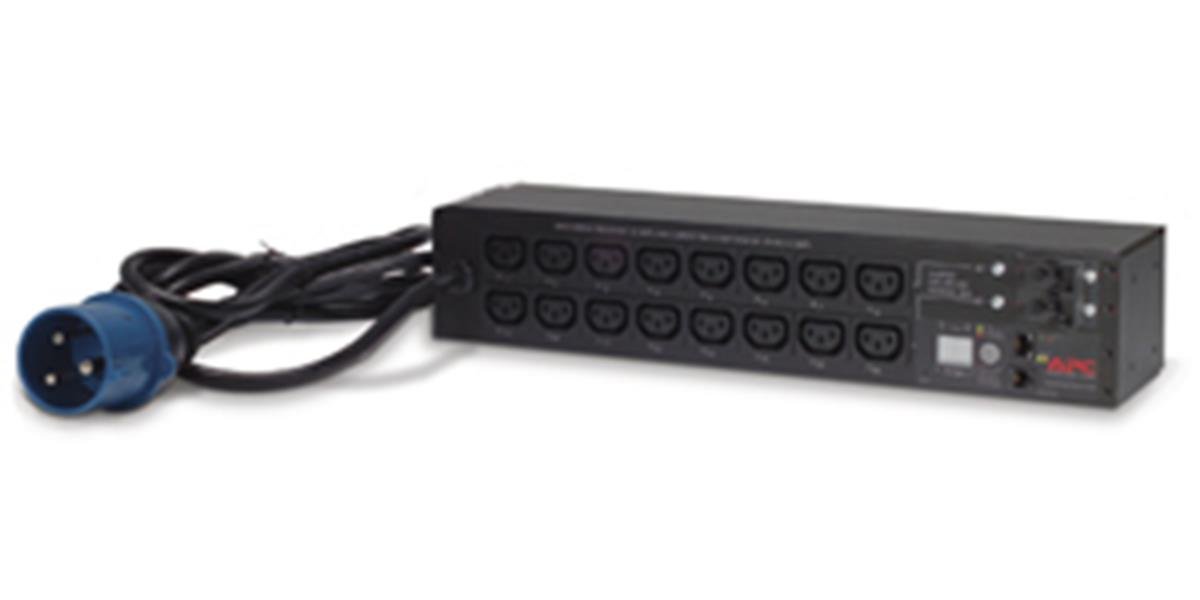
Immagine: Frontale view of the APC AP7922 Switched Rack PDU, showing the 16 C13 outlets and network interface.
Istruzioni di installazione
1. Montaggio su rack
- Identify two available 2U spaces in your standard 19-inch equipment rack.
- Attach the provided rack-mounting brackets to the PDU using the screws supplied.
- Secure the PDU into the rack using appropriate rack screws. Ensure it is firmly seated and level.
2. Collegamento elettrico
- Connect the PDU's input power cord to a dedicated 230V, 32A power source. Ensure the power source is properly grounded.
- Do not overload the circuit. Verify that the total load of connected devices will not exceed 32 Amps.
3. Connessione di rete
- Connect a standard Ethernet cable from the PDU's network port to your network switch or router.
- The PDU will obtain an IP address via DHCP by default. Refer to the full user manual for static IP configuration.
Istruzioni per l'uso
Powering On/Off Connected Devices
Once the PDU is powered and connected to the network, you can manage its outlets remotely.
- Access the PDU's web interfaccia inserendo il suo indirizzo IP in a web browser.
- Log in using the default credentials (refer to the full manual for details).
- Navigate to the outlet control section. From here, you can individually switch on, switch off, or cycle power to each of the 16 C13 outlets.
Monitoring Current Draw
IL web interface also provides real-time monitoring of the aggregate current draw. This allows you to ensure that the PDU and its connected circuit are not overloaded.
Manutenzione
- Pulizia: Periodically clean the exterior of the PDU with a soft, dry cloth. Do not use liquid cleaners or solvents.
- Aggiornamenti del firmware: Check the APC website for available firmware updates to ensure optimal performance and security. Follow the instructions provided with the firmware package for safe updating.
- Gestione dei cavi: Ensure all power and network cables are neatly routed and secured to prevent accidental disconnections or damage.
Risoluzione dei problemi
| Problema | Possibile causa | Soluzione |
|---|---|---|
| La PDU non si accende. | No input power; tripped circuit breaker. | Verify the power cord is securely connected. Check the building's circuit breaker for the PDU's power source. |
| Impossibile accedere web interfaccia. | Incorrect IP address; network connectivity issue; PDU not powered. | Ensure the PDU is powered on. Verify network cable connection. Confirm the correct IP address. Check network settings. |
| Outlets do not switch. | Software issue; PDU fault. | Try restarting the PDU. If the issue persists, contact technical support. |
| Allarme sovraccarico. | Total current draw exceeds PDU rating. | Disconnect non-essential equipment to reduce the load. Redistribute equipment across multiple PDUs if necessary. |
Specifiche tecniche
| Caratteristica | Dettaglio |
|---|---|
| Numero di modello | AP7922 |
| Marca | APC di Schneider Electric |
| Fattore di forma | 2U Rack-mountable, 19-inch |
| Ingresso volumetage | 230 Volt CA |
| Corrente di ingresso | 32 Amps |
| Volume di uscitatage | 230 Volt CA |
| Corrente di uscita | 32 Amps (massimo) |
| Numero di prese | 16 |
| Tipo di connettore | C13 |
| Interfaccia di rete | Cavo Ethernet 10/100 |
| Cosatage | 7360 watt |
| Dimensioni (A x L x P) | 4.49 x 17.52 x 3.5 pollici |
| Peso | 0.7 chilogrammi |
| Materiale | Metallo |
| Colore | Nero |
Garanzia e supporto
Informazioni sulla garanzia
I prodotti APC sono generalmente coperti dalla garanzia standard del produttore. Consultare la scheda di garanzia inclusa con il prodotto o visitare il sito ufficiale APC. website for detailed warranty terms and conditions specific to the AP7922 model.
Supporto tecnico
For technical assistance, troubleshooting, or to report issues, please contact APC customer support. You can find contact information and additional resources on the official Schneider Electric websito: