
1. Introduzione
This manual provides detailed instructions for the proper use and care of your Canon TS-E 24mm f/3.5L II Ultra Wide Tilt-Shift Lens. This high-precision lens is designed for Canon Digital SLR Cameras, offering advanced tilt and shift functionalities for creative control over perspective and depth of field. Please read this manual thoroughly before using the lens to ensure optimal performance and longevity.

Figura 1: Fronte view of the Canon TS-E 24mm f/3.5L II lens.
2. Cosa c'è nella scatola
Dopo aver aperto la confezione del prodotto, verificare che siano inclusi tutti i seguenti articoli:
- TS-E 24mm f/3.5L II Lens
- Custodia per lenti LP1319
- Lens Hood EW-88B
- Libretto di istruzioni (questo manuale)
- Unit Option Cap
- Scheda di garanzia limitata di un anno
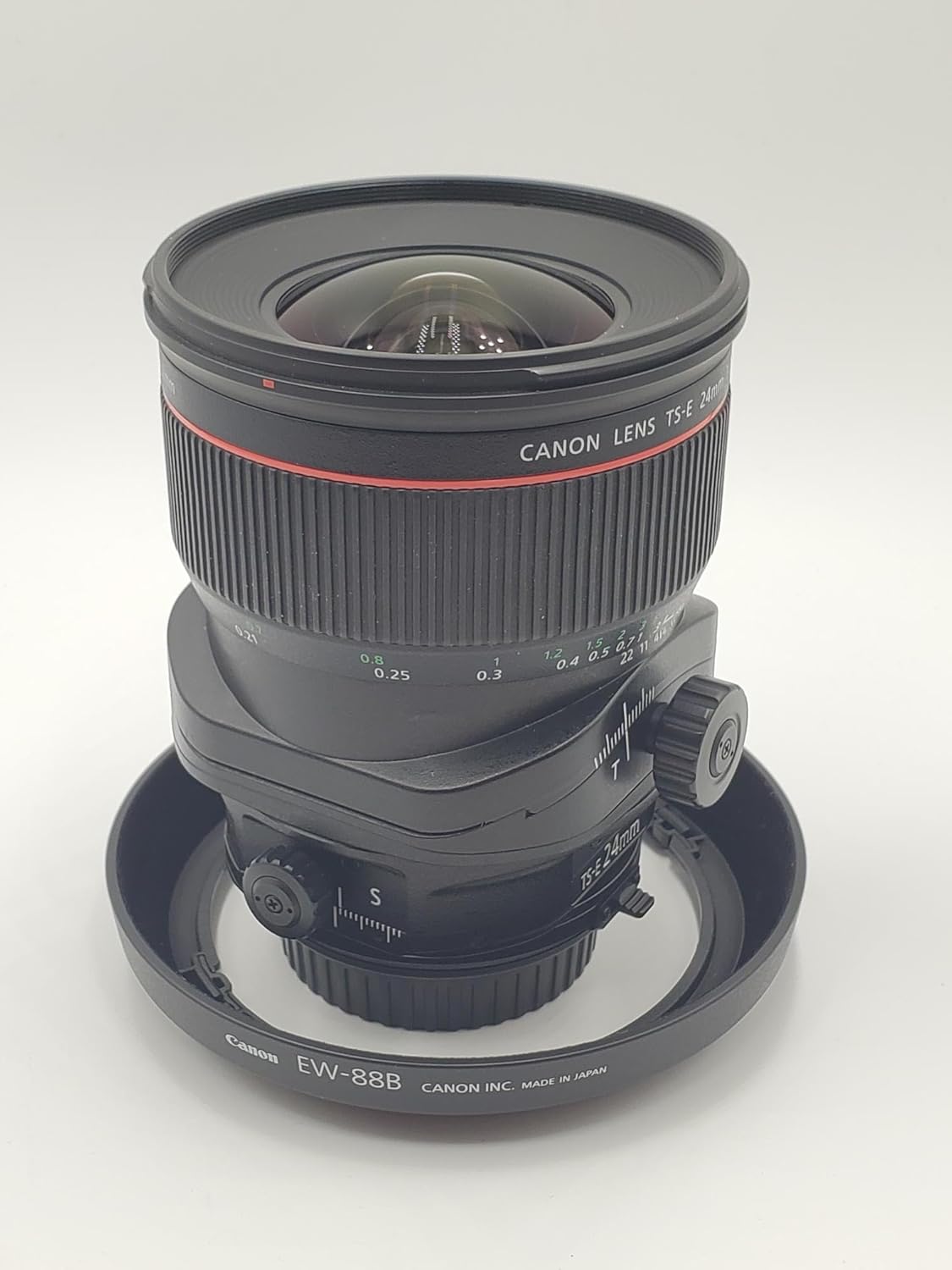
Figure 2: The Canon TS-E 24mm f/3.5L II lens shown with its included EW-88B lens hood.
3. Caratteristiche principali
The Canon TS-E 24mm f/3.5L II lens offers several advanced features:
- Tilt and Shift Functionality: Compatible with all Canon EOS cameras, offering +/- 8.5 degrees Tilt and +/-12mm Shift for perspective control and creative depth of field.
- High-Precision Optics: Features high-precision lens elements for low distortion and high resolution.
- Aspherical and UD Lens Elements: Minimizes chromatic aberration for superior image quality.
- Sub-wavelength Structure and Super-Spectra Coatings: Reduces ghosting and flare, enhancing contrast and color fidelity.
- Circular Aperture: Enables creative, blurred highlights (bokeh).
- Distanza di messa a fuoco minima: 0.69 piedi (0.21 metri).
- Dimensione filtro: 82 mm.
4. Impostazione
Montaggio dell'obiettivo sulla fotocamera
- Assicurati che la fotocamera sia spenta.
- Rimuovere il tappo dell'obiettivo posteriore e il tappo del corpo della fotocamera.
- Allineare il segno di riferimento rosso sull'obiettivo con il segno di riferimento rosso sul corpo della fotocamera.
- Inserire l'obiettivo nel supporto della fotocamera e ruotarlo in senso orario finché non scatta in posizione.
- Attach the lens hood (EW-88B) by aligning its mark with the mark on the front of the lens and twisting until it locks.
5. Utilizzo dell'obiettivo
5.1. Funzione di inclinazione
The tilt function allows you to manipulate the plane of focus, enabling selective focus effects or extending the depth of field across a scene. This is particularly useful for landscape photography or creative portraiture.
- The tilt knob, marked with 'T', controls the angle of the lens relative to the sensor plane.
- Turning the knob allows you to tilt the lens up to +/- 8.5 degrees.
- Tilting the lens changes the plane of focus, allowing you to keep objects at different distances sharp simultaneously (Scheimpflug principle) or create a miniature effect.

Figure 3: The tilt control knob ('T') on the Canon TS-E 24mm f/3.5L II lens.
5.2. Shift Function
The shift function allows you to move the lens parallel to the sensor plane, which is ideal for correcting perspective distortion in architectural photography or creating panoramic images without moving the camera body.
- The shift knob, marked with 'S', controls the lateral movement of the lens.
- You can shift the lens up to +/- 12mm.
- Shifting the lens upwards can correct converging verticals when photographing tall buildings, making them appear straight.

Figure 4: The shift control knob ('S') on the Canon TS-E 24mm f/3.5L II lens.
5.3. Rotation Mechanism
The TS-E 24mm f/3.5L II allows for independent rotation of the tilt and shift mechanisms. This means you can apply tilt and shift in different directions relative to each other, offering maximum creative flexibility.
- The lens features rotation locks that allow you to set the orientation of the tilt and shift axes.
- Unlock the rotation mechanism, adjust the desired angle, and then re-lock it to secure the setting.

Figure 5: The rotation mechanism on the Canon TS-E 24mm f/3.5L II lens, allowing independent adjustment of tilt and shift axes.
5.4. Messa a fuoco
This is a manual focus lens. To achieve sharp focus:
- Rotate the focus ring on the lens barrel until your subject appears sharp in the viewfinder or on the camera's LCD screen.
- Utilize your camera's focus peaking or magnification features for precise manual focusing.
5.5. Apertura
The Canon TS-E 24mm f/3.5L II features a fixed maximum aperture of f/3.5. The aperture controls the amount of light entering the lens and influences the depth of field. You can adjust the aperture through your camera's settings.
5.6. L-Series Designation
The 'L' in the lens name signifies that it is part of Canon's professional 'Luxury' series. These lenses are known for their superior optical performance, robust construction, and weather sealing. L-series lenses often feature a distinctive red ring around the barrel.

Figura 6: in alto view of the lens, highlighting the red ring indicating its L-series designation.
6. Manutenzione
Proper maintenance ensures the longevity and performance of your lens:
- Pulizia della lente: Use a soft, lint-free cloth and a specialized lens cleaning solution to clean the front and rear elements. Avoid touching the glass directly with your fingers.
- Rimozione della polvere: Use a blower brush to remove dust from the lens surface before wiping.
- Magazzinaggio: Store the lens in a cool, dry place, away from direct sunlight and extreme temperatures. Use the provided lens caps and case when not in use.
- Evitare l'umidità: This lens is not water-resistant. Avoid exposure to rain, splashes, or high humidity.
7. Risoluzione Dei Problemi
Se riscontri problemi con l'obiettivo, consulta i seguenti suggerimenti comuni per la risoluzione dei problemi:
- Obiettivo non fissato saldamente: Ensure the red index marks are aligned and the lens is rotated fully until it clicks. Check for any obstructions on the mount.
- Immagini sfocate: Verify that the lens is properly focused using manual focus. Check your camera's shutter speed and aperture settings.
- Dust on Images: Clean the lens elements as described in the maintenance section. If dust persists, it may be on your camera's sensor, requiring professional cleaning.
- Tilt/Shift Mechanism Stiff: Ensure no debris is obstructing the mechanism. Do not force the controls. If stiffness persists, contact Canon support.
8. Specifiche
| Caratteristica | Dettaglio |
|---|---|
| Marca | Canone |
| Nome del modello | TS-E 24mm f/3.5L II |
| Lunghezza focale | 24 Millimeters (Fixed) |
| Tipo di lente | Tilt Shift |
| Supporti compatibili | Canone EF |
| Apertura massima | apertura f/3.5 |
| Apertura minima | apertura f/3.5 |
| Gamma di inclinazione | +/- 8.5 gradi |
| Shift Range | +/- 12 mm |
| Tipo di messa a fuoco | Messa a fuoco manuale |
| Dimensione del filtro fotografico | 82 millimetri |
| Peso dell'articolo | 790 grammi |
| Distanza di messa a fuoco più vicina | 0.69 piedi (0.21 metri) |
| Livello di resistenza all'acqua | Non resistente all'acqua |
| Numero di parte del produttore | Numero di modello: 3552B002 |
| Codice UPC | 013803108613 |
9. Garanzia e supporto
9.1. Informazioni sulla garanzia
This Canon TS-E 24mm f/3.5L II lens comes with a Garanzia limitata di 1 anno from the manufacturer. Please refer to the included Warranty Card for full terms and conditions regarding coverage and claims.
9.2. Esclusione di responsabilità legale
All Sales are FINAL. NO returns or exchanges.
9.3. Assistenza clienti
Per ulteriore assistenza, supporto tecnico o richieste di assistenza, visitare il sito ufficiale di supporto Canon website or contact their customer service department. Keep your purchase receipt and warranty card handy for any support requests.