
1. Prodotto finitoview
The Mad Catz Officially Licensed Controller for Xbox 360 is designed to enhance your gaming experience. This controller features analog triggers and joysticks, along with vibration feedback technology, to immerse you in your favorite games. Its soft touch elastomere finish ensures comfort during extended gaming sessions.
Caratteristiche principali:
- Officially Licensed Product for Xbox 360
- Integrated vibration feedback technology
- Responsive analog triggers and joysticks
- PC USB compatible for versatile use
- Durable construction with a comfortable soft touch elastomere finish
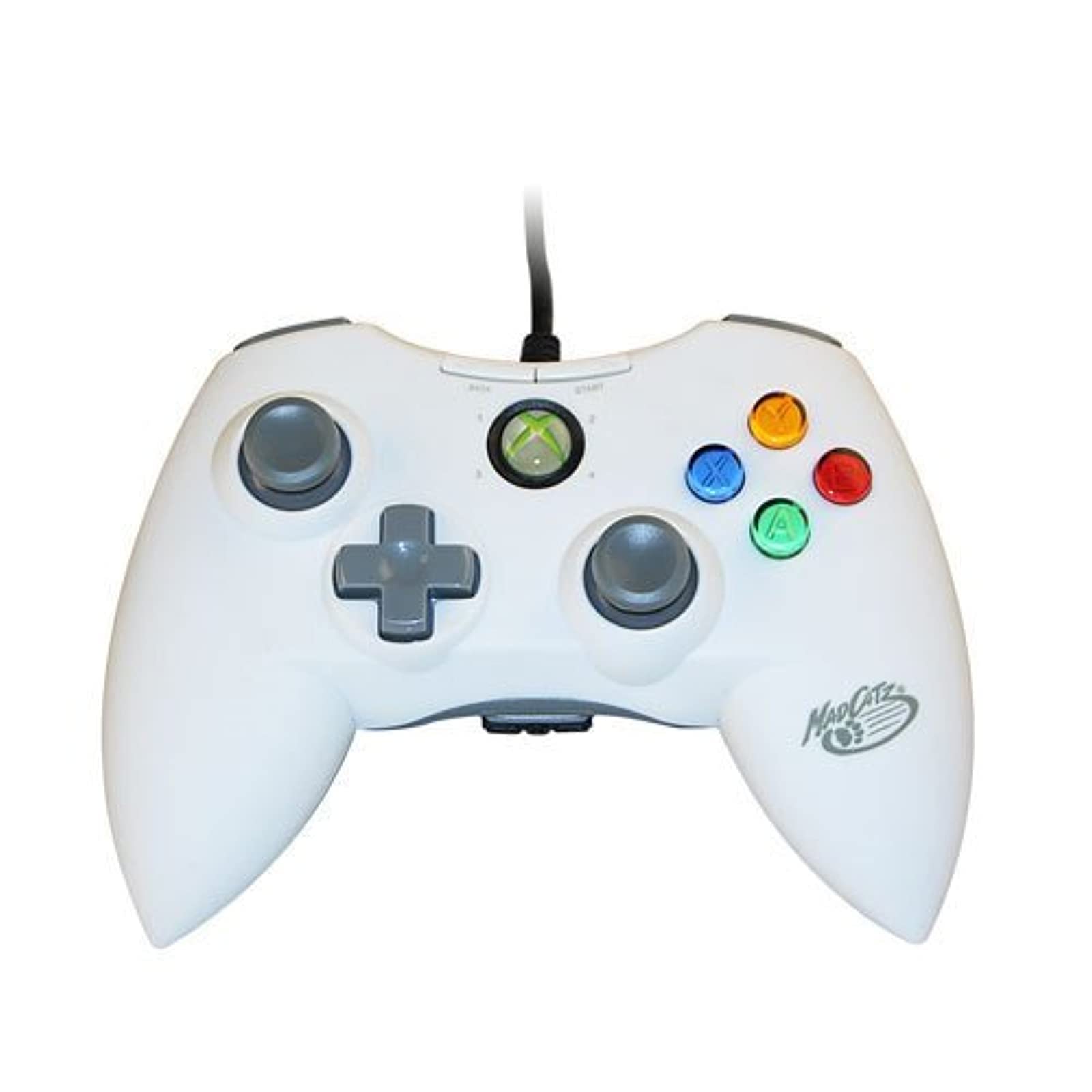
Immagine 1.1: anteriore view of the Mad Catz Officially Licensed Controller for Xbox 360 in White.
2. Istruzioni per l'installazione
2.1 Connecting to Xbox 360
- Individua una porta USB disponibile sulla tua console Xbox 360.
- Plug the USB connector of the Mad Catz controller firmly into the USB port.
- The controller will automatically be recognized by the console. The guide button LED will illuminate to indicate a successful connection and assigned player number.
2.2 Collegamento al PC
- Locate an available USB port on your personal computer.
- Plug the USB connector of the Mad Catz controller firmly into the USB port.
- For most Windows operating systems, the necessary drivers will install automatically. Follow any on-screen prompts.
- Once drivers are installed, the controller should be ready for use with compatible PC games. You may need to configure controller settings within individual game menus.
3. Funzionamento del controller
The Mad Catz controller features a standard layout for Xbox 360, ensuring familiarity and ease of use.
- Stick analogici sinistro e destro: Used for character movement, camera control, or menu navigation.
- D-Pad (tastiera direzionale): Fornisce input direzionali precisi, spesso utilizzati per la navigazione nei menu o per azioni specifiche nel gioco.
- Pulsanti A, B, X, Y: Primary action buttons, typically color-coded and labeled.
- Pulsanti Start e Indietro: Used for pausing games, accessing in-game menus, or confirming selections.
- Paraurti sinistro e destro (LB, RB): Located on the top edge of the controller, used for various in-game functions.
- Trigger sinistro e destro (LT, RT): Analog triggers located on the underside of the controller's top edge, providing pressure-sensitive input for actions like acceleration or firing weapons.
- Pulsante Guida: The central button with the Xbox logo, used to access the Xbox Guide or dashboard.
Risposte di vibrazione: The controller incorporates vibration motors that provide tactile feedback during gameplay, enhancing immersion by simulating in-game events like impacts or explosions.
4. Manutenzione
Proper care will extend the life of your Mad Catz controller.
- Pulizia: Use a soft, dry cloth to wipe down the controller. Avoid using liquid cleaners, solvents, or abrasive materials, as these can damage the finish or internal components.
- Magazzinaggio: Conservare il controller in un luogo fresco e asciutto, lontano dalla luce solare diretta e da temperature estreme. Evitare di posizionare oggetti pesanti sul controller.
- Cura del cavo: Do not sharply bend or pull the USB cable. Always grasp the plug when disconnecting the controller.
5. Risoluzione Dei Problemi
Se riscontri problemi con il controller, fai riferimento alle seguenti soluzioni comuni:
- Il controller non risponde:
- Assicurarsi che il cavo USB sia collegato saldamente sia al controller che alla console/PC.
- Prova a collegare il controller a una porta USB diversa.
- Riavvia la console Xbox 360 o il PC.
- Vibration Feedback Not Working:
- Check the in-game settings of the game you are playing to ensure vibration feedback is enabled.
- Verify that the controller is properly connected and recognized by the system.
- Buttons or Analog Sticks Malfunctioning:
- Inspect for any visible debris or obstructions around the buttons or analog sticks.
- Se i problemi persistono, potrebbe essere necessario riparare il controller.
- PC Compatibility Issues:
- Assicurati che il sistema operativo del tuo PC sia aggiornato.
- For some PC games, manual configuration of controller settings within the game's options menu may be necessary.
6. Specifiche
| Marca | Gatto pazzo |
| Numero di modello | MCP471600M01/04/1 |
| Piattaforma hardware | Xbox 360 |
| Compatible Console Models | Microsoft Xbox 360, Microsoft Xbox 360 E |
| Colore | Bianco |
| Peso dell'articolo | 233 grammi |
| Dimensioni articolo (L x P x A) | 8 x 5.5 x 3.5 pollici |
| Codice UPC | 071030164833, 080050412176, 072090440974, 151903469828, 728658009656 |
7. Garanzia e supporto
Specific warranty details and direct support contact information are not provided in this manual. Please refer to the product packaging or the official Mad Catz websito per le informazioni più aggiornate sulla garanzia e sulle opzioni di assistenza clienti.