
Introduzione
The Taylor Pro Digital 4-Event Timer is designed to track up to four separate timing events simultaneously. This device features a large LCD display for clear visibility and offers versatile placement options with its integrated magnets and built-in stand. It supports countdown timing up to 99 hours, 59 minutes, and 59 seconds, and includes a memory function for recalling previous settings.
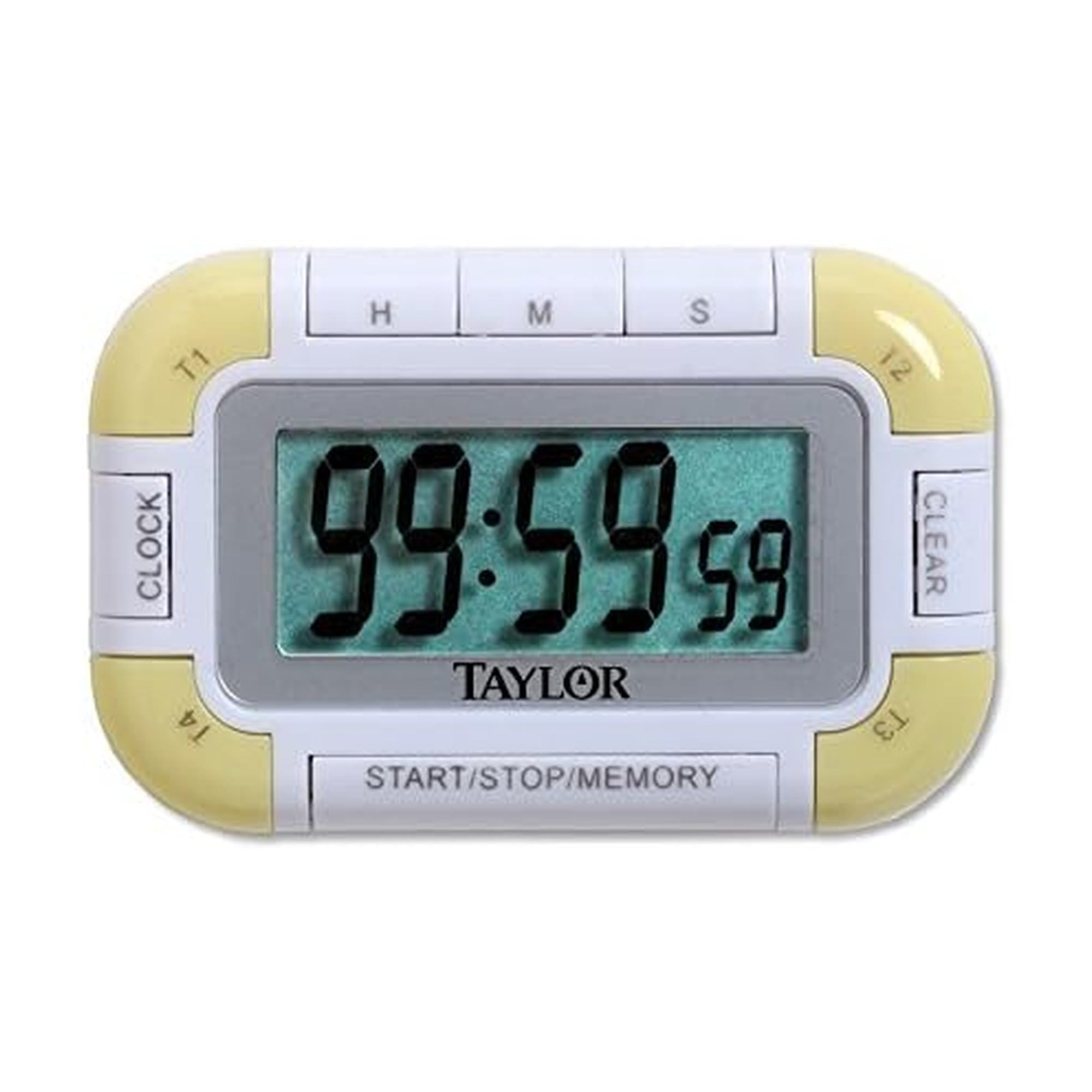
Figura 1: Fronte view of the Taylor Pro Digital 4-Event Timer.
Informazioni sulla sicurezza
WARNING: This product contains button cell batteries. Swallowing a button cell battery can cause severe internal burns in as little as 2 hours and can lead to death. Keep new and used batteries away from children. If the battery compartment does not close securely, stop using the product and keep it away from children. If you think batteries might have been swallowed or placed inside any part of the body, seek immediate medical attention.

Figure 2: Button cell battery safety warning.
Contenuto della confezione
- Taylor Pro Digital 4-Event Timer (Model 5862)
- Manuale di istruzioni
- 2 x Product Specific Batteries (pre-installed or included separately)
Caratteristiche del prodotto
- Four Independent Timers: Track up to four events simultaneously.
- Ampio display LCD: 0.8-inch display for clear time readings.
- Posizionamento versatile: Strong magnets for metal surfaces and a built-in stand for countertops.
- Extended Countdown: Sets times up to 99 hours, 59 minutes, 59 seconds.
- Distinctive Alarms: Each timer has a unique beep pattern.
- Funzione di memoria: Recalls the last set time for each event.

Figura 3: dettagliata view of the timer's display and control buttons.
Impostare
Installazione della batteria
- Individuare il vano batterie sul retro del timer.
- Aprire il coperchio del vano.
- Insert two product-specific batteries, ensuring correct polarity (+/-).
- Chiudere saldamente il coperchio del vano batterie.
Accensione iniziale
Once batteries are installed, the timer should automatically power on and display '00:00:00' or the current time if a clock function is present (refer to display for confirmation).
Istruzioni per l'uso
Selecting a Timer (T1, T2, T3, T4)
Premere il tasto T1/T2/T3/T4 buttons to select the desired timer. The active timer will be indicated on the display.
Setting a Countdown Timer
- Select the desired timer (T1-T4).
- Premere il tasto HR pulsante per impostare le ore, MINIMO per minuti, e SEC for seconds. Each press increases the value. Hold the button for faster adjustment.
- Per cancellare un tempo impostato, premere il tasto CHIARO button while the timer is selected and stopped.
Starting and Stopping a Timer
- After setting the desired time, press the AVVIO/ARRESTO pulsante per avviare il conto alla rovescia.
- Per mettere in pausa il conto alla rovescia, premere AVVIO/ARRESTO Ancora.
- Per riprendere, premere AVVIO/ARRESTO ancora una volta.
Funzione di allarme
When a timer reaches zero, it will emit an audible alarm. Each of the four timers has a distinct alarm sound to help differentiate between events. Press any button to silence the alarm.
Funzione di memoria
The timer automatically stores the last set time for each of the four events. To recall a previously set time, select the desired timer (T1-T4) and press the MEMORIA button. The last set time for that specific timer will be displayed.
Manutenzione
Pulizia
Pulire il timer con un panno morbido, damp panno. Non utilizzare detergenti abrasivi né immergere l'unità in acqua.
Sostituzione della batteria
When the display becomes dim or the timer functions erratically, it is time to replace the batteries. Follow the battery installation steps outlined in the Setup section.
Risoluzione dei problemi
| Problema | Possibile causa | Soluzione |
|---|---|---|
| Il display è vuoto o poco luminoso. | Batterie scariche o esaurite. | Sostituire le batterie con batterie nuove, assicurandosi che la polarità sia corretta. |
| Il timer non si avvia. | Time not set or START/STOP not pressed. | Ensure a time is set for the selected timer. Press START/STOP. |
| L'allarme non suona. | Volume setting too low (if applicable) or timer not reaching zero. | Ensure timer counts down to zero. Check for any mute function (if available). |
| I pulsanti non rispondono. | Batterie scariche o malfunzionamento interno. | Sostituisci le batterie. Se il problema persiste, contatta l'assistenza clienti. |
Specifiche
- Numero modello: 5862
- Marca: Taylor
- Materiale: Plastica
- Colore: Bianco/Verde
- Peso dell'articolo: 2.4 once
- Dimensioni del prodotto: 7 x 5.1 x 6.68 pollici
- Dimensioni dello schermo: 0.8 pollici (LCD)
- Numero di timer: 4
- Max Countdown: 99 ore, 59 minuti, 59 secondi
- Batterie: 2 Product Specific batteries (required)
Garanzia
This Taylor Pro Digital 4-Event Timer (Model 5862) comes with a Garanzia di 1 anno covering parts and labor from the date of purchase. This warranty does not cover damage caused by misuse, accident, unauthorized modifications, or normal wear and tear. Please retain your proof of purchase for warranty claims.
Supporto
Per ulteriore assistenza, risoluzione di problemi non trattati in questo manuale o richieste di garanzia, contattare l'assistenza clienti Taylor. Fare riferimento alla confezione del prodotto o al manuale ufficiale Taylor. websito per le informazioni di contatto più aggiornate.