
Logitech B100
Logitech B100 Wired Mouse User Manual
Modello: B100
Introduzione
The Logitech B100 Wired Mouse is a reliable and essential peripheral designed for comfortable and efficient computer use. This optical mouse features an ambidextrous design, making it suitable for both right and left-handed users. With its 800 DPI sensitivity, it provides precise cursor control for various tasks, from document editing to web navigation. Its plug-and-play functionality ensures immediate usability without complex setup.
This manual provides detailed instructions for setting up, operating, maintaining, and troubleshooting your Logitech B100 mouse.
Contenuto della confezione
Prima di iniziare, assicurati che tutti gli articoli siano presenti nel pacco:
- Logitech B100 Wired Mouse
- Quick Start User Guide (this document)
Impostare
The Logitech B100 mouse is designed for simple plug-and-play installation. No additional software or drivers are typically required for basic functionality.
Collegamento del mouse
- Individua una porta USB disponibile sul tuo computer o laptop.
- Insert the USB connector of the Logitech B100 mouse firmly into the USB port.
- Your operating system should automatically detect and install the necessary drivers. This process usually takes a few seconds.
- Once installed, the mouse cursor should appear on your screen and respond to movement.

Image: The Logitech B100 mouse showing its USB connector, ready for plug-and-play setup.
Utilizzo del mouse
The B100 mouse offers standard three-button functionality with a scroll wheel for intuitive navigation.
Funzioni di base
- Clic sinistro: Utilizzato per selezionare gli elementi, aprire filee attivando i link.
- Clic destro: Apre i menu contestuali, fornendo opzioni aggiuntive per gli elementi selezionati.
- Rotella di scorrimento: Used to scroll up and down through documents and web pagine.
- Clic centrale (pulsante rotellina di scorrimento): Can be pressed to open links in new tabs or activate auto-scrolling in some applications.
Design ambidestro
The symmetrical design of the Logitech B100 allows for comfortable use by both right-handed and left-handed individuals. Simply position the mouse as preferred for your dominant hand.

Image: A hand demonstrating comfortable use of the Logitech B100 mouse, highlighting its ergonomic design.
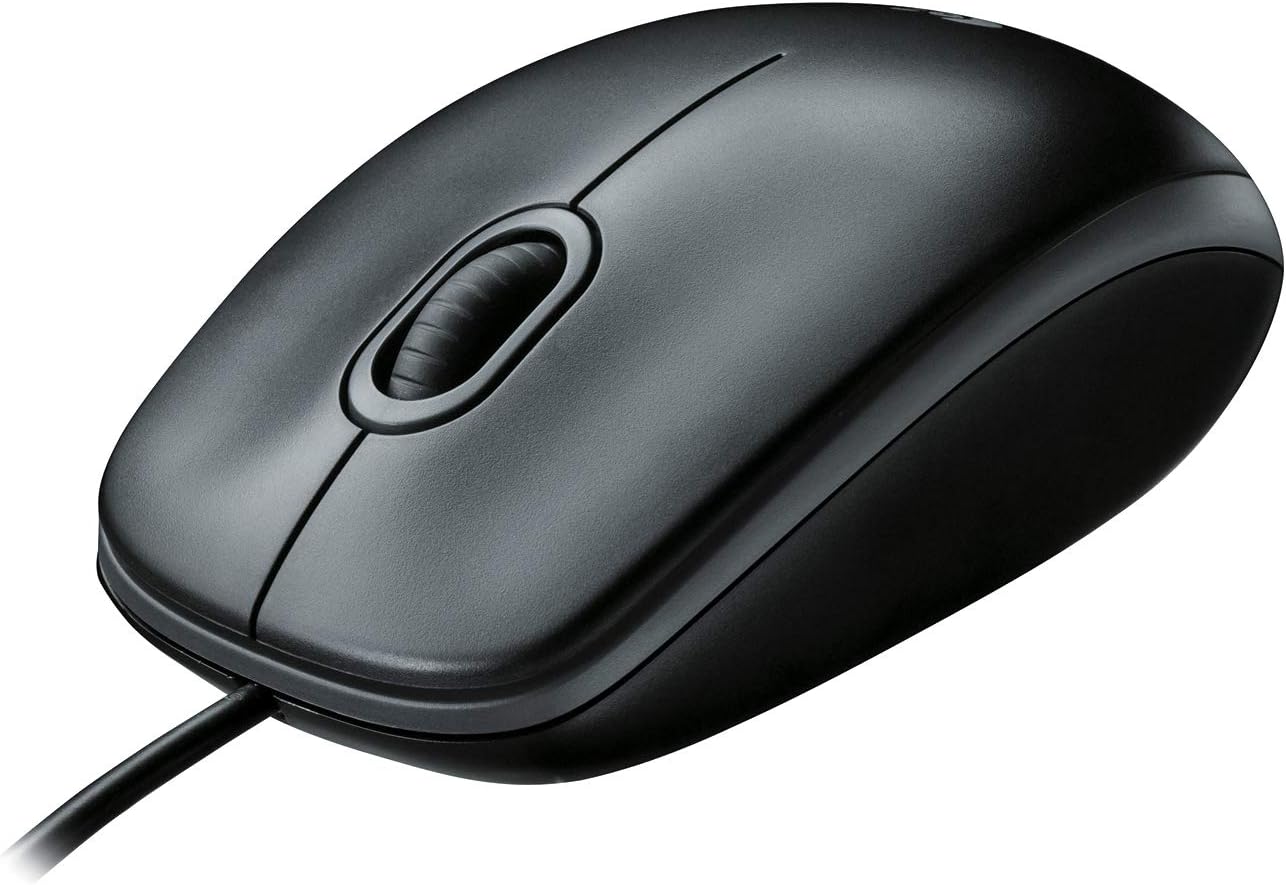
Immagine: Un'immagine chiara dall'alto verso il basso view of the Logitech B100 wired mouse, showcasing il suo design classico.
Manutenzione
To ensure optimal performance and longevity of your Logitech B100 mouse, follow these simple maintenance guidelines:
- Pulizia: Utilizzare un panno morbido e privo di lanugine leggermente dampPulire la superficie del mouse con acqua o una soluzione detergente delicata. Evitare prodotti chimici aggressivi o materiali abrasivi.
- Sensore ottico: Periodically check the optical sensor on the bottom of the mouse for dust or debris. Gently clean it with a cotton swab if necessary.
- Cura del cavo: Per evitare danni, evitare di piegare bruscamente o tirare eccessivamente il cavo USB.
- Magazzinaggio: Quando non lo si utilizza, conservare il mouse in un ambiente pulito e asciutto, lontano da temperature estreme.

Image: The underside of the Logitech B100 mouse, showing the optical sensor and product labeling.
Risoluzione dei problemi
If you encounter issues with your Logitech B100 mouse, try the following troubleshooting steps:
- Il mouse non risponde:
- Assicurati che il cavo USB sia collegato saldamente a una porta USB funzionante. Prova una porta USB diversa.
- Riavvia il computer.
- Controllare che il sensore ottico nella parte inferiore del mouse sia pulito e libero da ostruzioni.
- Movimento irregolare del cursore:
- Pulire il sensore ottico.
- Assicurati di utilizzare il mouse su una superficie pulita, non riflettente e uniforme. Si consiglia l'uso di tappetini per mouse.
- Pulsanti o rotellina di scorrimento non funzionanti:
- Riavvia il computer.
- Try connecting the mouse to a different computer to determine if the issue is with the mouse or the computer's software/drivers.
Per una risoluzione dei problemi più dettagliata, puoi fare riferimento al sito ufficiale Guida alla risoluzione dei problemi (PDF) fornito da Logitech.
Specifiche
| Caratteristica | Dettaglio |
|---|---|
| Numero di modello | 910-001439 |
| Connettività | USB (cablato) |
| Tecnologia di rilevamento del movimento | Ottico |
| Sensibilità DPI | 800 DPI |
| Colore | Nero |
| Dimensioni (LxWxH) | 1.49 x 2.44 x 4.44 pollici (37.8 x 62 x 112.8 mm) |
| Peso | 3.84 once (108.86 grammi) |
| Lunghezza del cavo | Non specificato |
| Compatibilità del sistema operativo | Windows 10, 11 or later, Linux, Chrome OS, macOS 10.5 or later |
| Caratteristiche speciali | Ambidextrous design, Plug-and-Play |

Image: A diagram illustrating the physical dimensions (length, width, height) of the Logitech B100 mouse.
Garanzia e supporto
The Logitech B100 Wired Mouse is engineered by Logitech, a leader in computer peripherals. This product is serviced and supported exclusively by Logitech in accordance with their terms and conditions.
For warranty information, technical support, or customer service, please contact Logitech directly through their official support channels. You can typically find support contact details on the Logitech websito o all'interno della confezione del prodotto.
For general information about Logitech products, you can visit the Negozio Logitech su Amazon.
Ask a question about this manual
Ask about setup, troubleshooting, compatibility, parts, safety, or missing instructions. Manuals+ will review the question and use this page’s manual context to help answer it.