
Introduzione
The Logitech HD Webcam C310 is designed to provide clear and reliable video communication. Featuring HD 720p video calling and 5-megapixel snapshot capabilities, it's ideal for various applications. This manual provides essential information for setting up, operating, maintaining, and troubleshooting your webCamera.
Impostare
Follow these steps to set up your Logitech HD Webcamma C310:
- Disimballare il WebCamera: Rimuovere con attenzione il file webcam dalla confezione. Assicurarsi che tutti i componenti, incluso il webcam unit and its integrated USB cable, are present.
- Posizionare il WebCamera: The C310 features a flexible clip/stand designed to securely attach to the top of your monitor or laptop screen. It can also be placed on a flat surface. Adjust the clip to fit snugly without obstructing your screen.
- Connettiti al tuo computer: Collegare il cavo USB integrato dalla webcam in una porta USB disponibile sul tuo computer. La webcam is plug-and-play, meaning your operating system should automatically detect and install the necessary drivers.
- Installazione del software (opzionale): Mentre il webcam functions with standard drivers, for enhanced features like advanced settings and photo/video capture software, you may visit the official Logitech support website to download and install the latest software for your C310.
- Verifica installazione: Open a video conferencing application (e.g., Skype, Zoom, Google Meet) or your computer's camera application to confirm the webla cam è riconosciuta e visualizza il video.

Figura 1: Fronte view of the Logitech HD Webtelecamera C310.

Figure 2: The C310 webcam positioned on a computer monitor for video calls.

Figure 3: Operating system compatibility for the Logitech C310 webCamera.
Operare il Webcamma
The Logitech C310 is designed for ease of use with various communication platforms. Here are its key operational features:
- HD 720p Video Calls: Enjoy high-definition video calls on most major instant messaging applications and Logitech Vid HD. The webcam provides fluid, widescreen HD 720p video for clear communication.
- 5-Megapixel Snapshots: Capture high-resolution still images at up to 5 megapixels (software enhanced).
- One-Click Upload to Social Media: Easily capture HD video (720p) and upload it to platforms like Facebook or YouTube with a single click (requires Logitech software).
- Built-in Microphone with RightSound™: The integrated microphone ensures clear conversations by reducing background noise.
- RightLight™ 2 Technology: This feature intelligently adjusts the camera's settings to produce the best possible image, even in dim or poorly backlit environments.
- Logitech Video Effects: Add fun and creativity to your video calls with various video effects, including neon splashes and fish-eye distortions (requires Logitech software).
- IM Compatibility: IL webcam is compatible with popular instant messaging applications such as Skype, Windows Live Messenger, Yahoo! Messenger, and AOL Instant Messenger (AIM®).
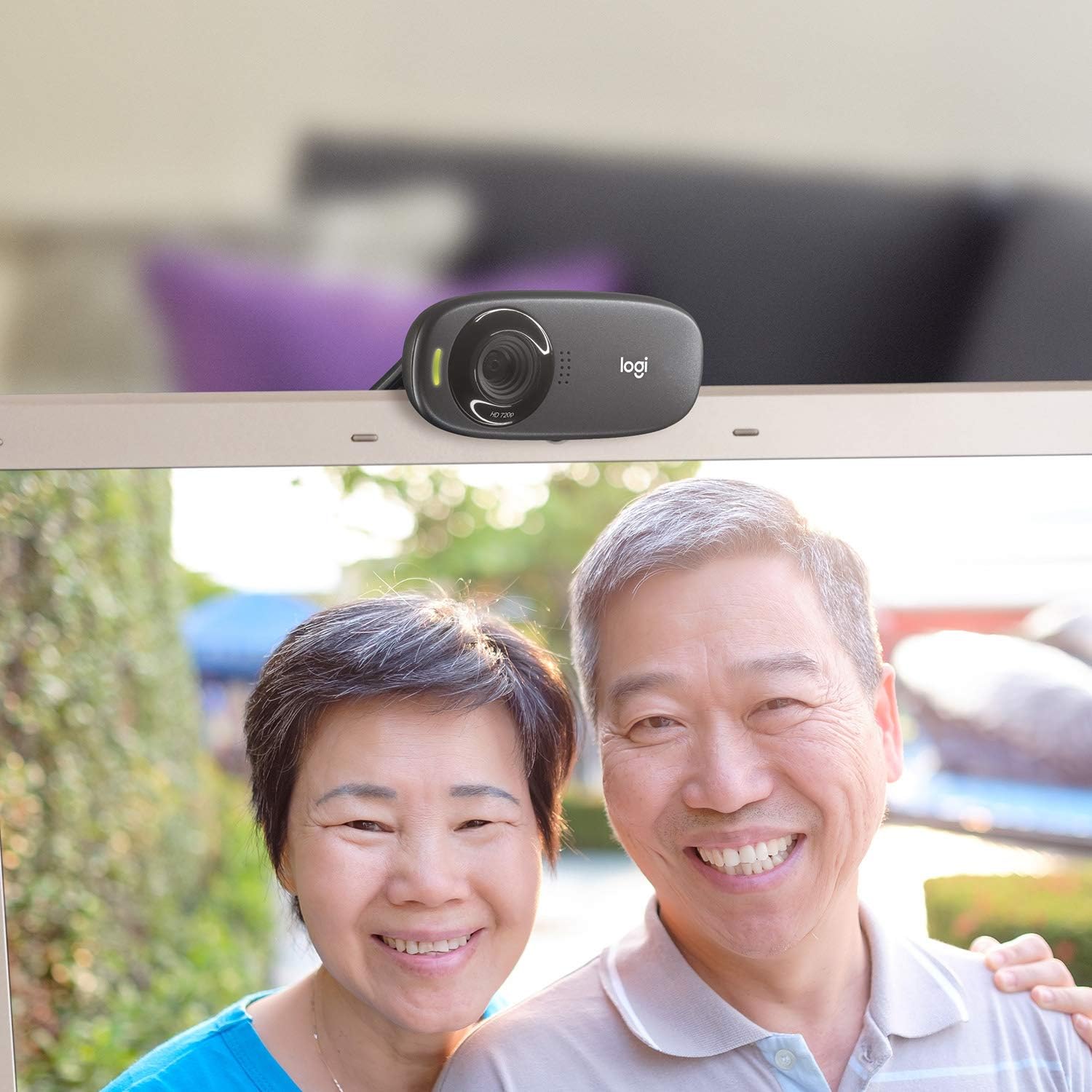
Figura 4: Esample of a clear video call using the C310 webCamera.
Manutenzione
Una corretta manutenzione garantisce la longevità e le prestazioni ottimali del tuo webCamera:
- Pulizia: Use a soft, lint-free cloth to gently wipe the webcam lens and body. Avoid abrasive cleaners or solvents that could damage the surface.
- Magazzinaggio: Quando non è in uso, conservare il webconservare in un luogo pulito e asciutto, lontano dalla luce solare diretta e da temperature estreme.
- Cura del cavo: Do not excessively bend or pull the USB cable. This can damage the internal wires and affect connectivity.
Risoluzione dei problemi
If you encounter issues with your Logitech HD Webcam C310, try the following solutions:
- Webcam non rilevata:
- Assicurati che il cavo USB sia collegato saldamente a una porta USB funzionante. Prova una porta USB diversa.
- Riavvia il computer.
- Controlla Gestione dispositivi del tuo computer (Windows) o Informazioni di sistema (Mac) per vedere se webcam is listed and recognized.
- Aggiorna i driver USB del tuo computer.
- Scarsa qualità video:
- Ensure adequate lighting in your environment. RightLight™ 2 technology helps, but sufficient ambient light is crucial.
- Pulisci il weblente della camma con un panno morbido.
- Check your internet connection speed, especially during video calls, as a slow connection can degrade video quality.
- Close other applications that might be using significant bandwidth or system resources.
- Problemi con il microfono:
- Verify that the Logitech C310 microphone is selected as the default input device in your operating system's sound settings and in your video conferencing application.
- Controlla i livelli del volume del microfono nelle impostazioni di sistema.
- Ensure no physical obstructions are blocking the microphone holes on the webCamera.
Specifiche
| Dimensioni del prodotto | 8.27 x 2.99 x 5.98 pollici |
| Peso dell'articolo | 8 once |
| Numero modello articolo | 960-000637 |
| Risoluzione di acquisizione video | Formato: 720p |
| Tecnologia del sensore fotografico | CMOS |
| Tecnologia di connettività | USB |
| Microfono incorporato | Yes, with RightSound™ noise reduction |
| Correzione automatica della luce | Yes, with RightLight™ 2 technology |
| Cattura di immagini fisse | Up to 5 megapixels (software enhanced) |
| Produttore | Logitech |
| Data prima disponibilità | 12 novembre 2010 |
Garanzia e supporto
The Logitech HD Webcam C310 typically comes with a 2-year limited hardware warranty. For detailed warranty information, technical support, or to access additional resources, please visit the official Logitech support websito o fare riferimento alla documentazione inclusa con il prodotto.
Potresti anche considerare l'acquistoasing piani di protezione estesa per una copertura aggiuntiva:
- Piano di protezione biennale
- Piano di protezione biennale
- Protezione completa: un unico piano copre tutti gli acquisti idonei passati e futuri (disponibile l'opzione di fatturazione mensile).
For further assistance, contact Logitech Customer Service.