
1. Introduzione
This manual provides instructions for the safe and effective use of your Vivitar VIV-VT-3 Micro Tripod. Please read this manual thoroughly before using the product and retain it for future reference.
The Vivitar VIV-VT-3 is a compact and portable tripod designed to provide stable support for cameras. Its small size makes it suitable for travel and on-the-go photography.
Caratteristiche principali:
- Design compatto: Perfect size to fit in a purse or backpack, enhancing portability.
- Costruzione durevole: Engineered for sturdy support and longevity.
- Tilt Ball Head: Allows for flexible camera positioning and angle adjustments.
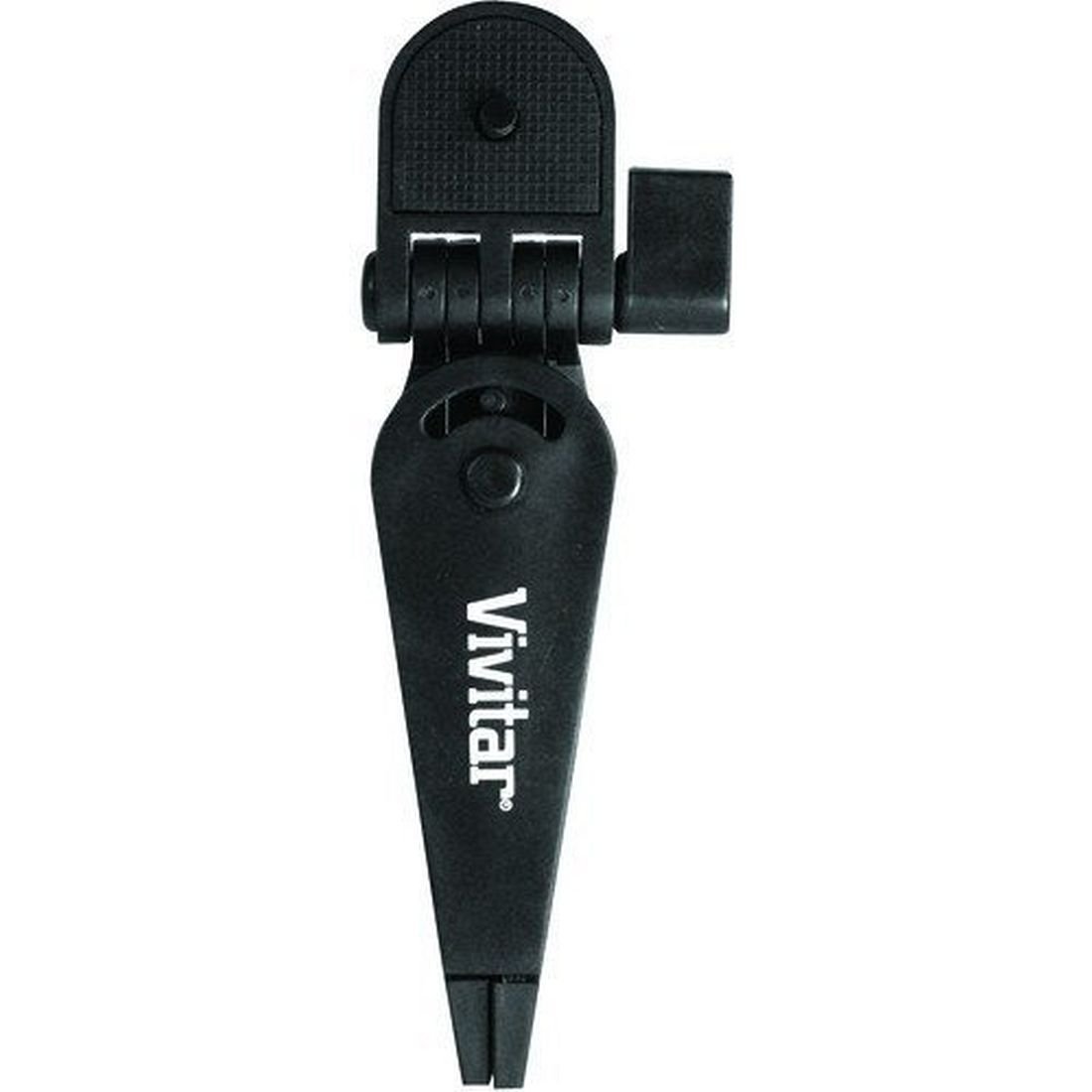
Figure 1: Vivitar VIV-VT-3 Micro Tripod. This image shows the compact black tripod with its three legs and integrated ball head.
2. Informazioni sulla sicurezza
- Assicurarsi che il treppiede sia posizionato su una superficie stabile e piana per evitare che si ribalti.
- Do not exceed the maximum weight limit of 3.3 pounds (1.5 kg) for attached devices.
- Always secure your camera or device firmly to the tripod mount before use.
- Tenere il treppiede lontano da temperature estreme, umidità e materiali corrosivi.
- Do not attempt to force adjustments; if a part is stiff, check for obstructions.
- Tenere fuori dalla portata dei bambini per evitare incidenti.
3. Contenuto della confezione
- Vivitar VIV-VT-3 Micro Tripod (1 unit)
4. Impostazione
- Disimballare il treppiede: Carefully remove the Vivitar VIV-VT-3 Micro Tripod from its packaging.
- Posizionare le gambe: Spread the three legs of the tripod outwards until they are fully extended and stable. Ensure all three feet are firmly on the ground.
- Collega il tuo dispositivo:
- Locate the standard 1/4-inch screw on the top of the tripod's ball head.
- Align the screw with the tripod mounting hole on the bottom of your camera or compatible device.
- Rotate your camera clockwise onto the screw until it is securely fastened. Do not overtighten.
- Adjust the Ball Head: The tripod features a tilt ball head for flexible positioning.
- Loosen the locking knob (if present, typically a small knob on the side of the ball head) to allow the ball head to move freely.
- Position your camera to the desired angle.
- Tighten the locking knob to secure the camera in place.
5. Istruzioni per l'uso
Once your camera is securely mounted and the tripod is set up, you can begin using it to stabilize your shots.
- Posizionamento stabile: Always place the tripod on a flat, stable surface. Avoid uneven ground or slippery areas that could cause the tripod to fall.
- Regolazione dell'angolo: Use the tilt ball head to precisely adjust the camera's angle. Loosen the locking knob, set the angle, and then re-tighten the knob firmly.
- Portabilità: Due to its compact size, the VIV-VT-3 is ideal for tabletop photography, low-angle shots, or as a handgrip for video recording when folded.
6. Manutenzione
- Pulizia: Pulire il treppiede con un panno morbido e asciutto. Per lo sporco ostinato, utilizzare un panno leggermenteamp È possibile utilizzare un panno e asciugare immediatamente. Non utilizzare prodotti chimici aggressivi o detergenti abrasivi.
- Magazzinaggio: Store the tripod in a cool, dry place away from direct sunlight and excessive dust.
- Ispezione: Periodically check all screws and connections to ensure they are tight. Do not lubricate the ball head unless specifically instructed by the manufacturer.
7. Risoluzione Dei Problemi
- Problema: il treppiede è instabile.
- Soluzione: Ensure the tripod legs are fully spread and placed on a flat, level surface. Verify that the camera is securely mounted and its weight is within the tripod's limit.
- Problem: Camera is not holding its angle.
- Soluzione: Check that the locking knob on the ball head is fully tightened after adjusting the camera's position. If the issue persists, ensure the camera's weight does not exceed the tripod's capacity.
- Problem: Camera cannot be securely attached.
- Soluzione: Confirm that your camera has a standard 1/4-inch tripod mounting hole. Ensure the screw on the tripod's ball head is not stripped or damaged. Rotate the camera clockwise until it is snug, but do not overtighten.
8. Specifiche
| Marca | Vivitar |
| Nome del modello | VIV-VT-3 |
| Numero di modello | VT3 |
| Colore | Nero |
| Dispositivi compatibili | Telecamera |
| Limite di peso | 3.3 libbra (circa 1.5 kg) |
| Altezza massima | 3 pollici |
| Altezza minima | 3 pollici |
| Tipo di testa del treppiede | Testa a sfera |
| Numero di sezioni delle gambe | 1 |
| Dimensioni piegate | 3 pollici (A) x 3 pollici (L) x 3 pollici (P) |
| Codice UPC | 681066553602 |
9. Garanzia e supporto
Vivitar products are manufactured to high-quality standards. For information regarding warranty coverage, technical support, or service inquiries, please refer to the warranty card included with your purchase or visit the official Vivitar websito.
Supporto online: www.vivitar.com/support