
1. Introduzione
Thank you for choosing the Takstar E 340 Karaoke Microphone. This manual provides essential information for the proper setup, operation, and maintenance of your microphone. Please read this manual thoroughly before using the product to ensure optimal performance and longevity.
2. Prodotto finitoview
The Takstar E 340 is a high-quality unidirectional handheld dynamic microphone designed for clear vocal reproduction, ideal for karaoke and general speech applications. It features a robust construction and a design focused on user comfort and sound clarity.
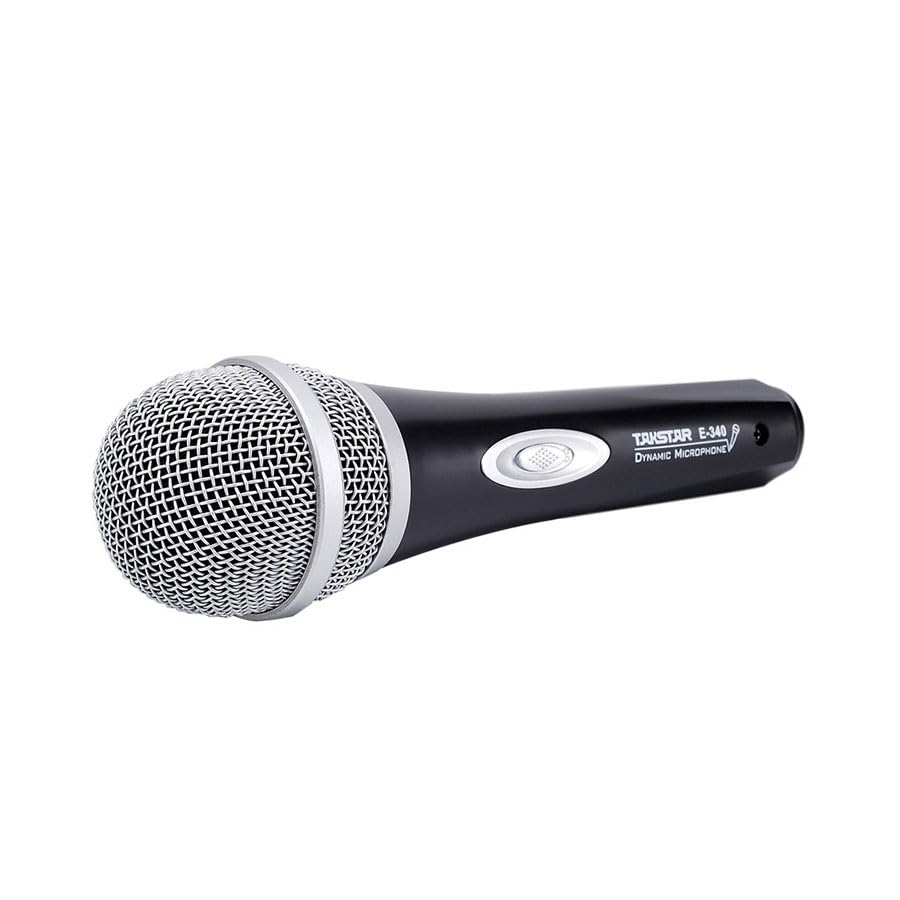
Figure 2.1: Takstar E 340 Handheld Dynamic Microphone. This image shows the full view of the microphone, highlighting its black body and silver grille.
Caratteristiche principali:
- Modello polare unidirezionale: Si concentra sul suono proveniente dalla parte anteriore, riducendo il rumore di fondo.
- Capsula dinamica: Provides clear and powerful sound reproduction.
- Costruzione durevole: Plastic housing with a paint finish for comfortable handling and durability.
- Connettività XLR: Utilizes a dual-core XLR cable for clear signal transmission and noise interference shielding.
- Design leggero: Ensures ease of use and portability.

Figura 2.2: dettagliata view of the Takstar E 340 microphone highlighting its internal dynamic capsule and the robust construction. This image illustrates the quality components and design features.
Identificazione dei componenti:
- Griglia del microfono: Protegge la capsula del microfono e aiuta a modellare il suono.
- Corpo del microfono: Houses the internal components and provides a comfortable grip.
- Interruttore On/Off: Controls the microphone's power.
- XLR Output Connector: For connecting the microphone to an audio interface or karaoke machine.
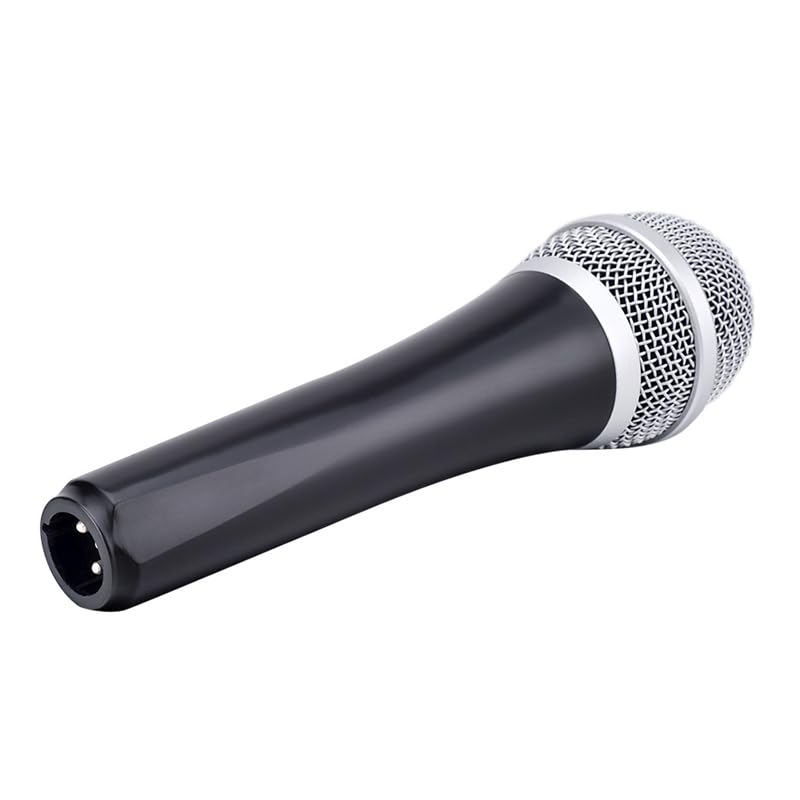
Figure 2.3: The XLR output connector located at the base of the Takstar E 340 microphone. This is where the microphone cable connects.
3. Istruzioni per l'installazione
- Disimballare il microfono: Carefully remove the Takstar E 340 microphone and any included accessories from its packaging.
- Collegare il cavo: Insert the XLR end of your microphone cable into the XLR output connector at the base of the microphone. Ensure it clicks securely into place.
- Connetti al dispositivo audio: Connect the other end of the microphone cable (e.g., 1/4-inch jack or USB Type-C, depending on your cable) to the microphone input of your karaoke machine, mixer, or audio interface.
- Accensione: Ensure your audio device is powered on and its volume is set to a low level before activating the microphone.
4. Istruzioni per l'uso
- Turn On the Microphone: Locate the On/Off switch on the microphone body and slide it to the 'ON' position.
- Posizionamento: Hold the microphone approximately 2-6 inches (5-15 cm) from your mouth for optimal sound pickup. Experiment with distance to find the best sound for your voice and environment.
- Regolazione del volume: Gradually increase the volume on your connected audio device until the desired sound level is achieved. Avoid setting the volume too high to prevent feedback or distortion.
- Pickup unidirezionale: The E 340 is a unidirectional microphone, meaning it primarily picks up sound from the front. Point the top of the microphone directly towards the sound source (your mouth) for the clearest audio.
- Disattivazione: When finished, slide the On/Off switch to the 'OFF' position and then turn off your audio device.
5. Cura e manutenzione
- Pulizia: Use a soft, dry cloth to clean the microphone body. For the grille, a soft brush can be used to gently remove dust or debris. Do not use liquid cleaners or solvents.
- Magazzinaggio: Store the microphone in a dry, cool place away from direct sunlight and extreme temperatures. If possible, use a protective case to prevent physical damage.
- Gestione: Evitare di far cadere il microfono o di sottoporlo a forti urti, poiché ciò potrebbe danneggiare i componenti interni.
- Cura del cavo: Always grasp the connector, not the cable, when plugging or unplugging. Avoid bending or kinking the cable excessively.
6. Risoluzione Dei Problemi
| Problema | Possibile causa | Soluzione |
|---|---|---|
| Nessuna uscita audio | L'interruttore del microfono è spento Cavo non collegato correttamente Volume di ingresso del dispositivo audio troppo basso Faulty cable or audio device input | Spostare l'interruttore su 'ON' Assicurarsi che il cavo sia collegato saldamente ad entrambe le estremità Increase input volume on audio device Test with a different cable or audio input |
| Suono basso o distorto | Microfono troppo lontano dalla sorgente sonora Input volume too high (distortion) Capsula del microfono danneggiata | Hold microphone closer to mouth Reduce input volume on audio device Contact customer support if damage is suspected |
| Feedback (suono ululante) | Microfono troppo vicino agli altoparlanti Volume troppo alto Microphone pointed at speakers | Increase distance between microphone and speakers Ridurre il volume complessivo Ensure microphone is not pointed directly at speakers |
7. Specifiche tecniche
| Caratteristica | Specificazione |
|---|---|
| Modello | E340 |
| Modello polare | Unidirezionale |
| Fattore di forma del microfono | Portatile |
| Impedenza | 600 Ohm |
| Rapporto segnale / rumore (SNR) | 72 dB |
| Risposta in frequenza | 16KHz |
| Sensibilità Audio | 54 decibel |
| Tecnologia di connettività | UHF (via cable) |
| Tipo di connettore | USB Type-C (implied for cable connection, typically XLR on mic) |
| Dispositivi compatibili | Macchina per karaoke |
| Fonte di alimentazione | Elettrico con cavo |
| Peso dell'articolo | 580 grammi |
| Dimensioni del pacco | Dimensioni: 24.8 x 12.6 x 8 cm |
| Caratteristica speciale | Adjustable Headband (Note: This feature is typically associated with headsets, but listed in product specifications.) |
8. Garanzia e supporto
For warranty information and customer support, please refer to the documentation provided at the time of purchase or visit the official Takstar websito. Conservare la prova d'acquisto per eventuali reclami in garanzia.