
Introduzione
This manual provides essential information for the safe and efficient operation of your Brookstone iDesign Tower Stereo System. Please read this manual thoroughly before using the product and retain it for future reference.
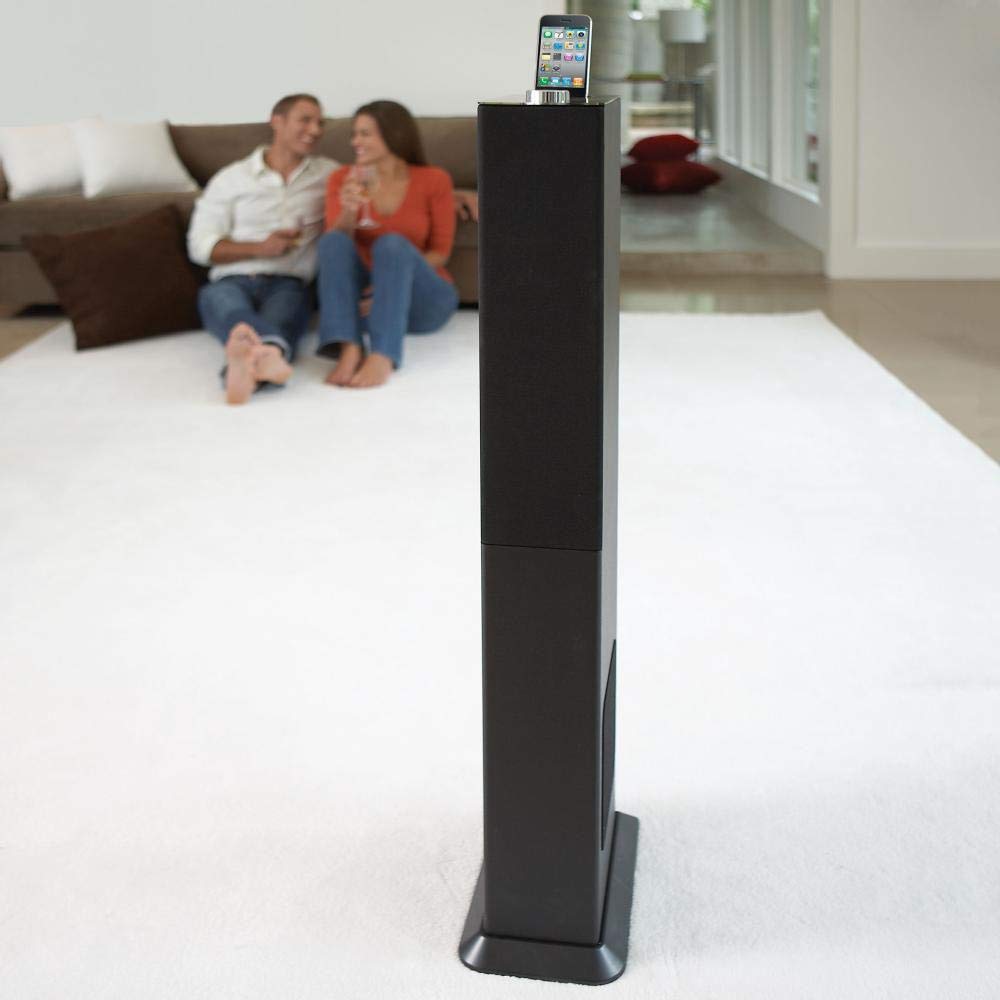
Image: The Brookstone iDesign Tower Stereo System, a tall, slender speaker unit designed for audio playback and device charging.
Informazioni sulla sicurezza
- Fonte di energia: Utilizzare solo l'adattatore di alimentazione specificato. Assicurarsi che il volumetage corrisponde all'alimentazione elettrica locale.
- Ventilazione: Non ostruire le aperture di ventilazione. Installare secondo le istruzioni del produttore.
- Acqua e umidità: Non esporre l'apparecchio a pioggia o umidità. Non posizionare oggetti contenenti liquidi, come vasi, sull'apparecchio.
- Calore: Non installare vicino a fonti di calore come radiatori, bocchette di riscaldamento, stufe o altri apparecchi (inclusi amplificatori) che producono calore.
- Pulizia: Pulire solo con un panno asciutto.
- Manutenzione: Affidare tutte le operazioni di manutenzione a personale di assistenza qualificato. L'assistenza è necessaria quando l'apparecchio è stato danneggiato in qualsiasi modo.
Contenuto della confezione
Si prega di verificare che tutti gli articoli siano presenti nel pacco:
- iDesign Tower Stereo System
- Telecomando
- Adattatore di alimentazione
- Manuale dell'utente (questo documento)
- Note: iPod/iPhone devices are not included.
Prodotto finitoview
The iDesign Tower Stereo System features a sleek design with integrated speakers and a docking station for compatible Apple devices. It includes a backlit on/volume knob and a remote control for convenient operation, delivering full, deep bass, crisp, clear highs, and warm middle tones.
Componenti principali:
- Griglie degli altoparlanti: Multi-angled speakers for room-filling sound.
- Docking Port: For iPod and iPhone devices (1st and 2nd generation iPod touch, iPod classic, 4th and 5th generation iPod nano, iPhone 3GS, iPhone 3G, iPhone).
- On/Volume Knob: Backlit control for power and volume adjustment.
- Ingresso ausiliario: For connecting other audio devices (cable not included).
- Potenza in ingresso: Per collegare l'adattatore di alimentazione.
- Sensore del telecomando: Riceve i segnali dal telecomando.
Impostare
1. Posizionamento
Place the iDesign Tower Stereo System on a stable, flat surface. Ensure there is adequate space around the unit for proper ventilation. Avoid placing it in direct sunlight or near heat sources.
2. Collegamento elettrico
- Connect the power adapter cable to the Power Input port on the back of the iDesign Tower Stereo System.
- Collegare l'alimentatore a una presa a muro standard.
3. Device Docking (iPod/iPhone)
The system is designed for specific iPod and iPhone models:
- iPod touch (1st and 2nd generation)
- iPod classico
- iPod nano (4th and 5th generation)
- L'iPhone 3GS
- L'iPhone 3G
- iPhone
Carefully align your compatible iPod or iPhone device with the docking port and gently push it down until it is securely seated. The device will begin charging automatically when docked and the system is powered on.
4. Auxiliary Input (Optional)
To connect other audio devices (e.g., MP3 players, CD players) that are not compatible with the docking port, use a 3.5mm audio cable (not included) to connect the device's headphone output to the Auxiliary Input port on the iDesign Tower Stereo System.
Istruzioni per l'uso
1. Accensione/spegnimento
Press the On/Volume knob to turn the system on or off. The knob will illuminate when the system is powered on.
2. Controllo del volume
Rotate the On/Volume knob clockwise to increase the volume and counter-clockwise to decrease it. You can also adjust the volume using the remote control.
3. Selezione della sorgente
The system automatically detects a docked iPod or iPhone. If an auxiliary device is connected, you may need to select the input source using the remote control (if available) or by cycling through inputs with a dedicated button (refer to remote control section for details).
4. Utilizzo del telecomando
The included remote control allows you to manage playback functions (play, pause, skip tracks) and volume for your docked iPod or iPhone from a distance. Point the remote control towards the sensor on the front of the tower system.
5. Dispositivi di ricarica
When a compatible iPod or iPhone is docked and the system is powered on, the device will charge automatically.
Manutenzione
Pulizia
Wipe the exterior of the system with a soft, dry cloth. Do not use liquid cleaners or aerosol sprays, as these may damage the finish or internal components. Ensure the system is unplugged before cleaning.
Magazzinaggio
If storing the system for an extended period, unplug it from the power outlet and store it in a cool, dry place, away from direct sunlight and extreme temperatures.
Risoluzione dei problemi
| Problema | Possibile causa | Soluzione |
|---|---|---|
| Nessun potere | Adattatore di alimentazione non collegato o presa non funzionante. | Ensure power adapter is securely connected to the system and a working wall outlet. |
| No sound from docked device | Device not properly docked; volume too low; device not playing. | Re-seat the device in the dock. Increase system volume and device volume. Ensure music is playing on the device. |
| No sound from auxiliary input | Auxiliary cable not connected; incorrect source selected; volume too low. | Ensure auxiliary cable is securely connected. Select auxiliary input. Increase system and source device volume. |
| Il telecomando non funziona | Batteries dead; remote not pointed at sensor; obstruction. | Replace remote control batteries. Point remote directly at the sensor. Remove any obstructions between remote and system. |
| Dispositivo non in carica | Device not compatible; system not powered on; device not properly docked. | Verify device compatibility (see Setup section). Ensure system is powered on. Re-seat the device in the dock. |
Specifiche
- Modello: B003YB9T2C
- Marca: Pietra di ruscello
- Dimensioni della confezione: 42.6 x 14 x 8.6 pollici
- Peso dell'articolo: 28.3 libbre
- Primo disponibile: 10 marzo 2010
- Compatibilità: iPod touch (1st/2nd gen), iPod classic, iPod nano (4th/5th gen), iPhone 3GS, iPhone 3G, iPhone.
Garanzia e supporto
Per informazioni sulla garanzia e sull'assistenza clienti, fare riferimento alla documentazione inclusa con l'acquisto o visitare il sito ufficiale Brookstone websito. Conservare la prova d'acquisto per eventuali reclami in garanzia.
"Made for iPod" and "Made for iPhone" mean that an electronic accessory has been designed to connect specifically to iPod or iPhone, respectively, and has been certified by the developer to meet Apple performance standards. Apple is not responsible for the operation of this device or its compliance with safety and regulatory standards. Please note that the use of this accessory with iPod or iPhone may affect wireless performance.