
1. Prodotto finitoview
The Da-Lite Model No. 11 Wall Mount Brackets are designed to provide a convenient solution for mounting projection screens. These brackets allow you to extend your screen away from the wall, effectively bypassing obstacles such as chalkboards, whiteboards, or other wall-mounted fixtures. This model features a non-adjustable design, offering fixed extension distances of either 10 inches or 14 inches from the wall, depending on the specific bracket variant purchased.
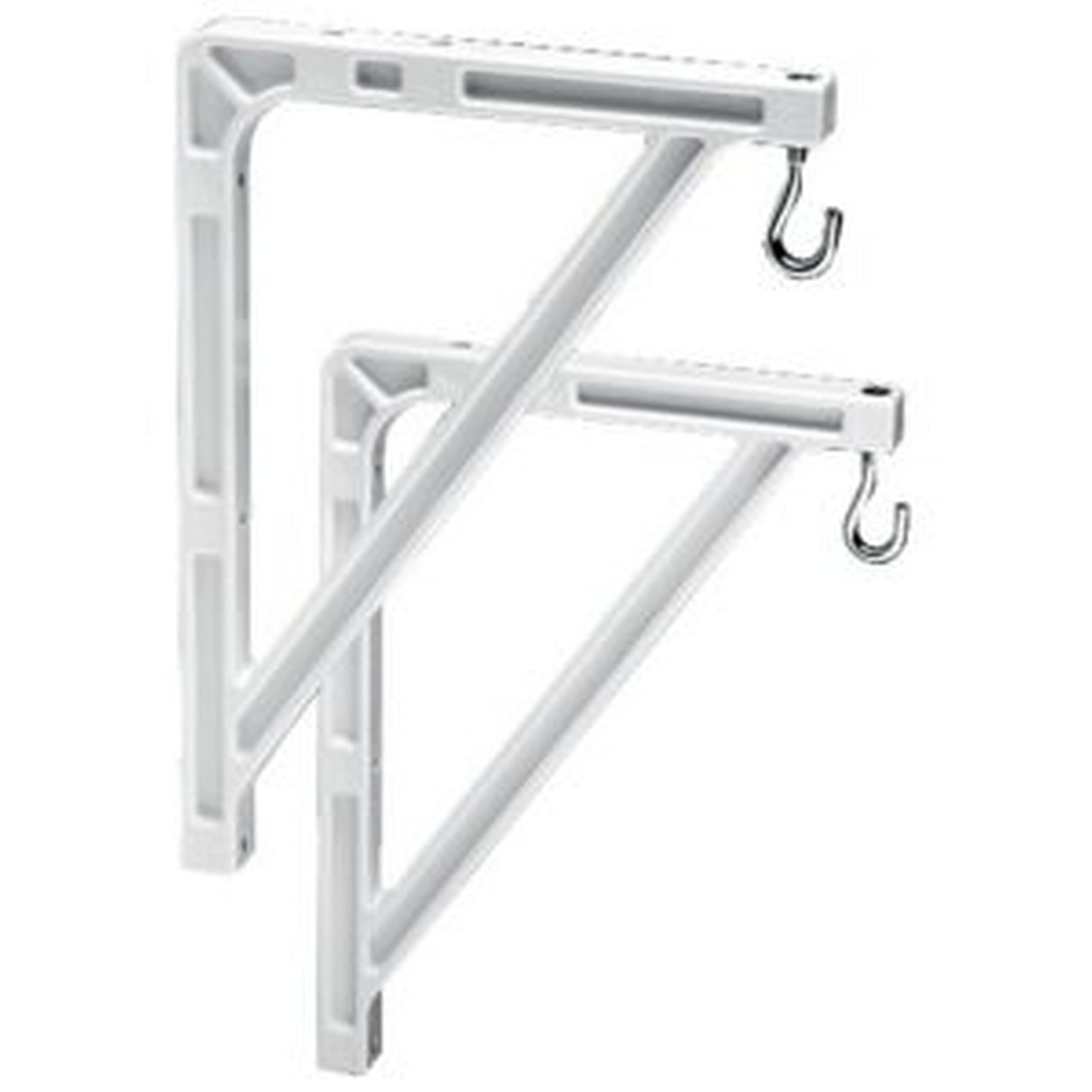
Figure 1: Da-Lite Model No. 11 Wall Mount Brackets. These brackets are designed to securely hold a projection screen away from the wall.
2. Configurazione e installazione
Proper installation of the Da-Lite Model No. 11 Wall Mount Brackets is essential for the safety and stability of your projection screen. Please follow these instructions carefully.
2.1 Strumenti e materiali necessari:
- Forare con punte adeguate
- Nastro di misurazione
- Livello
- Matita o pennarello
- Stud finder (recommended for drywall installations)
- Screwdriver or wrench (depending on fastener type)
- Appropriate wall anchors and screws (not always included, verify with screen manufacturer's requirements)
2.2 Passaggi di installazione:
- Determinare la posizione di montaggio: Identify the desired height and horizontal position for your projection screen. Ensure the location is free of electrical wires or plumbing.
- Posizioni delle parentesi: Using your measuring tape and level, mark the precise locations on the wall where the mounting holes of the brackets will align. The distance between the two brackets should match the mounting points on your projection screen.
- Praticare i fori pilota: Drill pilot holes at the marked locations. The size of the drill bit should be appropriate for your chosen wall anchors and screws. For drywall, use a stud finder to locate wall studs for maximum security, or use heavy-duty drywall anchors.
- Fissare le staffe al muro: Securely fasten the Da-Lite Model No. 11 brackets to the wall using the appropriate screws and anchors. Ensure they are level and firmly attached. Do not overtighten.
- Mount Projection Screen: Carefully lift your projection screen and align its mounting points with the brackets. Secure the screen to the brackets according to the screen manufacturer's instructions. Ensure all connections are tight and secure before releasing lo schermo.
Importante: Always consult the installation guide provided with your specific projection screen for compatibility and additional mounting requirements. Professional installation is recommended if you are unsure about any steps.
3. Utilizzo
Once installed, the Da-Lite Model No. 11 Wall Mount Brackets provide a stable and extended mounting solution for your projection screen. These brackets are designed for fixed extension, meaning the distance from the wall is set at either 10 or 14 inches, depending on the model variant. This fixed extension is ideal for situations where a consistent offset from the wall is required to clear obstructions.
- Ensure the projection screen is properly seated and secured on both brackets.
- Regularly check the stability of the screen and brackets, especially after any adjustments or movement near the installation area.
4. Manutenzione
The Da-Lite Model No. 11 Wall Mount Brackets require minimal maintenance to ensure long-term performance and safety.
- Pulizia: Pulire periodicamente le staffe con un panno morbido e asciutto per rimuovere la polvere. Per i segni ostinati, un panno leggermenteamp È possibile utilizzare un panno imbevuto di sapone neutro, quindi asciugare. Evitare detergenti abrasivi o solventi.
- Ispezione: Annually, or if you notice any instability, inspect all mounting points and fasteners. Ensure all screws are tight and that the brackets remain firmly attached to the wall and the projection screen.
- Danno: If any part of the bracket appears damaged, bent, or corroded, discontinue use immediately and contact Da-Lite support or a qualified technician for replacement.
5. Risoluzione Dei Problemi
This section addresses common issues that may arise with the Da-Lite Model No. 11 Wall Mount Brackets.
| Problema | Possibile causa | Soluzione |
|---|---|---|
| Brackets feel loose on the wall. | Screws are not tight, or wall anchors are insufficient. | Tighten all mounting screws. If still loose, consider using stronger wall anchors or relocating to a wall stud. |
| Projection screen is not level. | Brackets were not installed level, or screen is not properly seated. | Remove the screen, re-check bracket level with a spirit level, and adjust as necessary. Ensure the screen is correctly hooked onto both brackets. |
| Brackets appear bent or damaged. | Excessive weight or impact. | Do not use damaged brackets. Replace them immediately to prevent screen collapse. Ensure the screen's weight does not exceed the brackets' capacity. |
If you encounter issues not listed here, or if the suggested solutions do not resolve the problem, please contact Da-Lite customer support.
6. Specifiche
- Modello: Da-Lite Model No. 11 Wall Mount Brackets
- Tipo: Non-adjustable wall mount brackets
- Estensione dal muro: 10 inches or 14 inches (depending on variant)
- Materiale: Costruzione in metallo durevole
- Colore: Typically white (as shown in product images)
- Peso dell'articolo: Circa 2.7 libbre (per la coppia)
- Tipo di montaggio: Montaggio a parete
- Fattore di forma: Portable (refers to the screen type these brackets support)
Note: Specifications are subject to change without notice. Please refer to the product packaging for the most accurate and up-to-date information.
7. Informazioni sulla garanzia
Specific warranty terms and conditions for the Da-Lite Model No. 11 Wall Mount Brackets are typically provided with the product packaging or can be found on the official Da-Lite websito. Conservare la prova d'acquisto per eventuali reclami in garanzia.
Generally, Da-Lite products come with a limited warranty covering manufacturing defects. For detailed information regarding warranty duration, coverage, and claim procedures, please visit the official Da-Lite websito o contattare direttamente il servizio clienti.
8. Assistenza clienti
For technical assistance, installation questions, or any other inquiries regarding your Da-Lite Model No. 11 Wall Mount Brackets, please contact Da-Lite customer support.
You can typically find contact information (phone numbers, email addresses, or support portals) on the official Da-Lite webposto (www.legrandav.com/products/da-lite) or within the product documentation included with your purchase.
When contacting support, please have your product model number (Model No. 11) and any relevant purchase information ready to expedite the process.