
1. Introduzione
This manual provides detailed instructions for the installation, operation, and maintenance of your Evertech EV-CDM368IR V.7 CCTV Security Camera. This camera is designed for both indoor and outdoor surveillance, featuring day and night vision, a 2.8-12mm manual varifocal lens, and compatibility with multiple video formats including 1080p AHD, TVI, CVI, and traditional analog DVRs.

Figure 1: Evertech EV-CDM368IR V.7 Dome Security Camera. This image shows the front view of the white dome camera with its lens and infrared LEDs.
2. Cosa è incluso
Verificare che tutti i componenti siano presenti nella confezione:
- 1 pc. Evertech EV-CDM368IR V.7 Dome Security Camera
- 1 pc. Technical Specification Sheet
- 4 pcs. Mounting Screws
- 4 pcs. Plastic Wall Anchors
- 1 pc. L-Key (for adjustments)
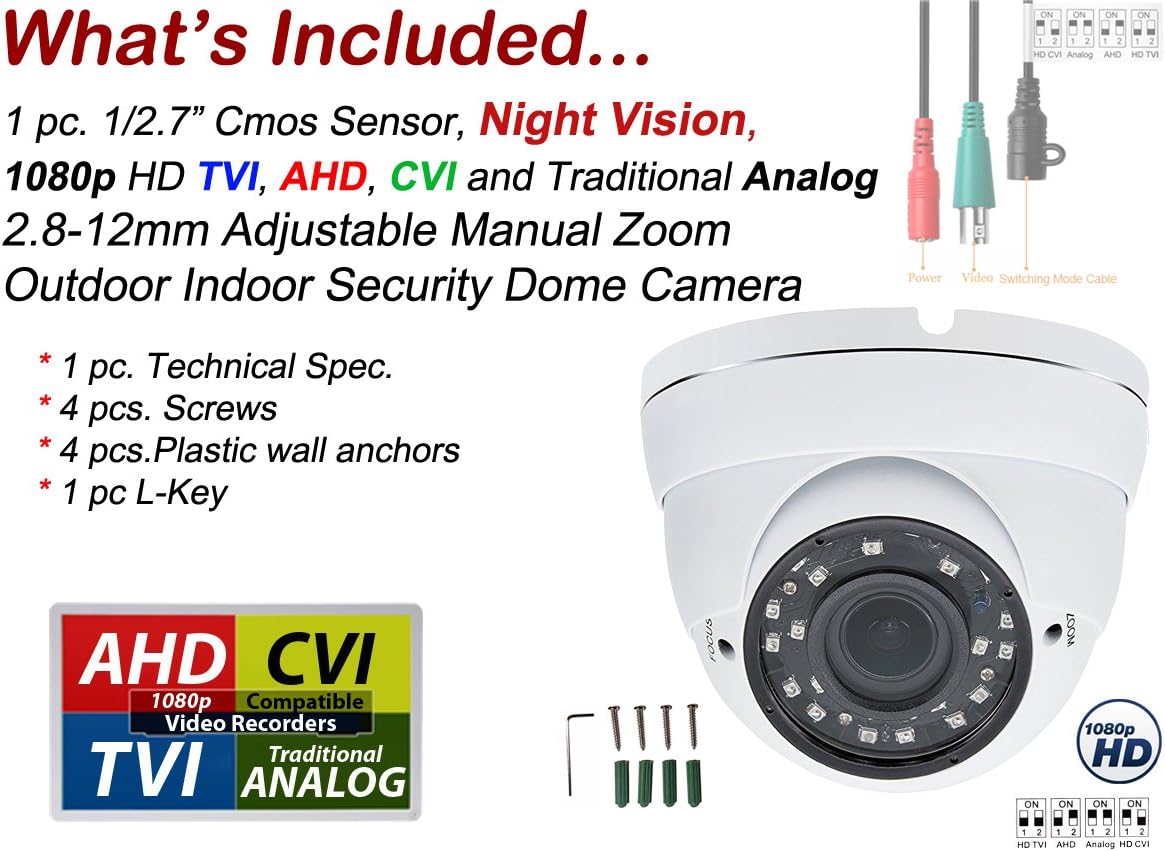
Figure 2: Package Contents. This image displays the dome camera, mounting hardware, and connection cables, along with a diagram indicating video output modes.
3. Caratteristiche del prodotto
- Risoluzione: 1080p (1920 x 1080 effective pixels) for clear video capture.
- Lente: 2.8mm - 12mm manual varifocal lens for adjustable zoom and focus.
- Visione notturna: Infrared (IR) distance up to 98 feet (30 meters) with SMT LEDs.
- Uscita video: Compatible with AHD, TVI, CVI, and traditional Analog (CVBS) DVRs.
- Durata: Weatherproof metal casing suitable for indoor and outdoor use.
- Energia: DC 12V, 500mA (minimum 800mA or 1A adapter recommended, not included).

Figura 3: Caratteristiche della fotocameraview. This diagram highlights key features such as resolution, lens type, IR distance, power requirements, and casinmateriale g.
4. Impostazione
4.1 Collegamento di alimentazione
Connect a DC 12V power adapter (not included) to the camera's power input. A minimum of 800mA or 1 Ampere adapter is recommended for stable operation, especially during night vision mode.
4.2 Video Mode Selection
The camera's default video mode is 1080p AHD. If your Digital Video Recorder (DVR) uses a different format (HD TVI, CVI, or Analog), you must switch the camera's video mode using the DIP switch located on the camera's cable.
- Locate the small DIP switch on the camera's video cable.
- Refer to the diagram below to set the switches according to your DVR's compatible video format.
- Ensure the camera is powered off before changing DIP switch settings.

Figure 4: DIP Switch Settings. This image illustrates how to configure the DIP switches for HD CVI, Analog, HD TVI, and AHD video modes.
5. Installazione
5.1 Montaggio
The Evertech EV-CDM368IR V.7 camera is designed for versatile mounting on both walls and ceilings. The durable metal casing ensures suitability for various environments.
- Scegliere una posizione di montaggio adatta che fornisca il desiderato viewangolo di ripresa e copertura.
- Use the provided mounting screws and wall anchors to securely attach the camera base.
- Assicurarsi che la superficie di montaggio sia sufficientemente robusta da sostenere il peso della telecamera.
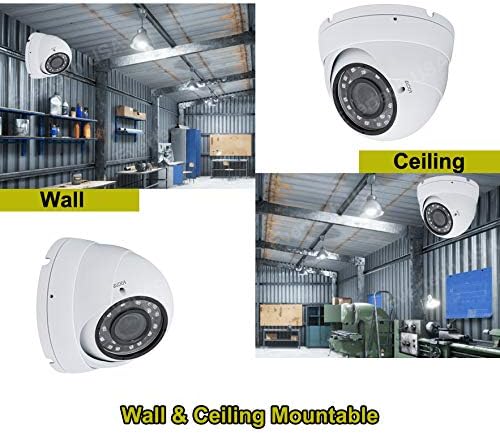
Figure 5: Mounting Options. This image demonstrates the camera mounted on both a wall and a ceiling in an industrial setting.
5.2 Considerazioni sul posizionamento
This camera is suitable for a wide range of indoor and outdoor applications, including:
- Residential homes (rooms, garages, villas)
- Commercial spaces (offices, business stores, warehouses)
- Public areas (schools, hotels, arenas)
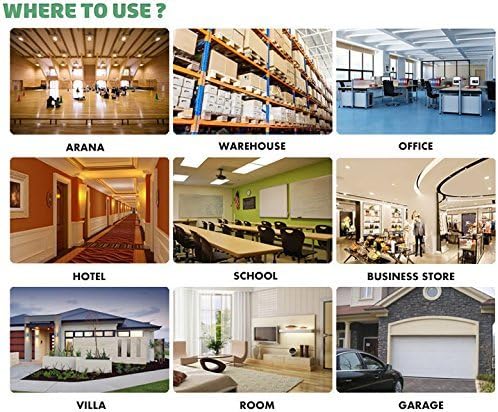
Figura 6: Esample Use Cases. This image displays various locations where the camera can be effectively used, such as warehouses, offices, and residential areas.
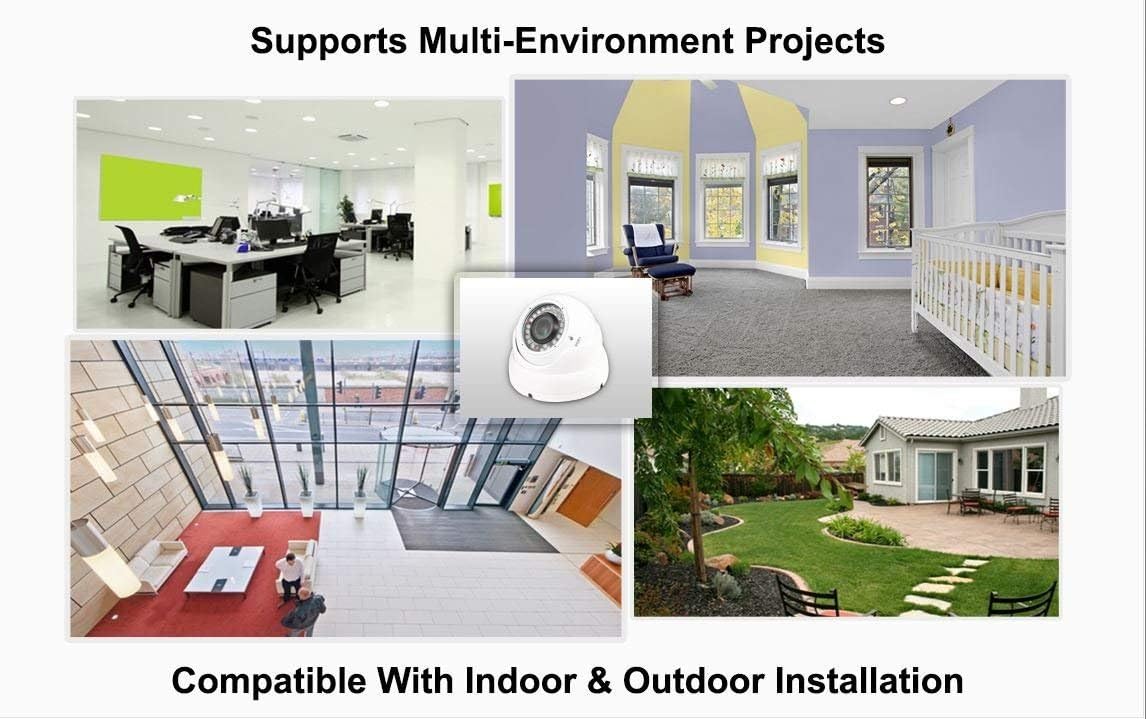
Figure 7: Multi-Environment Compatibility. This image shows the camera integrated into different indoor and outdoor settings, emphasizing its versatile installation.
6. Istruzioni per l'uso
6.1 Manual Zoom and Focus Adjustment
The camera features a 2.8mm-12mm manual varifocal lens, allowing you to adjust the field of view and focus precisely. This is particularly useful for concentrating on specific areas or adapting to different distances.
- Access the zoom and focus rings on the camera lens. These are typically adjusted using the provided L-key.
- Connect the camera to a monitor or DVR to view il feed dal vivo.
- Adjust the zoom ring to achieve the desired field of view (e.g., 2.8mm for wide angle, 12mm for narrow/zoomed-in view).
- After adjusting the zoom, rotate the focus ring until the image appears sharp and clear. It is crucial to adjust focus after every zoom change.

Figure 8: Varifocal Lens Capability. This image demonstrates the varying fields of view at different focal lengths (2.8mm to 12mm) of the varifocal lens.
7. Manutenzione
- Pulizia: Pulire regolarmente l'obiettivo della fotocamera e casing con un morbido, damp panno. Evitare detergenti abrasivi o solventi che potrebbero danneggiare la superficie.
- Ispezione dei cavi: Periodically check all cables and connections for wear, damage, or loose contacts to ensure continuous operation.
- Controlli ambientali: For outdoor installations, ensure that the camera's view is not obstructed by foliage, dirt, or spiderwebs.
8. Risoluzione Dei Problemi
| Problema | Possibile causa | Soluzione |
|---|---|---|
| Nessun segnale video | Incorrect video mode, loose cable, no power. | Verify DIP switch settings match DVR. Check power supply and video cable connections. |
| Blurry or unfocused image | Regolazione della messa a fuoco non corretta. | Adjust the manual focus ring on the lens while viewtrasmissione in diretta. |
| scarsa visione notturna | Insufficient power, IR obstruction, camera placement. | Ensure adequate power supply (recommended 800mA-1A). Clear any obstructions from the IR LEDs. Reposition camera if IR reflection is an issue. |
| Image quality issues (static, color distortion) | Cable interference, incompatible DVR settings. | Use high-quality coaxial cables. Ensure DVR settings are optimized for 1080p input. |
9. Specifiche
- Numero modello: EV-CDM368IR V.7
- Pixel effettivi: Risoluzione 1920 x 1080 (1080p)
- Lente: 2.8mm - 12mm Manual Zoom (Varifocal)
- Distanza IR: Up to 98 Ft (30 meters)
- Consumo energetico: DC 12V, 500mA (min. 800mA recommended)
- Uscita video: AHD, TVI, CVI, Analog (CVBS) - Switchable via DIP switch
- Utilizzo interno/esterno: SÌ
- Materiale della custodia: Metallo
- Grado di impermeabilità: Grado di protezione IP54
- Colore: Bianco
- Peso dell'articolo: 1.6 libbre
10. Garanzia
This Evertech security camera is covered by a Garanzia di un anno provided by Evertech. Please retain your proof of purchase for warranty claims.
11. Supporto
For further assistance, technical support, or to explore other Evertech products, please visit the official Evertech store or contact customer service.
Evertech Store: https://www.amazon.com/stores/EVERTECH/page/B071A34F-C422-49CE-BAF1-CA8454821825
12. Video ufficiali dei prodotti
Per questo modello non sono stati forniti video ufficiali del venditore.