
1. Prodotto finitoview
The Logitech Wireless Mouse M305 is designed for comfort and convenience, featuring an ergonomic design with a soft rubber grip and a compact Nano-receiver. This manual provides instructions for setting up, operating, and maintaining your mouse.
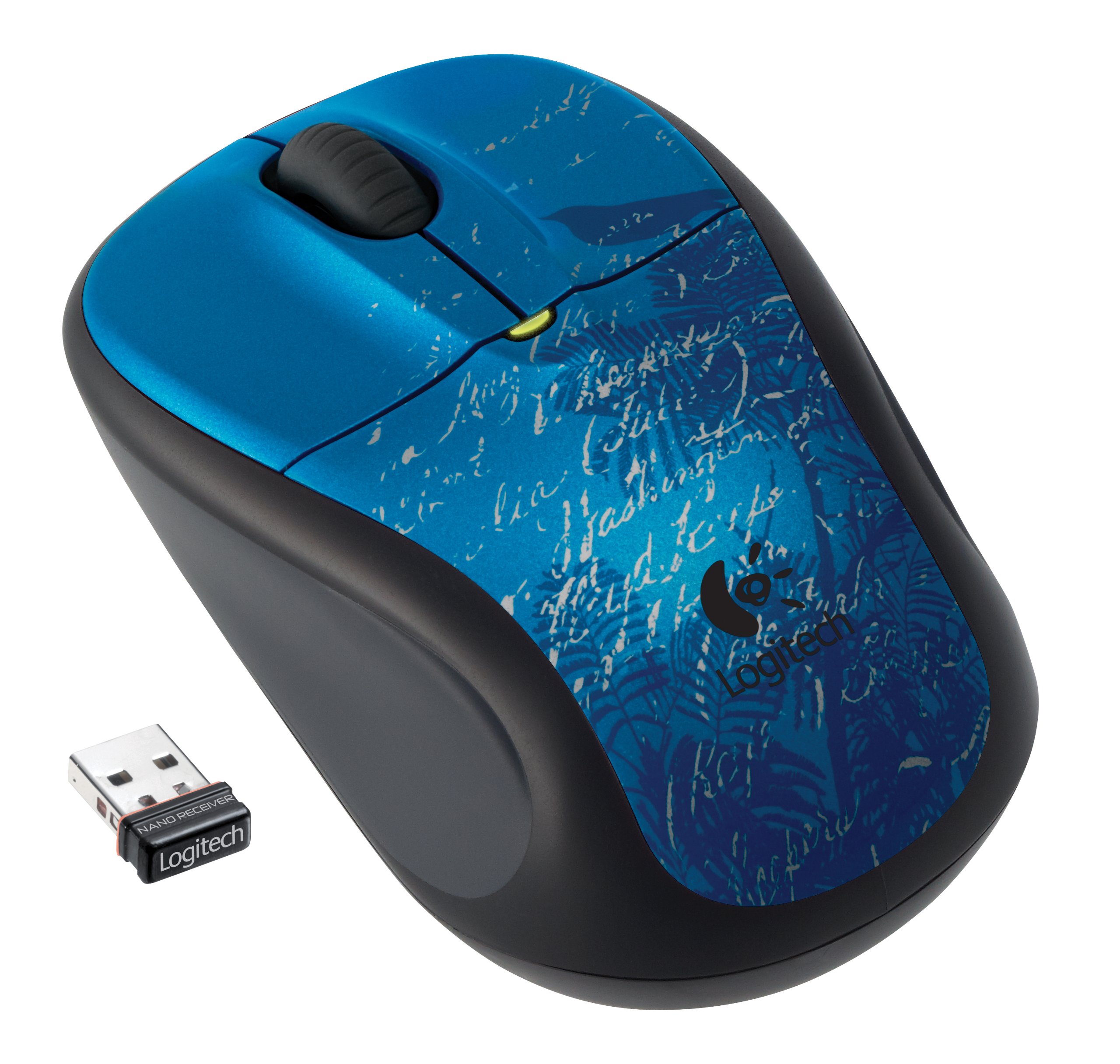
Image: Logitech Wireless Mouse M305 (Indigo Scroll) with its Nano receiver. The mouse features a blue design with white scroll patterns and a bird silhouette.
2. Istruzioni per l'installazione
2.1. Installazione della batteria
- Individuare il vano batteria sul lato inferiore del mouse.
- Aprire il coperchio del vano batterie.
- Inserire una batteria AA, assicurandosi della corretta polarità (+/-).
- Chiudere il coperchio del vano batterie.
- Accendere il mouse utilizzando l'interruttore On/Off situato nella parte inferiore.
2.2. Connecting the Nano-Receiver
- Locate the USB Nano-receiver. It is typically stored inside the battery compartment or packaged separately.
- Plug the Nano-receiver into an available USB port on your computer.
- Il computer dovrebbe rilevare e installare automaticamente i driver necessari. Questo processo potrebbe richiedere alcuni istanti.
- Una volta installati i driver, il mouse è pronto per l'uso.

Image: The compact Nano receiver plugged into a laptop's USB port, demonstrating its small size.

Image: The Nano receiver shown next to a US nickel coin, highlighting its small, unobtrusive design.
3. Istruzioni per l'uso
The Logitech Wireless Mouse M305 provides standard mouse functionality with enhanced comfort and precision.
3.1. Funzioni di base
- Pulsante sinistro del mouse: Utilizzato per selezionare gli elementi, aprire files ed esecuzione di comandi.
- Pulsante destro del mouse: Utilizzato per accedere ai menu contestuali e alle opzioni aggiuntive.
- Rotella di scorrimento: Utilizzato per scorrere i documenti e web pagine. La rotellina di scorrimento può anche funzionare come pulsante centrale per applicazioni specifiche.
3.2. Ergonomics and Tracking
The mouse features an ergonomic design with a soft rubber grip for comfortable use over extended periods. Its high-definition optical tracking (1000 dpi) ensures responsive and smooth cursor control on various surfaces.

Immagine: Lato view of the Logitech Wireless Mouse M305, illustrating its contoured shape and soft rubber side grips designed for comfort.
3.3. Gestione energetica
To conserve battery life, the mouse includes an On/Off switch on its underside. It also features intelligent battery management, allowing for months of use from a single AA battery.
4. Manutenzione
4.1. Sostituzione della batteria
When the mouse's performance degrades or the battery indicator light (if present) signals low power, replace the AA battery by following the installation steps in Section 2.1.
4.2. Pulizia
Per pulire il mouse, utilizzare un panno morbido e asciutto. Per lo sporco ostinato, un panno leggermenteamp È possibile utilizzare un panno, assicurandosi che non penetri umidità nei componenti interni. Evitare l'uso di prodotti chimici aggressivi o detergenti abrasivi.
5. Risoluzione Dei Problemi
If you encounter issues with your Logitech Wireless Mouse M305, try the following troubleshooting steps:
- Il mouse non risponde:
- Ensure the mouse is turned on using the On/Off switch.
- Controllare la batteria. Sostituirla se necessario.
- Ensure the Nano-receiver is securely plugged into a working USB port. Try a different USB port.
- Riavvia il computer.
- Movimento irregolare del cursore:
- Pulisci il sensore ottico sul lato inferiore del mouse.
- Assicurati di utilizzare il mouse su una superficie adatta. Evita superfici altamente riflettenti o trasparenti.
- Check for interference from other wireless devices. Move the receiver closer to the mouse or away from other electronics.
- Problemi di connessione:
- If the connection is frequently lost, try re-pairing the mouse with the receiver using Logitech's connection utility software (if available for your operating system).
6. Specifiche
| Caratteristica | Dettaglio |
|---|---|
| Numero di modello | 910-002462 |
| Dimensioni del prodotto | 8.25 x 3.5 x 5.88 pollici |
| Peso dell'articolo | 4.8 once |
| Batterie | 1 batteria AA (inclusa) |
| Tecnologia di connettività | Senza fili (2.4 GHz) |
| Tecnologia di rilevamento del movimento | Ottico (1000 dpi) |
| Produttore | Logitech, Inc |
7. Garanzia e supporto
For warranty information and technical support, please refer to the documentation included with your product or visit the official Logitech website. Logitech provides customer support and resources for their products.
Logitech Ufficiale Websito: www.logitech.com


