
Introduzione
This manual provides comprehensive instructions for the setup, operation, maintenance, and troubleshooting of your Polk Audio SurroundBar 4000 Instant Home Theater system. Please read this manual thoroughly before using the product to ensure proper functionality and to maximize your audio experience.
Informazioni importanti sulla sicurezza
Always follow basic safety precautions when using this product to reduce the risk of fire, electric shock, and injury. Keep these instructions for future reference.
- Non esporre questo apparecchio a pioggia o umidità.
- Non ostruire le aperture di ventilazione.
- Non installare vicino a fonti di calore.
- Utilizzare solo accessori/componenti specificati dal produttore.
- Affidare tutti gli interventi di assistenza a personale qualificato.
Contenuto della confezione
Verificare che tutti gli articoli siano presenti nel pacco:
- Polk Audio SurroundBar 4000 Soundbar
- Subwoofer senza fili
- Telecomando
- Cavi di alimentazione
- Cavo ottico
- Modello di montaggio a parete (se applicabile)
- Guida rapida
Impostare
1. Posizionamento
The SurroundBar 4000 can be placed on a shelf below your television or mounted on a wall. Ensure the soundbar is centered with your TV for optimal audio imaging.
The wireless subwoofer can be placed anywhere in the room, ideally within 20-30 feet of the soundbar, for best performance. Avoid placing it directly against a wall or in a corner, which can cause excessive bass.
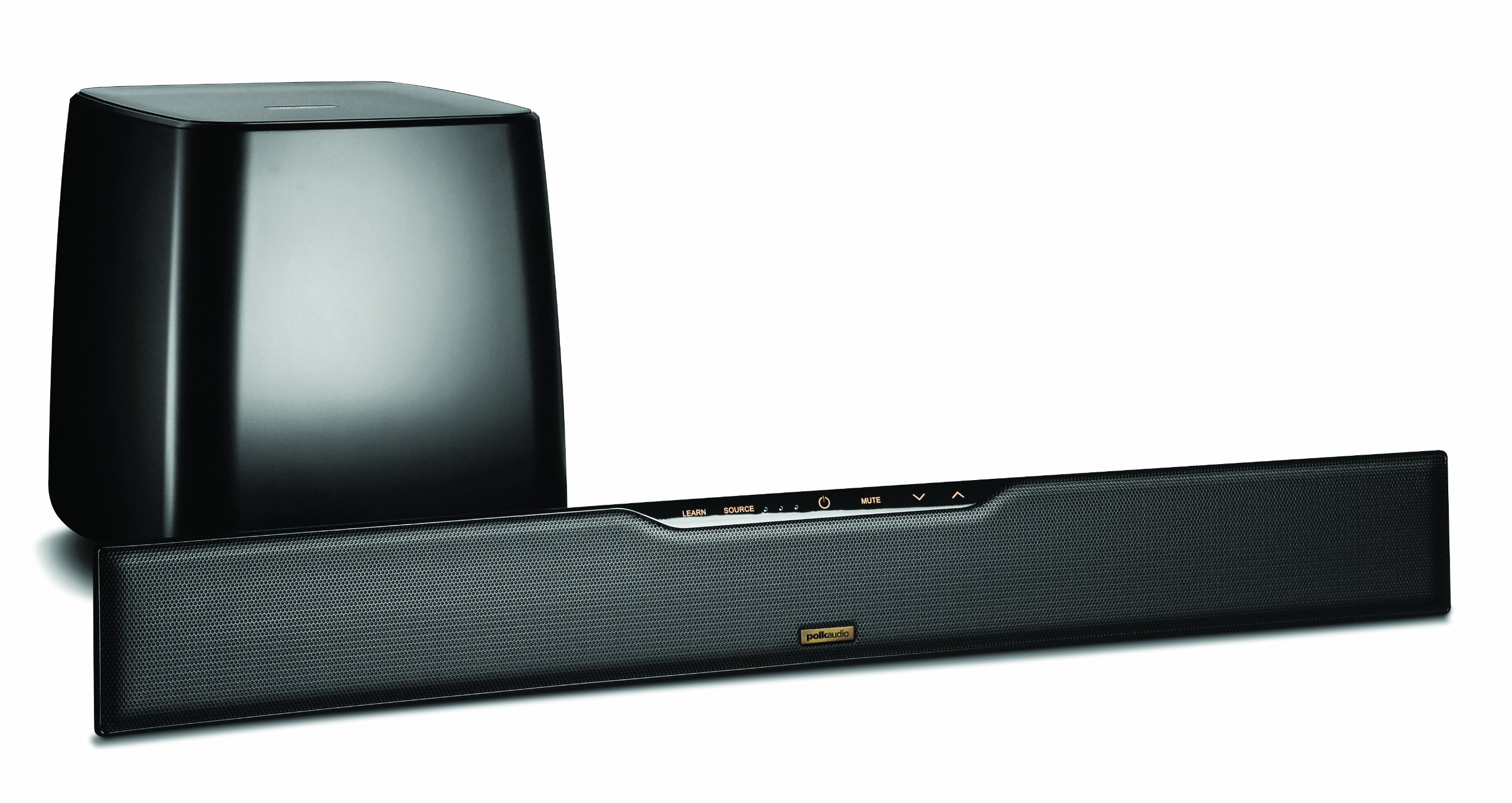
Image: Polk Audio SurroundBar 4000 IHT soundbar and wireless subwoofer. This image illustrates a typical setup with the soundbar positioned below a television and the wireless subwoofer placed nearby.
2. Connessioni
Collega la soundbar al televisore o ad altre sorgenti audio utilizzando uno dei seguenti metodi:
- Optical Digital Audio (Recommended): Connect one end of the optical cable to the "Optical Out" port on your TV and the other end to the "Optical In" port on the SurroundBar.
- Audio analogico (3.5 mm o RCA): If your TV does not have an optical output, use an analog audio cable to connect the TV's audio output to the SurroundBar's analog input.
Collegare i cavi di alimentazione alla soundbar e al subwoofer wireless, quindi collegarli a una presa a muro.
3. Accoppiamento subwoofer wireless
The subwoofer should automatically pair with the soundbar when both are powered on. If pairing does not occur, or if the connection is lost:
- Assicurarsi che sia la soundbar che il subwoofer siano accesi.
- Press and hold the "Connect" button on the back of the subwoofer for a few seconds until the status light blinks.
- Press and hold the "Connect" button on the back of the soundbar (or on the remote, if available) until its status light also blinks.
- The lights should become solid once a connection is established.
Istruzioni per l'uso
1. Accensione/spegnimento
Premere il pulsante di accensione sul telecomando o sulla soundbar per accendere o spegnere il sistema.
2. Selezione ingresso
Use the "Source" button on the remote control or soundbar to cycle through available audio inputs (Optical, Analog, Bluetooth).
3. Controllo del volume
Adjust the master volume using the "Volume Up" and "Volume Down" buttons on the remote or soundbar. The subwoofer volume can be adjusted independently using the "Subwoofer Volume" buttons on the remote.
4. Accoppiamento Bluetooth
Per connettere un dispositivo Bluetooth:
- Select the Bluetooth input on the soundbar.
- On your device, enable Bluetooth and search for "Polk SurroundBar 4000".
- Select the soundbar from the list to pair.
5. Remote Control Learning Feature
The SurroundBar 4000 can learn commands from your TV remote control for power, volume up, volume down, and mute. Refer to the quick start guide for detailed instructions on programming this feature.
Manutenzione
To ensure the longevity and optimal performance of your Polk Audio SurroundBar 4000 IHT:
- Pulizia: Utilizzare un panno morbido e asciutto per pulire le superfici della soundbar e del subwoofer. Non utilizzare detergenti liquidi o materiali abrasivi.
- Ventilazione: Ensure that the ventilation openings on the soundbar and subwoofer are not blocked to prevent overheating.
- Cavi di alimentazione: Regularly inspect power cords for any damage. If damaged, discontinue use and contact customer support.
Risoluzione dei problemi
| Problema | Possibile causa | Soluzione |
|---|---|---|
| Nessun suono dalla soundbar |
|
|
| Nessun suono dal subwoofer |
|
|
| Qualità del suono distorta o scarsa |
|
|
| Il telecomando non funziona |
|
|
Specifiche
| Caratteristica | Dettaglio |
|---|---|
| Marca | Audio Polk |
| Nome del modello | SurroundBar 4000 IHT |
| Numero di modello | IHT 4000 |
| Tipo di altoparlante | Soundbar con subwoofer wireless |
| Potenza massima in uscita dell'altoparlante | 180 Watt |
| Tecnologia di connettività | Bluetooth |
| Modalità di uscita audio | Circondare |
| Metodo di controllo | Remoto |
| Fonte di alimentazione | Elettrico con cavo |
| Dispositivi compatibili | Gaming Console, Television |
| Codice UPC | 747192121662 |
Garanzia e supporto
For warranty information and technical support, please refer to the warranty card included with your product or visit the official Polk Audio websito. Conservare la prova d'acquisto per eventuali reclami in garanzia.
Audio Polk Websito: www.polkaudio.com
Assistenza clienti: Refer to the Polk Audio websito per informazioni di contatto specifiche per la tua regione.