
1. Introduzione
Thank you for choosing the Zipro Pacemaker Treadmill. This manual provides essential information for the safe assembly, operation, and maintenance of your new fitness equipment. Please read this manual thoroughly before using the treadmill and keep it for future reference.
The Zipro Pacemaker Treadmill is designed for home use, offering a robust construction, a wide running belt, and a powerful motor for various training intensities. Its folding design and transport wheels ensure convenient storage and mobility.
2. Istruzioni di sicurezza
WARNING: Before starting any exercise program, consult your physician, especially if you have pre-existing health conditions.
- Always place the treadmill on a flat, stable surface with adequate clearance around it (at least 2 meters behind and 0.6 meters on each side).
- Tenere i bambini e gli animali domestici lontani dal tapis roulant durante il funzionamento.
- Indossare calzature e abbigliamento sportivo adeguati. Evitare indumenti larghi che potrebbero impigliarsi nelle parti in movimento.
- Always use the safety key/clip. Attach the clip to your clothing before starting your workout. In case of an emergency, pulling the safety key will immediately stop the treadmill.
- Do not step on or off the treadmill while the belt is moving. Start at a slow speed and gradually increase.
- Hold onto the handrails for balance, especially when starting or adjusting speed/incline.
- Do not attempt to service the treadmill yourself. Refer to qualified service personnel for repairs.
- Ensure the power cord is not damaged or placed under the treadmill.
- Capacità massima di peso dell'utente: 150 kg.
3. Contenuto della confezione
Verificare che tutti i componenti siano presenti nella confezione:
- 1 x Zipro Pacemaker Treadmill (main unit)
- 1 x Manuale utente
- Assembly tools (if applicable)
- Chiave di sicurezza
4. Installazione e assemblaggio
The Zipro Pacemaker Treadmill features a convenient folding design for easy setup and storage. Follow these general steps for assembly:
- Disimballaggio: Rimuovere con attenzione tutti i componenti dalla confezione.
- Posizionamento: Place the treadmill on a level surface in your desired workout area. Ensure sufficient space around the unit.
- Svolgimento: Gently lower the running deck from its folded position until it locks into place. Refer to the specific instructions in your included manual for the exact unfolding mechanism.
- Componenti di protezione: Attach any loose components such as the console, handrails, or safety key holder as per the detailed assembly instructions.
- Collegamento elettrico: Collegare il cavo di alimentazione a una presa elettrica dotata di messa a terra.


5. Istruzioni per l'uso
5.1 Console finitaview
The treadmill features an intuitive LED display console that shows key workout metrics.


5.2 Iniziare un allenamento
- Assicurarsi che il tapis roulant sia collegato alla presa di corrente e che la chiave di sicurezza sia inserita.
- Salire sui corrimano laterali del tapis roulant.
- Premere il tasto INIZIO pulsante sulla console. Il nastro inizierà a muoversi a bassa velocità.
- Salire con cautela sul nastro trasportatore e iniziare a camminare.
5.3 Regolazione della velocità e dell'inclinazione
- Velocità: Utilizzare il VELOCITÀ + E VELOCITÀ - buttons to adjust the belt speed from 1 km/h to 22 km/h. Quick speed buttons may also be available for instant adjustments.
- Inclinazione: Utilizzare il INCLINAZIONE + E INCLINAZIONE - buttons to adjust the incline level (0-15 levels). Quick incline buttons may also be available.
5.4 Interruzione di un allenamento
- Premere il tasto FERMARE pulsante per rallentare gradualmente e fermare il tapis roulant.
- In caso di emergenza, tirare la chiave di sicurezza per arrestare immediatamente il tapis roulant.
5.5 Using Bluetooth and USB
- Bluetooth: The treadmill supports Bluetooth connectivity. Pair your device to stream audio through the integrated speakers or connect to compatible fitness applications like Kinomap for interactive workouts.
- USB: Use the USB port to charge your mobile devices during your workout.
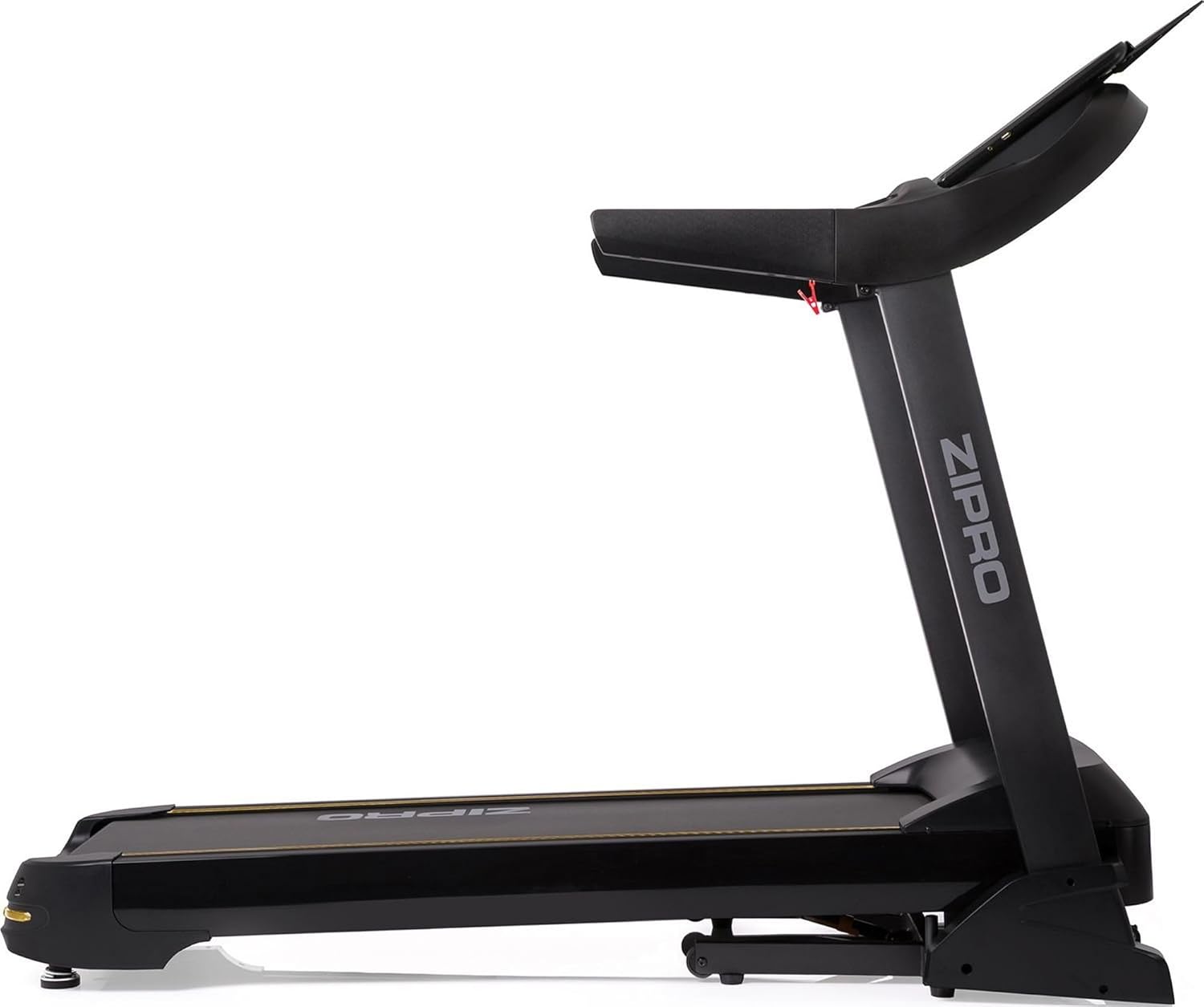

6. Programmi e funzionalità
The Zipro Pacemaker Treadmill offers a variety of training options to suit your fitness goals:
- Programmi preimpostati: The computer is equipped with 99 pre-set workout programs designed for various fitness levels and goals.
- Programmi utente: Create and save up to 3 individual user programs to customize your training experience.
- Monitoraggio della frequenza cardiaca: Integrated pulse sensors in the handrails allow you to monitor your heart rate during your workout.
- Inclinazione regolabile: Simulate uphill running with 15 levels of electronic incline adjustment.
- Ampia gamma di velocità: Speeds from 1 to 22 km/h accommodate walking, jogging, and high-intensity running.
7. Manutenzione
Una manutenzione regolare garantisce la longevità e le prestazioni ottimali del tuo tapis roulant.
- Pulizia: Pulisci la console e le altre superfici con un pannoamp panno dopo ogni utilizzo. Evitare detergenti abrasivi.
- Lubrificazione della cinghia: Periodically lubricate the running belt according to the instructions in your specific manual (usually every few months depending on usage). This reduces friction and extends belt life.
- Tensione e allineamento della cinghia: Check the running belt tension and alignment regularly. Adjust if necessary to prevent slipping or rubbing.
- Copertura del motore: Keep the motor cover clean and free of dust to ensure proper ventilation.
- Ispezione: Regularly inspect all nuts, bolts, and moving parts for tightness and wear. Tighten or replace as needed.


8. Risoluzione Dei Problemi
If you encounter issues with your Zipro Pacemaker Treadmill, refer to the following common problems and solutions:
- Il tapis roulant non si accende:
- Verificare che il cavo di alimentazione sia collegato saldamente a una presa funzionante.
- Ensure the safety key is correctly placed in its slot.
- Check the circuit breaker or fuse in your home.
- La cintura da corsa scivola o esita:
- Potrebbe essere necessario lubrificare il nastro trasportatore. Consultare la sezione dedicata alla manutenzione.
- The running belt may be too loose. Adjust the tension according to your specific manual.
- Console display is not working correctly:
- Assicurarsi che tutti i collegamenti dei cavi alla console siano saldi.
- Try turning the treadmill off and on again.
- Rumori insoliti durante il funzionamento:
- Controllare che non vi siano parti allentate o corpi estranei sotto la cinghia.
- Assicurarsi che il tapis roulant sia posizionato su una superficie piana.
For persistent issues not covered here, please contact customer support or refer to the full troubleshooting guide in your included manual.
9. Specifiche
| Caratteristica | Specificazione |
|---|---|
| Numero di modello | 5942805 |
| Marca | ZIPPRO |
| Dimensioni (spiegate) | 188 x 82 x 151 cm (L x P x A) |
| Dimensioni (piegato) | 118 x 82 x 151 cm (L x P x A) |
| Peso | 81 kg |
| Peso massimo dell'utente | 150 kg |
| Gamma di velocità | 1 - 22 km/h |
| Livelli di inclinazione | 15 (regolabile) |
| Potenza motore | 5 CV (picco) |
| Tipo di visualizzazione | LED (7 windows) |
| Programmi di allenamento | 99 Pre-set + 3 User Programs |
| Connettività | Bluetooth, USB |
| Materiale | Polyethylene (PE), Metal, Plastic |
| Caratteristiche speciali | Adjustable incline, Bluetooth app compatibility, Elegant design, Transport wheels |
10. Garanzia e supporto
For information regarding warranty coverage, product registration, or technical support, please refer to the warranty card included with your purchase or visit the official ZIPRO websito. Conservare la prova d'acquisto per eventuali reclami in garanzia.