Introduzione
This user manual provides detailed instructions for the safe and effective operation of your Microlife BP3MS1-4K Blood Pressure Monitor. Please read this manual thoroughly before first use and keep it for future reference. This device is designed for accurate measurement of blood pressure and heartbeat at home.
Informazioni sulla sicurezza
- Consult your doctor before using this device if you have any medical conditions.
- Non utilizzare il dispositivo su neonati, bambini o individui incapaci di esprimere il proprio consenso.
- Evitare di effettuare misurazioni su un veicolo in movimento o durante l'attività fisica.
- Keep the device and its components out of reach of small children.
- Use only original Microlife accessories and parts.
Prodotto finitoview
The Microlife BP3MS1-4K Blood Pressure Monitor is a comprehensive system for home blood pressure monitoring. It includes the main unit, an arm cuff, and necessary power accessories.

Image: Complete set of the Microlife BP3MS1-4K Blood Pressure Monitor, including the main unit, a carrying case, an arm cuff, a power adapter, and a USB cable, laid out on a flat surface.
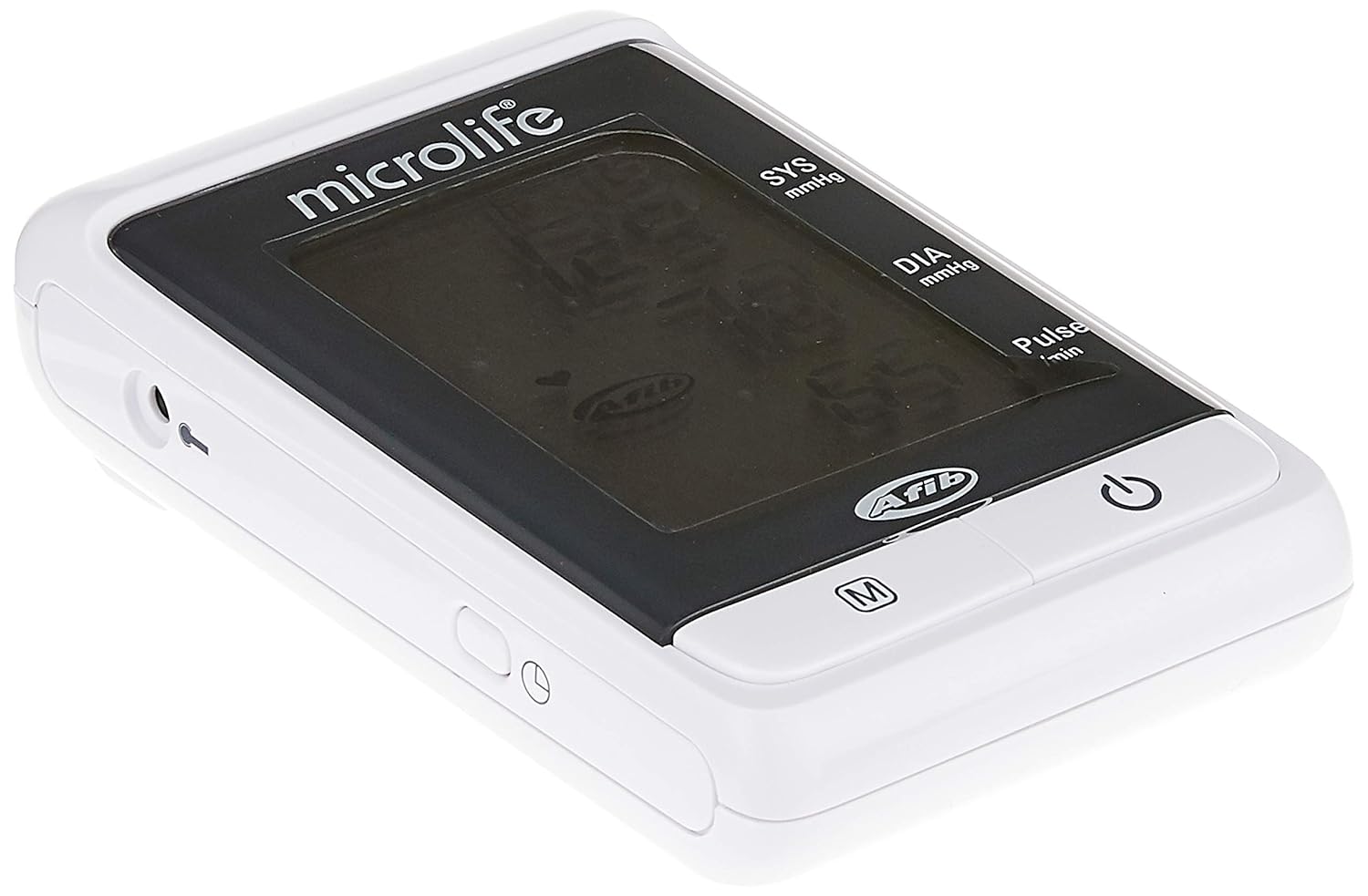
Immagine: Un dettaglio view of the Microlife BP3MS1-4K Blood Pressure Monitor unit, highlighting its display screen and control buttons.
The device features an XL-Display for easy reading of measurements and includes a USB port for data transfer.
Impostare
1. Alimentazione
The Microlife BP3MS1-4K can be powered by batteries or an AC adapter.
- Installazione della batteria: Open the battery compartment on the back of the device. Insert the required batteries, ensuring correct polarity (+/-). Close the compartment. A low battery indicator will appear on the display when batteries need replacement.
- Collegamento dell'adattatore CA: Connect the AC adapter to the device's power input jack and then plug it into a wall outlet.
2. Collegamento del bracciale
Insert the air tube connector of the cuff firmly into the air jack on the side of the monitor unit.
3. Impostazione di data e ora
Refer to the device's on-screen prompts or specific button combinations (usually involving the 'M' or 'Set' button) to set the current date and time. This ensures accurate time-stamping for stored measurements.
Istruzioni per l'uso
1. Preparazione alla misurazione
- Evitare di mangiare, fumare o fare esercizio fisico per almeno 30 minuti prima della misurazione.
- Riposare per 5-10 minuti in un ambiente tranquillo prima di effettuare la lettura.
- Siediti con la schiena dritta, appoggia i piedi sul pavimento e non incrociare le gambe.
- Posizionare il braccio su un tavolo in modo che il bracciale sia all'altezza del cuore.
2. Applicazione del bracciale
Wrap the cuff around your bare upper arm, approximately 2-3 cm above the elbow joint. Ensure the air tube runs down the center of your arm. The cuff should be snug but not too tight.
3. Esecuzione di una misurazione (tecnologia MAM)
The device features MAM (Microlife Average Mode) technology, which automatically takes three measurements in quick succession and calculates an average for a more reliable result.
- Premere il tasto ACCESO/SPENTO pulsante per avviare la misurazione.
- The cuff will inflate, and the device will automatically take three consecutive readings with a short pause between each.
- After the third measurement, the average systolic, diastolic, and pulse readings will be displayed on the XL-Display.

Image: The display of the Microlife BP3MS1-4K Blood Pressure Monitor showing a time of 12:15, systolic pressure of 129 mmHg, diastolic pressure of 78 mmHg, and a pulse rate of 65 beats per minute.
4. Funzione di memoria
The device stores up to 200 measurements. To review letture passate, premere il tasto M (Memory) button. Each press will cycle through the stored measurements.
5. Connettività USB
The integrated USB port allows for data transfer to a computer for analysis and tracking. Refer to the Microlife software instructions for detailed steps on connecting and downloading data.
Manutenzione
Pulizia
- Pulire l'unità di monitoraggio e il bracciale con un panno morbido e asciutto.
- Se necessario, utilizzare un panno leggermente dampcon acqua o un detergente delicato e non abrasivo.
- Non utilizzare prodotti chimici aggressivi, detergenti abrasivi o immergere il dispositivo in acqua.
Magazzinaggio
- Conservare il dispositivo nella sua custodia in un luogo fresco e asciutto, lontano dalla luce solare diretta e da temperature estreme.
- Se non si utilizza il prodotto per un periodo prolungato, rimuovere le batterie per evitare perdite.
Risoluzione dei problemi
| Problema | Possibile causa | Soluzione |
|---|---|---|
| Il dispositivo non si accende. | Low or dead batteries; incorrect battery insertion; power adapter issue. | Sostituire le batterie; controllare la polarità delle batterie; assicurarsi che l'adattatore di alimentazione sia collegato saldamente. |
| Messaggio di errore sul display. | Manicotto non applicato correttamente; movimento eccessivo durante la misurazione; battito cardiaco irregolare rilevato. | Reapply cuff correctly; remain still and quiet; consult a doctor if irregular heartbeat persists. |
| Letture imprecise. | Improper cuff size; incorrect measurement posture; recent physical activity. | Ensure correct cuff size for your arm; follow preparation guidelines; rest before measurement. |
| No data transfer via USB. | Collegamento del cavo non corretto; software non installato o in esecuzione. | Check USB cable connection; install Microlife software and ensure it is running. |
If problems persist, contact Microlife customer support.
Specifiche

Image: The Microlife BP3MS1-4K Blood Pressure Monitor unit with measurement lines indicating its dimensions, approximately 15 cm (6.3 inches) in height.
| Caratteristica | Dettaglio |
|---|---|
| Numero di modello | BP A200AFIB |
| Dimensioni del prodotto | Dimensioni: 15.2 x 4.2 x 9.2 cm |
| Peso dell'articolo | 393 grammi |
| Metodo di misurazione | oscillometrico |
| Memoria | 200 misurazioni |
| Display | XL-Display |
| Caratteristiche speciali | MAM technology (3 automatic measurements), Clinically tested (BHS protocol), USB port, Low battery indicator |
| Fonte di alimentazione | Alimentato a batteria |
| Componenti inclusi | Polsino |
Garanzia e supporto
Microlife products are manufactured to the highest quality standards. For information regarding warranty coverage, technical support, or service, please refer to the warranty card included with your product or visit the official Microlife websito. Conservare la ricevuta d'acquisto come prova d'acquisto per eventuali reclami in garanzia.