
1. Introduzione
This manual provides essential information for the safe and efficient use of your Philips GoGear Vibe SA3VBE04KP/94 4GB MP4 Player. Please read these instructions carefully before using your device.
The Philips GoGear Vibe is a portable media player designed for enjoying music, videos, and FM radio on the go. It features a 1.8-inch full-color display, 4GB of internal storage, and supports MP3, MP4, and WMA audio formats.
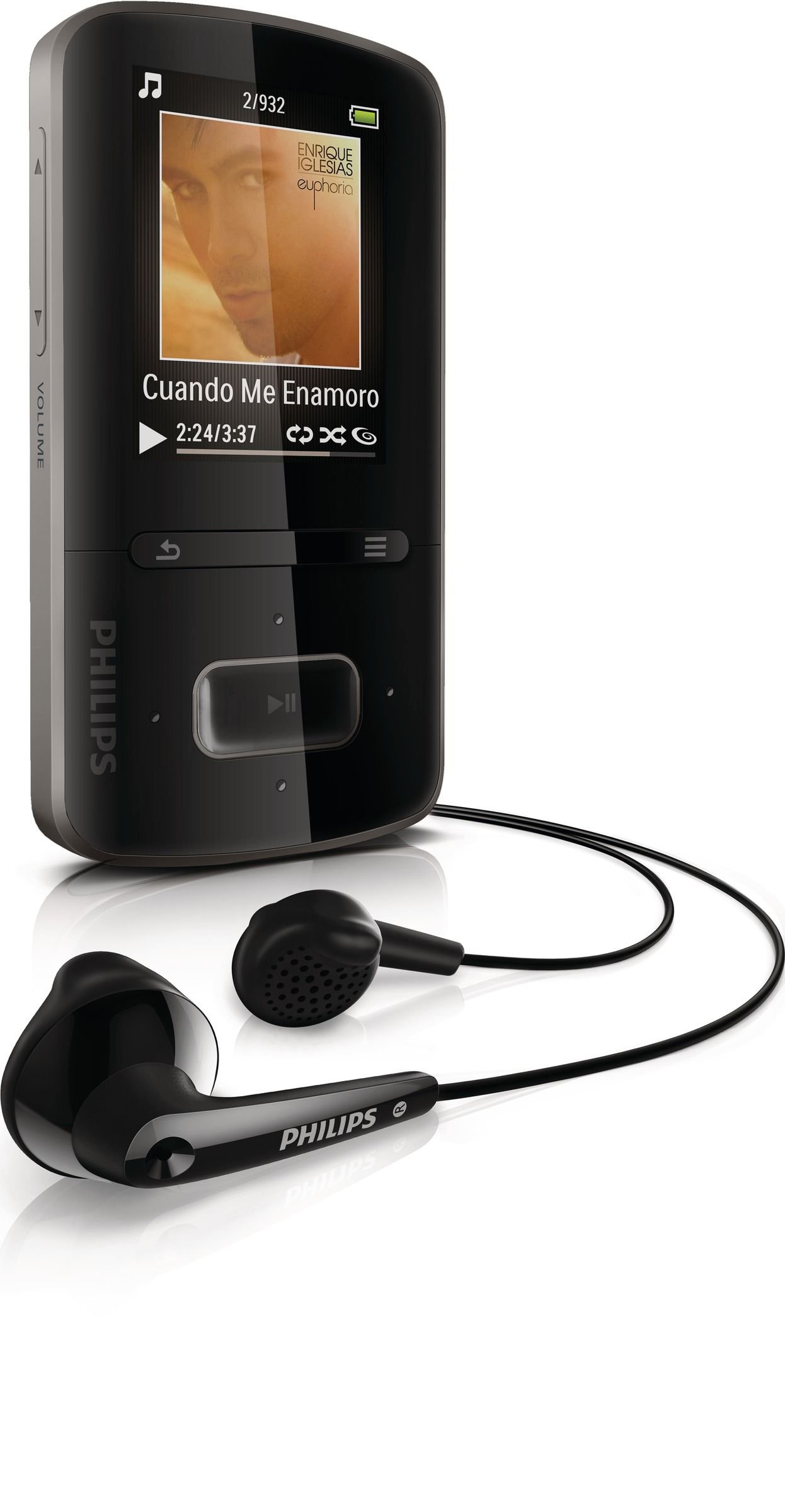
Image 1.1: Philips GoGear Vibe SA3VBE04KP/94 MP4 Player. This image displays the front view of the black MP4 player, highlighting its screen and navigation controls.
2. Impostazione
2.1 Ricarica del dispositivo
Before first use, fully charge your GoGear Vibe. Use the provided USB power adaptor and cable to connect the player to a power source. A full charge provides up to 25 hours of music playback or 5 hours of video playback. A quick 5-minute charge can provide up to 90 minutes of playback.
- Collegare l'estremità più piccola del cavo USB alla porta USB del lettore.
- Connect the large end of the USB cable to the USB power adaptor.
- Plug the USB power adaptor into a wall outlet.
- L'indicatore della batteria sullo schermo mostrerà lo stato di carica.
2.2 Collegamento a un computer
To transfer music and video files, connect your GoGear Vibe to a computer using the supplied USB cable.
- Collegare l'estremità più piccola del cavo USB alla porta USB del lettore.
- Connect the large end of the USB cable to an available USB port on your computer.
- Il lettore apparirà come un'unità disco rimovibile sul tuo computer.
- Use Philips Songbird software (available for download from the Philips website) to manage and sync your media fileÈ efficiente.
3. Istruzioni per l'uso
3.1 Accensione/spegnimento
Tieni premuto il pulsante di accensione per alcuni secondi per accendere o spegnere il dispositivo.
3.2 Navigazione
The GoGear Vibe features an easy and intuitive user interface with a 1.8-inch full-color display. Use the navigation buttons to browse menus and select options.
- Su/Giù/Sinistra/Destra: Navigare attraverso le opzioni del menu.
- Pulsante centrale: Select an option or play/pause media.
- Pulsante Indietro: Torna al menu o alla schermata precedente.
3.3 Riproduzione di musica
Access the "Music" menu to browse your audio files. The device supports MP3, MP4, and WMA formats and features Fullsound technology for enhanced audio quality.
- Browse by artist, album, genre, or use the "Folder view" to navigate your file struttura.
- "LikeMusic" feature can create playlists of songs that sound similar.
- Connect the soft rubber earbuds for comfortable listening.
3.4 Riproduzione video
Select the "Video" menu to watch your stored video content. The player supports MP4 video format.
3.5 Radio FM
The integrated FM radio with RDS allows you to listen to your favorite stations. It supports up to 30 presets.
- Access the "FM Radio" menu.
- Use the navigation buttons to tune to stations.
- Salva le stazioni preferite come preimpostate per un accesso rapido.
4. Manutenzione
4.1 Pulizia
To clean your GoGear Vibe, use a soft, dry cloth. Do not use liquid or aerosol cleaners, as they may damage the device.
4.2 Cura della batteria
Per prolungare la durata della batteria:
- Evitare di esporre il dispositivo a temperature estreme.
- Non lasciare che la batteria si scarichi completamente frequentemente.
- Caricare regolarmente il dispositivo, anche se non lo si utilizza per periodi prolungati.
5. Risoluzione Dei Problemi
If you encounter issues with your Philips GoGear Vibe, refer to the following common solutions:
- Il dispositivo non si accende: Assicurarsi che la batteria sia carica. Collegare a una fonte di alimentazione e riprovare.
- Nessun suono: Check the volume level. Ensure headphones are properly connected. Test with different headphones if possible.
- Impossibile trasferire files: Ensure the USB cable is securely connected to both the player and the computer. Try a different USB port or cable. Restart your computer and the player.
- FM radio not working: Ensure you are in an area with good signal reception. The headphones act as an antenna, so ensure they are plugged in.
- Il dispositivo si blocca: Press and hold the power button for approximately 10 seconds to perform a hard reset.
For further assistance, visit the official Philips support websito.
6. Specifiche
| Caratteristica | Specificazione |
|---|---|
| Numero di modello | SA3VBE04KP/94 |
| Capacità di archiviazione della memoria | 4 GB |
| Display | 1.8-inch full color display |
| Formati audio supportati | MP3, MP4, WMA |
| Formati video supportati | MP4 |
| Tecnologia sintonizzatore | FM con RDS |
| Preset FM | 30 |
| Tecnologia di connettività | USB |
| Dispositivi compatibili | Auricolare, Laptop, Personal Computer |
| Durata della batteria (musica) | Fino a 25 ore |
| Durata della batteria (video) | Fino a 5 ore |
| Colore | Nero |
7. Garanzia e supporto
Your Philips GoGear Vibe SA3VBE04KP/94 is covered by a manufacturer's warranty. For detailed information regarding warranty terms, conditions, and duration, please refer to the warranty card included with your product or visit the official Philips support websito.
For technical support, frequently asked questions, and software updates, please visit www.philips.com/support.