
1. Introduzione
This manual provides essential information for the proper installation, operation, and maintenance of your Intel Xeon E5-2690 processor. Designed for high-performance computing environments, this 8-core processor offers robust capabilities for demanding applications. Please read these instructions carefully before proceeding with installation.
2. Prodotto finitoview
The Intel Xeon E5-2690 is an 8-core processor operating at 2.9 GHz, featuring a 20MB L3 Cache and a 135W Thermal Design Power (TDP). It supports DDR3 memory up to 1600 MHz and is designed for the LGA 2011 socket.
- Processor Cores: 8
- Velocità di clock di base: 2.9 GHz
- L3 Cache: 20 MB
- Potenza termica di progettazione (TDP): 135W
- Supporto di memoria: DDR3 fino a 1600 MHz
- Tipo di presa: LGA2011
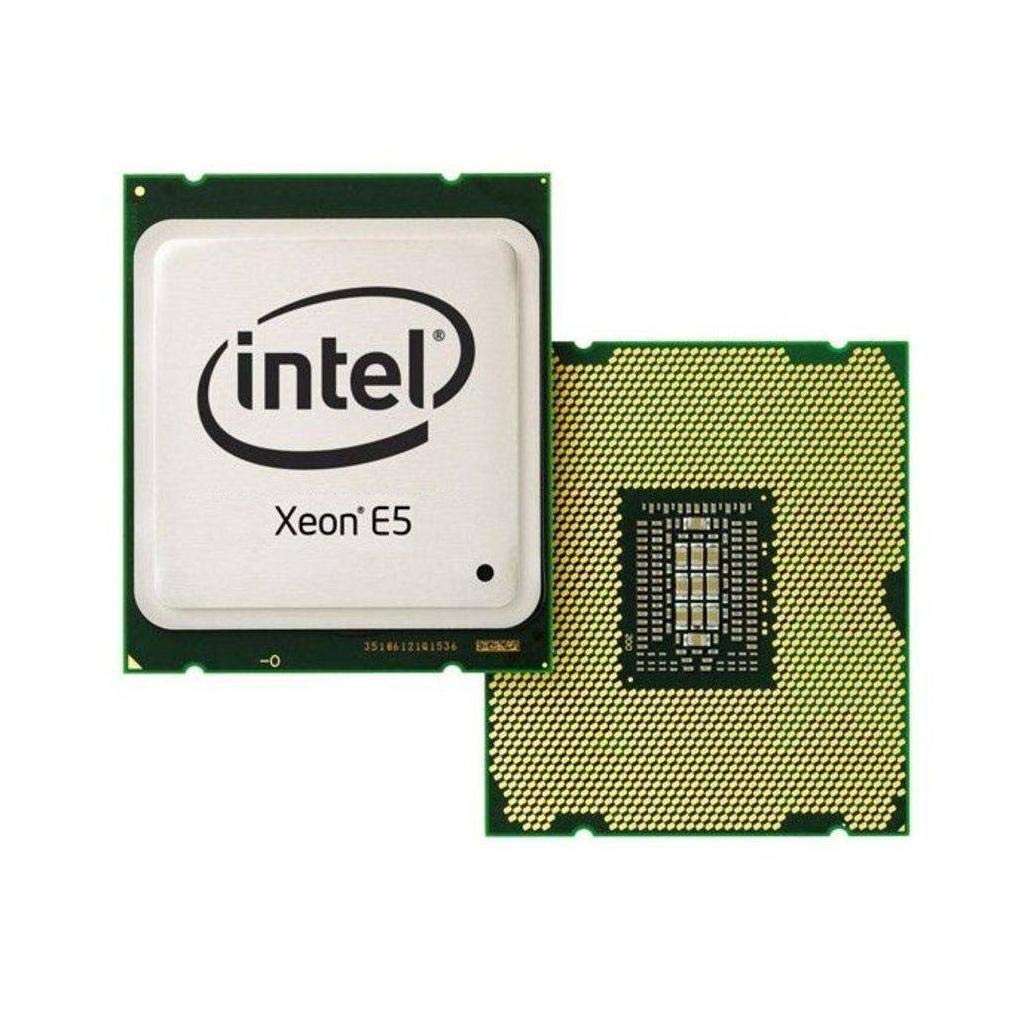
Figure 2.1: Intel Xeon E5-2690 Processor. This image displays the top view of the processor, showing the integrated heat spreader (IHS) and Intel branding.
3. Configurazione e installazione
Proper installation is crucial for the stability and performance of your system. Ensure your motherboard supports the LGA 2011 socket and the Intel Xeon E5-2690 processor.
3.1. Prima di iniziare
- Compatibilità: Verify your motherboard's compatibility with the Intel Xeon E5-2690 (LGA 2011 socket). Refer to your motherboard's manual.
- Elettricità statica: Take anti-static precautions (e.g., use an anti-static wrist strap) to prevent damage to components.
- Utensili: Gather necessary tools, including a Phillips head screwdriver and thermal paste.
- Soluzione di raffreddamento: Ensure you have a compatible CPU cooler for the LGA 2011 socket, capable of dissipating 135W TDP.
3.2. Fasi di installazione
- Prepara la scheda madre: Open the CPU socket retention mechanism on your LGA 2011 motherboard. This typically involves releasing two levers.
- Orient Processor: Carefully align the processor with the socket. The processor has notches that correspond to keys on the socket. Do not force the processor into place.
- Processore di posti a sedere: Abbassare delicatamente il processore nel socket. Dovrebbe posizionarsi senza opporre resistenza.
- Processore sicuro: Close the socket retention mechanism by pushing down the levers until they lock into place.
- Applicare la pasta termica: Applicare una piccola quantità di pasta termica di alta qualità al centro dell'Integrated Heat Spreader (IHS) del processore. Consultare le istruzioni del produttore della pasta termica per il metodo di applicazione consigliato.
- Installare il dissipatore della CPU: Mount your compatible CPU cooler according to its manufacturer's instructions. Ensure it makes firm, even contact with the processor's IHS.
- Connetti la ventola: Collegare il cavo della ventola del dissipatore della CPU all'intestazione CPU_FAN designata sulla scheda madre.

Figure 3.1: Intel Xeon E5-2690 Processor (bottom view). This image shows the pin array on the underside of the processor, which interfaces with the LGA 2011 socket.
4. Istruzioni per l'uso
Once the processor is installed and the system is assembled, you can power on your computer. The operating system will detect the new hardware. Ensure all necessary drivers are installed for optimal performance.
4.1. Requisiti di sistema
- Scheda madre: LGA 2011 socket compatible.
- Memoria RAM: DDR3 ECC or non-ECC memory, up to 1600 MHz, as supported by your motherboard.
- Alimentazione elettrica: Un alimentatore (PSU) con potenza sufficientetage to power all system components, including the 135W TDP processor.
- Sistema operativo: Compatible with Intel Xeon processors (e.g., Windows Server, Linux distributions, Windows Pro editions).
4.2. Typical Usage
The Intel Xeon E5-2690 processor is ideal for:
- Workstations requiring high multi-core performance for tasks like video editing, 3D rendering, and scientific simulations.
- Servers handling virtualization, databases, and other demanding server applications.
- High-performance computing (HPC) clusters.
5. Manutenzione
Regular maintenance helps ensure the longevity and stable operation of your processor and system.
- Gestione termica: Periodically check CPU temperatures using monitoring software. Ensure your CPU cooler is free of dust and debris. Clean fan blades and heatsink fins as needed with compressed air.
- Flusso d'aria: Maintain good airflow within your computer case. Ensure case fans are functioning correctly and cables are managed to avoid obstructing airflow.
- Aggiornamenti BIOS/UEFI: Mantieni aggiornato il firmware BIOS/UEFI della scheda madre per garantire compatibilità e prestazioni ottimali con il processore. Fai riferimento alle istruzioni del produttore della scheda madre. websito per aggiornamenti e istruzioni.
- Aggiornamenti driver: Assicurarsi che tutti i driver di sistema, in particolare i driver del chipset, siano aggiornati.
6. Risoluzione Dei Problemi
In caso di problemi, prendere in considerazione i seguenti passaggi di base per la risoluzione dei problemi:
- Nessuna alimentazione/Nessun avvio:
- Verify all power cables are securely connected (24-pin ATX, 8-pin EPS/CPU power).
- Assicurarsi che la CPU sia inserita correttamente nel suo socket.
- Check for bent pins on the CPU or in the socket (only if CPU was removed).
- Surriscaldamento:
- Verificare che il dissipatore della CPU sia installato correttamente e che faccia un buon contatto con il processore.
- Controllare che la pasta termica sia stata applicata correttamente.
- Ensure CPU cooler fan is spinning and heatsink is clean.
- Verify adequate case airflow.
- Instabilità/arresti anomali del sistema:
- Check RAM modules for proper seating and compatibility.
- Aggiornare il BIOS/UEFI della scheda madre e i driver del chipset.
- Run diagnostic tools to check for hardware errors.
- BIOS/UEFI Not Detecting CPU:
- Ensure your motherboard's BIOS/UEFI version supports the E5-2690 processor. An update may be required (often needs a compatible CPU to perform).
For more advanced diagnostics, consult your motherboard's manual for specific POST codes or diagnostic LEDs.
7. Specifiche
| Caratteristica | Dettaglio |
|---|---|
| Modello del processore | Intel Xeon E5-2690 |
| Numero modello articolo | BX80621E52690 |
| Core della CPU | 8 |
| Velocità di clock di base | 2.9 GHz |
| Cache L3 | 20 MB |
| Potenza termica di progettazione (TDP) | 135 L |
| Presa CPU | LGA2011 |
| Supporto di memoria | DDR3 fino a 1600 MHz |
| Peso dell'articolo | 4 once |
| Dimensioni del prodotto (LxWxH) | 4.9 x 2 x 1.8 pollici |
| Produttore | Intel |
8. Garanzia e supporto
For warranty information and technical support regarding your Intel Xeon E5-2690 processor, please refer to the official Intel website or contact Intel customer service.
Nota importante: Specific purchase terms, such as "No refunds, no returns, no exchanges. FINAL SALE," may apply depending on your retailer. These terms are separate from Intel's official product warranty. Always review the terms and conditions provided by your point of purchase.
You can find comprehensive support resources, including drivers, software, and troubleshooting guides, on the official Intel support portal: