
Fysic FX-6000
Manuale utente del telefono DECT con pulsanti grandi Fysic FX-6000
Modello: FX-6000
1. Introduzione
Grazie per l'acquistoasing the Fysic FX-6000 Big Button DECT Phone. This manual will guide you through the setup, operation, and maintenance of your new cordless telephone. Please read these instructions carefully before using the phone to ensure proper functionality and safety. Keep this manual for future reference.
2. Informazioni importanti sulla sicurezza
- Utilizzare solo l'adattatore di alimentazione e le batterie in dotazione.
- Non esporre il telefono all'acqua o a umidità eccessiva.
- Evitare di posizionare il telefono vicino a fonti di calore o alla luce solare diretta.
- Non tentare di aprire o riparare il telefono da soli. Per qualsiasi intervento di assistenza, rivolgersi a personale qualificato.
- Smaltire le batterie in modo responsabile, nel rispetto delle normative locali.
3. Contenuto della confezione
Si prega di verificare che tutti gli articoli siano presenti nel pacco:
- Fysic FX-6000 Handset
- Stazione base
- Adattatore di alimentazione per stazione base
- Cavo della linea telefonica
- 2 batterie ricaricabili AAA NiMH
- Manuale d'uso
4. Prodotto finitoview
The Fysic FX-6000 features large buttons and a clear display for ease of use.

Figura 4.1: Davanti view of the Fysic FX-6000 handset in its charging base, highlighting the large, easy-to-read buttons and the clear, backlit display.
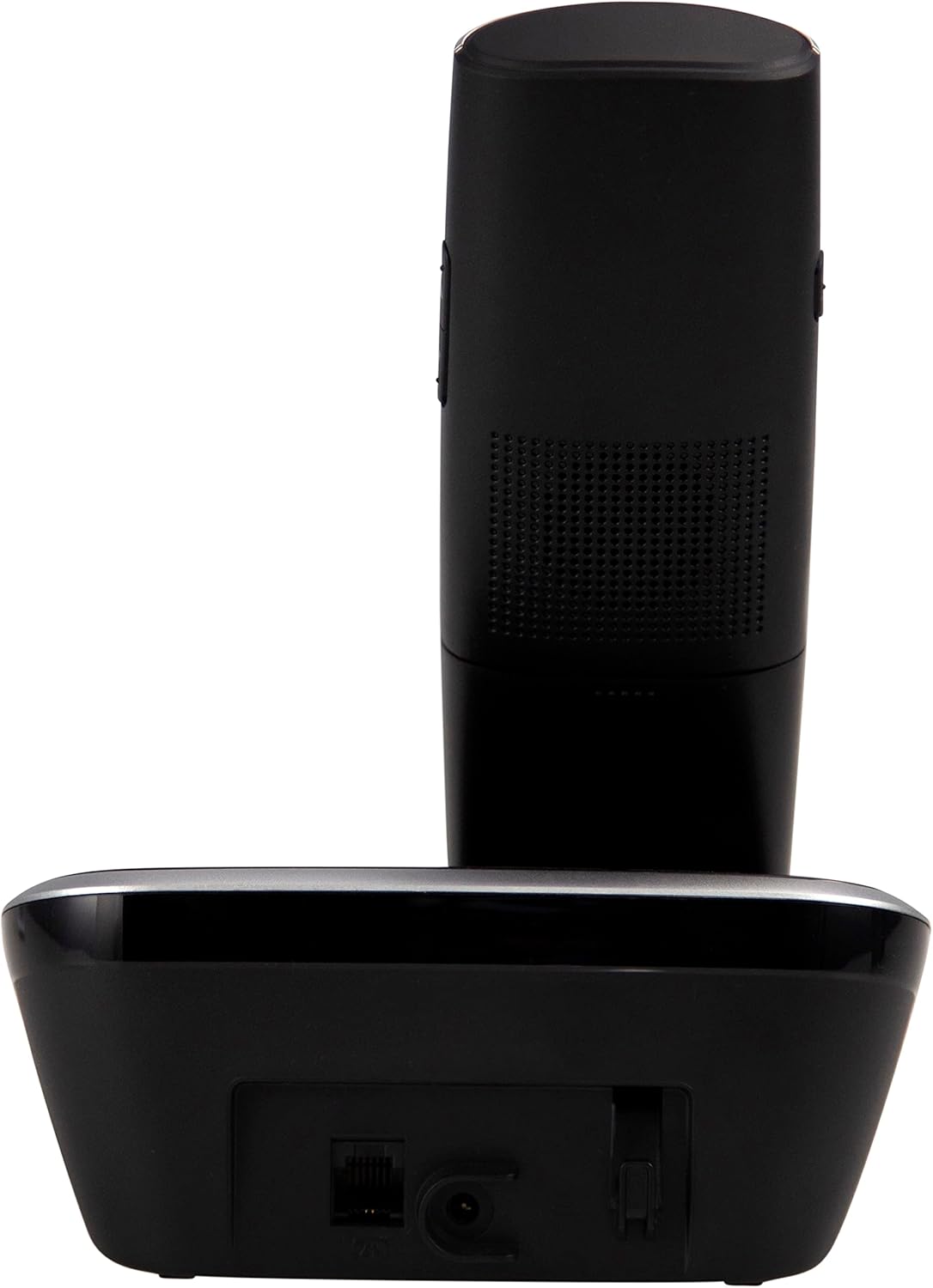
Figura 4.2: Lato view of the Fysic FX-6000 handset docked in its base station, showing the ergonomic design and side volume buttons.

Figura 4.3: Detailed close-up of the Fysic FX-6000 phone's keypad, emphasizing the large, clearly labeled buttons for easy dialing.

Figura 4.4: Avvicinamento view of the Fysic FX-6000 phone's backlit display, showing clear icons for battery status, signal strength, and call information.
Layout del portatile Hand
- Display: 1.8-inch backlit screen for caller ID, menu, and status.
- Tasti di navigazione: Per la navigazione nel menu e la regolazione del volume.
- Tastiera: Large, easy-to-read numeric keys (0-9, *, #).
- Pulsanti di chiamata/fine chiamata: Green button to answer/make calls, Red button to end calls.
- Memory Keys (M1, M2, M3): For speed dialing frequently used numbers.
- Pulsante vivavoce: To activate hands-free mode.
Disposizione della stazione base
- Base di ricarica: Per caricare il portatile.
- Pulsante di paging: Per localizzare un telefono smarrito.
- Presa di alimentazione: Per collegare l'adattatore di alimentazione.
- Telephone Line Socket: For connecting to the telephone line.
5. Impostazione
5.1 Installazione della batteria
- Aprire il coperchio del vano batterie sul retro del portatile.
- Inserire le due batterie ricaricabili AAA NiMH fornite, rispettando la polarità corretta (+ e -).
- Chiudere saldamente il coperchio del vano batterie.
5.2 Collegamento della stazione base
- Connect one end of the telephone line cord to the telephone line socket on the base station.
- Collegare l'altra estremità del cavo della linea telefonica alla presa telefonica a muro.
- Collegare l'adattatore di alimentazione alla presa di corrente della stazione base.
- Collegare l'adattatore di alimentazione a una presa elettrica adatta (220-240 V).
5.3 Initial Charging and Handset Registration
Place the handset on the base station. The handset will automatically begin charging. For optimal battery performance, allow the handset to charge for at least 16 hours before its first use. The handset is pre-registered to the base station from the factory. If for any reason the handset loses its registration, refer to the troubleshooting section for re-registration steps.
6. Istruzioni per l'uso
6.1 Effettuare una chiamata
- Preselezione: Enter the phone number using the dial pad, then press the Chiamata verde pulsante.
- Selezione diretta: Premere il tasto Chiamata verde pulsante, quindi immettere il numero di telefono.
- Using Memory Keys (M1, M2, M3): Press and hold the desired memory key (M1, M2, or M3) to dial the stored number.
6.2 Ricezione di una chiamata
Quando squilla il telefono, premere il tasto Chiamata verde button to answer. The display will show the caller's number if Caller ID service is active.
6.3 Terminare una chiamata
Premere il tasto Chiamata di fine rossa pulsante o riposizionare il ricevitore sulla stazione base.
6.4 Regolazione del volume
During a call, use the volume up/down buttons on the side of the handset to adjust the earpiece volume. The ringtone volume can be adjusted via the phone's menu settings.
6.5 Funzionamento a mani libere
Durante una chiamata, premere il tasto Vivavoce button to switch to hands-free mode. Press it again to return to earpiece mode.
6.6 Rubrica
The phonebook allows you to store frequently called numbers. Refer to the on-screen menu for options to add, edit, or delete contacts.
6.7 Ricomposizione
Premere il tasto Ricomposizione button (often integrated with the call log or a dedicated button) to view and redial the last dialed numbers.
6.8 Funzione Mute
Durante una chiamata, premere il tasto Muto button to temporarily disable your microphone. The other party will not hear you. Press it again to unmute.
7. Manutenzione
7.1 Pulizia
Pulisci il telefono e la stazione base con un panno morbido e asciutto.amp panno. Non utilizzare detergenti abrasivi o solventi. Assicurarsi che il telefono sia scollegato dalla corrente prima di pulirlo.
7.2 Cura della batteria
- Always use the supplied rechargeable NiMH batteries.
- Se il telefono non verrà utilizzato per un periodo prolungato, rimuovere le batterie per evitare perdite.
- Sostituire le batterie quando le loro prestazioni diminuiscono notevolmente.
8. Risoluzione Dei Problemi
| Problema | Possibile causa | Soluzione |
|---|---|---|
| Nessun tono di linea | Telephone line not connected; Power adapter not connected; Handset out of range or not registered. | Check all cable connections; Ensure base station is powered; Move handset closer to base; Re-register handset (see manual for specific steps). |
| Il portatile non si carica | Handset not properly seated in cradle; Dirty charging contacts; Faulty batteries. | Ensure handset is correctly placed; Clean charging contacts on handset and base with a dry cloth; Replace batteries if necessary. |
| Scarsa qualità delle chiamate / Statico | Il portatile è troppo lontano dalla base; interferenze da altri dispositivi elettronici. | Move closer to the base station; Move base station away from other electronic devices (Wi-Fi routers, microwaves). |
| Il display è vuoto | Batteries are depleted or not inserted correctly. | Charge handset for at least 16 hours; Check battery polarity. |
9. Specifiche tecniche
- Modello: FX-6000
- Marca: Fisico
- Colore: Nero
- Tipo di telefono: Telefono DECT senza fili
- Display: LCD retroilluminato da 1.8 pollici
- Batterie: 2 x AAA NiMH Rechargeable (1.2V, 500 mAh)
- Base Power Supply: 6 V CC, 300 mA
- Alimentazione di rete: 220-240 V
- Tempo di conversazione: Fino a 10 ore
- Tempo di standby: Fino a 100 ore
- Portata interna: Fino a 50 metri
- Gamma all'aperto: Fino a 300 metri
- Dimensioni (L x P x A): Approximately 8 x 20 x 17 cm (Handset in base)
- Peso: Circa 534 grammi
- Caratteristiche speciali: Large buttons, Hearing aid compatible, Adjustable ringtone/call volume, Mute function, Hands-free operation, GAP compatible.
10. Garanzia e supporto
Fysic products are designed and manufactured to the highest quality standards. For information regarding warranty terms and conditions, please refer to the warranty card included with your product or visit the official Fysic website. For technical support or service inquiries, please contact Fysic customer service through their official channels. Keep your purchase receipt as proof of purchase.
Ask a question about this manual
Ask about setup, troubleshooting, compatibility, parts, safety, or missing instructions. Manuals+ will review the question and use this page’s manual context to help answer it.