
1. Introduzione
The IDANCE CRAZY301 headphones are designed to deliver a unique audio experience with a focus on comfort and portability. These over-ear headphones feature an in-line microphone for smartphone compatibility and a foldable design for easy transport. This manual provides essential information for the proper setup, operation, and maintenance of your CRAZY301 headphones.
Contenuto della confezione:
- IDANCE CRAZY301 Over-Ear Headphones
- Software voucher for PCDJ 3DEX LE and Magix Mufin (where applicable)
2. Informazioni sulla sicurezza
Please read and follow these safety guidelines to ensure safe and optimal use of your headphones:
- Protezione dell'udito: Evitare l'ascolto a livelli di volume elevati per periodi prolungati per evitare danni all'udito.
- Consapevolezza ambientale: Do not use headphones in situations where the inability to hear ambient sounds could be dangerous, such as while driving, cycling, or walking in traffic.
- Pulizia: Per la pulizia, utilizzare un panno morbido e asciutto. Evitare l'uso di prodotti chimici aggressivi o materiali abrasivi.
- Esposizione all'acqua: Queste cuffie non sono impermeabili. Evitare l'esposizione all'acqua o a umidità eccessiva.
- Smontaggio: Non tentare di smontare o modificare le cuffie. Ciò invaliderà la garanzia e potrebbe causare danni.
3. Impostazione
Follow these steps to set up your IDANCE CRAZY301 headphones:
- Unfold Headphones: Gently unfold the headphones from their compact position until the earcups are fully extended and comfortable for wear.
- Collegare il cavo audio: Locate the 3.5mm audio jack on your headphones and the corresponding port on your audio device (smartphone, tablet, computer, etc.). Insert the 3.5mm plug firmly into the device's audio output port.
- Regola la vestibilità: Place the headphones over your ears and adjust the headband for a secure and comfortable fit. The earcups are designed to provide a comfortable seal.
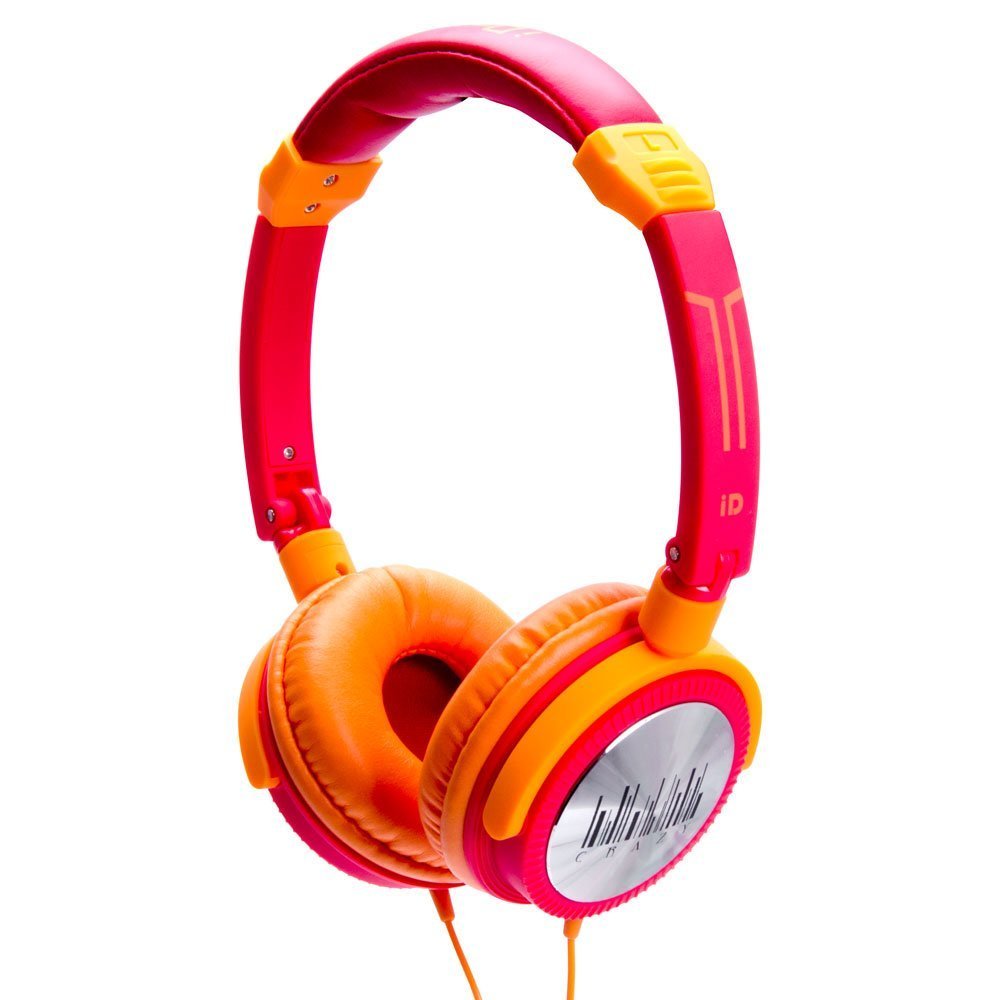
Image 1: IDANCE CRAZY301 Over-Ear Headphones. This image shows the headphones in their orange color, highlighting the over-ear design and the attached cable.
4. Istruzioni per l'uso
The IDANCE CRAZY301 headphones are designed for straightforward operation:
- Riproduzione audio: Once connected to your audio device, simply start playing audio. Adjust the volume using your device's controls.
- Microfono in linea: The integrated in-line microphone allows for hands-free communication when connected to a compatible smartphone. For calls, ensure your device recognizes the headphone's microphone as the input source.
- Portabilità: The headphones feature a foldable design, allowing for compact storage and easy transport. Gently fold the earcups inward towards the headband when not in use.
- Software Voucher: If included, redeem your software voucher for PCDJ 3DEX LE and Magix Mufin by following the instructions provided with the voucher. This software can be used for creating DJ mixes.
5. Manutenzione
Proper maintenance will extend the life and performance of your headphones:
- Pulizia: Wipe the earcups and headband with a soft, slightly damp cloth. Do not use liquid cleaners directly on the headphones.
- Magazzinaggio: Quando non vengono utilizzate, ripiegare le cuffie e conservarle in un luogo pulito e asciutto, lontano da temperature estreme e dalla luce solare diretta.
- Cura del cavo: Avoid sharply bending or twisting the audio cable. Do not pull the cable to disconnect; always grasp the plug.
6. Risoluzione Dei Problemi
If you encounter issues with your IDANCE CRAZY301 headphones, refer to the following common solutions:
- Nessun suono:
- Assicurati che la spina audio da 3.5 mm sia completamente inserita nel jack audio del tuo dispositivo.
- Check the volume level on your audio device and ensure it is not muted.
- Prova le cuffie con un dispositivo audio diverso per escludere un problema specifico del dispositivo.
- Microfono non funzionante:
- Assicurarsi che la spina da 3.5 mm sia completamente inserita.
- Verify that your device's settings are configured to use the external microphone.
- Test the microphone functionality with another compatible device or application.
- Suono distorto:
- Abbassa il volume del dispositivo audio.
- Assicurarsi che il cavo audio non sia danneggiato o piegato.
- Eseguire una prova con una sorgente audio o un dispositivo diverso.
7. Specifiche
| Caratteristica | Dettaglio |
|---|---|
| Numero di modello | CRAZY301 |
| Unità di guida | 44mm |
| Tipo di conducente | Neodimio |
| Impedenza | 32 Ohm |
| Sensibilità | 108dB +/- 3dB |
| Risposta in frequenza | Frequenza |
| Lunghezza del cavo | Circa. 1.5m |
| Tipo di cavo | PVC |
| Tipo di spina | 3.5mm, gold chrome |
| Tecnologia di connettività | Cablato |
| Caratteristiche speciali | Pieghevole, microfono incluso |
| Peso dell'articolo | 0.8 once (22.68 g) |
| Dimensioni del prodotto | 2 x 6 x 6 pollici |
| Materiale | PVC |
| Piattaforma hardware | Smartphone |
8. Garanzia e supporto
IDANCE products are manufactured to high-quality standards. For specific warranty information, please refer to the warranty card included with your purchase or visit the official IDANCE website. For technical support or further assistance, please contact IDANCE customer service through the contact information provided on the official websito o confezione del prodotto.