
1. Prodotto finitoview
Caratteristiche principali
- Advanced Diagnostic Capabilities: Integrated advanced features, comprehensive TPMS functions, and OE-level diagnostic capabilities.
- Codifica ECU: Online and offline ECU coding for vehicle customization, hidden feature activation, module matching, and performance optimization. Supports BMW F/E chassis, Porsche, VW, Nissan, and offline adaptation for Ford, Mazda, Jaguar, Vauxhall, Opel.
- Bidirectional Control & All-System Diagnostics: Full bidirectional control with over 3000 active tests for various vehicle components. OE-level all-system diagnostics for over 160 vehicle brands, including reading/clearing 8000+ DTCs, 5-in-1 graph live data, and freeze frame data.
- Funzioni di servizio estese: Over 40 advanced maintenance services such as Oil Reset, EPB, BMS, SRS, ABS Bleed, SAS, Injector Coding, Throttle Match, Suspension Calibration, Gearbox Learn, and Battery Registration.
- TPMS Functions: Comprehensive TPMS functions including activation of 315MHz and 433MHz sensors, various relearn procedures (OBDII, Automatic, Stationary), sensor programming, RKE and RF signal strength testing, and TPMS diagnostics.
- Funzionalità avanzate: Includes battery testing with BT506, endoscope support (MV108S/MV105S), one-click Wi-Fi report printing, Auto Scan 2.0 for rapid scanning, a 16 MP camera for VIN/license plate scans, pre/post-sale reports, FCA automatic authentication, VAG guided functions, power balance, component matching, and remote desk functionality.
- Ampia copertura del veicolo: Supports over 160 brands (1996-2026+) with compatibility for DoIP (BMW E/F/G, Volvo 2018+, Land Rover/Jaguar 2017+) and CAN FD (GM 2019+) protocols.
- Hardware superiore: Octa-core CPU, Android 10.0 OS, 8-inch 1920x1200 display, 4GB RAM + 128GB ROM, and an 11600mAh battery.
Componenti del prodotto
The Autel MaxiSYS MS906 Pro-TS package typically includes the diagnostic tablet, a VCI (Vehicle Communication Interface) unit, necessary cables, and a power adapter. Specific contents may vary.
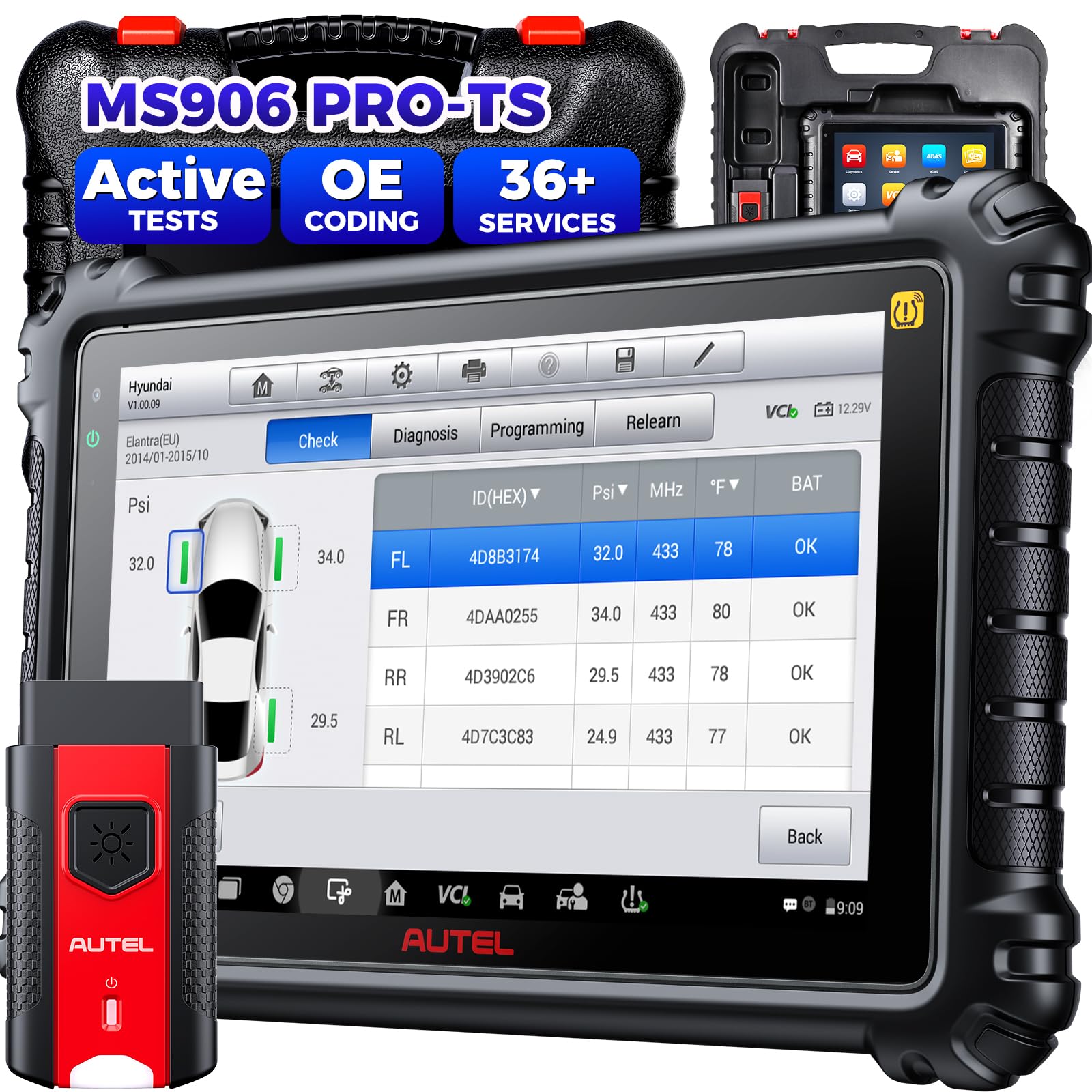
Image: The Autel MaxiSYS MS906 Pro-TS diagnostic tablet with its VCI unit.
2. Impostazione
2.1 Accensione iniziale
- Assicurati che il dispositivo sia completamente carico o collegato a una fonte di alimentazione.
- Tieni premuto il pulsante di accensione per accendere il tablet.
- Seguire le istruzioni sullo schermo per completare la configurazione iniziale, inclusa la selezione della lingua e la connessione Wi-Fi.
2.2 Collegamento al veicolo
- Individuare la porta OBD2 del veicolo, in genere sotto il cruscotto, sul lato del conducente.
- Connect the VCI unit to the vehicle's OBD2 port.
- Ensure the VCI unit is wirelessly connected to the MaxiSYS MS906 Pro-TS tablet via Bluetooth.
- Portare l'accensione del veicolo in posizione ON (motore spento).
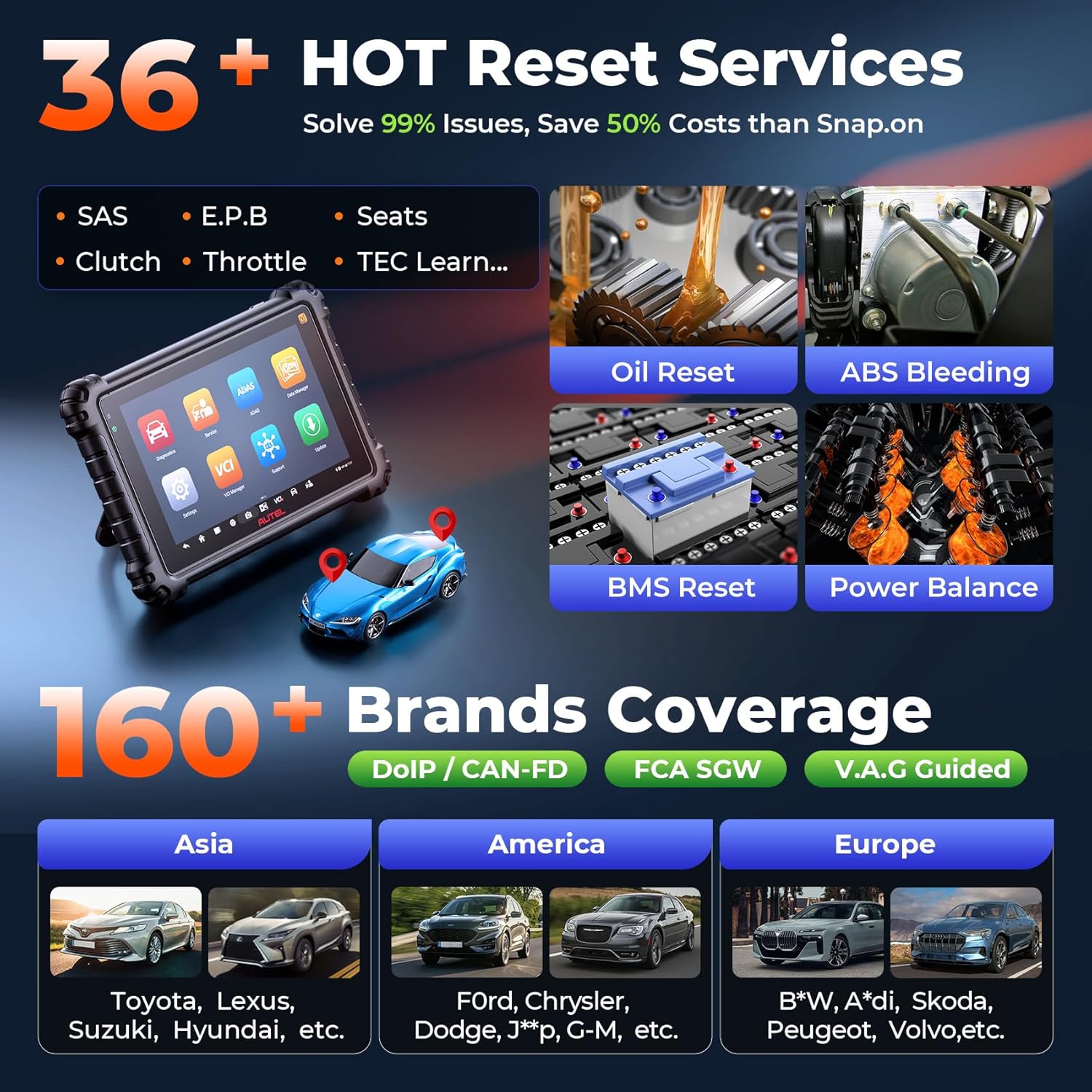
Image: Illustration of connecting the diagnostic tool to a vehicle's OBD2 port.
3. Istruzioni per l'uso
3.1 Diagnostica del veicolo
- Dal menu principale, seleziona "Diagnostica".
- Choose the vehicle manufacturer and model. The device supports automatic VIN detection.
- Selezionare "Auto Scan" to perform a comprehensive scan of all available systems.
- Review the detected Diagnostic Trouble Codes (DTCs) and live data.
- Utilizzare il "Clear Codes" function to erase DTCs after repairs are completed.

Immagine: A view of the diagnostic screen displaying vehicle information and scan results.
3.2 Funzioni TPMS
The MS906 Pro-TS offers extensive TPMS capabilities:
- Attivazione del sensore: Activate 315MHz and 433MHz TPMS sensors.
- Riapprendimento del sensore: Perform various relearn procedures (OBDII, Automatic, Stationary).
- Programmazione del sensore: Program Autel MX-Sensors to replace faulty OEM sensors.
- Diagnostica TPMS: Read sensor data, clear TPMS DTCs, and reset TPMS MIL.

Image: The TPMS menu showing options for sensor activation, relearn, and programming.
3.3 Funzioni di servizio
Access a wide range of service functions from the "Service" menu. These include:
- Ripristino dell'olio
- Ripristino del freno di stazionamento elettronico (EPB)
- Ripristino del sistema di gestione della batteria (BMS)
- Calibrazione del sensore dell'angolo di sterzata (SAS).
- Spurgo freni ABS
- Codifica dell'iniettore
- Throttle Body Relearn
- Calibrazione delle sospensioni
- Apprendimento del cambio

Image: A display of various maintenance and service functions available on the device.
4. Manutenzione
- Keep the device clean using a soft, dry cloth. Avoid abrasive cleaners.
- Regularly update the software to ensure optimal performance and the latest vehicle coverage. Connect to Wi-Fi and navigate to "Aggiornamento" nel menu principale.
- Conservare il dispositivo in un luogo fresco e asciutto, lontano dalla luce solare diretta e da temperature estreme.
- Per preservare la salute della batteria, caricarla regolarmente, anche se non la si usa frequentemente.
5. Risoluzione Dei Problemi
| Problema | Possibile causa | Soluzione |
|---|---|---|
| Il dispositivo non si accende. | Problema con la batteria scarica o con l'adattatore di alimentazione. | Charge the device for at least 30 minutes. Check power adapter and cable connections. |
| Impossibile connettersi al veicolo. | Loose OBD2 connection, VCI not paired, or vehicle ignition off. | Ensure VCI is securely connected to OBD2 port. Verify VCI Bluetooth pairing. Turn vehicle ignition to ON. |
| L'aggiornamento del software non riesce. | Connessione Wi-Fi instabile o spazio di archiviazione insufficiente. | Ensure a stable internet connection. Clear unnecessary files to free up storage. Try updating again. |
| Lo schermo non risponde. | Problema software o blocco temporaneo. | Eseguire un riavvio forzato tenendo premuto il pulsante di accensione per 10-15 secondi. |
6. Specifiche
- Produttore: Autel
- Modello: Autel MaxiSYS MS906 Pro-TS
- Dimensioni del prodotto: Dimensioni: 26 x 8 x 18 cm
- Peso: 931 grammi
- Sistema operativo: Androide 10.0
- Processore: Octa-core
- Display: Risoluzione 8 pollici, 1920 x 1200
- Memoria: 4 GB di RAM + 128 GB di ROM
- Batteria: 11,600 mAh
- Voltage: 18 Volt
7. Garanzia e supporto
The Autel MaxiSYS MS906 Pro-TS comes with a Garanzia di 1 anno. Autel provides frequent software updates and lifetime technical support. For any questions or assistance, please contact Autel customer service. Online services are available 24/7.
For support in languages other than English (e.g., Spanish or Portuguese), please provide your device's serial number (S/N) when contacting support.