
Introduzione
Grazie per l'acquistoasing the Aluratek Adjustable Tablet & Smartphone Stand. This stand is designed to provide a stable and adjustable viewing solution for your tablets and smartphones, enhancing your experience whether for typing, reading, or watching videos. Its compact, foldable design makes it highly portable.
Caratteristiche del prodotto
Compatibilità universale: Ideal for 7-10 inch tablets and various smartphones.
Design portatile: Compact and foldable, making it easy to transport in a bag or backpack.
Versatile Viewin: Supports both portrait and landscape modes for optimal viewing.
Angolo regolabile: Two support legs allow for adjustment to achieve the perfect angle for typing, reading, or video watching.
Impostare
Aprire il supporto: Gently unfold the stand from its compact, closed position. The stand is designed to open smoothly.

Image: The Aluratek ATST01F stand shown in its folded, compact configuration, ready for transport or storage.
Estendi le gambe di supporto: Extend the two support legs at the base of the stand. These legs will provide the primary support for your device.
Regolare Viewangolo di ing: The stand features adjustable components to set your desired viewing angle. Experiment with the leg positions to find the most comfortable angle for your activity (typing, viewing, ecc.).
Istruzioni per l'uso
The Aluratek Adjustable Tablet & Smartphone Stand is simple to use. Follow these steps to position your device:
Posiziona il tuo dispositivo: Carefully place your tablet or smartphone onto the extended support legs of the stand.

Image: The Aluratek ATST01F stand supporting an iPad in portrait orientation, demonstrating a typical viewinstallazione.
Select Orientation: The stand allows for both portrait and landscape orientations. Simply rotate your device to your preferred viewmodalità ing.
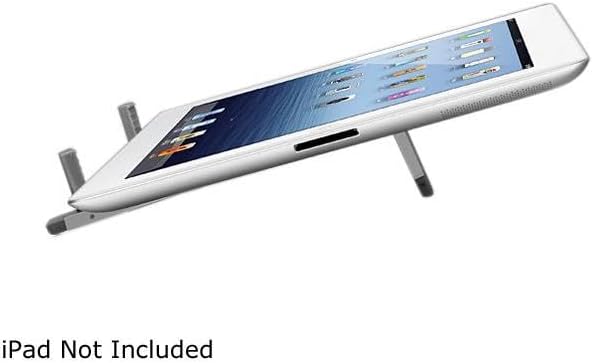
Image: The Aluratek ATST01F stand holding an iPad in landscape orientation, angled for comfortable typing or video viewing.
Garantire stabilità: Before use, gently tap your device to ensure it is securely seated on the stand and stable.
Manutenzione
Pulizia: Pulisci il supporto con un panno morbido e asciutto per rimuovere polvere e impronte digitali. Per i segni ostinati, usa un panno leggermenteamp è possibile utilizzare un panno e procedere immediatamente all'asciugatura.
Magazzinaggio: When not in use, fold the stand into its compact form for easy storage. This protects the stand and saves space.
Evitare prodotti chimici aggressivi: Do not use abrasive cleaners or solvents, as these can damage the finish of the stand.
Maneggiare con cura: While durable, avoid dropping the stand or applying excessive force to its adjustable parts to prevent damage.
Risoluzione dei problemi
Stand is unstable or wobbles:
Controllare la superficie: Assicurarsi che il supporto sia posizionato su una superficie piana e stabile.
Posizionamento del dispositivo: Verify that your tablet or smartphone is centered and properly seated on the support legs.
Estensione della gamba: Confirm that both support legs are fully extended and locked into position (if applicable to the design).
Il dispositivo non è compatibile con:
Compatibilità: This stand is designed for 7-10 inch tablets and most smartphones. Larger devices may not fit securely.
Interferenza tra i casi: If your device has a bulky case, it might interfere with proper seating. Try removing the case to see if it improves fit.
Specifiche
| Caratteristica | Dettaglio |
|---|---|
| Numero di modello | ATST01F |
| Marca | Aluratek |
| Dimensioni del prodotto (piegato) | 8.8 x 3.4 x 0.9 pollici |
| Peso dell'articolo | 8.8 once |
| Colore | Argento |
| Fattore di forma | Pieghevole |
| Dispositivi compatibili | Smartphones, Tablets (Ideal for 7-10 inch tablets) |
Informazioni sulla garanzia
For detailed warranty information regarding your Aluratek Adjustable Tablet & Smartphone Stand (ATST01F), please refer to the warranty card included with your purchase or visit the official Aluratek websito. Conservare la prova d'acquisto per eventuali reclami in garanzia.
Supporto tecnico
If you encounter any issues or have questions about your Aluratek Adjustable Tablet & Smartphone Stand (ATST01F) that are not covered in this manual, please contact Aluratek customer support. Contact information can typically be found on the Aluratek websito o sulla confezione del prodotto.