
1. Introduzione e oltreview
The Alpine VIE-X007-WS-E is a dedicated in-dash car navigation system designed for specific vehicle models, featuring a high-definition 7-inch wide VGA LED LCD display. This unit provides clear and detailed maps, high-quality video playback, and integrates advanced features for an enhanced driving experience. It includes a 32GB SDHC memory for map and music data, a built-in terrestrial digital TV tuner, and Bluetooth connectivity for hands-free calling and audio streaming. The system is 'Tuned by Alpine' to ensure optimal acoustic settings and vehicle-specific functionalities.
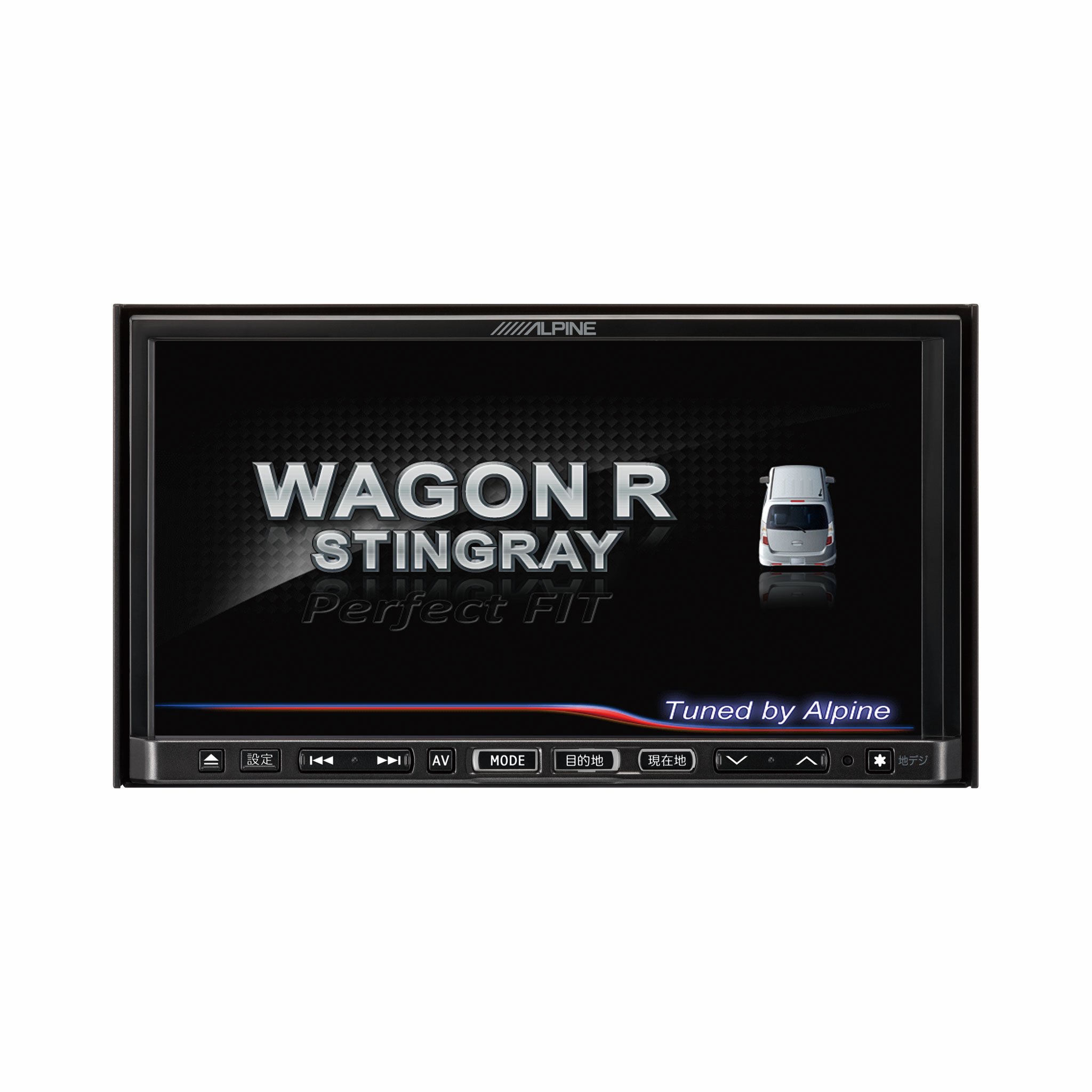
Immagine 1.1: anteriore view of the Alpine VIE-X007-WS-E In-Dash Car Navigation System, showcasing its 7-inch display and control interface.
2. Caratteristiche principali
- Display: 7-inch LED / WVGA Touch Panel Monitor for clear visuals and intuitive control.
- Magazzinaggio: 32GB SD memory (16GB for Map Data + 16GB for Music Data).
- Sintonizzatore: Built-in Terrestrial Digital TV Tuner (12 Segments/One Segment) for broadcast reception.
- Connettività: Built-in Bluetooth for hands-free calling and Bluetooth audio support.
- Riproduzione multimediale: Supports DVD/CD, FM/AM radio, SD Memory Card, iPod/iPhone, USB, and Walkman (connection cable not included).
- Integrazione del veicolo: Alpine system link functions for rear vision camera and vehicle-specific settings.
3. Istruzioni per l'installazione
Un'installazione corretta è fondamentale per prestazioni e sicurezza ottimali. Si consiglia vivamente di far installare questa unità da un tecnico qualificato specializzato in sistemi audio per auto.
3.1. Controlli pre-installazione
- Prima di iniziare l'installazione, assicurarsi che la batteria del veicolo sia scollegata.
- Verify all necessary mounting hardware and wiring harnesses are present.
- Confirm compatibility with your specific vehicle model (Wagon R MH23 Stingray).
3.2. Collegamenti elettrici
- Collegamento elettrico: Collegare il cablaggio di alimentazione principale all'alimentazione del veicolo, assicurandosi che la messa a terra sia corretta.
- Collegamenti degli altoparlanti: Connect the speaker wires to the corresponding vehicle speakers, observing polarity.
- Collegamenti dell'antenna: Connect the GPS antenna and the terrestrial digital TV antenna to their respective inputs on the unit. Position antennas in locations with clear line of sight.
- Connessioni di dispositivi esterni: Connect any optional devices such as a rear-view camera, USB devices, or iPod/iPhone using the appropriate cables (sold separately).
3.3. Montaggio dell'unità
- Carefully insert the unit into the vehicle's dashboard opening.
- Fissare l'unità utilizzando le staffe di montaggio e le viti fornite.
- Ricollegare la batteria del veicolo.
3.4. Accensione iniziale
- Turn on the vehicle's ignition. The unit should power on and display the Alpine logo.
- Seguire le istruzioni visualizzate sullo schermo per la configurazione iniziale, come la selezione della lingua e del fuso orario.
4. Istruzioni per l'uso
This section provides general guidance on operating your Alpine navigation system.
4.1. Accensione/spegnimento
- Solitamente l'unità si accende automaticamente all'accensione del veicolo.
- To manually turn off or put the unit into standby, press and hold the power button (location may vary, refer to specific vehicle integration manual).
4.2. Funzionamento del touchscreen
- Navigate menus and select functions by lightly touching the screen icons.
- Use swipe gestures for scrolling through lists or maps.
4.3. Funzioni di navigazione
- Accesso alla navigazione: Tap the 'Navigation' or 'Map' icon on the main menu.
- Entering Destination: Use the on-screen keyboard to input an address, point of interest (POI), or select from recent destinations.
- Indicazioni stradali: Once a destination is set, the system will calculate a route and provide turn-by-turn voice guidance and visual cues.
- Mappa View: Switch between 2D, 3D, and various zoom levels using the on-screen controls.
4.4. Riproduzione multimediale
- Radio: Select 'FM' or 'AM' from the main menu. Use the tuner controls to scan for stations or select presets.
- Formato CD/DVD: Insert a disc into the slot. Playback should begin automatically or can be selected from the 'Disc' source.
- SD Card/USB: Insert an SD card or USB device. Select 'SD' or 'USB' as the source and browse for media files.
- Audio Bluetooth: Pair your Bluetooth device (see section 4.5) and select 'Bluetooth Audio' as the source to stream music.
- TV digitale terrestre: Select 'TV' from the main menu. The system will scan for available channels.
4.5. Accoppiamento Bluetooth
- On the unit, go to the 'Bluetooth' menu.
- Abilita il Bluetooth sul tuo dispositivo mobile e cerca i dispositivi disponibili.
- Select 'Alpine VIE-X007-WS-E' (or similar name) from your device's list.
- Se richiesto, confermare il codice di associazione su entrambi i dispositivi.
- Una volta effettuato l'abbinamento, è possibile effettuare/ricevere chiamate e riprodurre l'audio in streaming.
5. Manutenzione
Regular maintenance ensures the longevity and optimal performance of your navigation system.
5.1. Pulizia dell'unità
- Utilizzare un panno morbido e asciutto per pulire il display e il pannello di controllo.
- Per macchie ostinate sullo schermo, applicare leggermenteampen the cloth with a screen cleaner specifically designed for electronics. Do not spray cleaner directly onto the unit.
- Evitare l'uso di detergenti abrasivi, solventi o prodotti chimici aggressivi.
5.2. Aggiornamenti software e mappe
- Controllare periodicamente l'ufficiale alpino website for available software and map updates.
- Follow the instructions provided with the update package carefully to ensure proper installation. Updates typically involve downloading files to an SD card or USB drive and inserting it into the unit.
5.3. Gestione della scheda SD
- Always eject the SD card safely through the unit's menu before physically removing it.
- Store the SD card in a protective case when not in use to prevent damage.
6. Risoluzione Dei Problemi
Questa sezione affronta i problemi più comuni che potresti incontrare e le loro possibili soluzioni.
| Problema | Possibile causa | Soluzione |
|---|---|---|
| L'unità non si accende. | Collegamento elettrico allentato, fusibile bruciato, problema alla batteria del veicolo. | Check power wiring and fuse. Ensure vehicle battery is charged. Consult a professional if issues persist. |
| Nessun segnale GPS o posizionamento impreciso. | GPS antenna obstructed or improperly connected, unit in an area with poor satellite reception. | Assicurarsi che l'antenna GPS abbia una visuale libera view del cielo. Controllare il collegamento dell'antenna. Spostarsi in un'area aperta. |
| Il dispositivo Bluetooth non riesce ad associarsi. | Bluetooth non abilitato sul dispositivo, modalità di associazione errata, interferenza. | Ensure Bluetooth is active on your device. Put the unit in pairing mode. Try re-pairing. Move closer to the unit. |
| Il touchscreen non risponde. | Temporary software glitch, screen calibration issue. | Restart the unit (turn vehicle ignition off and on). If available, perform screen calibration via settings. |
| Nessun suono dagli altoparlanti. | Volume troppo basso, modalità muto attivata, problema con il cablaggio degli altoparlanti. | Aumenta il volume. Controlla se la modalità mute è attiva. Verifica i collegamenti degli altoparlanti. |
If you encounter problems not listed here or if the suggested solutions do not resolve the issue, please contact Alpine customer support or a certified service center.
7. Specifiche
| Caratteristica | Specificazione |
|---|---|
| Marca | Alpino |
| Modello | VIE-X007-WS-E |
| Dimensioni dello schermo | 7 pollici |
| Tipo di visualizzazione | WVGA LED LCD Touch Panel Monitor |
| Capacità di archiviazione della memoria | 16 GB (for Map Data, total 32GB SDHC) |
| Caratteristiche speciali | Hands Free (Bluetooth) |
| Tecnologia di connettività | Bluetooth, USB |
| Input dell'interfaccia umana | Schermo tattile |
| Tipo di supporto supportato | Memory, DVD, CD, FM/AM, SD Card, iPod/iPhone, USB, Walkman |
| Sintonizzatore incorporato | Terrestrial Digital TV Tuner (12 Segments/One Segment) |
| Batterie incluse | NO |
| Dimensioni del prodotto | Dimensioni: 18.66 x 17.8 x 10 cm |
| Peso dell'articolo | 6.44 kg |
8. Garanzia e supporto
Warranty information for the Alpine VIE-X007-WS-E is typically provided with the product packaging or at the point of purchase. Please refer to these documents for details regarding warranty coverage, terms, and conditions.
For technical support, service inquiries, or to find authorized service centers, please visit the official Alpine website or contact Alpine customer service directly. Ensure you have your product model number (VIE-X007-WS-E) and proof of purchase available when seeking support.
Ufficiale Alpino Websito: www.alpine.com


