
Introduzione
Grazie per l'acquistoasing the Orion 24" SLED2468W LED LCD HDTV. This manual provides essential information for the safe and efficient operation of your television. Please read it thoroughly before using the product and retain it for future reference.
Informazioni sulla sicurezza
Per garantire un funzionamento sicuro ed evitare danni, osservare le seguenti precauzioni:
- Non esporre il televisore alla pioggia o all'umidità.
- Non ostruire le aperture di ventilazione.
- Posizionare il televisore su una superficie stabile e piana.
- Utilizzare solo il cavo di alimentazione fornito con l'unità.
- Scollegare il televisore durante i temporali o quando non viene utilizzato per lunghi periodi.
- Affidare tutti gli interventi di assistenza a personale qualificato.
Cosa c'è nella scatola
Disimballare con attenzione la scatola e assicurarsi che siano presenti tutti gli articoli:
- Orion 24" SLED2468W LED LCD HDTV
- Supporto della televisione
- Telecomando (batterie non incluse, richiede 2 batterie AAA)
- Cavo di alimentazione
- Manuale dell'utente (questo documento)
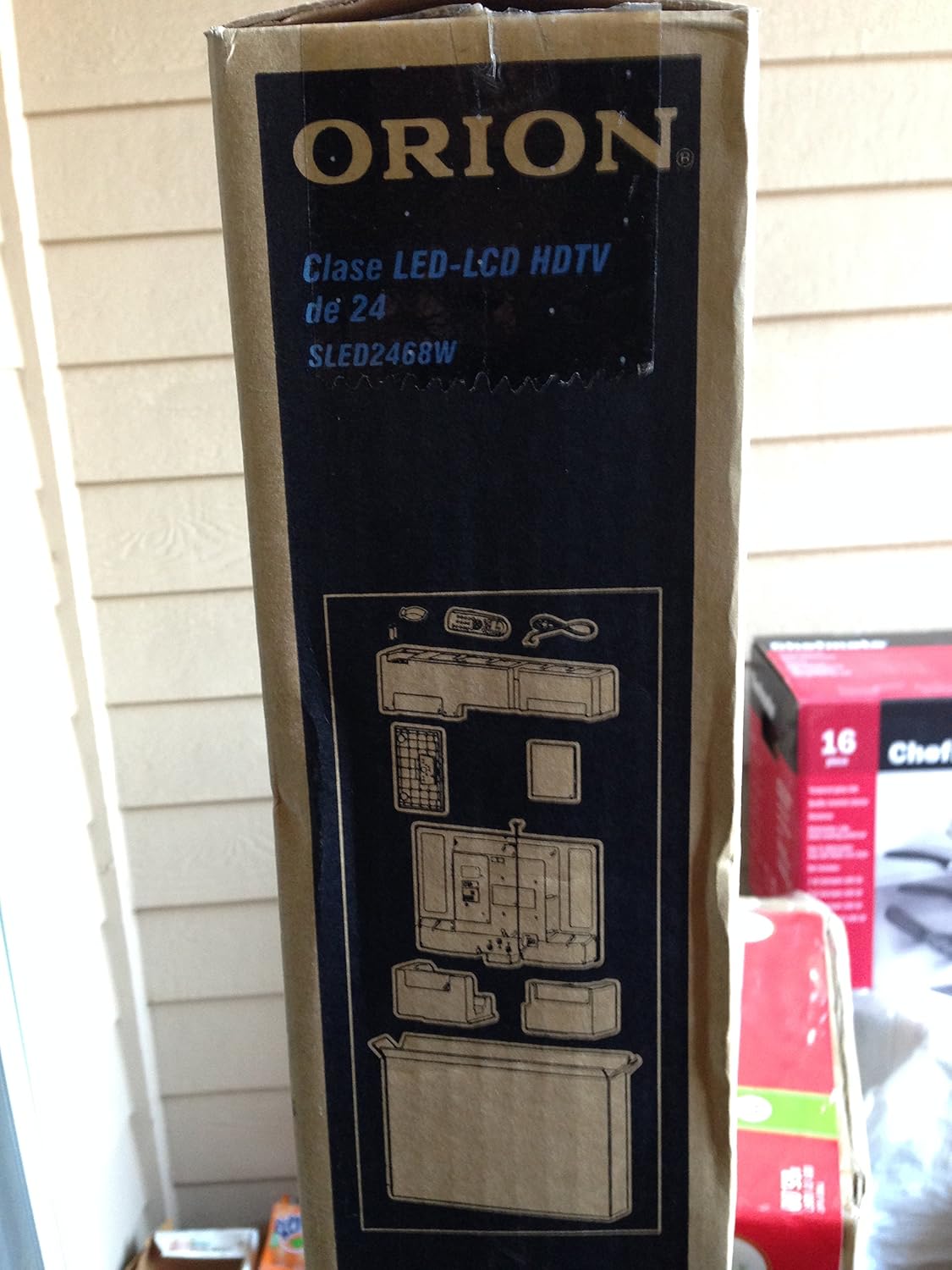
Image: The side of the Orion TV box illustrating the TV and stand components packed inside.
Impostare
1. Disimballaggio
Remove the TV and all accessories from the packaging. Retain the packaging for future transport or storage.

Image: The front of the Orion 24" LED-LCD HDTV box, displaying the model number SLED2468W and key features such as Integrated Digital Tuner, USB Time Shift, HDMI, and Headphone/Digital Audio Output.
2. Fissaggio del supporto
Place the TV screen-down on a soft, clean surface. Align the TV stand with the mounting holes on the bottom of the TV. Secure the stand using the provided screws.
3. Collegamento dell'alimentazione
Connect the power cord to the TV's power input and then to a standard 110 VAC, 60 Hz electrical outlet.
4. Collegamento di dispositivi esterni
Il televisore supporta diverse connessioni per dispositivi esterni:
- HDMI: Per audio e video ad alta definizione da dispositivi come lettori Blu-ray, console di gioco o decoder via cavo/satellitari.
- USB: For media playback or USB Time Shift functionality.
- Antenna/cavo: For receiving broadcast television signals via the integrated ATSC tuner.
- Ingresso PC: For connecting a computer monitor.
- Headphone/Digital Audio Output (Coaxial): Per collegare sistemi audio esterni.

Image: A diagram illustrating various connection ports on the TV, including headphone, audio, PC monitor, and coaxial outputs. Also shown are the unit dimensions and weight.
5. Installazione guidata iniziale
Upon first power-on, the TV will guide you through an initial setup process, including language selection, channel scanning, and time zone settings.
Operativo
Funzioni di base del telecomando
The remote control allows you to access all TV functions. Ensure batteries are correctly inserted.
- Energia: Accende o spegne la TV.
- Canale su/giù: Cambia canale TV.
- Volume su/giù: Regola il livello del suono.
- Ingresso/sorgente: Selects the input source (HDMI, TV, USB, etc.).
- Menu: Accede al menu principale per la regolazione delle impostazioni.
- Pulsanti di navigazione (Su/Giù/Sinistra/Destra/OK): Utilizzato per navigare nei menu e confermare le selezioni.
USB Time Shift
The TV features a USB Time Shift function. Connect a USB storage device to pause, rewind, or fast-forward live TV broadcasts. Refer to the on-screen menu for detailed instructions on activating and using this feature.
Browser Internet
This TV includes a basic internet browser. Connect the TV to your network (if applicable) to access web content. Performance may vary depending on network speed and website complexity.
Manutenzione
Pulizia dello schermo
Pulire delicatamente lo schermo con un panno morbido e privo di lanugine. Per i segni ostinati, strofinare leggermenteampImmergere il panno in acqua o in un detergente specifico per schermi. Non spruzzare mai liquidi direttamente sullo schermo.
Assistenza generale
Keep the TV free from dust by regularly wiping the cabinet with a dry, soft cloth. Ensure adequate ventilation around the TV to prevent overheating.
Risoluzione dei problemi
Se riscontri problemi con il tuo televisore, consulta la seguente tabella prima di contattare l'assistenza:
| Problema | Possibile soluzione |
|---|---|
| Nessun potere | Check if the power cord is securely connected to both the TV and the outlet. Ensure the outlet is functional. |
| Nessuna immagine, ma l'audio è presente | Verificare che sia selezionata la sorgente di ingresso corretta. Controllare i collegamenti del dispositivo esterno. |
| Nessun suono, ma l'immagine è presente | Check volume level and mute settings. Ensure external audio connections are secure. |
| Il telecomando non funziona | Sostituisci le batterie. Assicurati che non ci siano ostacoli tra il telecomando e il sensore IR del televisore. |
| Qualità dell'immagine scadente | Check antenna connection. Adjust picture settings in the TV menu. |
Specifiche
Technical specifications for the Orion 24" SLED2468W LED LCD HDTV:
| Caratteristica | Specificazione |
|---|---|
| Numero di modello | SLED2468W |
| Dimensioni dello schermo | 24 pollici |
| Tecnologia di visualizzazione | LED-LCD |
| Risoluzione | Formato: 720p |
| Frequenza di aggiornamento | Frequenza 60 Hz |
| Proporzioni | 16:9 |
| Tecnologia di connettività | HDMI, USB |
| Tipo di sintonizzatore | ATSC |
| Servizi Internet supportati | Navigatore |
| Linea Voltage | 110 VAC 60 Hz |
| On Mode Power Consumption | 37W (as per box image) |
| Dimensioni unità (LxPxA) | 21.65" x 5.39" x 14.21" (550 x 136.9 x 361 mm) (as per box image) |
| Peso unitario | 3.6 kg (8.0 lbs) (as per box image) |
| Produttore | Sansui |
| Codice UPC | 755805020776 |
Garanzia e supporto
For warranty information and technical support, please refer to the documentation included with your purchase or visit the official Orion product support websito. Conservare la prova d'acquisto per eventuali reclami in garanzia.