
Modello M310
Mouse wireless Logitech M310
Manuale di istruzioni
Introduzione
The Logitech M310 Wireless Mouse is designed for comfortable and reliable everyday use. Featuring a contoured design and advanced wireless connectivity, it offers smooth and responsive cursor control. This manual will guide you through the setup, operation, and maintenance of your new mouse.
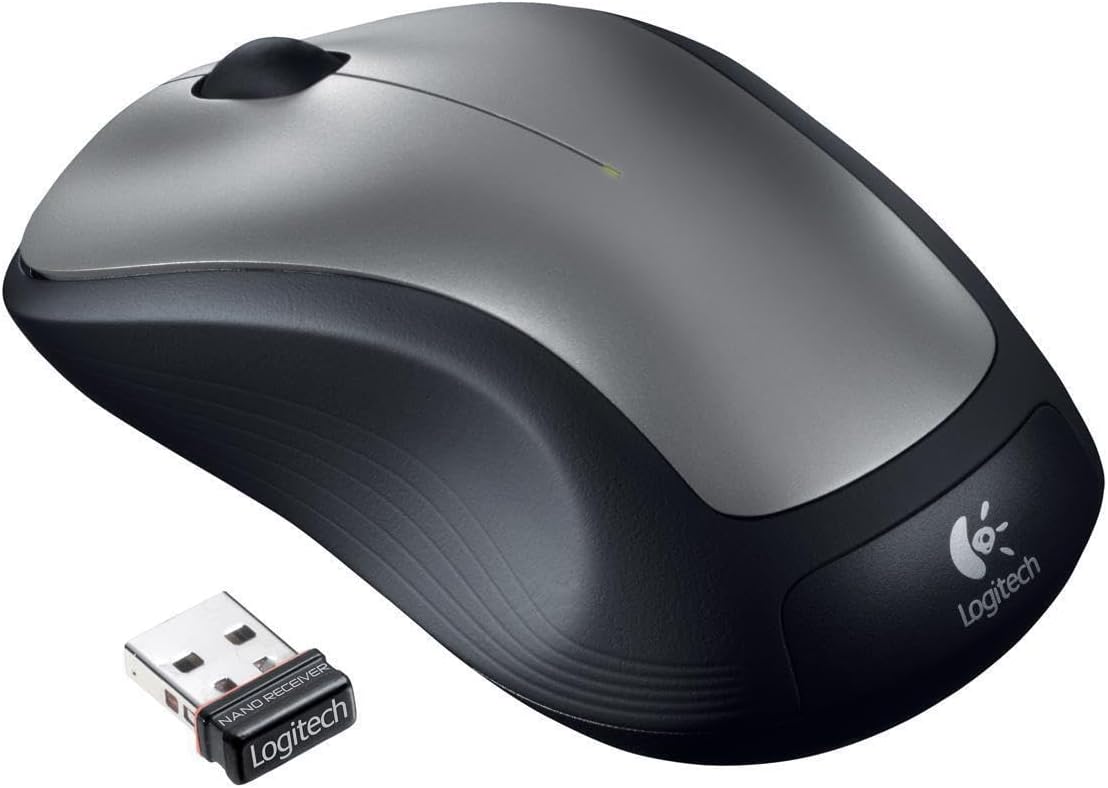
Figure 1: Logitech M310 Wireless Mouse and Nano Receiver
Impostare
Setting up your Logitech M310 Wireless Mouse is quick and easy. Follow these steps to get started:
- Inserire la batteria: Open the battery compartment on the underside of the mouse. Insert one AA battery, ensuring correct polarity. Close the compartment securely.
- Plug in the Nano Receiver: Locate an available USB port on your computer. Insert the Logitech nano receiver into the USB port. The mouse is designed with a "plug-and-forget" receiver, meaning it's small enough to leave in your laptop's USB port without obstruction.
- Accensione: Flip the On/Off switch on the underside of the mouse to the "On" position. Your computer should automatically detect the mouse and install the necessary drivers.

Figure 2: Mouse underside with battery compartment
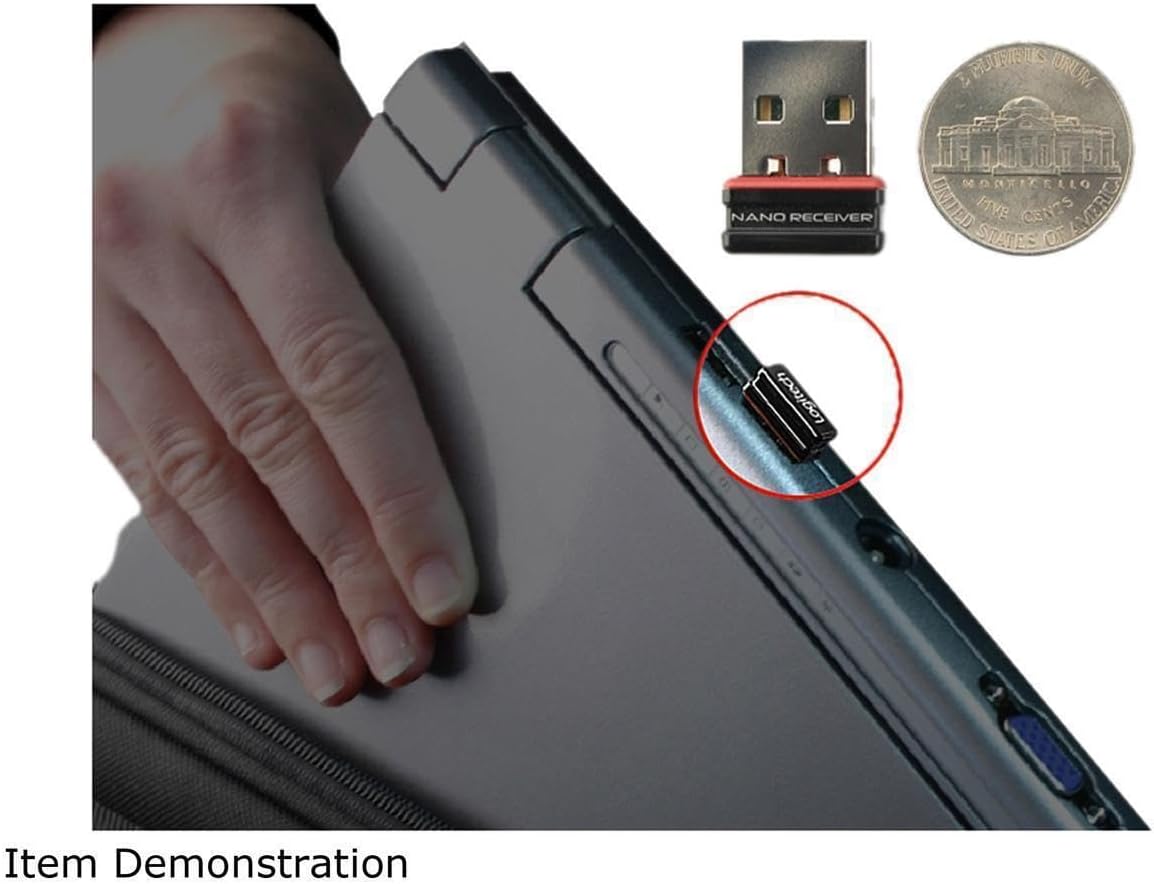
Figure 3: Nano Receiver plugged into a laptop
Operazione
The Logitech M310 Wireless Mouse provides intuitive control for your computer. It features a standard left-click button, right-click button, and a scroll wheel that also functions as a middle-click button.
- Clic sinistro: Utilizzare il pulsante sinistro per selezionare gli elementi, aprire files, and interacting with on-screen elements.
- Clic destro: Use the right button to access context menus and additional options.
- Rotella di scorrimento: Ruotare la rotellina di scorrimento verso l'alto o verso il basso per navigare tra i documenti e web pages. Press the scroll wheel down for middle-click functionality, which can vary depending on the application (e.g., opening links in new tabs).
- Movimento: The mouse uses optical tracking for smooth and responsive cursor control on various surfaces.
Manutenzione
To ensure the longevity and optimal performance of your Logitech M310 Wireless Mouse, consider the following maintenance tips:
- Sostituzione della batteria: The mouse is designed for long battery life, up to 18 months. When the mouse performance degrades or the indicator light (if present) signals low battery, replace the AA battery. To replace, open the battery compartment on the underside of the mouse, remove the old battery, insert a new AA battery, and close the compartment.
- Pulizia: Use a soft, lint-free cloth to gently wipe the surface of the mouse. For stubborn dirt, slightly dampLavare il panno con acqua. Evitare l'uso di prodotti chimici aggressivi o materiali abrasivi.
- Memoria del ricevitore: The nano receiver can be stored inside the mouse's battery compartment when not in use, preventing loss during transport.
Risoluzione dei problemi
If you encounter issues with your Logitech M310 Wireless Mouse, try the following common troubleshooting steps:
- Nessun movimento del cursore: Ensure the mouse is powered on and the nano receiver is securely plugged into a working USB port. Check the battery and replace it if necessary.
- Connessione intermittente: Move the mouse closer to the receiver. Ensure there are no large metal objects or other wireless devices interfering with the 2.4 GHz signal.
- Unresponsive Buttons/Scroll Wheel: Try cleaning around the buttons and scroll wheel to remove any debris. If the issue persists, try re-pairing the mouse with the receiver (refer to Logitech's official support for specific re-pairing instructions if needed).
Specifiche
| Caratteristica | Dettaglio |
|---|---|
| Marca | Logitech |
| Numero di modello | 910001675 - EA (M310) |
| Tecnologia di connettività | Senza fili (2.4 GHz) |
| Tecnologia di rilevamento del movimento | Ottico |
| Colore | Grigio scuro |
| Fonte di alimentazione | Alimentato a batteria (richiede 1 batteria AA) |
| Durata media della batteria | Fino a 18 mesi |
| Peso dell'articolo | 0.01 once |
| Dimensioni del prodotto (LxWxH) | 2.4 x 2 x 0.1 pollici |
| Compatibilità del sistema operativo | Windows 10 (e altri sistemi operativi compatibili) |
| Data prima disponibilità | 15 marzo 2012 |
Garanzia e supporto
For warranty information, technical support, or to download the latest software and drivers, please visit the official Logitech support websito o fare riferimento alla scheda di garanzia inclusa con il prodotto. Conservare la prova d'acquisto per eventuali reclami in garanzia.
Ask a question about this manual
Ask about setup, troubleshooting, compatibility, parts, safety, or missing instructions. Manuals+ will review the question and use this page’s manual context to help answer it.