
Jam Audio HX-P430BL
JAM XT Extreme Wireless Speaker Instruction Manual
Model: HX-P430BL | Brand: Jam Audio
Introduzione
The JAM XT Extreme Wireless Speaker is designed for robust performance in various environments. Featuring an IP64 rating, it is splash-proof, drop-proof, and dirt-proof, making it suitable for outdoor adventures and demanding work sites. This portable Bluetooth speaker offers high-quality sound and hands-free calling, connecting wirelessly to most Bluetooth-enabled devices up to 30 feet away. Its integrated carabiner clip provides convenient transport and versatile mounting options.
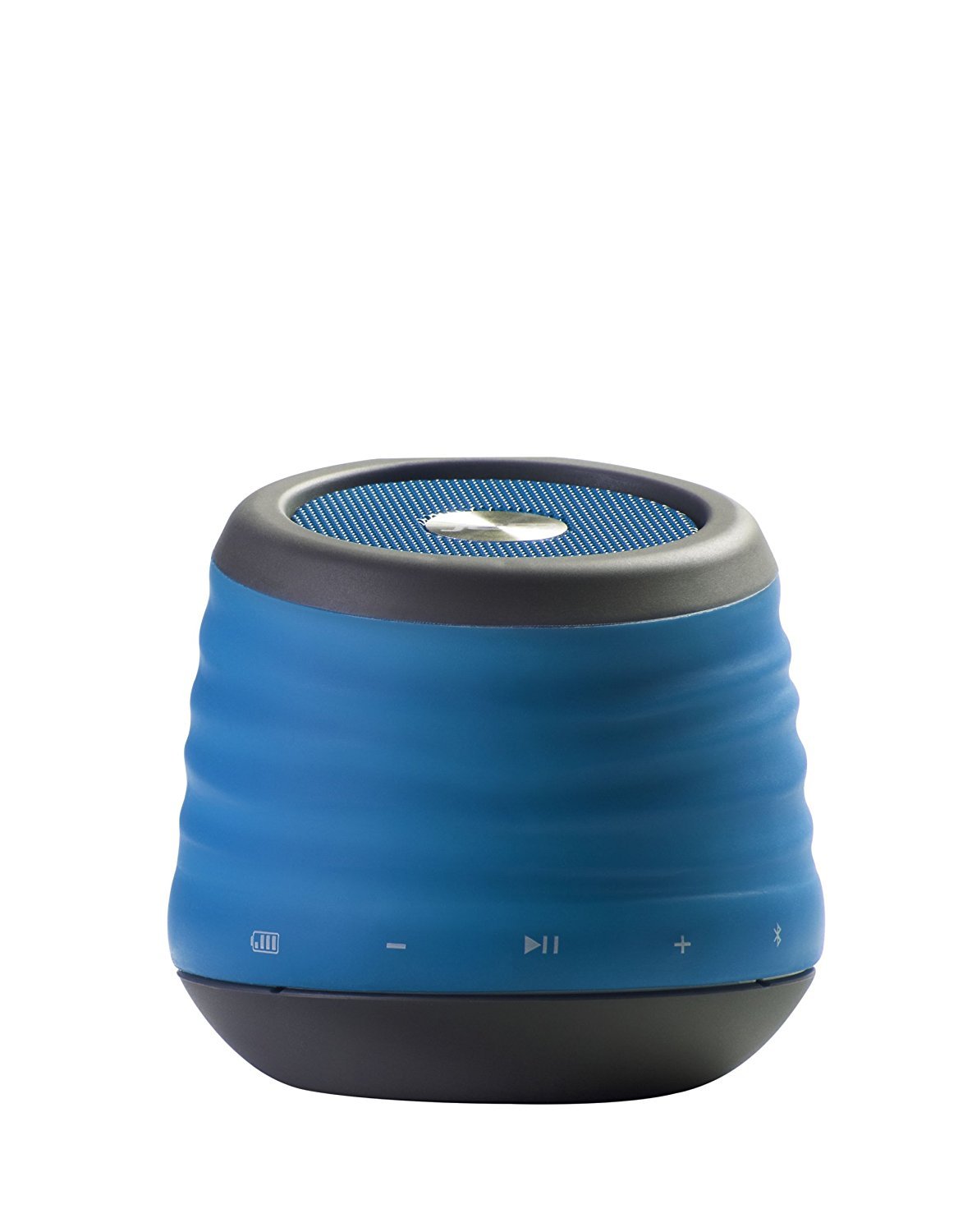
Image: The JAM XT Extreme Wireless Speaker in blue, featuring its durable design and integrated carabiner clip for portability.
Cosa c'è nella scatola
- JAM XT Extreme Wireless Speaker (Model: HX-P430BL)
- Cavo di ricarica USB
- Manuale di istruzioni
Impostare
1. Ricarica dell'altoparlante
Before initial use, fully charge your JAM XT Extreme speaker. Connect the included USB charging cable to the speaker's charging port and a compatible USB power source (e.g., computer, wall adapter). The LED indicator will show charging status. A full charge provides up to 8 hours of wireless play.

Image: Visual representation of the speaker's rechargeable battery, indicating its capacity for up to 8 hours of wireless playback.
2. Accensione/Spegnimento
Locate the power button on the bottom of the unit. Press and hold the power button for a few seconds to turn the speaker ON or OFF. A sound prompt will indicate the power status.

Immagine: un primo piano view of the JAM XT Extreme speaker's base, highlighting the power button for easy access.
3. Accoppiamento Bluetooth
- Ensure the speaker is powered ON and in pairing mode (indicated by a flashing LED).
- Sul tuo dispositivo (smartphone, tablet, laptop), attiva il Bluetooth e cerca i dispositivi disponibili.
- Select "JAM XT Extreme" from the list of devices.
- Once paired, the speaker will emit a confirmation tone, and the LED will turn solid.
The speaker has a Bluetooth wireless range of up to 30 feet and is compatible with most Bluetooth-enabled devices, including iPhone, Android, iPad, and iPod.

Image: A visual representation of the speaker connecting wirelessly to a device via Bluetooth.
4. Collegamento Line-In
For devices without Bluetooth capability, use the line-in port on the speaker with a standard 3.5mm audio cable (not included) to connect your audio source.
Utilizzo dell'altoparlante
1. Controlli di base
- Riproduci/Pausa: Premere il pulsante Riproduci/Pausa per avviare o interrompere la riproduzione audio.
- Volume su/giù: Utilizzare i pulsanti '+' e '-' per regolare il volume.
- Salta traccia: Press and hold the '+' button to skip to the next track. Press and hold the '-' button to go to the previous track.
2. Funzione vivavoce
When connected via Bluetooth, the JAM XT Extreme speaker can be used as a speakerphone. Answering and ending calls can typically be done directly from your connected device.
3. Utilizzo del moschettone
The integrated fold-out carabiner clip allows for easy attachment to backpacks, bags, belt loops, or even hanging from a tree branch or tent for optimal sound projection and portability.

Image: The blue JAM XT Extreme speaker securely clipped to a backpack, showcasing its design for convenient outdoor use.

Image: The JAM XT Extreme speaker hanging from a tree branch, illustrating its adaptability for various outdoor settings.
Manutenzione
1. Pulizia
The speaker is IP64 rated for splash, drop, and dirt resistance. To clean, gently wipe the exterior with a soft, damp cloth. Do not use harsh chemicals or abrasive cleaners. Ensure all port covers are securely closed before exposing the speaker to water or dirt.
2. Cura della batteria
To prolong the life of the rechargeable lithium-ion battery, avoid fully discharging it frequently. Recharge the speaker regularly, especially if it will not be used for an extended period. Store in a cool, dry place.
3. Conservazione
When not in use, store the speaker in a dry environment away from extreme temperatures and direct sunlight. Ensure the carabiner clip is folded in or secured to prevent damage.
Risoluzione dei problemi
- Nessun potere: Ensure the speaker is fully charged. Connect to a power source and try turning it on again.
- Impossibile effettuare l'accoppiamento tramite Bluetooth:
- Assicurati che il Bluetooth sia abilitato sul tuo dispositivo e che l'altoparlante sia in modalità di associazione.
- Avvicinare l'altoparlante al dispositivo (entro 30 metri).
- Disattiva e riattiva sia l'altoparlante che il Bluetooth del tuo dispositivo.
- Se è già stato associato, prova a "dimenticare" il dispositivo nelle impostazioni Bluetooth del telefono e ad associarlo nuovamente.
- Nessun suono:
- Controlla i livelli del volume sia sull'altoparlante che sul dispositivo collegato.
- Ensure the speaker is correctly paired or connected via line-in.
- If using line-in, ensure the cable is fully inserted into both devices.
- Scarsa qualità del suono:
- Avvicina l'altoparlante al dispositivo per migliorare la potenza del segnale Bluetooth.
- Assicurati che non ci siano ostacoli tra l'altoparlante e il dispositivo.
- Controllare la sorgente audio per eventuali problemi di qualità.
Specifiche
| Caratteristica | Specificazione |
|---|---|
| Marca | Jam audio |
| Numero di modello | HX-P430BL |
| Nome del modello | XT Extreme |
| Tecnologia di connettività | Bluetooth, USB |
| Tecnologia senza fili | Bluetooth |
| Portata Bluetooth | 30 piedi |
| Potenza massima in uscita dell'altoparlante | 3 Watt |
| Modalità di uscita audio | Stereo |
| Durata della batteria | Up to 8 hours of wireless play |
| Fonte di alimentazione | Alimentato a batteria (1 batteria agli ioni di litio inclusa) |
| Valutazione della durata | IP64 (Splash proof, Drop proof, Dirt proof) |
| Metodo di controllo | Tocco |
| Peso dell'articolo | 8.8 once |
| Colore | Blu |
| Caratteristiche speciali | Carabiner Clip, Built-in Speakerphone, Portable |
Garanzia e supporto
The JAM XT Extreme Wireless Speaker comes with a Limited Warranty. For detailed warranty information, product support, or to register your product, please visit the official Jam Audio Store or refer to the warranty card included with your purchase.
Ask a question about this manual
Ask about setup, troubleshooting, compatibility, parts, safety, or missing instructions. Manuals+ will review the question and use this page’s manual context to help answer it.