
1. Introduzione
This manual provides comprehensive instructions for the safe and effective use, assembly, maintenance, and troubleshooting of your MAXXUS RunMaxx 4.2i Treadmill. Please read this manual thoroughly before operating the device and retain it for future reference.
The MAXXUS RunMaxx 4.2i is a compact and foldable electric treadmill designed for home fitness, offering a robust training experience with features like adjustable incline, a powerful motor, and Bluetooth connectivity for app integration.
2. Importanti istruzioni di sicurezza
To reduce the risk of serious injury, always follow basic precautions when using this treadmill, including the following:
- Leggere attentamente tutte le istruzioni contenute nel presente manuale prima di utilizzare il tapis roulant.
- Tenere i bambini e gli animali domestici lontani dal tapis roulant durante il funzionamento.
- Posizionare il tapis roulant su una superficie piana e stabile, con spazio sufficiente attorno.
- Prima di avviare il tapis roulant, assicurarsi che la chiave di sicurezza sia correttamente inserita.
- Non superare il peso massimo dell'utente 110 kg.
- Consultare un medico prima di iniziare qualsiasi programma di esercizi.
- Scollegare il tapis roulant dalla presa di corrente quando non è in uso o prima di pulirlo/manutenerlo.
- Non utilizzare il tapis roulant se il cavo o la spina sono danneggiati o se non funziona correttamente.
3. Assemblaggio
The MAXXUS RunMaxx 4.2i treadmill is designed for easy assembly. It comes largely pre-assembled. Follow these steps for final setup:
- Disimballaggio: Rimuovere con attenzione tutti i componenti dall'imballaggio. Assicurarsi che tutti i pezzi elencati nella lista di imballaggio siano presenti.
- Stabilizzazione della base: Place the main frame on a level surface.
- Installazione verticale: Securely attach the uprights to the main frame using the provided hardware.
- Accessorio per console: Mount the control console onto the uprights, ensuring all cables are connected correctly.
- Impostazione del manubrio: Attach the handlebars to the console or uprights as per the diagram.
- Controlli finali: Verify all bolts and screws are tightened. Ensure the treadmill is stable before plugging it in.

Figure 3.1: Fully assembled MAXXUS RunMaxx 4.2i Treadmill.
4. Istruzioni per l'uso
4.1. Pannello di controllo finitoview

Figura 4.1: dettagliata view of the LCD control panel.
The LCD display provides real-time feedback on your workout, including: Heart Rate, Time, Distance, Speed, and Calories Burned. The console also features controls for speed, incline, program selection, and a safety key slot.
4.2. Iniziare un allenamento
- Collegare il tapis roulant a una presa elettrica dotata di messa a terra.
- Attach the safety key to your clothing and insert the other end into the designated slot on the console. The treadmill will not operate without the safety key.
- Salire sui corrimano laterali del tapis roulant.
- Press the "START" button to begin. The belt will start moving at a low speed.
- Adjust the speed using the "+" and "-" buttons. The treadmill supports speeds from da 1 a 16 km/h.
- Adjust the incline using the incline buttons.
4.3. Programmi di allenamento
The MAXXUS RunMaxx 4.2i offers 36 pre-set workout programs to diversify your training. Select a program using the "PROGRAM" button and confirm your selection. Each program automatically adjusts speed and incline over time.
4.4. Bluetooth Connectivity (iC+ Training App)
The treadmill is equipped with a Bluetooth receiver for compatibility with the iC+ Training App. Download the app on your smartphone or tablet, enable Bluetooth, and connect to your treadmill to access additional workout options and track your progress.
4.5. Measuring Heart Rate
The treadmill features manual pulse sensors on the handlebars. Grip these sensors firmly during your workout to display your heart rate on the LCD screen. An integrated receiver for an optional radio pulse belt is also available for continuous heart rate monitoring.
5. Manutenzione
Una manutenzione regolare garantisce la longevità e le prestazioni ottimali del tuo tapis roulant.
- Pulizia: Pulisci le superfici del tapis roulant con un pannoamp panno dopo ogni utilizzo. Evitare detergenti abrasivi.
- Lubrificazione della cinghia: Periodically lubricate the running belt according to the manufacturer's recommendations (typically every 3-6 months depending on usage). This prevents friction and extends belt life.
- Tensione e allineamento della cinghia: Check the running belt tension and alignment regularly. Adjust if the belt slips or drifts to one side. Refer to the detailed instructions in the full manual for adjustment procedures.
- Vano motore: Keep the motor compartment clean and free of dust. Unplug the treadmill before opening the motor cover.
6. Archiviazione e portabilità
The MAXXUS RunMaxx 4.2i is designed to be foldable for space-saving storage and features integrated transport wheels for easy relocation.
6.1. Folding the Treadmill
- Assicurarsi che il tapis roulant sia spento e scollegato.
- Sollevare il piano di corsa finché non si blocca in posizione verticale.
- The folded dimensions are approximately L 112 x W 74 x H 130 cm.

Figure 6.1: Treadmill in folded position, showing compact storage.
6.2. Transporting the Treadmill
Once folded, tilt the treadmill slightly and use the integrated transport wheels to move it to your desired storage location. Exercise caution when moving the unit due to its weight (approximately 65 kg).
7. Risoluzione Dei Problemi
| Problema | Possibile causa | Soluzione |
|---|---|---|
| Il tapis roulant non si avvia. | Power cord unplugged; Safety key not inserted; Circuit breaker tripped. | Assicurarsi che il cavo di alimentazione sia collegato saldamente; Inserire completamente la chiave di sicurezza; Reimpostare l'interruttore automatico. |
| La cintura da corsa scivola. | Belt tension too loose; Belt worn out. | Adjust belt tension (refer to manual); Contact customer service for belt replacement. |
| Rumore insolito durante il funzionamento. | Loose components; Lack of lubrication; Motor issue. | Check and tighten all visible bolts; Lubricate running belt; Contact customer service. |
| Il display non funziona. | Collegamento del cavo allentato; problema di alimentazione. | Check console cable connections; Verify power supply. |
For issues not listed here or if solutions do not resolve the problem, please contact MAXXUS customer support.
8. Specifiche tecniche
- Modello: MAXXUS RunMaxx 4.2i
- Numero modello: Numero di telefono: 600005-00019-0001
- Dimensioni (aperto): L 165 x W 74 x H 130 cm
- Dimensioni (piegato): L 112 x W 74 x H 130 cm
- Superficie di corsa: Dimensioni: 125 x 44 cm
- Peso del prodotto: 63 kg
- Peso massimo dell'utente: 110 kg
- Motore: Motore CC da 1.75 HP
- Gamma di velocità: 1 - 16 km/h
- Regolazione dell'inclinazione: Yes (Adjustable)
- Tipo di visualizzazione: LCD
- Displayed Metrics: Heart Rate, Time, Distance, Speed, Calories Burned
- Programmi di allenamento: 36 programmi preimpostati
- Connettività: Bluetooth (for iC+ Training App)
- Assorbimento degli urti: Cushion-Flex System
- Materiale del telaio: Acciaio legato
- Fonte di energia: Adattatore CA
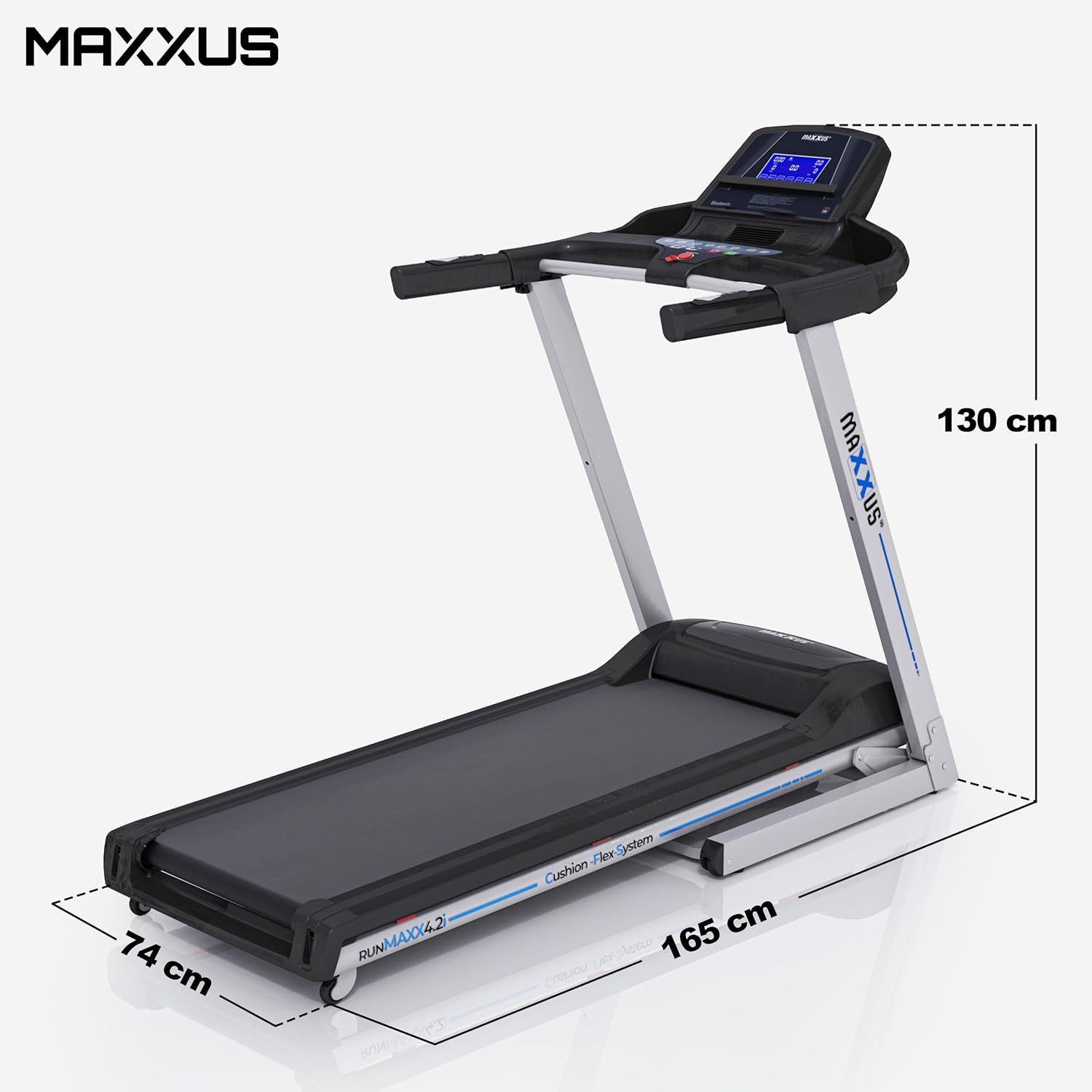
Figure 8.1: Treadmill dimensions (unfolded).

Figure 8.2: Running surface dimensions.
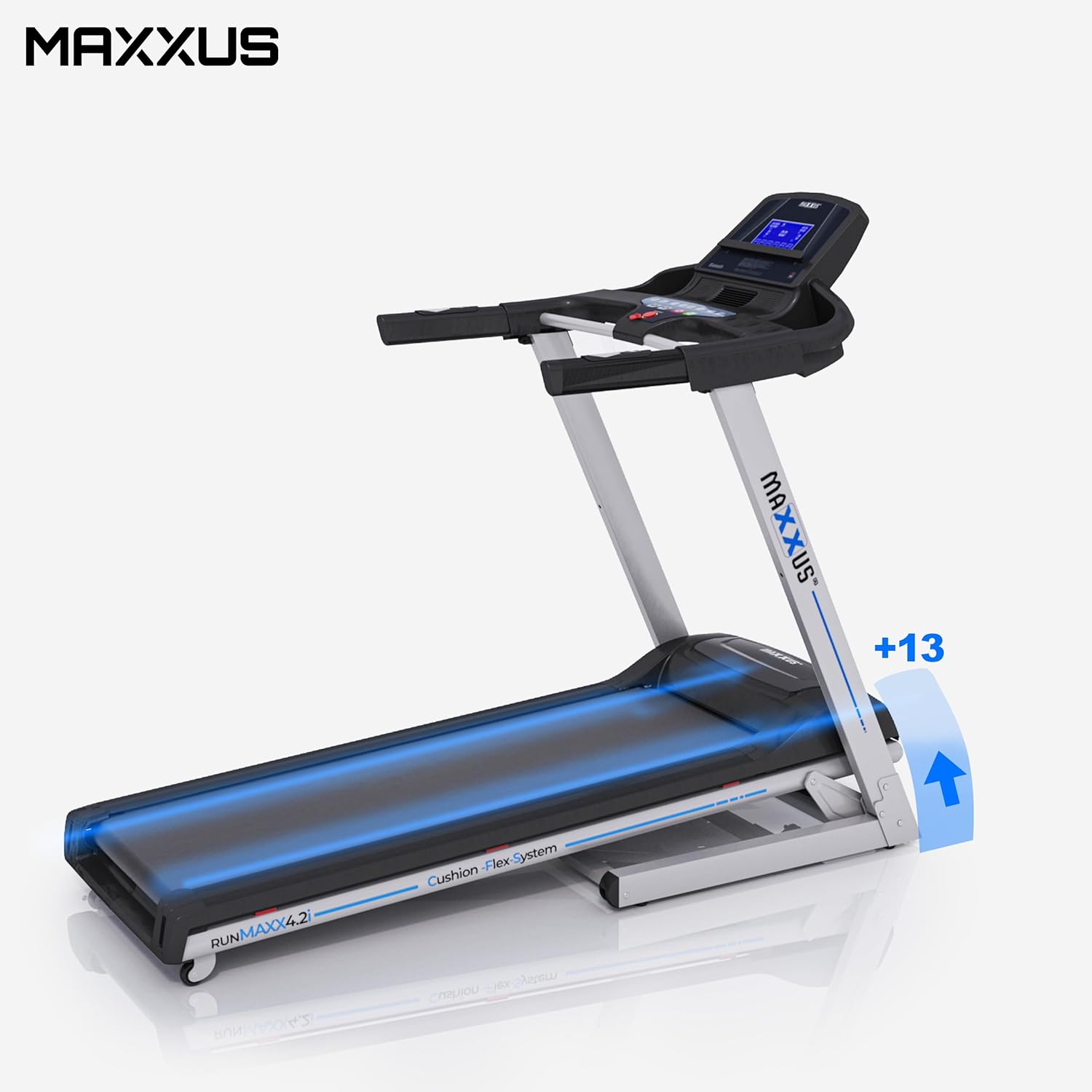
Figure 8.3: Treadmill showing incline capability.
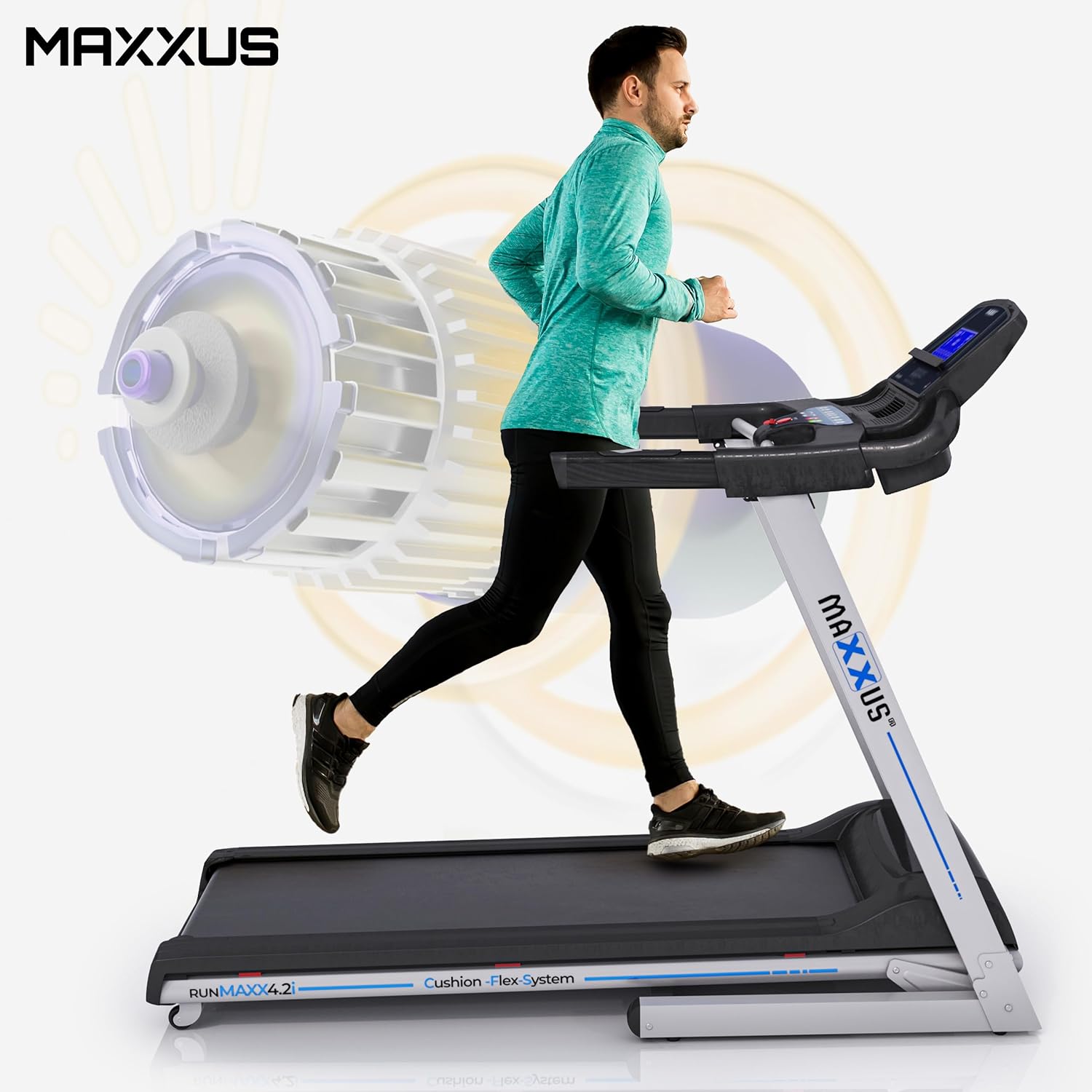
Figure 8.4: Illustration of the powerful motor and user in motion.
9. Garanzia e supporto
MAXXUS products are known for their quality and durability. For warranty information, service requests, or technical support, please refer to the warranty card included with your product or visit the official MAXXUS websito. Conservare la ricevuta d'acquisto come prova d'acquisto per eventuali reclami in garanzia.
Produttore: MAXXUS
Prima data disponibile: 23 marzo 2015