
VTech CS6729-2
VTECH Communications CS6729-2
2 Handset Answering System with Caller ID/Call Waiting User Manual
Introduzione
This user manual provides comprehensive instructions for the VTECH Communications CS6729-2 2 Handset Answering System. It covers setup, operation, maintenance, and troubleshooting to ensure optimal performance of your new telephone system. Please read this manual thoroughly before using your phone.
Configurazione e installazione
Contenuto della confezione
Assicurati che tutti gli articoli siano presenti nel pacco:
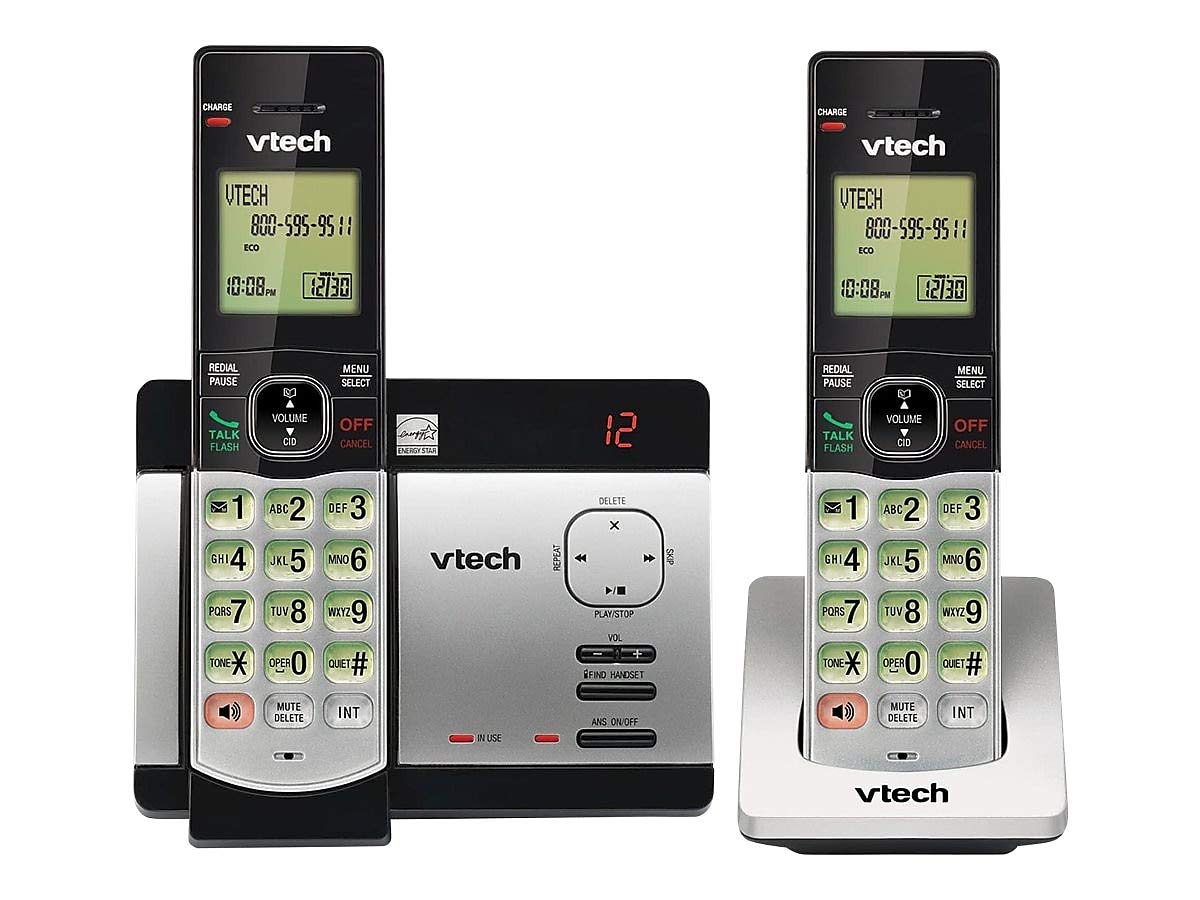
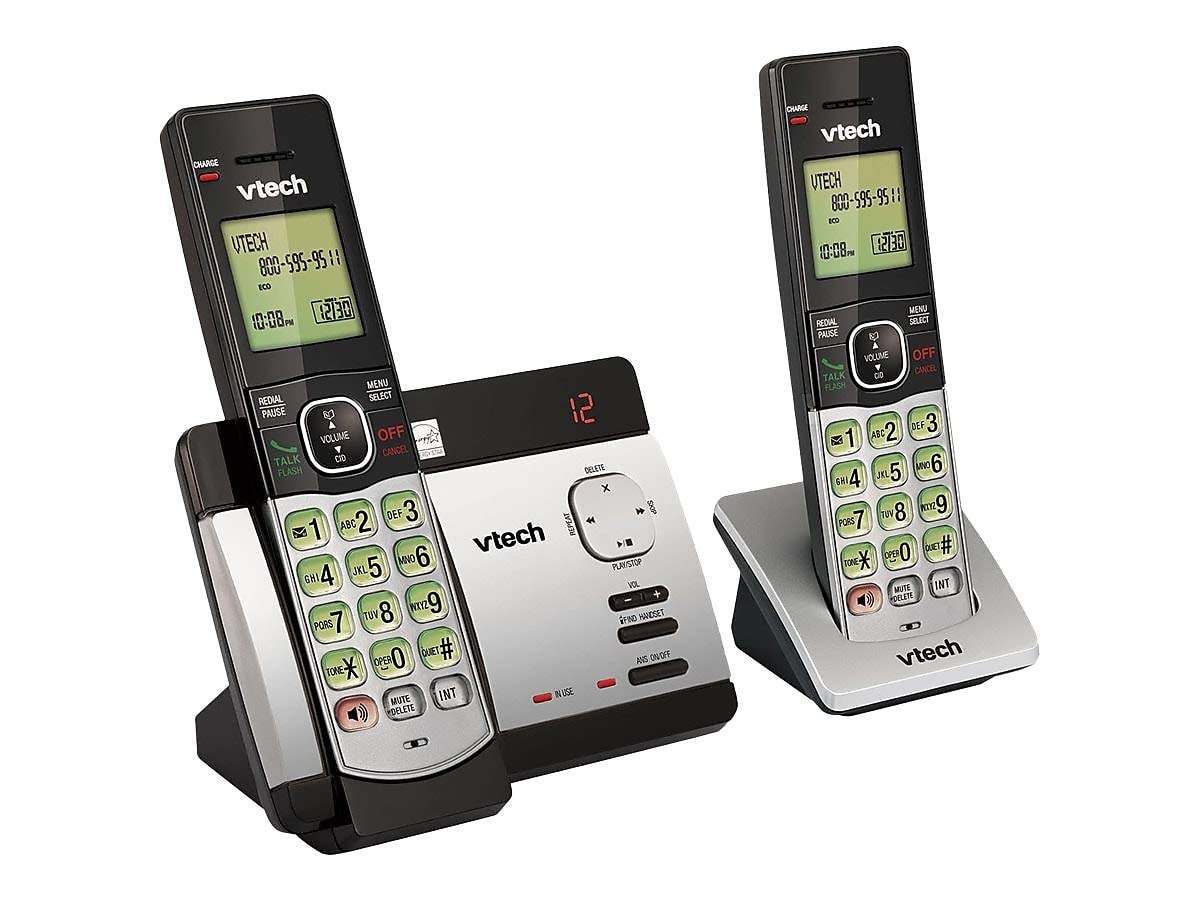
- Ricevitori cordless (2)
- Base Unit with Digital Answering System
- Adattatore di alimentazione CA per unità base
- Cavo della linea telefonica
- Batterie ricaricabili (sono necessarie 4 batterie AAA, incluse)
- Staffa di montaggio a parete
Installazione della batteria
Before initial use, install the included AAA batteries into each cordless handset. Open the battery compartment cover on the back of the handset, insert the batteries according to the polarity markings, and close the cover. Place the handset on the base unit or charger to charge for at least 16 hours before first use.
Collegamento dell'unità base
Connect the small end of the AC power adapter to the power jack on the back of the telephone base. Plug the large end of the AC power adapter into a wall outlet not controlled by a wall switch. Connect one end of the telephone line cord to the telephone jack on the back of the telephone base. Plug the other end of the telephone line cord into a telephone wall jack.
Istruzioni per l'uso
Effettuare e ricevere chiamate
Per effettuare una chiamata, premere PARLA/FLASH or any dial pad key, then dial the number. To receive a call, press PARLA/FLASH when the phone rings. To end a call, press OFF/ANNULLA oppure riposizionare il portatile sulla base/caricabatterie.
Answering System Features
The integrated digital answering system can record up to 14 minutes of messages. You can retrieve messages from any handset or remotely. The voicemail waiting indicator will notify you of new messages. Messages are time and date stamped per una facile consultazione.
ID chiamante/Chiamata in attesa
The phone displays the caller's name and number (if available) before you answer. If you have Call Waiting service, the phone will alert you to an incoming call while you are on another call.
Elenco telefonico
Store up to 50 names and numbers in the phonebook directory for quick dialing. Refer to the handset menu for instructions on adding, editing, and deleting entries.
Citofono
Use the intercom feature to communicate between handsets. This system supports up to 5 handsets (additional handsets sold separately).
Ricomposizione
Il telefono memorizza gli ultimi 10 numeri chiamati. Premere RICHIAMA/PAUSA to access and redial these numbers.
Controllo del volume
Adjust the earpiece and speakerphone volume during a call using the VOLUME pulsanti sul lato del telefono.
Muto
Premere il tasto DISATTIVARE/ELIMINARE button during a call to mute your microphone. The other party will not hear you, but you can still hear them. Press again to unmute.
Teleconferenze telefoniche
You can set up a 3-way conference call between an outside line and up to two cordless handsets.
Prompt trilingue
The system offers trilingual prompts, allowing you to choose between English, Spanish, or French for voice announcements and menu options.
Manutenzione
Pulizia
Pulisci il telefono e l'unità base con un panno morbido eamp cloth. Do not use cleaning sprays or harsh chemicals. Avoid getting moisture in any openings.
Cura della batteria
To maintain optimal battery life, fully charge the handsets regularly. If the phone will not be used for an extended period, remove the batteries to prevent leakage.
Risoluzione dei problemi
Se riscontri problemi con il tuo sistema telefonico, prova le seguenti soluzioni:
| Problema | Soluzione |
|---|---|
| Nessun tono di linea | Ensure the power adapter and telephone line cord are securely plugged into the base unit and wall outlets. Check if the phone line is active. |
| Non è possibile effettuare/ricevere chiamate | Check battery charge level. Ensure the handset is within range of the base unit. Verify the telephone line connection. |
| Il sistema di risposta non registra i messaggi | Assicurarsi che la segreteria telefonica sia accesa. Verificare che la memoria non sia piena; cancellare i vecchi messaggi se necessario. |
| Scarsa qualità del suono | Avvicinatevi all'unità base. Verificate la presenza di interferenze da parte di altri dispositivi elettronici. |
| Il portatile non si carica | Ensure the handset is properly seated in the charging cradle. Clean the charging contacts on both the handset and cradle. |
Specifiche
- Modello: CS6729-2
- Tecnologia: DECT 6.0 digitale
- Telefoni: 2 (espandibili fino a 5)
- Sistema di risposta: Digitale, tempo di registrazione di 14 minuti
- Capacità della rubrica: 50 nomi e numeri
- Memoria di ricomposizione: Ultimi 10 numeri
- Batterie: 4 batterie ricaricabili AAA (incluse)
- Dimensioni del prodotto: 1 x 3.2 x 6.9 inches (handset)
- Peso dell'articolo: 1.3 libbre
- Colore: Grigio
- Fonte di energia: Elettrico con cavo
Garanzia e supporto
For warranty information and technical support, please refer to the warranty card included with your product or visit the official VTech websito. Conservare la ricevuta d'acquisto come prova d'acquisto per eventuali reclami in garanzia.
Ask a question about this manual
Ask about setup, troubleshooting, compatibility, parts, safety, or missing instructions. Manuals+ will review the question and use this page’s manual context to help answer it.