
Modello: Z150
Manuale di istruzioni per gli altoparlanti stereo per PC Logitech Z150
Modello: Z150 (codice articolo: 980-000816)
Marca: Logitech
1. Introduzione
The Logitech Z150 Stereo PC Speakers are designed to deliver clear acoustic stereo sound for your computer, smartphone, tablet, or MP3 player. With 3 watts RMS power (6 watts peak), these compact speakers feature 5cm drivers, integrated controls for power and volume, a 3.5mm audio input for versatile connectivity, and a convenient headphone jack for private listening.

Figura 1: Fronte view of the Logitech Z150 Stereo PC Speakers, showcasingrazie al loro design compatto.
2. Cosa c'è nella scatola
Si prega di controllare il contenuto della confezione per assicurarsi che siano presenti tutti gli articoli:
- Two Logitech Z150 Speakers
- Power Adapter (UK plug)
- Documentazione utente
3. Guida all'installazione
Follow these steps to set up your Logitech Z150 speakers:
- Disimballare gli altoparlanti: Rimuovere con attenzione tutti i componenti dalla confezione.
- Collegare gli altoparlanti: The two speakers are connected by a fixed cable. Position them on your desk or desired surface.
- Collegare l'adattatore di alimentazione: Plug the power adapter into the power input port on the back of the main speaker (the one with controls). Then, plug the power adapter into a wall outlet.

Figure 2: The power adapter with a UK plug.
- Connetti alla sorgente audio: Plug the 3.5mm audio jack from the speaker cable into the headphone jack or audio output port of your computer, smartphone, tablet, or MP3 player.

Figure 3: The 3.5mm audio jack for connecting to your device.

Figura 4: Posteriore view of the speakers showing the audio input and power ports.
- Accensione: Turn the volume knob on the front of the main speaker clockwise to power on the speakers. A green indicator light will illuminate.
4. Istruzioni per l'uso
Once set up, operating your Z150 speakers is straightforward:
- Accensione/spegnimento e controllo del volume: The large knob on the front of the right speaker controls both power and volume. Turn it clockwise to power on and increase volume, and counter-clockwise to decrease volume and power off.
- Ingresso audio: The speakers automatically play audio from the device connected via the 3.5mm audio jack. Ensure your audio source device's volume is also turned up.
- Jack per cuffie: For private listening, plug your headphones into the 3.5mm headphone jack located on the front of the main speaker. This will mute the speakers and redirect audio to your headphones.
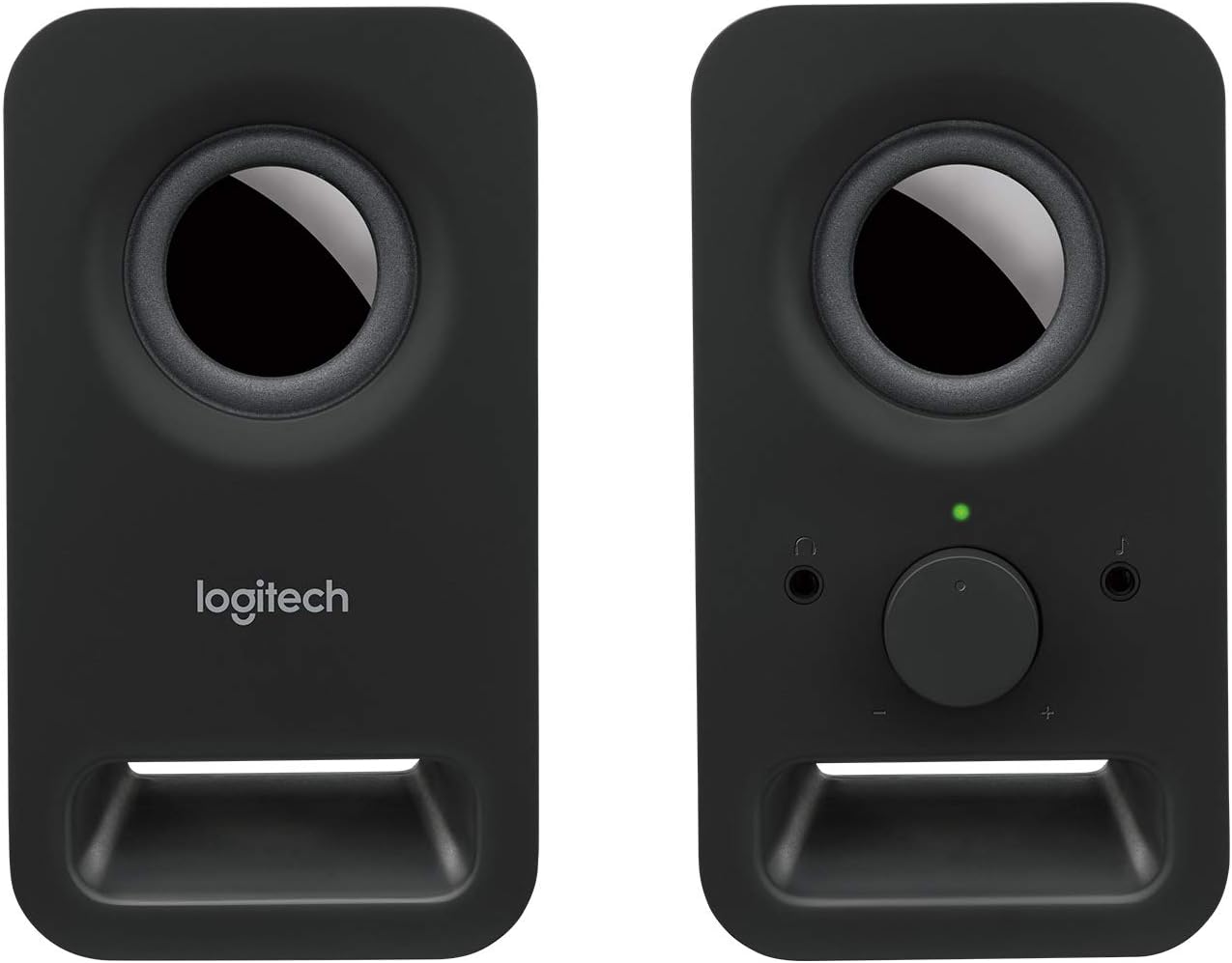
Figura 5: Fronte view of the main speaker, highlighting the volume control and headphone jack.
5. Manutenzione
To ensure the longevity and optimal performance of your Logitech Z150 speakers, follow these simple maintenance guidelines:
- Pulizia: Use a soft, dry, lint-free cloth to clean the speaker surfaces. Do not use abrasive cleaners, waxes, or solvents.
- Evitare i liquidi: Do not expose the speakers to water or other liquids. If liquid spills on the speakers, immediately disconnect them from power and allow them to dry completely before reconnecting.
- Posizionamento: Place the speakers on a stable, flat surface. Avoid placing them in direct sunlight, near heat sources, or in excessively humid environments.
- Magazzinaggio: When not in use for extended periods, store the speakers in a cool, dry place.
6. Risoluzione Dei Problemi
If you encounter issues with your Logitech Z150 speakers, refer to the following common problems and solutions:
| Problema | Possibile causa | Soluzione |
|---|---|---|
| Nessun suono dagli altoparlanti | Gli altoparlanti non sono accesi. | Turn the volume knob clockwise to power on the speakers. Check if the green indicator light is on. |
| Il volume è troppo basso o disattivato. | Increase the volume using the knob on the speaker and on your audio source device. | |
| Il cavo audio non è collegato correttamente. | Ensure the 3.5mm audio jack is fully inserted into both the speaker and your audio source device. | |
| Le cuffie sono collegate. | Unplug headphones from the speaker's headphone jack. | |
| Il suono è distorto o poco chiaro | Il volume è troppo alto. | Reduce the volume on both the speakers and your audio source device. |
| La qualità della sorgente audio è scarsa. | Prova a riprodurre l'audio da una sorgente diversa o file per determinare se il problema riguarda la fonte. | |
| Only one speaker is working | Loose connection between speakers. | Ensure the fixed cable connecting the two speakers is not damaged. |
| Audio source output issue. | Test with another audio source or check your device's audio settings for balance. |
7. Specifiche
| Caratteristica | Dettaglio |
|---|---|
| Nome del modello | Z150 |
| Numero modello articolo | 980-000816 |
| Tipo di altoparlante | Multimedia |
| Modalità di uscita audio | Stereo (2.0 canali) |
| Potenza massima di uscita dell'altoparlante | 6 Watt di picco / 3 Watt RMS |
| Dimensioni dell'altoparlante | 5 Centimeters (drivers) |
| Tecnologia di connettività | AUX (3.5mm audio input) |
| Metodo di controllo | Rotary Knob (Power/Volume) |
| Caratteristiche speciali | Plug and Play, Volume Control, Headphone Jack |
| Dispositivi compatibili | Desktop computer, MP3 player, Mac, Smartphone, Tablet |
| Dimensioni del prodotto (P x L x A) | Dimensioni: 7.6 x 8.5 x 15.2 cm |
| Peso dell'articolo | 583 grammi |
| Colore | Black (Night) |
| Componenti inclusi | Two speakers, Power adapter (UK plug), User documentation |
| Fonte di alimentazione | Adattatore di alimentazione CA. |
| Tipo di montaggio | Supporto da tavolo |
8. Garanzia e supporto
Your Logitech Z150 speakers come with a Garanzia limitata. For specific details regarding the warranty period and terms, please refer to the user documentation included in the box or visit the official Logitech support websito.
For technical support, troubleshooting beyond this manual, or warranty claims, please visit the Logitech support websito a support.logi.com. You may need your product model number (980-000816) when contacting support.
Please note that return policies may vary based on your point of purchase. For purchases made on Amazon, a 30-day return period typically applies if you change your mind, and specific assistance is available for defective or damaged products.
Documenti correlati - Z150
 |
Guida all'installazione degli altoparlanti Logitech Z150 Clear Stereo Sound Una guida completa all'installazione degli altoparlanti Logitech Z150 Clear Stereo Sound, che descrive in dettaglio come collegare e utilizzare il dispositivo. Include l'identificazione del prodotto, le fasi di collegamento e le istruzioni per la regolazione del volume. |
 |
Guida all'installazione degli altoparlanti Bluetooth per computer Logitech Z407 con subwoofer This guide provides setup instructions for the Logitech Z407 Bluetooth computer speakers with subwoofer, covering connection methods, audio source switching, and control dial functions. |
 |
Logitech Z120 Compact Stereo Speakers: Complete Setup Guide Get started with your Logitech Z120 Compact Stereo Speakers. This guide provides clear instructions for setup, connection, volume adjustment, and cable management for these compact, high-quality audio devices. |
 |
Guida all'installazione del sistema di altoparlanti surround Logitech Z606 5.1 Una guida completa all'installazione del sistema di altoparlanti Logitech Z606 a 5.1 canali, che descrive in dettaglio l'unboxing, la configurazione del sistema, il posizionamento degli altoparlanti e le funzioni del telecomando. |
 |
Guida all'installazione degli altoparlanti Bluetooth per computer Logitech Z407 con subwoofer A comprehensive setup guide for the Logitech Z407 Bluetooth computer speakers with subwoofer, covering connection, audio source selection, and control functions. |
 |
Sistema di altoparlanti Logitech Z313 con subwoofer: guida completa all'installazione Una guida completa alla configurazione e all'utilizzo del sistema di altoparlanti Logitech Z313 2.1 con subwoofer. Include istruzioni per il collegamento di altoparlanti e cuffie e per la regolazione del volume. |
Ask a question about this manual
Ask about setup, troubleshooting, compatibility, parts, safety, or missing instructions. Manuals+ will review the question and use this page’s manual context to help answer it.