
1. Introduzione
This manual provides essential instructions for the safe operation and maintenance of your VTech VM333 Safe & Sound Video Baby Monitor. Please read this manual thoroughly before using the product to ensure proper setup and functionality. The VTech VM333 is designed to help you monitor your baby with a high-resolution color LCD screen, automatic night vision, and two-way audio communication.
2. Prodotto finitoview
The VTech VM333 system includes a Parent Unit (monitor) and a Baby Unit (camera). Familiarize yourself with the components and controls of each unit.
2.1. Parent Unit
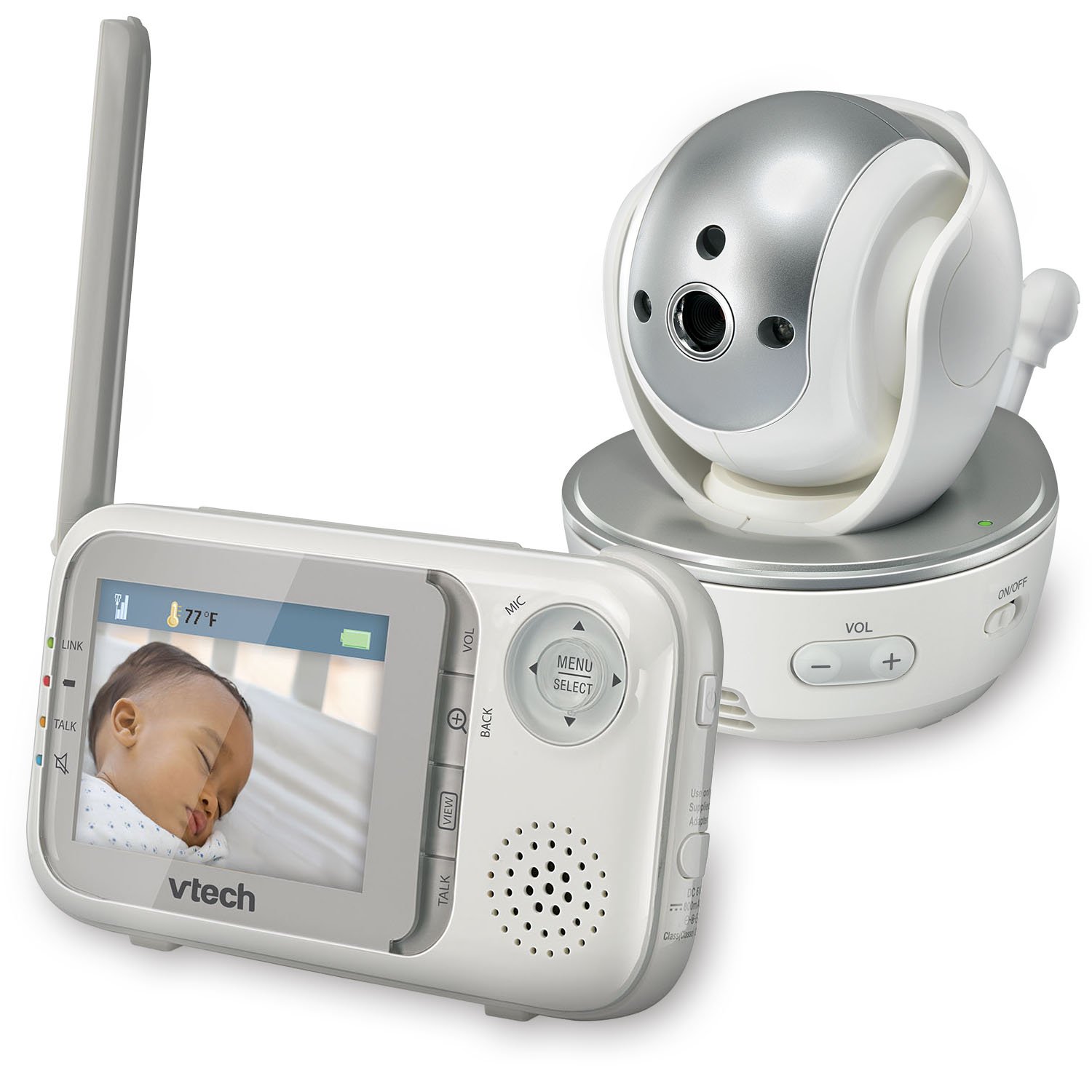
Immagine: Frontale view of the VTech VM333 Parent Unit.
- Schermo LCD a colori da 2.8 pollici: Displays live video feed from the Baby Unit.
- Pulsante MENU/SELEZIONE: Accede alle opzioni del menu e conferma le selezioni.
- Frecce direzionali (su/giù/sinistra/destra): Navigates menus and controls camera pan/tilt.
- ZOOM Button (+/-): Magnifies the video image.
- Pulsante PARLA: Attiva la comunicazione audio bidirezionale.
- Pulsanti VOLUME (+/-): Adjusts the Parent Unit speaker volume.
- Indicatore LINK: Shows connection status between units.
- Indicatore della batteria: Visualizza il livello attuale della batteria.
- Visualizzazione della temperatura: Shows the temperature detected by the Baby Unit.
2.2. Unità bambino (telecamera)

Immagine: Frontale view of the VTech VM333 Baby Unit camera.
- Obiettivo della fotocamera: Cattura il video.
- LED infrarossi: Provide night vision in low light conditions.
- Microfono: Detects sound from the baby's room.
- Oratore: Per la comunicazione audio bidirezionale.
- Sensore di temperatura: Monitora la temperatura ambiente.
- Interruttore di accensione/spegnimento: Turns the Baby Unit on or off.
- Jack di alimentazione: Si collega all'alimentatore.

Immagine: Lato view of the VTech VM333 Baby Unit, illustrating the wall-mount bracket.
3. Impostazione
3.1. Accensione delle unità
- Collegare l'unità bambino: Plug the small end of the power adapter into the power jack on the back of the Baby Unit. Plug the large end into a wall outlet.
- Connect the Parent Unit: Plug the small end of the power adapter into the power jack on the side of the Parent Unit. Plug the large end into a wall outlet. The Parent Unit battery will begin charging.
- Attiva: Slide the ON/OFF switch on the Baby Unit to the ON position. Press and hold the POWER button on the Parent Unit until the screen turns on.
The units are pre-linked. If they do not link automatically, refer to the "Troubleshooting" section for re-pairing instructions.
3.2. Posizionamento dell'unità bambino (telecamera)
Place the Baby Unit at least 3 feet (1 meter) away from your baby to avoid potential hazards. Ensure the camera is positioned to capture the desired viewing area. Avoid placing the Baby Unit where it can be easily reached by children.
- For optimal performance, place the Baby Unit on a flat surface or mount it to a wall using the included wall-mount bracket.
- Keep the Baby Unit and Parent Unit within range (up to 1,000 feet / 300 meters in open space). Obstacles like walls and furniture can reduce the range.
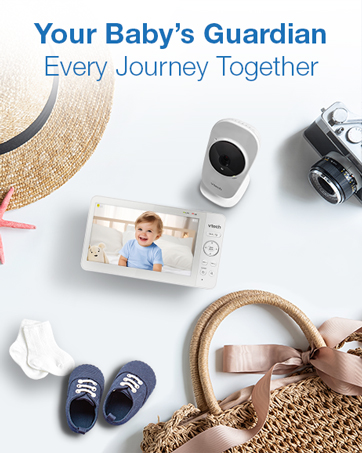
Image: Proper placement of the Baby Unit near a crib.
4. Funzionamento
4.1 Monitoraggio di base
Once both units are powered on and linked, the Parent Unit will display live video from the Baby Unit. Adjust the volume using the VOL+ E VOL- buttons on the Parent Unit.
4.2. Panoramica, inclinazione e zoom
The Baby Unit camera can be remotely controlled from the Parent Unit to adjust its viewangolo di ripresa e livello di zoom.
- Panoramica/Inclinazione: Utilizzare il Frecce direzionali (Up, Down, Left, Right) on the Parent Unit to move the camera lens horizontally (up to 270 degrees) and vertically (up to 124 degrees).
- Ingrandisci: Premere il tasto ZOOM+ button to zoom in (2x magnification) and ZOOM - per rimpicciolire.
Video: Demonstration of the VTech VM333's pan, tilt, and zoom features, showing remote camera control from the Parent Unit.
4.3. Comunicazione bidirezionale
You can speak to your baby through the Baby Unit's speaker.
- Premere e tenere premuto il tasto PARLARE pulsante sull'unità genitore.
- Parlare chiaramente nel microfono dell'unità genitore.
- Rilasciare il PARLARE button to stop speaking and hear your baby again.

Image: Using the two-way talk feature on the Parent Unit.
4.4. Automatic IR Night Vision
The Baby Unit is equipped with infrared LEDs that automatically activate in low light conditions, providing a clear black and white video image of your baby in the dark.
Image: The Baby Unit operating in night vision mode.
4.5. Modalità di attivazione sonora
This mode allows the Parent Unit screen to turn off automatically to save power and reduce light disturbance, and then turn back on when sounds are detected from the Baby Unit.
- Premere il tasto MENU/SELEZIONA pulsante sull'unità genitore.
- Vai a Sensibilità VOX or Attivazione del suono collocamento.
- Select your desired sound sensitivity level. A higher sensitivity will activate the screen with softer sounds.
Image: Parent Unit displaying the sound activation icon.
4.6. Temperature Monitoring and Alerts
The Baby Unit monitors the room temperature and displays it on the Parent Unit screen. You can set alerts for temperature deviations.
- Premere il tasto MENU/SELEZIONA pulsante.
- Vai a Allerta temperatura impostazioni.
- Set your desired minimum and maximum temperature thresholds. The Parent Unit will beep if the temperature goes outside this range.
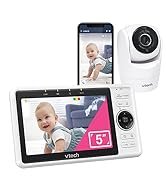
Image: Parent Unit displaying room temperature.
4.7. Multiple Camera Monitoring (Expandable System)
The VM333 system supports up to four cameras (additional cameras sold separately). You can view multiple cameras in different modes.
- Separare View: Displays video from one camera at a time. Use the VIEW pulsante per scorrere le telecamere collegate.
- Diviso View: Displays video from multiple cameras simultaneously on a split screen.
- Modalità pattuglia: Automatically cycles through all connected cameras, displaying each for a few seconds.
Video: Demonstration of multi-camera viewing modes, including single view, diviso view, and patrol mode.
5. Manutenzione
- Pulizia: Clean the surfaces of the Parent Unit and Baby Unit with a soft, damp panno. Non utilizzare spray detergenti o detergenti liquidi.
- Cura della batteria: The Parent Unit uses a rechargeable Lithium-Ion battery. For optimal battery life, fully charge the unit before first use. Avoid extreme temperatures. If storing the unit for an extended period, remove the battery.
- Cura delle lenti: Keep the camera lens clean to ensure clear video quality. Use a soft, lint-free cloth to gently wipe the lens if needed.
6. Risoluzione Dei Problemi
| Problema | Soluzione |
|---|---|
| No video/audio on Parent Unit. |
|
| Scarsa qualità video. |
|
| Parent Unit beeps (low battery, out of range, temperature). |
|
| Interferenza con altri dispositivi. |
|
7. Specifiche
| Caratteristica | Dettaglio |
|---|---|
| Numero di modello | VM333 |
| Dimensioni dello schermo | 2.8 pollici (LCD) |
| Tecnologia senza fili | 2.4 GHz FHSS digital transmission |
| Allineare | Fino a 1,000 piedi (300 metri) in spazi aperti |
| Pan Angle | Up to 270 degrees horizontal |
| Angolo di inclinazione | Up to 124 degrees vertical |
| Ingrandire | Zoom digitale 2x |
| Visione notturna | Automatic infrared (IR) |
| Audio bidirezionale | SÌ |
| Attivazione del suono | Sì (VOX) |
| Sensore di temperatura | Sì, con avvisi |
| Espandibile | Up to 4 cameras (additional cameras sold separately) |
| Durata della batteria dell'unità genitore | Fino a 3.5 ore (streaming video) |
| Fonte di alimentazione | Rechargeable Lithium-Ion battery (Parent Unit), AC power (Baby Unit) |
| Colore | / Argento Bianco |
| Peso dell'articolo | 2 libbre |
8. Garanzia e supporto
For warranty information and technical support, please contact VTech customer service.
- Numero di assistenza clienti: (800) 595-9511
- Websito: www.vtechbabycare.com
- E-mail: support@vtechbabycare.com
Si prega di conservare la ricevuta d'acquisto come prova d'acquisto ai fini della garanzia.