
Introduzione
The StarTech.com SDOCKU33HB is a USB 3.0 SATA Hard Drive Docking Station designed for quick and easy access to 2.5-inch or 3.5-inch SATA solid-state drives (SSDs) and hard disk drives (HDDs). It features a built-in USB Fast Charge hub and supports UASP (USB Attached SCSI Protocol) for enhanced performance with SATA 6Gbps drives. This manual provides instructions for setup, operation, and maintenance of your docking station.
Prodotto finitoview
Familiarize yourself with the components and features of your docking station.
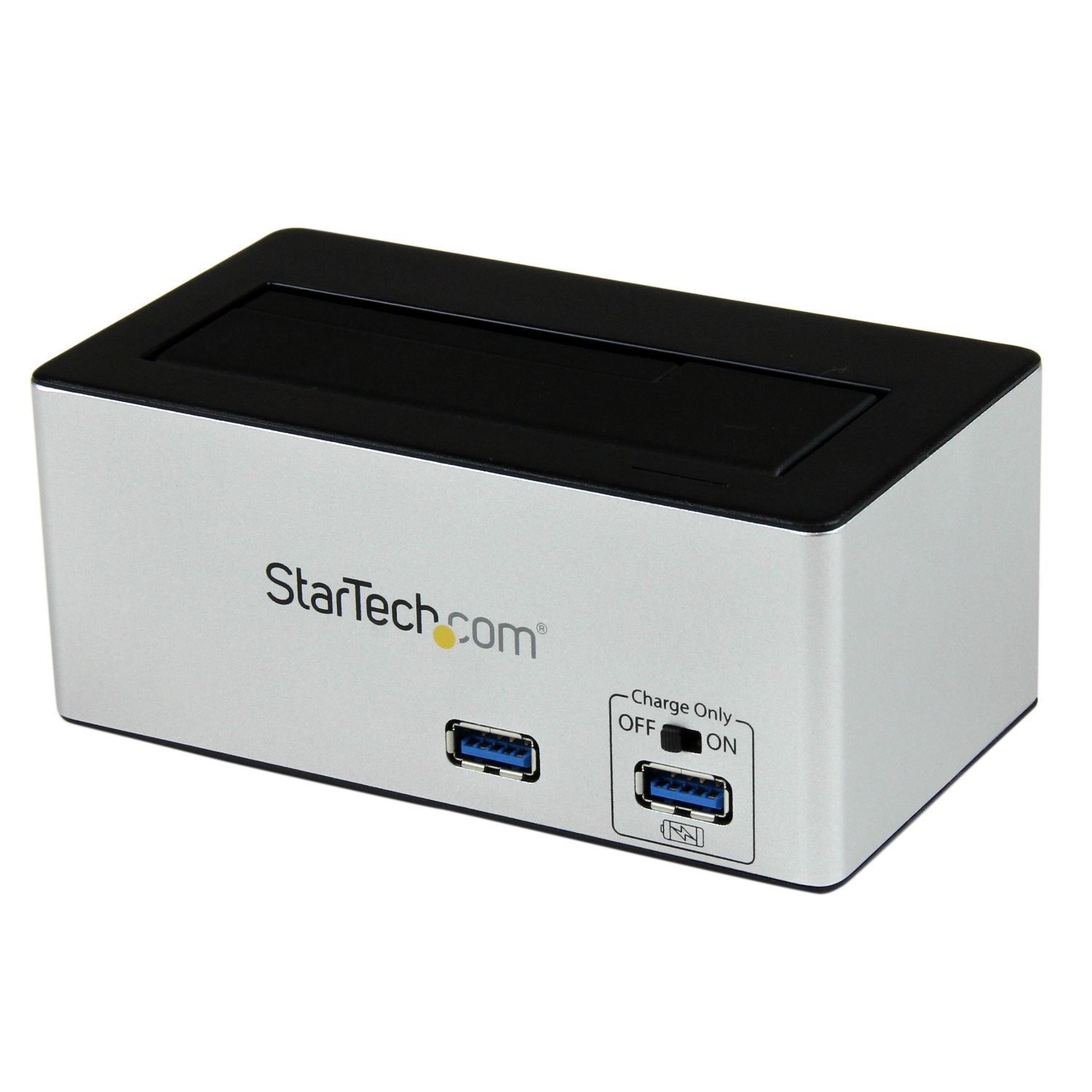
Immagine: The StarTech.com SDOCKU33HB docking station, showing the top-loading drive bay and front panel.
Caratteristiche del pannello frontale
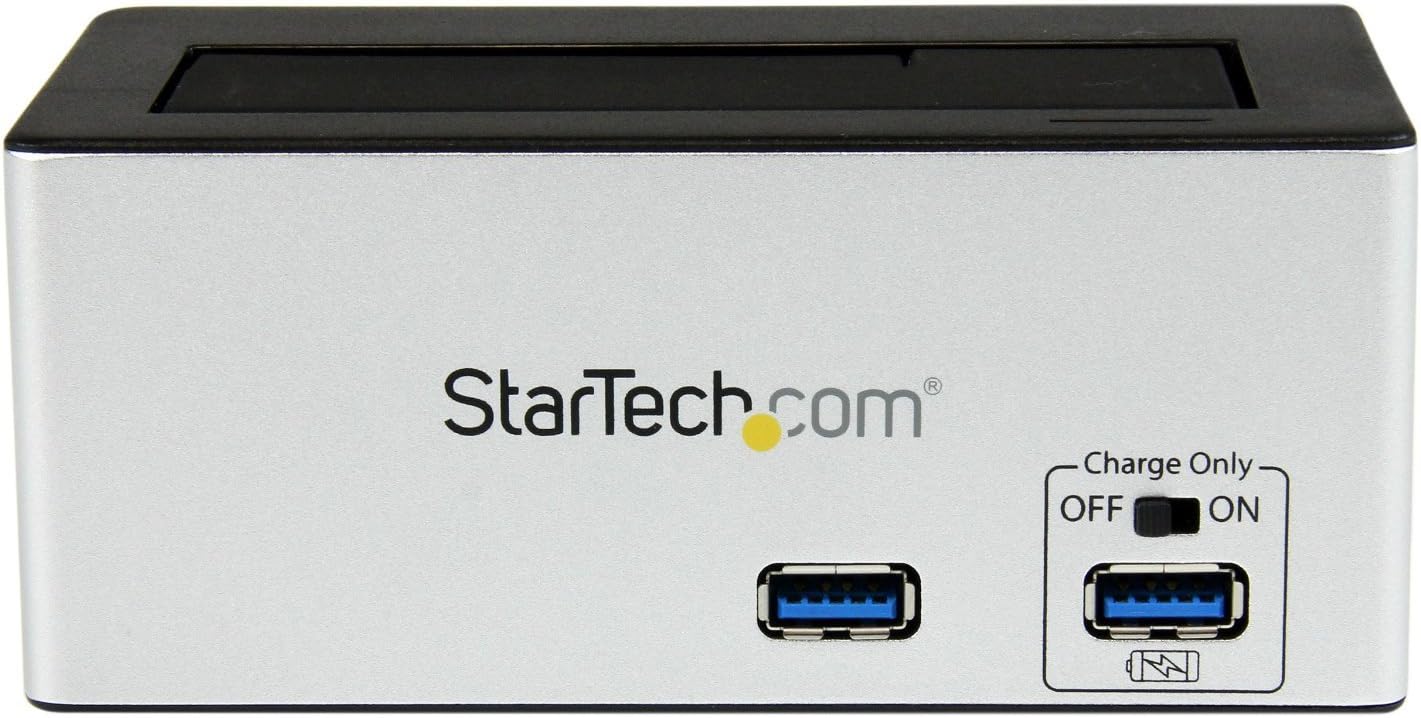
Immagine: Davanti view of the docking station, highlighting the USB 3.0 data port and the USB Fast Charge port with its ON/OFF switch.
- USB 3.0 Data Port: Connects to your computer for data transfer.
- Porta di ricarica rapida USB: Provides accelerated charging for mobile devices. Features an ON/OFF switch for activation.
Caratteristiche del pannello posteriore

Immagine: Posteriore view of the docking station, showing the power switch, DC-IN port, USB 3.0 host connection, and the OFF/Sleep switch.
- Interruttore di alimentazione: Turns the docking station ON or OFF.
- Porta DC-IN: Si collega all'adattatore di alimentazione incluso.
- Porta host USB 3.0: Connects the docking station to your computer's USB 3.0 port.
- OFF/Sleep Switch: Controls the sleep mode functionality of the docking station.
Contenuto della confezione
Verify that all components are present in your package.
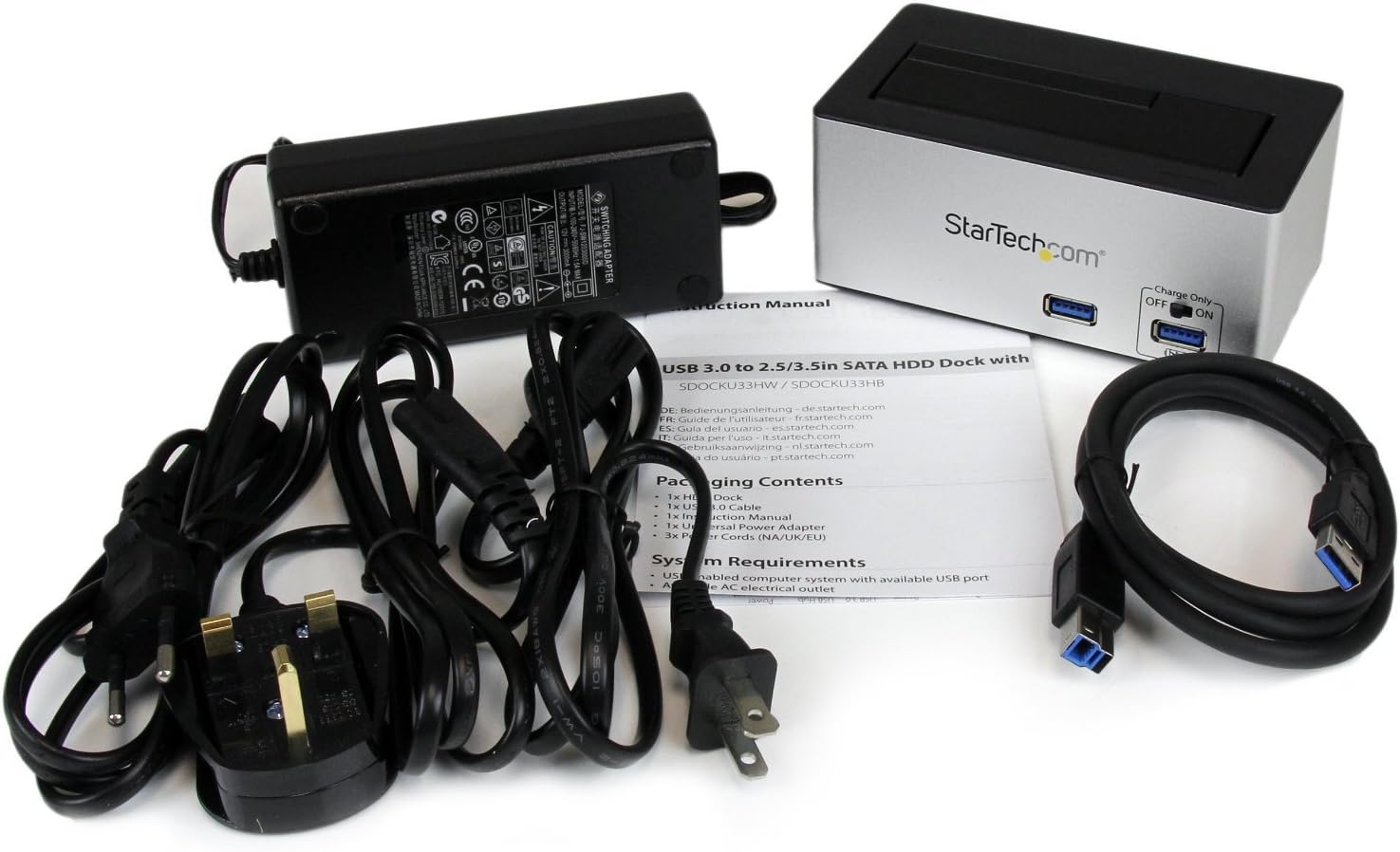
Immagine: The complete package contents, including the docking station, power adapter, USB 3.0 cable, and instruction manual.
- 1x USB 3.0 SATA Hard Drive Docking Station (SDOCKU33HB)
- 1x adattatore di alimentazione universale
- 1x cavo USB 3.0
- 1x Manuale di istruzioni
Requisiti di sistema
Ensure your system meets the following requirements for optimal performance.
- Computer with an available USB 3.0 port (USB 2.0/1.1 backward compatible)
- 2.5-inch or 3.5-inch SATA I/II/III SSD/HDD
- Presa di corrente CA disponibile
- Operating System: Windows XP/Vista/7/8/10/11, macOS 10.x and later, Linux
Istruzioni di installazione
- Connetti alimentazione: Connect the universal power adapter to the DC-IN port on the rear of the docking station, then plug the adapter into an AC power outlet.
- Connessione al computer: Connect one end of the included USB 3.0 cable to the USB 3.0 Host Port on the rear of the docking station, and the other end to an available USB 3.0 port on your computer.
- Inserisci unità: Gently slide your 2.5-inch or 3.5-inch SATA SSD/HDD into the top-loading drive bay until it is securely seated. Ensure the drive's SATA connector aligns with the docking station's connector.
- Accensione: Flip the Power Switch on the rear of the docking station to the 'ON' position. The power LED (if present) should illuminate.
- Installazione del driver: Il sistema operativo dovrebbe rilevare e installare automaticamente i driver necessari. In genere non è richiesta alcuna installazione manuale.
- Accesso all'unità: Once detected, the drive will appear as a removable storage device in your operating system's file explorer or disk management utility. You may need to initialize and format new drives before use.
Istruzioni per l'uso
Using the Hard Drive Dock
- Trasferimento dati: Una volta che l'unità è stata riconosciuta dal computer, puoi trascinarla e rilasciarla fileda e verso l'unità come faresti con qualsiasi altro dispositivo di archiviazione.
- Sostituzione a caldo: The docking station supports hot-swapping. To safely remove a drive, ensure all data transfer operations are complete, then use your operating system's "Safely Remove Hardware" or "Eject" function before pulling the drive out of the bay.
- Supporto UASP: For systems supporting UASP, the docking station will leverage this protocol to achieve faster data transfer speeds, especially with SATA 6Gbps drives.
Using the USB Fast Charge Port
- Activate Fast Charge: Flip the "Charge Only" switch on the front panel to the 'ON' position.
- Connetti dispositivo: Connect your mobile device (e.g., smartphone, tablet) to the USB Fast Charge port using its charging cable.
- Ricarica: The port will provide enhanced power output for faster charging compared to standard USB ports.
Funzionalità della modalità di sospensione
- The "OFF/Sleep" switch on the rear panel controls the docking station's sleep mode behavior. Consult the full product manual for detailed information on sleep mode settings and compatibility.
Manutenzione
- Pulizia: Utilizzare un panno morbido e asciutto per pulire l'esterno della docking station. Non utilizzare detergenti liquidi o solventi.
- Magazzinaggio: Quando non in uso, conservare la docking station in un luogo fresco e asciutto, lontano dalla luce solare diretta e da temperature estreme.
- Drive Handling: Always handle hard drives with care. Avoid dropping or subjecting them to physical shock.
Risoluzione dei problemi
- Issue: Drive not detected by computer.
- Assicurarsi che la docking station sia accesa e che l'adattatore di alimentazione sia collegato saldamente.
- Verify the USB 3.0 cable is firmly connected to both the docking station and your computer.
- Prova una porta USB diversa sul tuo computer.
- Ensure the SATA drive is correctly seated in the docking bay.
- Check your computer's Disk Management (Windows) or Disk Utility (macOS) to see if the drive is recognized but uninitialized or unformatted. New drives require initialization and formatting.
- Test with a different SATA drive to rule out a drive issue.
- Problema: bassa velocità di trasferimento dati.
- Assicurati di essere collegato a una porta USB 3.0 del tuo computer. Le porte USB 2.0 comporteranno velocità inferiori.
- Verify your operating system and drivers support UASP for optimal performance with SATA 6Gbps drives.
- The performance of the drive itself can affect transfer speeds.
- Issue: Fast Charge port not working.
- Ensure the "Charge Only" switch on the front panel is in the 'ON' position.
- Verify the docking station is powered on.
- Try a different charging cable or device to confirm the issue is not with the device or cable.
Specifiche
| Caratteristica | Specificazione |
|---|---|
| Modello | SDOCKU33HB |
| Interfaccia | USB 3.0 (retrocompatibile con USB 2.0/1.1) |
| Tipi di unità compatibili | HDD/SSD SATA I/II/III da 2.5" e 3.5" |
| Velocità di trasferimento dati | Fino a 5 Gbps (USB 3.0) |
| Supporto UASP | SÌ |
| Fast Charge Port | SÌ |
| Dimensioni (L x P x A) | 3.6" x 3.6" x 6.8" (9.14 cm x 9.14 cm x 17.27 cm) |
| Peso | 1.4 libbre (0.64 kg) |
| Colore | Nero |
| Alimentazione elettrica | Universal AC Adapter (Input: 100-240V AC, Output: 12V DC) |
Garanzia e supporto tecnico
Questo prodotto StarTech.com è supportato da una Garanzia di 2 anno.
For the most up-to-date information on warranty, technical support, and product documentation, please visit the official StarTech.com website or the product page:
You can also find additional resources and contact information for technical assistance on the StarTech.com websito.