
Introduzione
This manual provides comprehensive instructions for the setup, operation, maintenance, and troubleshooting of your Kanto YU2 Desktop Speakers. Please read this manual thoroughly before using your speakers to ensure optimal performance and longevity.
Cosa c'è nella scatola
Your Kanto YU2 speakers come with all necessary accessories for immediate setup.
- Kanto YU2 Powered Desktop Speakers (Pair)
- Cavo di alimentazione
- Cavo per altoparlanti
- USB DAC Cable
- Cavo ausiliario da 3.5 mm
- Piedini in gomma (8 pezzi)
- Manuale d'uso
- Kanto USA Warranty Information

Image: All items included in the Kanto YU2 speaker package.
Video: An unboxing video for the Kanto YU2 Powered Desktop Speakers, showing the contents of the box.
Impostare
1. Posizionamento degli altoparlanti
Place the speakers on a flat, stable surface. For optimal sound, position them at ear level and equidistant from your listening position. The included rubber feet can be applied to the bottom of the speakers to reduce vibrations and improve stability.
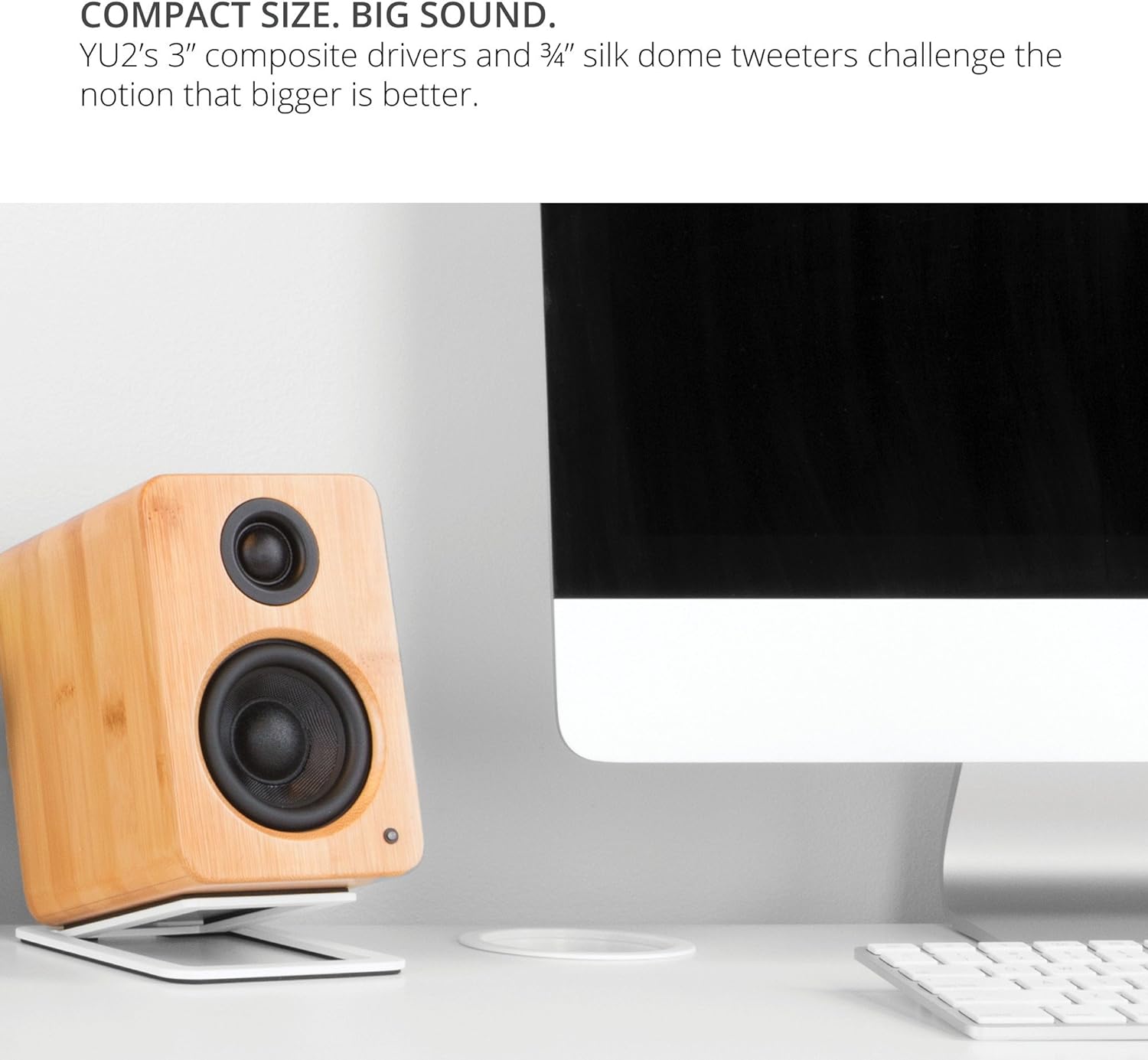
Image: Kanto YU2 speakers positioned on a desktop for optimal listening.
2. Collegamento degli altoparlanti
The Kanto YU2 system consists of one active (left) speaker and one passive (right) speaker. Connect the active speaker to the passive speaker using the provided speaker wire. Ensure that the positive (+) terminal on the active speaker connects to the positive (+) terminal on the passive speaker, and similarly for the negative (-) terminals.
Video: Instructions on how to connect speaker wire to Kanto speakers.
3. Collegamento elettrico
Connect the power cord to the active speaker and then to a wall outlet. The LED indicator on the front of the active speaker will illuminate when power is supplied.
Istruzioni per l'uso
1. Collegamenti di ingresso audio
The Kanto YU2 speakers offer multiple input options:
- DAC USB: Connect your computer directly to the USB port on the active speaker using the provided USB DAC cable for high-quality digital audio streaming.
- Ingresso ausiliario da 3.5 mm: Use the 3.5mm auxiliary cable to connect to any device with a headphone jack, such as smartphones, tablets, or other media players.
- Uscita subwoofer: For enhanced bass, connect an external powered subwoofer to the "Sub Out" port on the active speaker.

Immagine: Posteriore view of the active Kanto YU2 speaker with various input and output ports labeled.
2. Controllo del volume
Adjust the master volume using the knob located on the rear of the active speaker. Turn clockwise to increase volume and counter-clockwise to decrease it. Ensure the volume is set to a low level before playing audio to prevent sudden loud sounds.
3. Accensione/spegnimento
The speakers will power on automatically when connected to power and an audio source is detected. To turn off, simply disconnect the power or turn the volume knob to the "OFF" position.
Video: Un oltreview of the Kanto YU2 Powered Desktop Speakers, highlighting features and connectivity.
Manutenzione
To maintain the appearance and performance of your Kanto YU2 speakers, follow these guidelines:
- Pulizia: Utilizzare un panno morbido e asciutto per pulire i cabinet degli altoparlanti. Evitare l'uso di detergenti abrasivi, cere o solventi, poiché potrebbero danneggiare la finitura.
- Spolverare: Regularly dust the speaker grilles and drivers with a soft brush or a microfiber cloth.
- Posizionamento: Evitare di posizionare gli altoparlanti alla luce diretta del sole, vicino a fonti di calore o in aree con elevata umidità.
- Gestione: Handle speakers with care. Avoid touching the drivers directly.
Risoluzione dei problemi
If you encounter issues with your Kanto YU2 speakers, refer to the following common solutions:
- Nessun suono:
- Ensure the power cord is securely connected and the speakers are powered on.
- Check all audio cables (USB, AUX, speaker wire) for secure connections.
- Verify the volume knob on the active speaker is turned up.
- Confirm the audio source (computer, phone) is playing and its volume is not muted or too low.
- If using USB, ensure the Kanto YU2 is selected as the audio output device in your computer's sound settings.
- Suono distorto:
- Ridurre il volume sia degli altoparlanti che della sorgente audio.
- Controllare che i cavi audio non siano danneggiati e sostituirli se necessario.
- Ensure speaker wires are correctly connected (positive to positive, negative to negative).
- Ronzio o rumore di ronzio:
- Assicurarsi che tutti i collegamenti dei cavi siano sicuri.
- Try plugging the speakers into a different electrical outlet.
- Allontanare gli altoparlanti da altri dispositivi elettronici che potrebbero causare interferenze.
If these steps do not resolve the issue, please contact Kanto support for further assistance.
Specifiche
| Caratteristica | Dettaglio |
|---|---|
| Marca | Canto |
| Numero di modello | YU2MB |
| Tipo di altoparlante | Altoparlanti per computer |
| Potenza di uscita dell'altoparlante | 100 Watts Peak (50 Watts Total RMS) |
| Risposta in frequenza | 80 Hz - 20 kHz |
| Tecnologia di connettività | Wired (USB, 3.5mm AUX) |
| Modalità di uscita audio | Stereo |
| Materiale di recinzione | Acoustic grade MDF cabinets |
| Autisti | 3-inch Composite Woofers, 0.75-inch Silk Dome Tweeters |
| Porte USB | 1 (Built-in USB DAC) |
| Canali audio | 2.0, 2.1 (with Sub Out) |
| Impedenza | 4 Ohm |
| Signal-to-Noise Ratio | 70 dB |
| Dimensioni (P x L x A) | 5.3"P x 3.9"L x 5.9"A |
| Peso | 6 libbre |
| Fonte di alimentazione | AC |
| Ingresso volumetage | 240 Volt |
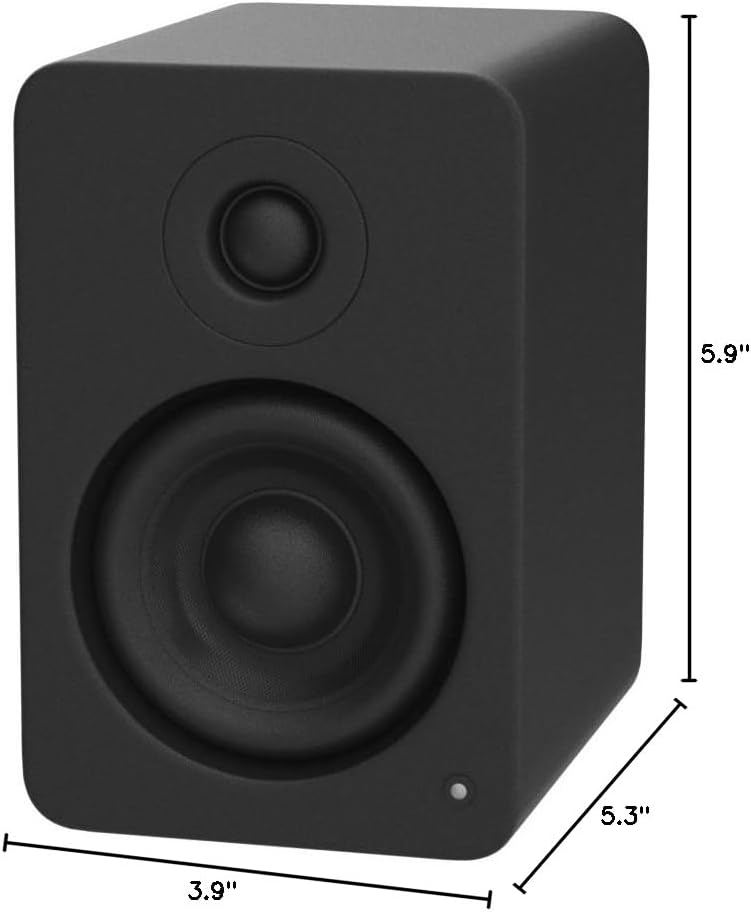
Image: Kanto YU2 speaker dimensions.
Informazioni sulla garanzia
The Kanto YU2 Desktop Speakers come with a Garanzia del produttore di 2 annoLa presente garanzia copre i difetti di materiali e fabbricazione in condizioni di normale utilizzo. Si prega di conservare la prova d'acquisto per eventuali reclami in garanzia.
For detailed warranty terms and conditions, please refer to the Kanto USA Warranty information included in your product package or visit the official Kanto websito.
Supporto
For technical support, product inquiries, or assistance with troubleshooting beyond what is covered in this manual, please contact Kanto customer service.
You can find contact information and additional resources on the official Kanto websito: www.kantoaudio.com