
Introduzione
Welcome and thank you for choosing the AUNA CM280 USB Condenser Microphone. This manual provides essential information for setting up, operating, and maintaining your microphone. Please read it thoroughly to ensure proper use and to maximize your recording experience.
The AUNA CM280 is a high-quality USB studio microphone designed for recording, podcasting, and other audio applications. It features a 32mm electric membrane, a cardioid polar pattern, and a direct monitoring headphone output. Its plug-and-play compatibility with Windows and macOS ensures easy setup without the need for manual driver installation.
Informazioni sulla sicurezza
Per evitare danni e garantire un funzionamento sicuro, osservare le seguenti precauzioni di sicurezza:
- Do not expose the microphone to water, moisture, or extreme temperatures.
- Evitare di far cadere il microfono o di sottoporlo a forti urti.
- Do not attempt to open or modify the microphone. Refer all servicing to qualified personnel.
- Per la connessione e l'alimentazione utilizzare esclusivamente il cavo USB fornito.
- Tenere il microfono lontano da forti campi magnetici.
- Clean the microphone with a soft, dry cloth. Do not use liquid cleaners.
Contenuto della confezione
Carefully unpack your AUNA CM280 microphone and ensure all items are present:
- AUNA CM280 Microphone Unit
- Treppiede da tavolo
- Cavo USB
- Transport Pouch
- Manuale utente (tedesco e inglese)

Image: The AUNA CM280 microphone shown with its table tripod, USB connection cable, and a soft blue transport pouch.
Prodotto finitoview
Familiarize yourself with the main components and features of your AUNA CM280 microphone:
- 32mm Electric Membrane: Capsula a condensatore di alta qualità per una cattura audio nitida.
- Diagramma polare cardioide: Primarily picks up sound from the front, reducing unwanted noise from the sides and rear.
- Porta USB: For connecting to your computer and receiving power.
- Uscita cuffie da 3.5 mm: For direct, latency-free monitoring of your audio.
- Controllo del volume delle cuffie: Adjust the monitoring level directly on the microphone.
- Mute Circuit: Quickly mute the microphone output.
- LED di stato: Indicates microphone status (ready, mute, overdrive).
- Integrated Wind Protection: Helps reduce plosives and breath noise.
- Filettatura treppiede da 5/8": For mounting on the included table tripod or other compatible stands.
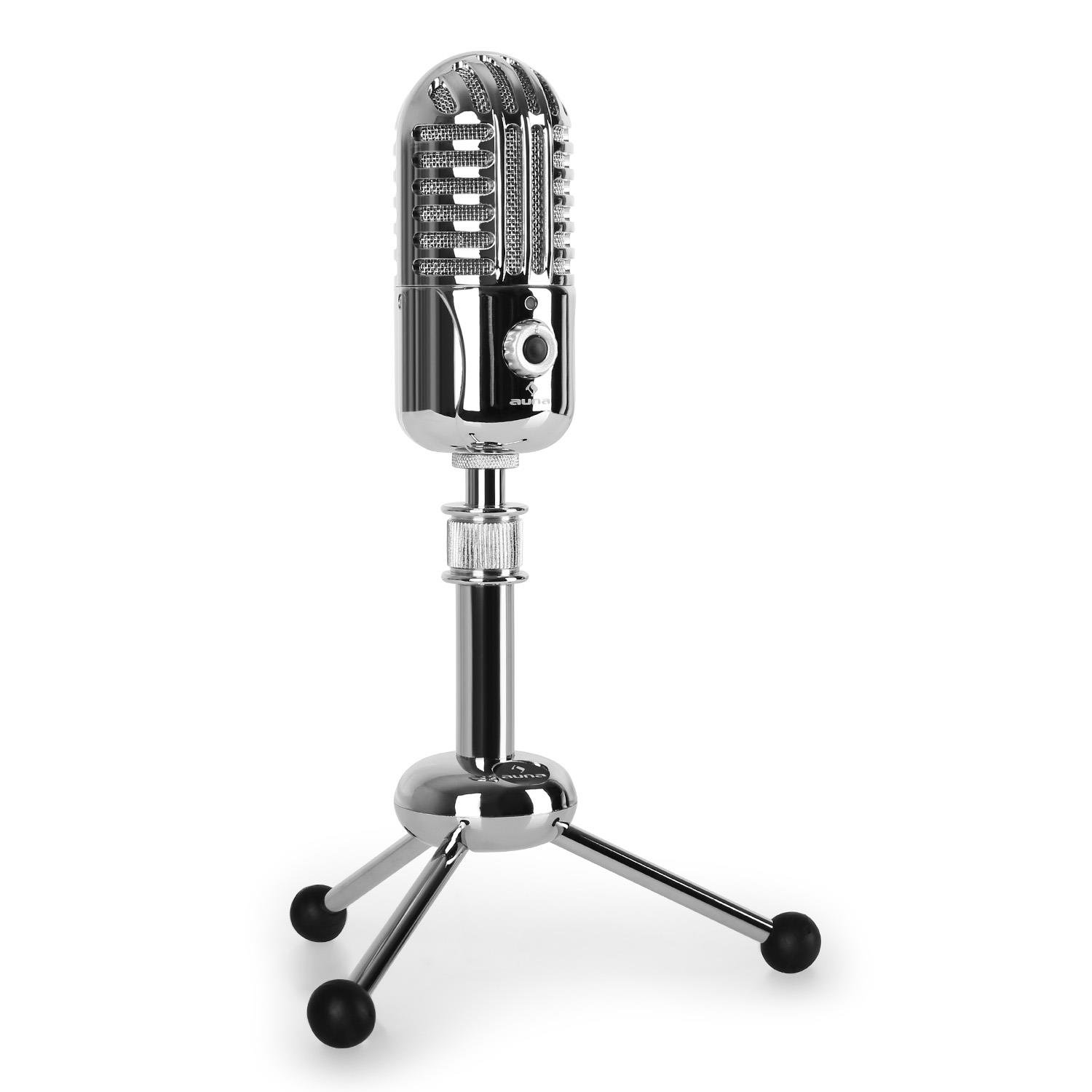
Immagine: Frontale view of the AUNA CM280 microphone on its stand.

Immagine: Posteriore view of the AUNA CM280 microphone, highlighting the USB connection port and the 3.5mm headphone output for direct monitoring.
Configurazione e installazione
1. Connessione al computer
- Place the AUNA CM280 microphone on a stable surface using the included table tripod.
- Connect one end of the supplied USB cable to the USB port on the back of the microphone.
- Collegare l'altra estremità del cavo USB a una porta USB disponibile sul computer (PC Windows o Mac).
2. Installazione del driver
The AUNA CM280 is a Plug & Play device. Your operating system (Windows or macOS) will automatically detect and install the necessary drivers upon connection. No manual driver installation is required.
3. Initial Configuration (Windows/macOS)
After connecting, you may need to select the AUNA CM280 as your default audio input and output device in your system settings and recording software.
- Finestre: Go to Control Panel > Sound > Recording tab. Select "AUNA CM280" as the default device. In the Playback tab, you can also select it for headphone monitoring.
- Mac OS: Go to System Preferences > Sound > Input tab. Select "AUNA CM280". Do the same in the Output tab for headphone monitoring.
Ensure your recording software (e.g., Audacity, GarageBand, OBS) is also configured to use the AUNA CM280 as its audio input device.
Istruzioni per l'uso
Posizionamento del microfono
For optimal sound quality, position the microphone directly in front of the sound source (e.g., your mouth) within a few inches. The cardioid polar pattern means it is most sensitive to sounds coming from the front.
Monitoraggio delle cuffie
Connect your headphones to the 3.5mm jack on the back of the microphone. Use the headphone volume control knob on the microphone to adjust your monitoring level. This provides direct, latency-free monitoring of your audio.
Funzione silenziosa
The microphone features a mute circuit. Press the dedicated button (if available, or refer to the specific control on your model) to mute or unmute the microphone. This is useful for temporary pauses during recording or calls.
Indicatori LED di stato
The microphone's status LED provides visual feedback:
- Blu: Microphone is ready for use.
- Giallo: Il microfono è disattivato.
- Rosso: Indicates an overdrive or clipping signal. Adjust your input gain or move further from the microphone to prevent distortion.
Suggerimenti per la registrazione
- Acustica della stanza: Registrare in un ambiente silenzioso per ridurre al minimo il rumore di fondo.
- Filtro anti-pop: Consider using an external pop filter to further reduce plosive sounds (P, B) and protect the microphone capsule.
- Guadagno Stagin: Set your input gain in your software to a level where the signal is strong but does not peak into the red (overdrive).
Manutenzione e cura
Proper care will extend the life of your AUNA CM280 microphone:
- Pulizia: Wipe the microphone body with a soft, dry, lint-free cloth. Do not use abrasive cleaners, solvents, or chemical sprays.
- Magazzinaggio: When not in use, store the microphone in its transport pouch to protect it from dust and scratches. Keep it in a cool, dry place.
- Gestione: Always handle the microphone with care. Avoid touching the microphone grille directly.
Risoluzione dei problemi
If you encounter issues with your AUNA CM280 microphone, try the following solutions:
- Nessun suono/Microfono non rilevato:
- Assicurarsi che il cavo USB sia collegato saldamente sia al microfono che al computer.
- Prova una porta USB diversa sul tuo computer.
- Riavvia il computer.
- Verify that the AUNA CM280 is selected as the default input device in your operating system's sound settings and your recording software.
- Scarsa qualità del suono/distorsione:
- Check the status LED. If it's red, the signal is overdriving. Reduce the input gain in your software or move further from the microphone.
- Ensure the microphone is positioned correctly and not too close to the sound source.
- Check for environmental noise or vibrations that might be picked up.
- Problemi di monitoraggio delle cuffie:
- Assicurarsi che le cuffie siano completamente collegate al jack da 3.5 mm.
- Regolare il volume delle cuffie sul microfono.
- Verify that the AUNA CM280 is selected as the output device for monitoring in your system's sound settings or recording software.
Specifiche tecniche
| Caratteristica | Specificazione |
|---|---|
| Connessioni | USB port, 3.5 mm headphone jack |
| Installazione del driver | Automatic (Plug & Play) |
| Risposta in frequenza | Frequenza di campionamento: 20 Hz – 20 KHz |
| Pressione sonora massima | 120 dB |
| Signal-to-Noise Ratio | 96 dB |
| D/A-A/D Converter | 44.1/48 kHz, 16 bit |
| Volume delle cuffie | Regolabile |
| Circuito muto | SÌ |
| Filettatura per treppiede | 5/8 pollici |
| LED di stato | Three colors (Blue: Ready, Yellow: Mute, Red: Overdrive) |
| Alimentazione elettrica | Tramite USB |
| Materiale | Metallo, Policarbonato |
| Peso | 300 grammi |
| Dimensioni (L x P x A) | 50 x 50 x 110 millimetri |
| Modello polare | Unidirezionale (cardioide) |
| Dispositivi compatibili | Computer personale, portatile |
Garanzia e supporto
AUNA products are designed for reliability and performance. For information regarding warranty coverage, technical support, or service, please refer to the warranty card included with your product or visit the official AUNA websito. Conservare la prova d'acquisto per eventuali reclami in garanzia.