
1. Introduzione
The Cooler Master CM Storm QuickFire Rapid-i is a mechanical gaming keyboard designed for performance and durability. It features full LED backlighting with ActivLite Technology, allowing for dynamic lighting effects and per-key customization. This keyboard is equipped with a 32-bit ARM processor for advanced lighting control without the need for software. Its tenkeyless form factor provides a compact design, ideal for gaming setups and travel.
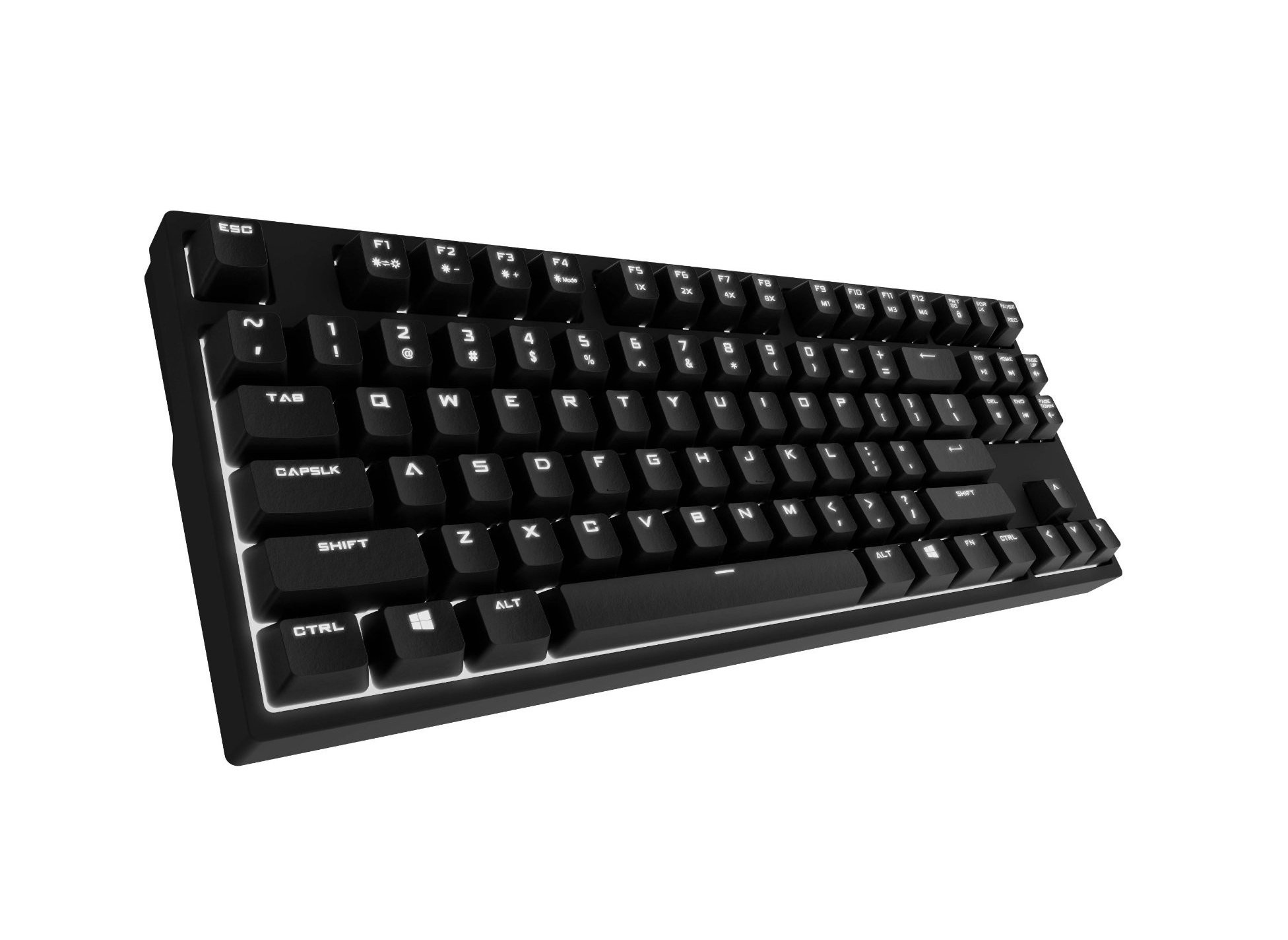
Image 1.1: Cooler Master CM Storm QuickFire Rapid-i Mechanical Gaming Keyboard.
2. Contenuto della confezione
Verifica che tutti gli articoli siano presenti nel tuo pacco:
- Cooler Master CM Storm QuickFire Rapid-i Keyboard
- 1.8m Detachable Braided USB Cable
- Manuale dell'utente (questo documento)
3. Caratteristiche del prodotto
- Fully Mechanical CHERRY MX Brown Keyswitches: Provides tactile feedback with low noise, optimized for gaming.
- Tenkeyless Form Factor: Compact and ergonomic design for portability and improved mouse positioning.
- Fully White LED Backlit: Ensures visibility in low-light environments.
- ActivLite Technology: Features instant response and trailing light effects, powered by a 32-bit ARM processor.
- Individual Key Lighting: Allows saving up to 4 different lighting profileper varie applicazioni o giochi.
- 1.8m Detachable Braided Cable: Durable and convenient for transport.
- Rollover N-Key: Registers an unlimited number of simultaneous keypresses, preventing ghosting.
4. Impostazione
4.1 Collegamento della tastiera
- Locate the detachable 1.8m braided USB cable.
- Connect the micro-USB end of the cable to the port on the back of the QuickFire Rapid-i keyboard.
- Collegare l'estremità USB-A standard del cavo a una porta USB disponibile sul computer.
- The keyboard is plug-and-play compatible with Windows operating systems and should be recognized automatically.

Image 4.1: Connecting the detachable USB cable to the keyboard.
5. Istruzioni per l'uso
5.1 Funzioni di base della tastiera
The QuickFire Rapid-i functions as a standard QWERTY keyboard. All keys perform their labeled actions. Special functions are typically accessed via the Function (Fn) key combined with other keys.
5.2 ActivLite Technology and LED Backlighting
The keyboard features fully white LED backlighting with ActivLite Technology, offering various lighting modes and effects. These effects are controlled directly from the keyboard using key combinations, without requiring software.
- Risposta immediata: Keys light up immediately upon press.
- Trailing Effect: Keys remain lit for a short duration after being pressed, creating a trailing light effect.
- Regolazione della luminosità: Utilizzo Tasto F1 (diminuisci la luminosità) e Tasto F2 (increase brightness) to adjust the LED intensity.
- Modalità di illuminazione: Cycle through various pre-programmed lighting modes using Tasto F3 A Tasto F8. Refer to the keyboard's keycap legends for specific mode indicators.

Immagine 5.1: Es.ample of LED backlighting on the QuickFire Rapid-i.
5.3 Per-Key Lighting and Profiles
The QuickFire Rapid-i allows users to customize individual key lighting and save up to 4 different profiles directly on the keyboard's onboard memory.
- Entering Customization Mode: Premere Tasto F9 to enter the per-key lighting customization mode. The keyboard LEDs may flash to indicate this mode.
- Selecting Keys: Press any key you wish to toggle its LED on or off.
- Saving a Profile: Once your desired lighting pattern is set, press Tasto F10, Tasto F11, Tasto F12, O Fn + Stampa schermo to save the current lighting pattern to one of the four available profiles. The keyboard will confirm the save.
- Caricamento di un professionistafile: To load a saved profile, basta premere Tasto F10, Tasto F11, Tasto F12, O Fn + Stampa schermo corresponding to the desired profile.
- Exiting Customization Mode: Premere Tasto F9 again to exit customization mode.

Image 5.2: Customizing individual key lighting for a personalized profile.
5.4 N-Key Rollover (NKRO)
The QuickFire Rapid-i supports N-Key Rollover, meaning every single keypress is registered accurately, regardless of how many keys are pressed simultaneously. This feature is crucial for fast-paced gaming where multiple commands might be executed at once.
6. Manutenzione
6.1 Pulizia della tastiera
- Scollegare la tastiera dal computer prima di pulirla.
- Utilizzare un panno morbido e privo di lanugine leggermente dampPulire i tasti e il telaio con acqua o una soluzione detergente delicata.
- Evitare di spruzzare liquidi direttamente sulla tastiera.
- Per rimuovere polvere e detriti tra i tasti, utilizzare aria compressa.
- Do not use harsh chemicals, abrasives, or solvents as they may damage the keyboard's finish or keycap legends.
6.2 Cura dei cavi
- Avoid sharp bends or kinks in the detachable braided cable.
- When disconnecting, pull from the connector head, not the cable itself.
7. Risoluzione Dei Problemi
7.1 La tastiera non risponde
- Assicurarsi che il cavo USB sia collegato saldamente sia alla tastiera che al computer.
- Prova a collegare la tastiera a una porta USB diversa del computer.
- Prova la tastiera su un altro computer per escludere un problema specifico del sistema.
- Riavvia il computer.
7.2 LED Backlighting Not Working or Flickering
- Check if the brightness is set to minimum using Tasto F1. Increase brightness with Tasto F2.
- Scorrere le modalità di illuminazione utilizzando Tasto F3 A Tasto F8 to see if other modes function.
- Ensure you are not in a custom profile with all LEDs turned off. Try loading a different profile or resetting the lighting.
- Scollegare e ricollegare la tastiera.
7.3 Keys Not Registering Correctly (Ghosting)
- The QuickFire Rapid-i features N-Key Rollover, which should prevent ghosting. If you experience this, ensure the keyboard is connected directly to a USB port on your computer, not through a hub.
- Pulire i tasti interessati come descritto nella sezione Manutenzione.
- If the issue persists, contact Cooler Master support.
8. Specifiche
| Marca | Maestro del freddo |
| Nome del modello | SGK-4040-GKCB1 (CHERRY MX Brown switch) |
| Numero di modello | SGK-4040-GKCM1-US |
| Tipo di interruttore | CHERRY MX Brown (Tactile) |
| Tecnologia di connettività | Cablato (cavo USB staccabile) |
| Disposizione della tastiera | QWERTY, Tenkeyless Form Factor |
| Retroilluminazione | Fully White LED, ActivLite Technology, Per-Key Lighting |
| Processore | Processore ARM a 32 bit |
| Rollover N-chiave | Supportato |
| Lunghezza del cavo | 1.8 meters (Braided, Detachable) |
| Sistema operativo compatibile | Finestre |
| Dimensioni del prodotto (L x P x A) | 14.13" x 5.43" x 1.54" (35.89 cm x 13.79 cm x 3.91 cm) |
| Peso dell'articolo | 2.05 libbre (0.93 kg) |
| Materiale di recinzione | Plastica |
9. Garanzia e supporto
9.1 Informazioni sulla garanzia
The Cooler Master CM Storm QuickFire Rapid-i Mechanical Gaming Keyboard comes with a Garanzia di 12 mesi dalla data di acquisto. La presente garanzia copre difetti di fabbricazione e problemi derivanti dal normale utilizzo. Non copre danni causati da uso improprio, incidenti, modifiche non autorizzate o manutenzione impropria.
Conservare la prova d'acquisto per eventuali richieste di garanzia.
9.2 Supporto tecnico
Per assistenza tecnica, risoluzione dei problemi oltre a quelli indicati in questo manuale o richieste di garanzia, visitare il supporto ufficiale Cooler Master website or contact their customer service department. Contact information can typically be found on the Cooler Master official websito.
Nota: le specifiche del prodotto e i termini di garanzia sono soggetti a modifiche senza preavviso.