
Introduzione
Grazie per l'acquistoasing the SUBSONIC SRC1000 Driving Cockpit. This manual provides essential information for the safe and efficient assembly, operation, and maintenance of your new racing simulator seat. Please read this manual thoroughly before use and retain it for future reference.
Contenuto della confezione
Before beginning assembly, please verify that all components are present and undamaged. Refer to the product packaging for a detailed list of included parts.
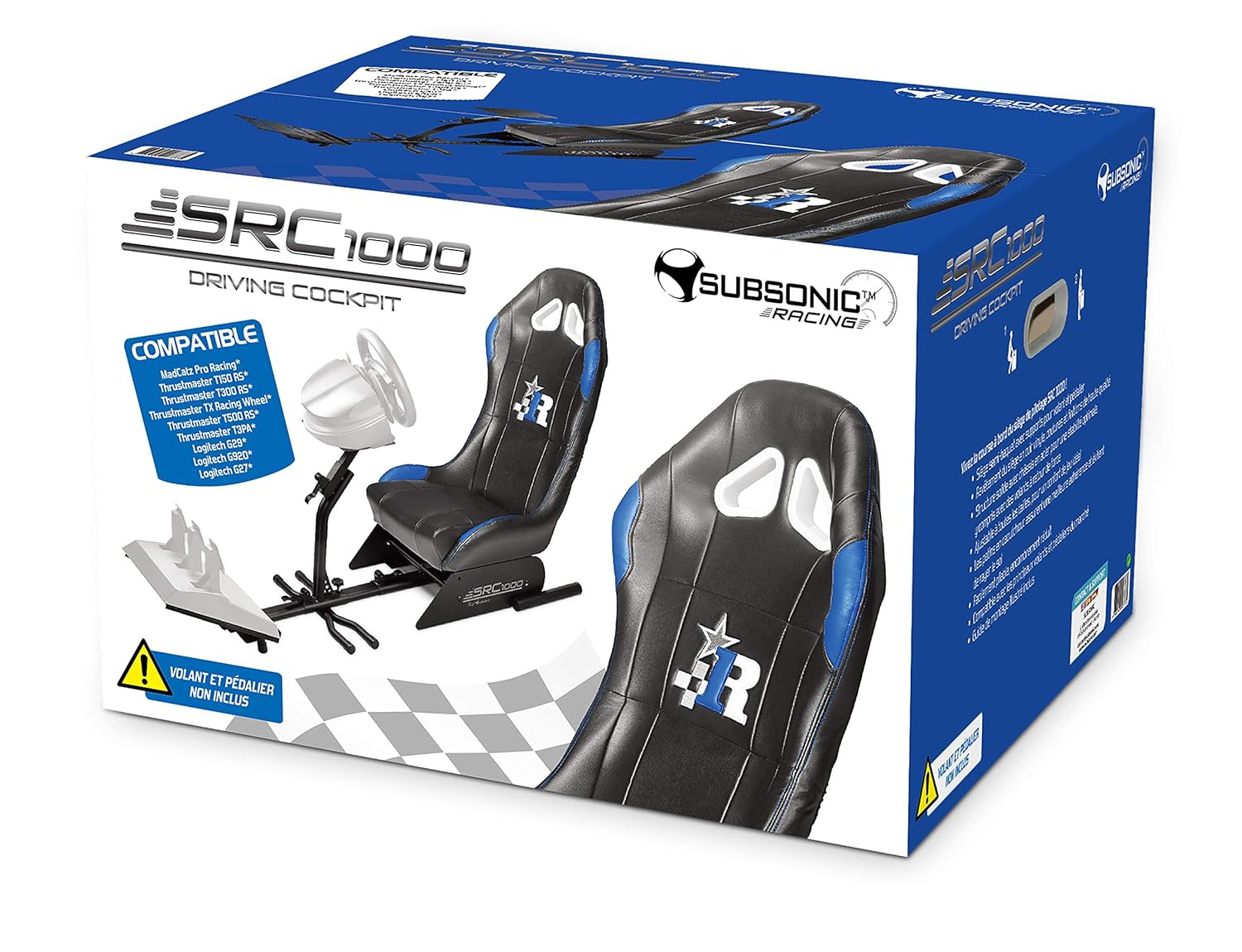
Immagine: The SUBSONIC SRC1000 Driving Cockpit product box, illustrating the main components and compatibility information. This image helps identify the product packaging.
Installazione e assemblaggio
Follow these steps to assemble your SRC1000 Driving Cockpit. It is recommended to have a second person assist with certain steps for ease and safety.
- Disimballare i componenti: Carefully remove all parts from the packaging and lay them out on a clean, flat surface. Ensure all screws, bolts, and tools (if included) are accounted for.
- Montare il telaio di base: Connect the main frame sections using the provided bolts and nuts. Ensure all connections are secure but do not overtighten initially.
- Attacca il sedile: Mount the racing seat onto the base frame. Align the mounting holes and secure with the designated hardware.
- Install Pedal Support: Attach the pedal support platform to the front section of the base frame. Adjust its position for comfortable pedal access.
- Mount Steering Wheel Support: Secure the steering wheel support column to the main frame. This column often includes an adjustable plate for mounting your steering wheel.
- Serraggio finale: Once all components are in place and aligned, systematically tighten all bolts and screws. Do not overtighten to avoid damaging threads.

Immagine: A fully assembled SUBSONIC SRC1000 Driving Cockpit, showcasing the seat, pedal support, and steering wheel mount. This image provides a visual reference for the completed setup.
Istruzioni per l'uso
The SRC1000 Driving Cockpit is designed for adjustability to suit various user preferences and racing setups.
Adjusting the Cockpit
- Posizione del sedile: The seat can typically be adjusted forward and backward using a lever located underneath the front of the seat. Pull the lever, slide the seat to the desired position, and release the lever to lock it in place.
- Pedal Plate Angle/Distance: The pedal support plate often features adjustable angles and distances. Loosen the securing knobs or bolts, set the plate to your preferred angle and distance from the seat, then retighten.
- Steering Wheel Height/Angle: The steering wheel support column usually has height and angle adjustments. Loosen the adjustment knobs, position your steering wheel at a comfortable height and angle, and then securely tighten the knobs.

Immagine: Un lato view of a SUBSONIC driving cockpit (SRC900-S, similar to SRC1000), highlighting the various adjustment points for the seat, pedal plate, and steering wheel support. Arrows indicate directions of movement and rotation.
Folding for Storage (if applicable)
Some models of the SUBSONIC driving cockpit are designed for compact storage. If your SRC1000 model supports folding, follow these general steps:
- Rimuovi periferiche: Disconnect and remove your steering wheel, pedals, and any other attached accessories.
- Unlock Folding Mechanisms: Locate and disengage any locking pins or levers that secure the cockpit in its open position.
- Fold Components: Carefully fold the pedal support and steering wheel support towards the seat, following the design of the cockpit.
- Secure in Folded Position: Engage any locking mechanisms to keep the cockpit securely folded for storage.

Immagine: Un lato view illustrating a SUBSONIC driving cockpit (SRC900-S, similar to SRC1000) in both its fully extended, ready-to-use configuration and its compact, folded state for storage.
Manutenzione
Regular maintenance ensures the longevity and optimal performance of your SRC1000 Driving Cockpit.
- Pulizia: Pulisci la cornice con l'annuncioamp cloth. For the seat, use a mild upholstery cleaner if necessary, following the cleaner's instructions. Avoid harsh chemicals or abrasive materials.
- Controllare le connessioni: Periodically inspect all bolts, screws, and adjustment knobs to ensure they are securely tightened. Retighten any loose fasteners to maintain stability.
- Magazzinaggio: When not in use for extended periods, store the cockpit in a clean, dry environment, away from direct sunlight and extreme temperatures. If your model is foldable, utilize this feature for compact storage.
Risoluzione dei problemi
If you encounter issues with your SRC1000 Driving Cockpit, refer to the following common solutions:
- Cockpit feels unstable:
- Assicurarsi che tutti i bulloni e le viti di montaggio siano ben serrati.
- Verify that the cockpit is placed on a flat, stable surface.
- Difficulty adjusting seat/pedal/wheel positions:
- Ensure all locking levers or knobs for the specific adjustment are fully loosened before attempting to move the component.
- Controllare che non vi siano ostacoli che impediscano il movimento.
- Rumori stridenti:
- Identify the source of the noise. It may be a loose connection that needs tightening.
- Se necessario, applicare una piccola quantità di lubrificante a base di silicone sulle parti mobili, evitando il contatto con la tappezzeria.
Specifiche
| Caratteristica | Dettaglio |
|---|---|
| Marca | SUBSONICO |
| Modello | SRC1000 (Based on product packaging) |
| ASIN | B07SF8DV3C |
| Produttore | subsonico |
| Quantità del pacchetto | 1 |
| Compatibilità | Compatible with various racing wheels and pedals (refer to product packaging for specific models like MadCatz Pro Racing, Thrustmaster T150 RS, T300 RS, T500 RS, TMX, TMX Pro, T80, T150, T300, T3PA, T3PA Pro, TSSH, TH8A, Logitech G29, G920, G27, G25, Driving Force GT, Driving Force Pro, Fanatec Clubsport, CSL Elite, Forza Motorsport, CSR, Porsche, etc. - See product page for details) |
Garanzia e supporto
For detailed warranty information, technical support, or to inquire about replacement parts, please visit the official SUBSONIC websito web o contattare direttamente il servizio clienti. Le informazioni di contatto sono in genere reperibili sulla confezione del prodotto o sul sito web ufficiale del produttore. websito.
Puoi anche visitare il SUBSONIC Store on Amazon per ulteriori informazioni sul prodotto.