
Introduzione
This manual provides detailed instructions for the EMOS E0042 Wireless Digital Thermometer. This device is designed to accurately measure and display both indoor and outdoor temperatures using a main unit and a remote wireless sensor. Please read this manual thoroughly before use to ensure proper operation and longevity of your device.

Image showing the EMOS E0042 Wireless Digital Thermometer in its retail packaging.
Contenuto della confezione
The EMOS E0042 package includes the following components:
- 1x EMOS E0042 Main Display Unit
- 1x EMOS Wireless Outdoor Sensor

Image showing the EMOS E0042 main display unit and the wireless outdoor sensor.
Caratteristiche del prodotto
The EMOS E0042 Wireless Digital Thermometer offers a range of features for convenient temperature monitoring:
- Clear and easy-to-read LCD display with large digits.
- Visualizzazione simultanea della temperatura interna ed esterna.
- Wireless outdoor sensor with a transmission range of up to 100 meters (open area).
- Temperature measurement range: Indoor 0 °C to 60 °C, Outdoor -40 °C to +60 °C.
- Temperature resolution: 0.1 °C.
- Main unit suitable for tabletop placement or wall mounting.
- Sensor designed for outdoor use.
- Powered by AAA batteries (not included).
Icon indicating indoor and outdoor temperature measurement capabilities.
Impostare
1. Installazione della batteria
The main unit and the wireless sensor each require 2x AAA 1.5V batteries (not included).
Unità di visualizzazione principale:
- Locate the battery compartment on the back of the main display unit.
- Aprire il coperchio del vano batterie.
- Inserire 2 batterie AAA, assicurandosi della corretta polarità (+/-).
- Chiudere saldamente il coperchio del vano batterie.
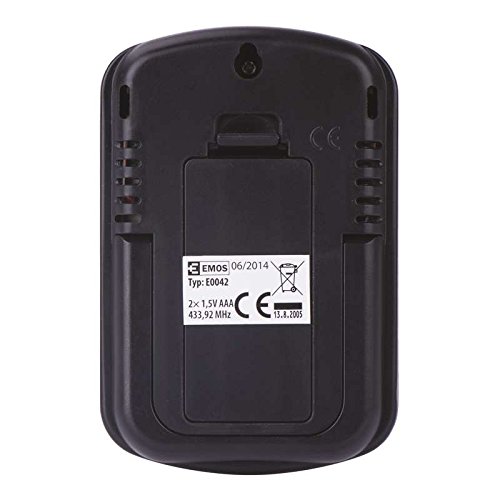
Posteriore view of the EMOS E0042 main display unit, showing the battery compartment and wall-mount hole.
Sensore esterno senza fili:
- Locate the battery compartment on the back of the wireless outdoor sensor.
- Aprire il coperchio del vano batterie.
- Inserire 2 batterie AAA, assicurandosi della corretta polarità (+/-).
- Chiudere saldamente il coperchio del vano batterie.
- The sensor will automatically begin transmitting data.
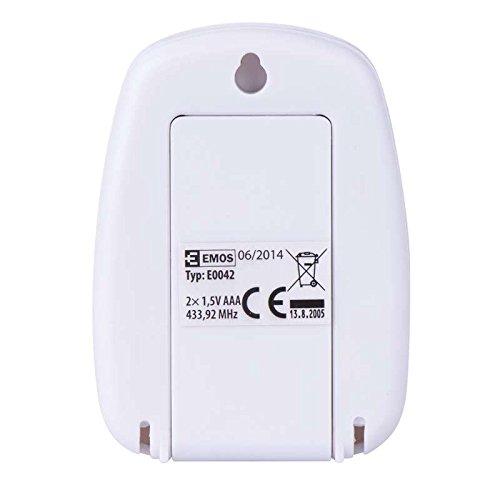
Posteriore view of the EMOS wireless outdoor sensor, showing the battery compartment.
2. Accoppiamento del sensore
The main unit and sensor should automatically pair once batteries are installed. If the outdoor temperature is not displayed, ensure both units are within range and try re-inserting the batteries in both units.
3. Posizionamento
Unità di visualizzazione principale:
Place the main unit indoors on a flat surface using its integrated stand, or mount it on a wall using the hanging hole on the back. Ensure it is in a location where the display is easily visible and not exposed to direct sunlight or extreme temperature fluctuations.
Lato view of the EMOS E0042 main display unit, showing its integrated stand for tabletop placement.
Sensore esterno senza fili:
Position the wireless sensor outdoors in a shaded area, protected from direct rain and sunlight, to ensure accurate temperature readings. The maximum effective range between the sensor and the main unit is 100 meters in an open area. Walls, obstacles, and electronic interference can reduce this range.
Istruzioni per l'uso
Reading Temperatures
Once powered on and paired, the main display unit will show two temperature readings:
- FUORI: This indicates the outdoor temperature measured by the wireless sensor.
- IN: This indicates the indoor temperature measured by the main display unit itself.
The temperature is displayed in degrees Celsius (°C).
Display
The large LCD screen provides clear, simultaneous readings of both indoor and outdoor temperatures.
Manutenzione
Pulizia
Per pulire il dispositivo, strofinarlo con un panno morbido, damp panno. Non utilizzare detergenti abrasivi o solventi, poiché potrebbero danneggiare il display o casing.
Sostituzione della batteria
When the display becomes dim or readings are inconsistent, it is time to replace the batteries in both the main unit and the wireless sensor. Follow the battery installation steps outlined in the "Setup" section.
Risoluzione dei problemi
| Problema | Possibile causa | Soluzione |
|---|---|---|
| Nessun display sull'unità principale. | Le batterie sono scariche o inserite in modo errato. | Controllare la polarità delle batterie e sostituirle con batterie AAA nuove. |
| Outdoor temperature not displayed or shows "--". | Sensor out of range, batteries dead, or interference. | Move sensor closer to the main unit. Replace sensor batteries. Ensure no strong electronic interference sources are nearby. Re-pair by removing and re-inserting batteries in both units. |
| Letture della temperatura imprecise. | Sensore esposto alla luce solare diretta, alla pioggia o a fonti di calore. | Relocate the sensor to a shaded, protected area. Ensure proper ventilation around both units. |
Specifiche
| Caratteristica | Dettaglio |
|---|---|
| Numero di modello | E0042 |
| Marca | EMO |
| Intervallo di temperatura interna | da 0 °C a 60 °C |
| Intervallo di temperatura esterna | da -40 °C a +60 °C |
| Risoluzione della temperatura | 0.1 °C |
| wireless Range | Fino a 100 metri (spazio aperto) |
| Frequenza | 433 MHz |
| Alimentatore dell'unità principale | 2 batterie AAA da 1.5 V (non incluse) |
| Alimentazione del sensore | 2 batterie AAA da 1.5 V (non incluse) |
| Dimensioni dell'unità principale (L x P x A) | Dimensioni: 8.5 x 5.6 x 1.8 cm |
| Dimensioni del sensore (L x P x A) | Dimensioni: 6.8 x 4.9 x 2.0 cm |
| Tipo di visualizzazione | LCD digitale |
| Tecnologia di connettività | RF (radiofrequenza) |
| Materiale | Plastica |
| Certificazioni | CE |
Informazioni sulla sicurezza
For detailed safety guidelines and important warnings, please refer to the official Safety Information PDF document provided by the manufacturer. Scarica le informazioni sulla sicurezza (PDF)
Garanzia e supporto
EMOS products are manufactured to high-quality standards. For warranty information or technical support, please contact your retailer or the official EMOS customer service. Keep your purchase receipt as proof of purchase.