
1. Introduzione
The JAM Transit Micro Sport Buds HX-EP510BL are wireless Bluetooth earbuds designed for active lifestyles. They offer a secure fit, sweat resistance, and hands-free calling capabilities, making them suitable for various activities including running, gym workouts, and general use. This manual provides instructions for setting up, operating, and maintaining your earbuds.
2. Cosa c'è nella scatola
Verifica che tutti gli articoli siano presenti nel tuo pacco:
- JAM Transit Micro Sport Buds (HX-EP510BL)
- Borsa da trasporto
- Water Bottle (packaging)
- Sistema di gestione del cavo
- Manuale dell'utente (questo documento)
- Multiple ear tip sizes for custom fit
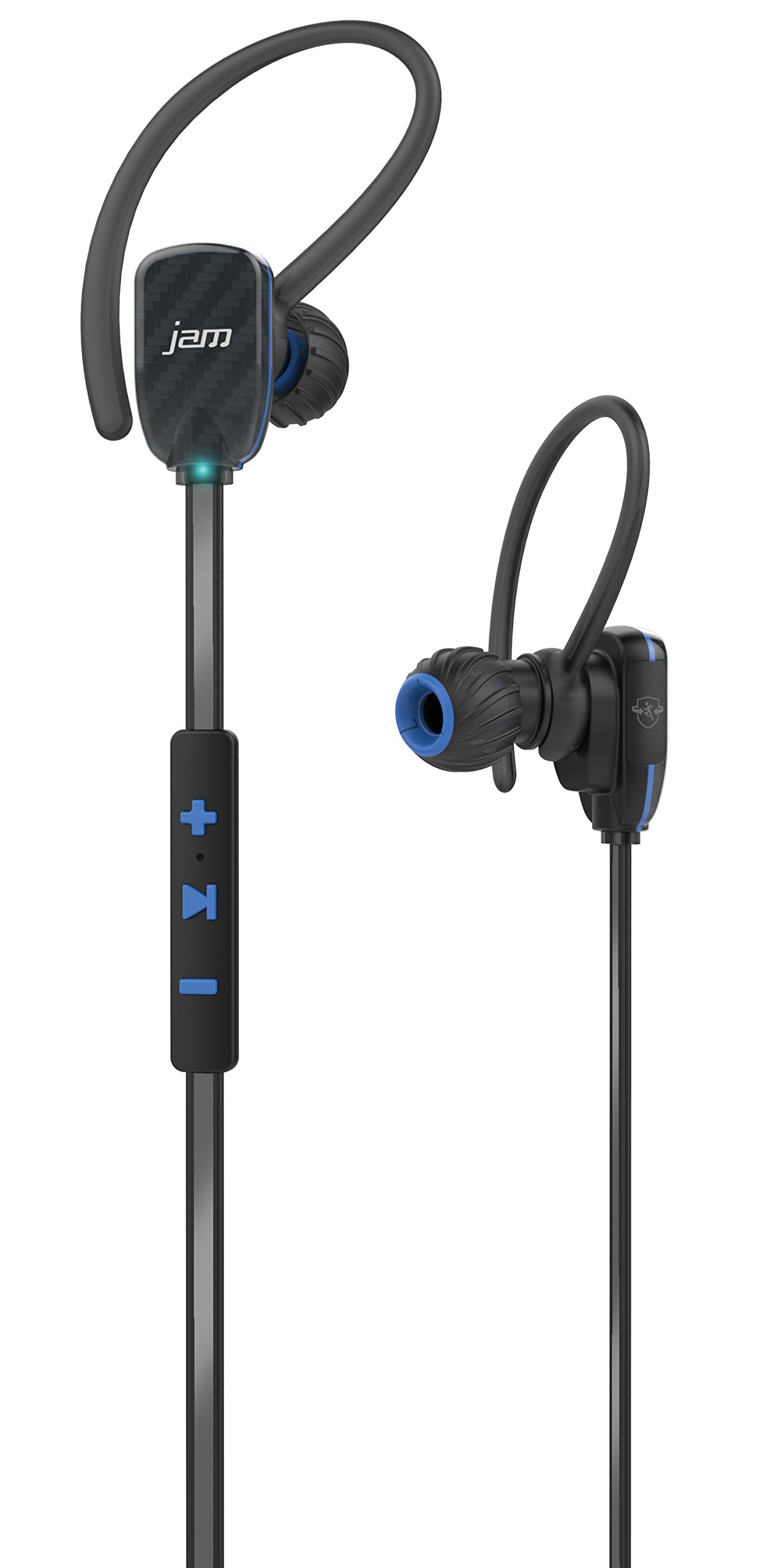
Image: JAM Transit Micro Sport Buds HX-EP510BL, including the earbuds, cord management, and the water bottle packaging.
3. Prodotto finitoview
Familiarize yourself with the components of your JAM Transit Micro Sport Buds:
- Earbuds: The main audio output components, designed for in-ear placement.
- Controllo remoto in linea: Located on the reflective cord, this unit contains buttons for media control, volume adjustment, and microphone for calls.
- Microfono: Integrated into the in-line remote for hands-free calling.
- Reflective Cord: Connects the two earbuds and enhances visibility during nighttime use.
- Porta di ricarica: Typically located on the in-line remote, used for recharging the internal battery.
- Suggerimenti per le orecchie: Various sizes are provided to ensure a comfortable and secure fit.
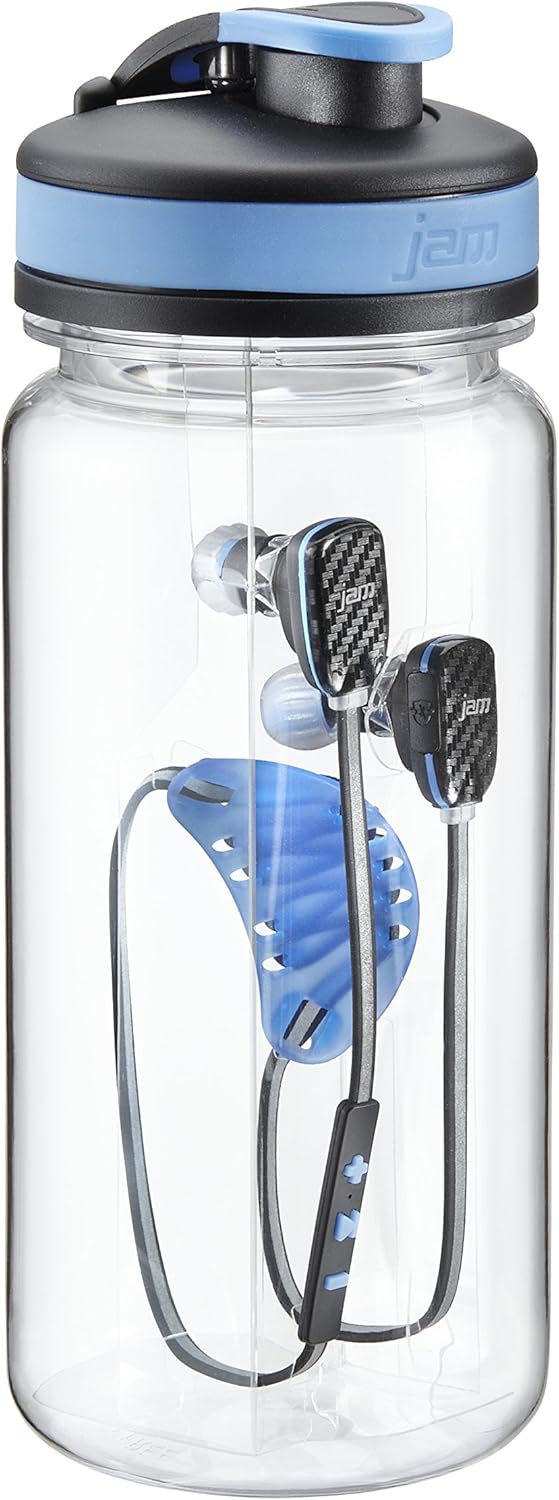
Immagine: dettagliata view of the JAM Transit Micro Sport Buds, highlighting the earbud design and the in-line control panel on the reflective cord.
4. Impostazione
4.1 Ricarica degli auricolari
- Locate the charging port on the in-line remote control.
- Connect the provided charging cable to the earbuds and to a USB power source.
- Allow approximately 1 hour for a full charge, which provides up to 10 hours of playtime.
- The indicator light will change to show charging status (e.g., red for charging, blue/off for fully charged).
4.2 Selecting Ear Tips and Achieving a Secure Fit
- Experiment with the different sizes of ear tips included in the package.
- Choose the ear tips that provide the most comfortable and secure seal in your ear canal. A good seal is crucial for optimal sound quality and bass response.
- Insert the earbuds into your ears, ensuring the reflective cord sits comfortably around your neck or behind your head.
- Utilize the cord management system to adjust the length of the cord for a snug fit, preventing movement during physical activity.
4.3 Associazione Bluetooth
- Assicurarsi che gli auricolari siano carichi e spenti.
- Press and hold the power button on the in-line remote until the indicator light flashes rapidly (e.g., alternating red and blue), indicating pairing mode.
- Sul tuo dispositivo abilitato Bluetooth (smartphone, tablet, ecc.), vai alle impostazioni Bluetooth.
- Cercare available devices and select "JAM Transit Micro Sport Buds" (or similar name).
- Once connected, the indicator light on the earbuds will typically turn solid blue or flash slowly. A voice prompt may also confirm the connection.
- The earbuds can connect wirelessly within a 30-foot range of your device.
5. Istruzioni per l'uso
5.1 Accensione/spegnimento
- Accensione: Press and hold the power button until the indicator light illuminates and a power-on tone is heard.
- Spegni: Press and hold the power button until the indicator light turns off and a power-off tone is heard.
5.2 Riproduzione di musica
- Riproduci/Pausa: Press the multi-function button (often the center button on the remote) once to play or pause music.
- Traccia successiva: Press and hold the '+' button (or specific next track button) for approximately 2 seconds.
- Traccia precedente: Press and hold the '-' button (or specific previous track button) for approximately 2 seconds.
5.3 Controllo del volume
- Aumenta volume: Premere il pulsante '+'.
- Diminuisci volume: Premere il pulsante '-'.
5.4 Gestione delle chiamate
- Rispondi/Termina chiamata: Press the multi-function button once during an incoming call to answer, or once during a call to end it.
- Rifiuta chiamata: Durante una chiamata in arrivo, tenere premuto il pulsante multifunzione per circa 2 secondi.
- Microfono disattivato: The left earbud can be muted to hear your surroundings during a call. Refer to specific button functions for muting, usually a quick double-press or a dedicated button.
6. Manutenzione
6.1 Pulizia
- Pulire regolarmente i gommini auricolari con un panno morbido e asciutto.
- Se necessario, rimuovere i gommini auricolari e lavarli con acqua e sapone neutro, assicurandosi che siano completamente asciutti prima di riattaccarli.
- Wipe the earbuds and cord with a slightly damp cloth to remove sweat or dirt. Avoid using harsh chemicals or abrasive materials.
6.2 Conservazione
- When not in use, store the earbuds in the provided carrying pouch to protect them from dust and damage.
- Evitare di conservare in luoghi con temperature estreme o elevata umidità.
6.3 Resistenza all'acqua
The JAM Transit Micro Sport Buds are waterproof, making them suitable for use during workouts and in light rain. However, they are not designed for submersion in water. Ensure the charging port cover is securely closed to maintain water resistance.
7. Risoluzione Dei Problemi
7.1 Gli auricolari non si accendono
- Ensure the earbuds are fully charged. Connect them to a power source and allow sufficient charging time.
- Premere e tenere premuto il pulsante di accensione per diversi secondi.
7.2 Impossibile associare il dispositivo
- Assicurarsi che gli auricolari siano in modalità di associazione (spia luminosa lampeggiante).
- Ensure Bluetooth is enabled on your device and it is within the 30-foot range.
- Forget or remove previous pairings for the earbuds on your device and attempt to pair again.
- Restart both the earbuds and your Bluetooth device.
7.3 Nessun suono o scarsa qualità del suono
- Controlla i livelli del volume sia sugli auricolari che sul dispositivo connesso.
- Assicurati che gli auricolari siano posizionati correttamente nelle orecchie e che aderiscano bene.
- Verifica che gli auricolari siano collegati all'uscita audio corretta del tuo dispositivo.
- Avvicinati al dispositivo per evitare interferenze o problemi di portata.
7.4 Durata breve della batteria
- Assicurarsi che gli auricolari siano completamente carichi prima dell'uso.
- La durata della batteria può variare in base al livello del volume e alle modalità di utilizzo.
- Over time, all rechargeable batteries experience degradation.
8. Specifiche
| Numero di modello | HX-EP510BL |
| Marca | Jam audio |
| Tecnologia di connettività | Wireless (Bluetooth) |
| Portata Bluetooth | Fino a 30 piedi (9 metri) |
| Durata della batteria | Fino a 10 ore di riproduzione |
| Tempo di ricarica | Circa 1 ora |
| Livello di resistenza all'acqua | Impermeabile |
| Posizionamento dell'orecchio | Nell'orecchio |
| Caratteristiche | Microphone, Speakerphone, Reflective Cord, Cord Management System |
| Peso | 0.2 Pounds (earbuds) |
9. Garanzia e supporto
For warranty information, technical support, or customer service inquiries, please refer to the official Jam Audio webo contattare direttamente l'assistenza clienti. Conservare la prova d'acquisto per eventuali reclami in garanzia.
Official Jam Audio Websito: Visit the Jam Audio Store