
1. Introduzione
This manual provides essential information for the setup, operation, maintenance, and troubleshooting of your PlayStation 4 Console, Model CUH-1001A. The PlayStation 4 is a home video game console developed by Sony Interactive Entertainment, featuring an integrated AMD Jaguar processor, 8 GB of RAM, and a 500 GB internal storage drive. It supports both wired and wireless internet connectivity and includes a Blu-ray Disc/DVD drive for physical media.
The console comes equipped with a DualShock 4 Wireless Controller, Model CUH-ZCT1U, designed for enhanced gaming interaction. Please read this manual thoroughly to ensure proper use and to maximize your gaming experience.
2. Contenuto della confezione
Verifica che tutti gli articoli elencati di seguito siano inclusi nel tuo pacchetto:
- PlayStation 4 Console (Model CUH-1001A)
- DualShock 4 Wireless Controller (Model CUH-ZCT1U)
- Cavo HDMI
- Cavo di alimentazione
- USB Charging Cable for Controller
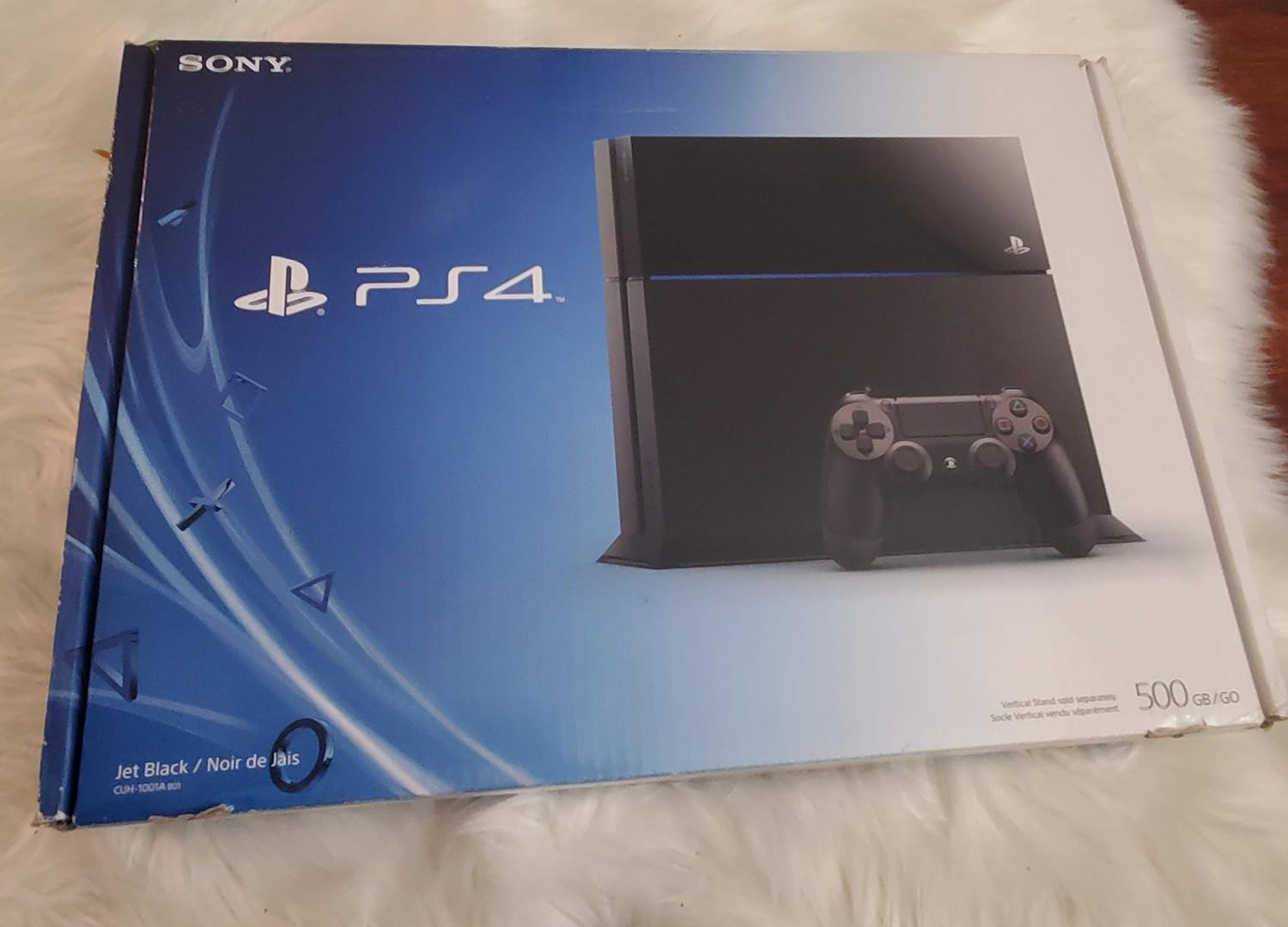
Image 2.1: PlayStation 4 Console and DualShock 4 Controller.

Image 2.2: PlayStation 4 Console with included accessories such as cables and controller.
3. Impostazione
3.1 Collegamento della console
- Posizionare la console: Position your PlayStation 4 Console on a flat, stable surface with adequate ventilation. Ensure there is sufficient space around the console for airflow.
- Collegamento alla TV: Connect one end of the supplied HDMI cable to the HDMI OUT port on the back of the PS4 console and the other end to an HDMI input on your television.
- Connetti alimentazione: Insert the power cord into the AC IN connector on the back of the PS4 console, then plug the other end into a wall outlet.
3.2 Connecting the DualShock 4 Wireless Controller
- Collega il controllore: Use the supplied USB charging cable to connect the DualShock 4 controller to a USB port on the front of the PS4 console.
- Accoppia controller: Press the PlayStation button (PS button) on the controller. The controller will pair with the console and the light bar will glow.
3.3 Configurazione iniziale del sistema
Upon first power-on, follow the on-screen instructions to complete the initial system setup, which includes language selection, internet connection setup (Wi-Fi or Ethernet), date and time settings, and user profile creazione.
4. Istruzioni per l'uso
4.1 Accensione/Spegnimento
- Per accendere: Press the power button on the front of the console or the PS button on a paired controller.
- Per spegnere: From the function screen, select (Energia) > Spegni PS4. Alternatively, press and hold the power button on the console for at least 7 seconds until the system beeps twice.
- Modalità di riposo: From the function screen, select (Energia) > Entra in modalità di riposo.
4.2 Navigazione nell'interfaccia utente
Use the DualShock 4 controller's directional buttons or left analog stick to navigate the PS4's home screen. The X button typically confirms selections, and the O button cancels or goes back.
4.3 Inserimento ed espulsione dei dischi
- Inserire: Gently slide a Blu-ray Disc or DVD into the disc slot on the front of the console with the label side facing up. The system will automatically pull the disc in.
- Per espellere: Select the disc icon from the home screen and press the OPTIONS button, then select Espellere il disco. Alternatively, press the eject button on the front of the console.
4.4 DualShock 4 Wireless Controller Usage
- Ricarica: Connect the controller to the PS4 console using the USB charging cable. The light bar will slowly blink orange while charging and turn off when fully charged.
- Caratteristiche: The controller features a six-axis motion sensor, improved vibration, a clickable touchpad, dual analog sticks, and pressure-sensitive buttons.
5. Manutenzione
5.1 Pulizia della console
Regularly clean the console to prevent dust buildup, which can affect performance. Use a soft, dry cloth to wipe the exterior. Do not use liquid cleaners or abrasive materials. Ensure ventilation ports are clear of obstructions.
5.2 Aggiornamenti software
Keep your PS4 system software updated to the latest version for optimal performance and access to new features. Updates can be downloaded automatically when connected to the internet or manually via the system settings.
5.3 Sostituzione del disco rigido
The 2.5-inch 500 GB hard drive in your PS4 console is replaceable. Refer to the official PlayStation support website for detailed instructions if you wish to upgrade or replace the internal storage drive. Improper replacement can void your warranty.
6. Risoluzione Dei Problemi
If you encounter issues with your PlayStation 4 Console, try the following common troubleshooting steps:
- Nessun potere: Assicurarsi che il cavo di alimentazione sia collegato saldamente sia alla console sia a una presa elettrica funzionante. Provare una presa diversa.
- Nessuna uscita video: Verify that the HDMI cable is firmly connected to both the console and the TV. Ensure your TV is set to the correct HDMI input. Try a different HDMI cable or port.
- Il controller non risponde: Ensure the controller is charged. Reconnect the controller to the console with the USB cable and press the PS button to re-pair it.
- Problemi di connessione di rete: Check your internet router and modem. For Wi-Fi, ensure the console is within range. For wired connections, check the Ethernet cable. You can test your internet connection in the PS4's network settings.
- Blocchi/arresti anomali del sistema: Try restarting the console. If the issue persists, consider rebuilding the database from Safe Mode (power off the console, then press and hold the power button until you hear two beeps).
For more detailed troubleshooting guides and support, please visit the official PlayStation support websito.
7. Specifiche
| Caratteristica | Dettaglio |
|---|---|
| Numero di modello | CUH-1001A |
| Capacità di archiviazione | 500 GB HDD (replaceable 2.5-inch) |
| Processore | AMD 'Jaguar' x86-64, 8 Cores |
| Processore grafico | 1.84 TFLOPS, AMD Radeon™ based graphics engine |
| Memoria | 8 GB GDDR5 |
| Unità ottica | Blu-ray Disc / DVD Drive |
| Connettività | Ethernet (10BASE-T, 100BASE-TX, 1000BASE-T), Wi-Fi (IEEE 802.11 b/g/n), Bluetooth 2.1 (EDR) |
| Porti | HDMI OUT, Digital Out (optical), USB 3.0 (x2), AUX port |
| Dimensioni (circa) | 22 x 20 x 9 pollici (55.88 x 50.8 x 22.86 cm) |
| Peso (circa) | 7.93 libbre (3.6 kg) |

Immagine 7.1: posteriore view of PlayStation 4 Console, illustrating various ports for connectivity.
8. Garanzia e supporto
For information regarding the product warranty, please refer to the warranty card included with your console or visit the official PlayStation website. For additional support, including frequently asked questions, software updates, and service information, please visit the official PlayStation support portal: