
Prodotto finitoview
The XREXS YS355 Digital Kitchen Timer is a versatile device designed to assist with various timing needs in the kitchen and beyond. It features a large LCD display, multiple independent timer channels, and flexible placement options, making it an essential tool for managing multiple tasks simultaneously.

Immagine: Frontale view of the XREXS YS355 Digital Kitchen Timer, showing the large LCD display and control buttons.
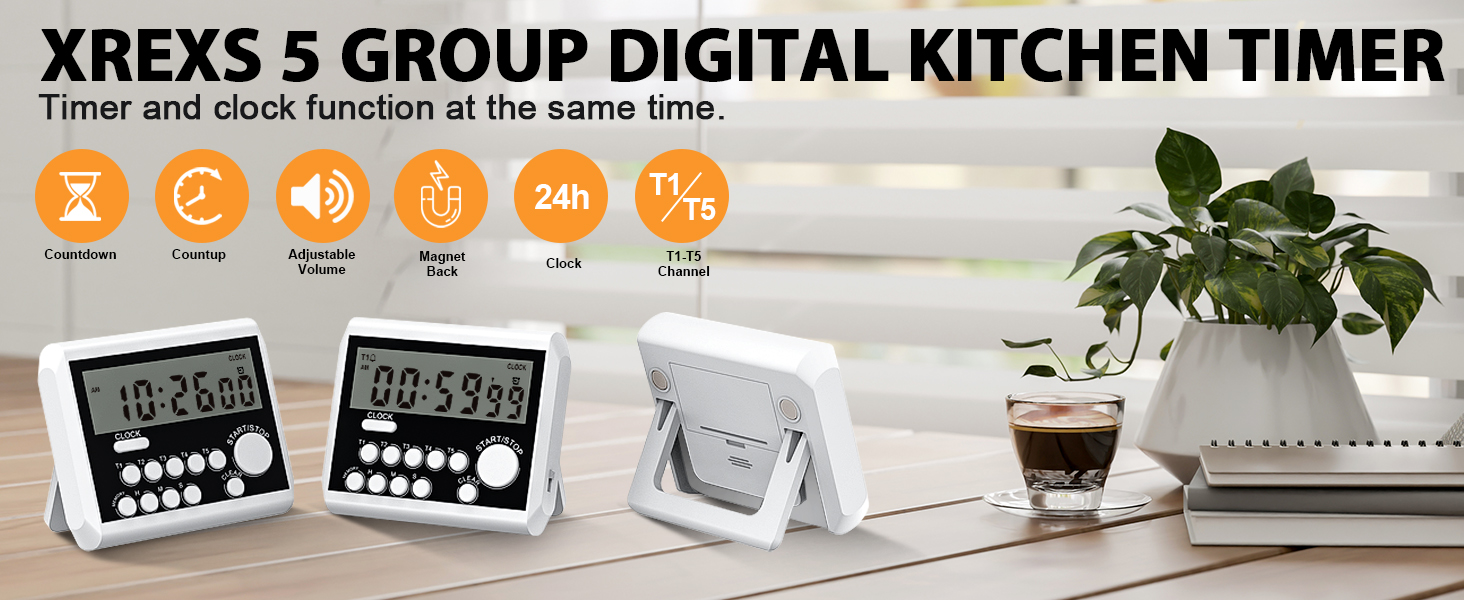
Image: The XREXS YS355 timer highlighting its multifunctional capabilities, including clock mode, countdown, and various placement methods.
Impostare
1. Installazione della batteria
The XREXS YS355 timer requires two AAA batteries for operation. These batteries are typically included with the product.
- Individuare il vano batterie sul retro del timer.
- Far scorrere per aprire il coperchio del vano batterie.
- Inserire due batterie AAA, assicurandosi che la polarità sia corretta (+ e -) come indicato all'interno del vano.
- Chiudere saldamente il coperchio del vano batterie.
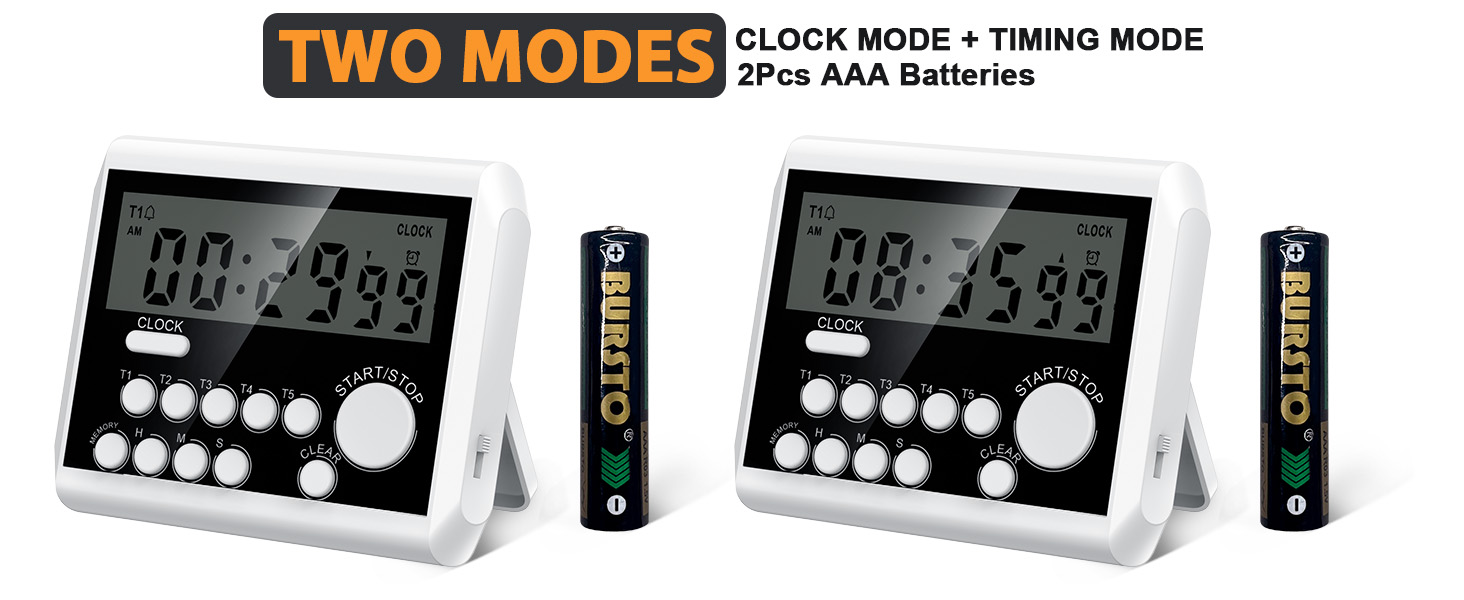
Image: The XREXS YS355 timer displaying its two modes (clock and timing) and indicating the use of 2 AAA batteries.
2. Impostazione iniziale dell'orologio
Upon battery installation, the timer will typically default to clock mode. If not, press the OROLOGIO button to switch to clock display.
- In Clock Mode, press and hold the OROLOGIO button for 3 seconds to enter setting mode. The hour digits will flash.
- Utilizzare il H (Hour), M (Minute), and S (Second) buttons to adjust the time.
- Premere il tasto OROLOGIO button again to confirm the setting and exit setting mode.
Istruzioni per l'uso
1. Modalità di commutazione
The timer has two main modes: Clock Mode and Timer Mode. Press the OROLOGIO button to toggle between these modes.
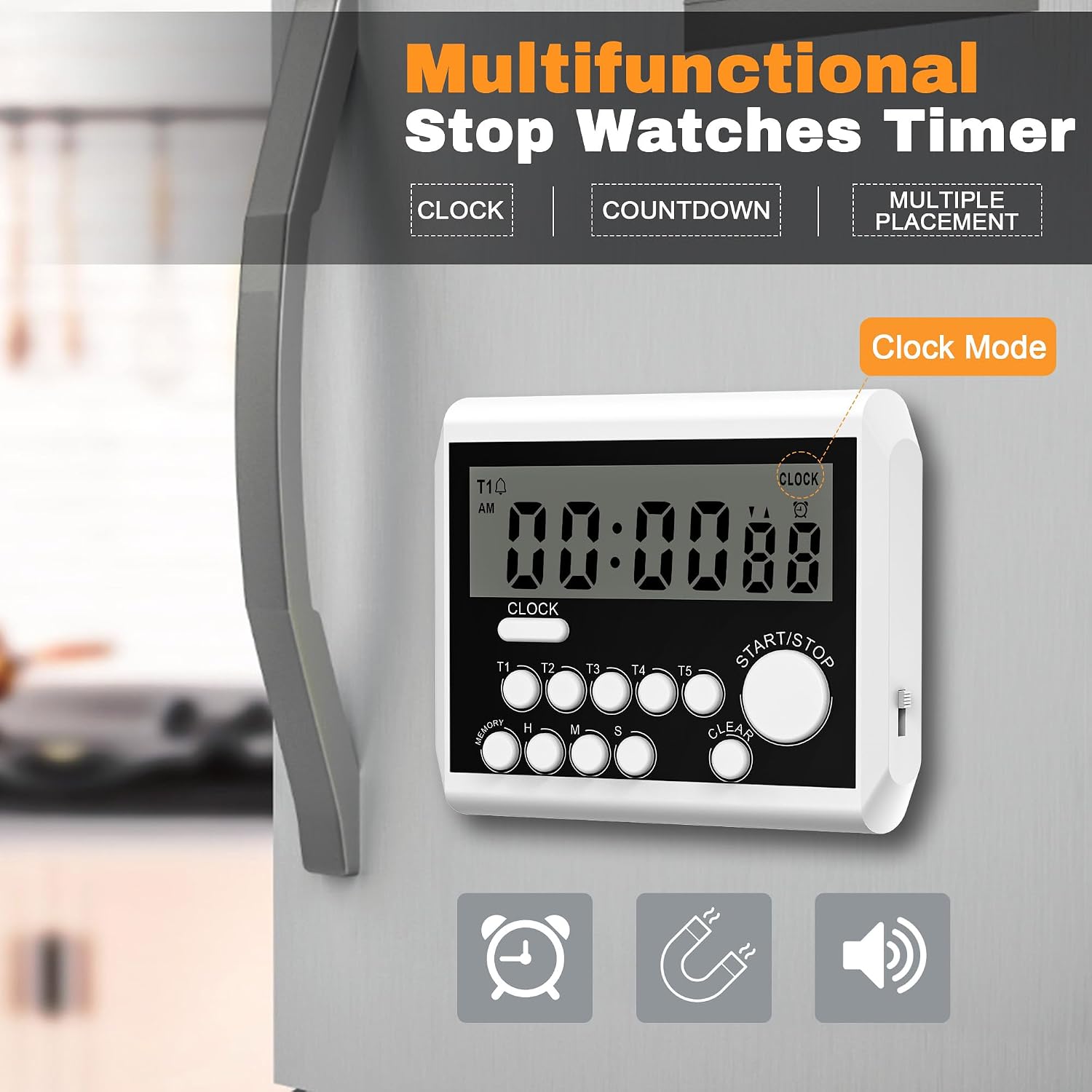
Image: The XREXS YS355 timer displaying the current time in Clock Mode, with an alarm icon indicating an active alarm.
2. Setting Timers (T1-T5)
The timer supports up to five independent countdown timers (T1 through T5).
- In Timer Mode, select the desired timer channel (T1, T2, T3, T4, or T5) by pressing its corresponding button. The selected timer's display will activate.
- Utilizzare il H (Hour), M (Minute), and S (Second) buttons to set the desired countdown time for the selected channel.
- Premere il tasto AVVIO/ARRESTO button to begin the countdown. The timer icon for that channel will flash.
- To pause a running timer, press the AVVIO/ARRESTO di nuovo il pulsante. Premerlo ancora una volta per riprendere.
- To clear a timer, press the CHIARO pulsante mentre il timer è in pausa o arrestato.

Image: The XREXS YS355 timer demonstrating its ability to manage five simultaneous countdown timers, useful for multi-tasking in the kitchen.
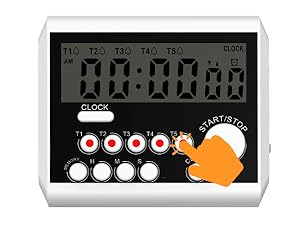
Image: A hand pressing the T5 button on the timer, illustrating the selection of a specific timer channel.
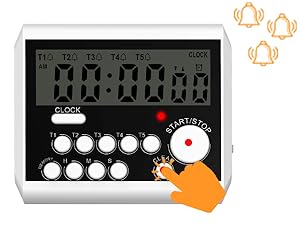
Image: A hand pressing the CLEAR button on the timer, demonstrating how to reset a timer channel.
3. Count-Up Function
Il timer può anche funzionare come cronometro (timer di conteggio progressivo).
- Ensure the selected timer channel is cleared (displaying 00:00:00).
- Premere il tasto AVVIO/ARRESTO button. The timer will begin counting upwards from zero.
- Premere AVVIO/ARRESTO di nuovo per mettere in pausa il conteggio. Premere di nuovo per riprendere.
- Premere CHIARO per azzerare il timer del conteggio.
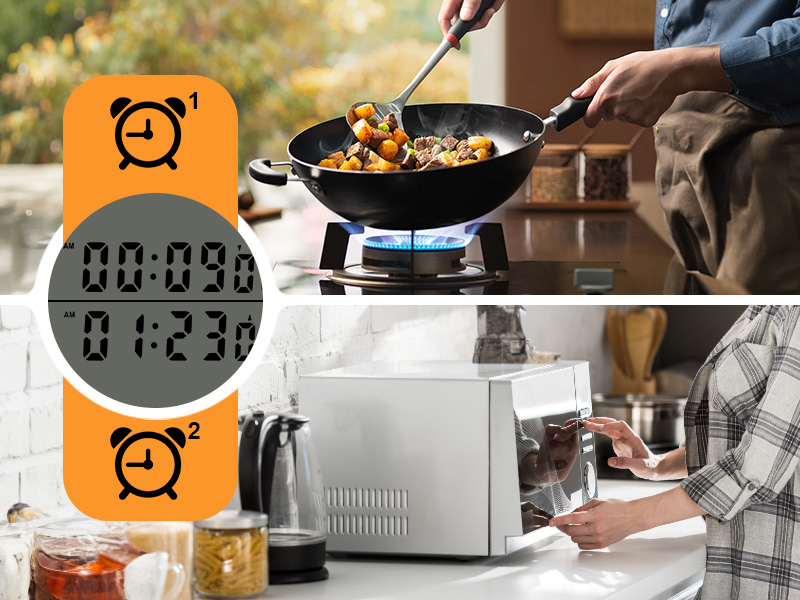
Image: The timer displaying two active timers, one counting down and another counting up, illustrating its multi-tasking capability.
4. Adjusting Alarm Volume and Flashing Light
The XREXS YS355 timer features an adjustable alarm volume and a flashing red light indicator.
- Locate the volume switch on the side of the timer.
- Slide the switch to select one of three volume levels: High, Low, or Mute.
- When a timer reaches zero, the alarm will sound at the selected volume, and a red light will flash to provide a visual alert. In Mute mode, only the light will flash.

Image: The XREXS YS355 timer illustrating its three volume levels: loud, soft, and silent (mute mode with flashing numbers).
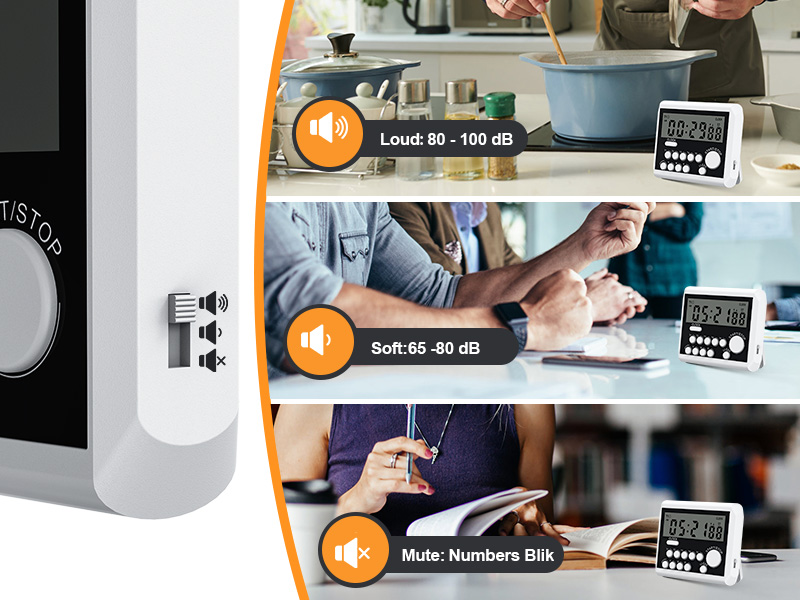
Image: A close-up of the side volume switch on the XREXS YS355 timer, showing the options for loud, soft, and mute settings.
5. Opzioni di posizionamento
The XREXS YS355 timer offers multiple convenient placement options:
- Retro magnetico: The strong magnetic back allows the timer to be securely attached to metal surfaces, such as refrigerators or oven doors.
- Telescopic Stand: A retractable stand on the back allows the timer to be placed upright on a countertop or table.
- Foro per appendere: A small hole is provided for hanging the timer on a hook or lanyard.

Image: The XREXS YS355 timer showcasing its versatile placement options: a retractable stand for tabletop use, magnetic back for metal surfaces, and a hanging hole for hooks or lanyards.
Manutenzione
1. Sostituzione della batteria
When the display dims or the timer functions become erratic, it's time to replace the batteries. Follow the battery installation steps in the Setup section.
2. Pulizia
Per pulire il timer, pulirlo con un panno morbido eamp stoffa. Non utilizzare detergenti abrasivi né immergere il dispositivo in acqua.
3. Conservazione
Conservare il timer in un luogo fresco e asciutto quando non lo si utilizza. Se si conserva per un periodo prolungato, si consiglia di rimuovere le batterie per evitare perdite.
Risoluzione dei problemi
| Problema | Possibile causa | Soluzione |
|---|---|---|
| Il display è vuoto o poco luminoso. | Batterie scariche o esaurite; installazione errata delle batterie. | Sostituire le batterie con nuove batterie AAA; assicurarsi della corretta polarità. |
| L'allarme non suona. | Volume is set to Mute; timer not set correctly. | Check the volume switch on the side and set to High or Low; ensure timer countdown reached zero. |
| I pulsanti non rispondono. | Low batteries; temporary software glitch. | Replace batteries; remove and reinsert batteries to reset the device. |
Specifiche
- Modello: YS355
- Dimensioni del prodotto: 0.5"P x 3.4"L x 2.9"A (circa 1.27 cm P x 8.64 cm L x 7.37 cm A)
- Peso dell'articolo: 3.56 once (circa 101 grammi)
- Fonte di energia: 2 batterie AAA (incluse)
- Numero di canali: 5 independent timers (T1-T5)
- Display: Ampio display digitale LCD
- Allarme: Loud volume alarm with flashing red light (adjustable volume: High/Low/Mute)
- Funzioni: Clock Mode, Countdown Timer, Count-Up Timer
- Posizionamento: Magnetic Back, Telescopic Stand, Hanging Hole

Image: A visual guide demonstrating the simple steps to operate the XREXS YS355 timer, including clearing, starting/stopping count-up, fast-forwarding, and switching to clock mode.
Garanzia e supporto
For warranty information and customer support, please refer to the product packaging or contact XREXS customer service directly. Keep your purchase receipt for any warranty claims.
Typical return policy allows for refunds/replacements within 30 days of purchase.
For further assistance, you may visit the official XREXS store on Amazon: XREXS Store