
Introduzione
FIFA 16 introduces innovations across the entire pitch, aiming to deliver a balanced, authentic, and exciting football experience. This game allows players to engage in their preferred modes with enhanced gameplay features. It focuses on providing confidence in defending, control in midfield, and tools to create more impactful moments during matches. This manual provides essential information for setting up and understanding the core mechanics of FIFA 16 on PlayStation 4.

Figure 1: Front cover of the FIFA 16 PlayStation 4 Standard Edition game.
Impostare
To begin playing FIFA 16 on your PlayStation 4 console, follow these steps:
- Inserisci il disco del gioco: Gently insert the FIFA 16 Blu-ray disc into your PlayStation 4 console's disc drive with the label facing up.
- Installazione: The game will automatically begin installing necessary data to your console's hard drive. Ensure you have sufficient storage space (minimum 25 GB is recommended).
- Aggiornamenti di sistema: Ensure your PlayStation 4 system software is up to date for optimal performance and access to online features. Connect your console to the internet and check for updates via the system settings.
- Aggiornamenti del gioco: Once installed, the game may require additional updates. Allow these to download and install before playing to ensure you have the latest features and bug fixes.
- Configurazione del controllore: Connect your DualShock 4 wireless controller and ensure it is charged.
For detailed information on setting up your PlayStation 4 console, please refer to your console's official instruction manual.

Figure 2: Back cover detailing system requirements and legal information. Note the UPC: 0014633734546.
Operating: Core Gameplay Features
FIFA 16 introduces several key gameplay enhancements designed to provide a more realistic and engaging football simulation. Understanding these features will help you improve your play.
Confidence in Defending
Defensive mechanics have been refined to give players more control and confidence when preventing opponent attacks.
- Defensive Agility: Defenders exhibit improved mobility and locomotion, allowing them to track skilled players more effectively. This includes new swing-step behavior for quicker changes in direction, enabling defenders to close down space and stay with attackers.
- Defend as a Unit: The defensive AI has been enhanced, leading to better team awareness. Teammates will cover gaps and track back to intercept dangerous runs, working together to maintain defensive shape and close down attacking angles.
- New Tackling Fundamentals: Un revamped tackling system offers new slide, standing, and fake tackle animations. These mechanics are designed to be more responsive and rewarding, making it easier to win back possession.

Figura 3: Esample of defensive action during a match.
Control in Midfield
The midfield is crucial for controlling the flow of the game. FIFA 16 provides tools to dominate this area, enabling patient build-up play or quick transitions.
- Interception Intelligence: Players are more intelligent in anticipating passes and moving to shut down passing lanes. Smarter AI teammates will seek out space, creating more opportunities to build play through the midfield.
- Passing With Purpose: A new passing mechanic allows for sharp, incisive ground passes. This enables players to find teammates with greater precision in tight spaces, opening up attacking options.

Figure 4: Midfield players controlling possession.
Moments of Magic (Attacking)
Attacking play has been enhanced to allow for more creative and impactful goal-scoring opportunities.
- No Touch Dribbling: This feature allows players to separate themselves from the ball, creating space and time to feint or bypass defenders, similar to real-life professional players.
- Dynamic Crossing: Crosses are now more accurate, allowing attacking players to run onto and attack the ball with intent. This makes defenses scramble as crosses are delivered behind the back line.
- Clinical Finishing: Improved foot and ankle placement during shooting provides greater variety and realism in goal scoring. Players can feel where the ball is struck, allowing for adjustments to improve accuracy and power.

Figure 5: An attacking player attempting a shot on goal.
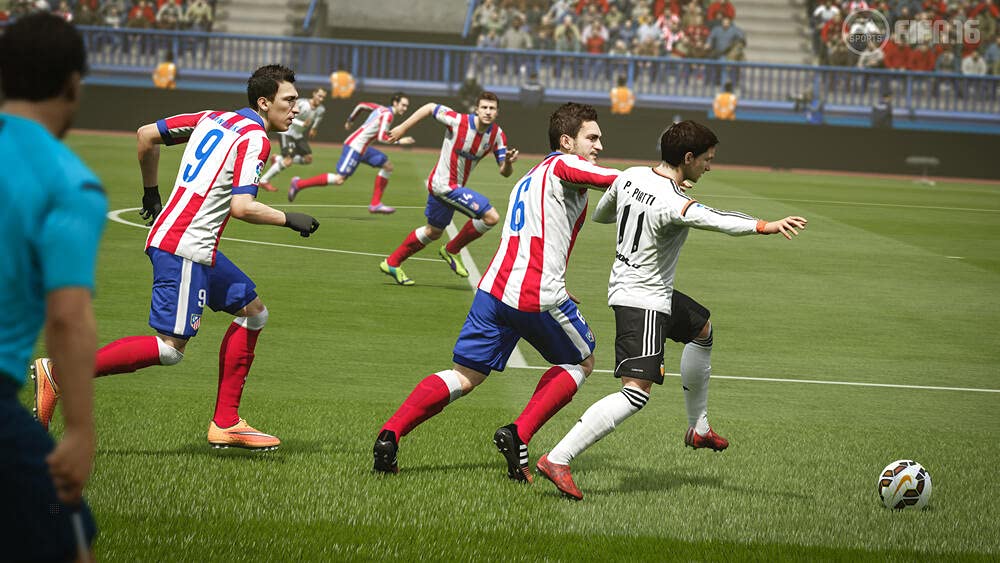
Figure 6: Team lineup before kickoff.
Manutenzione
Una cura adeguata del disco di gioco e della console garantirà un'esperienza di gioco duratura.
- Cura del disco: Always handle the game disc by its edges. Store it in its original case when not in use to prevent scratches and dust accumulation. Clean the disc with a soft, lint-free cloth, wiping from the center outwards if necessary.
- Ventilazione della console: Ensure your PlayStation 4 console has adequate ventilation. Do not block air vents or place the console in an enclosed space to prevent overheating.
- Aggiornamenti software: Regularly check for and install system software updates for your PlayStation 4 to maintain optimal performance and security.
Risoluzione dei problemi
Se riscontri problemi durante il gioco a FIFA 16, prendi in considerazione i seguenti passaggi per la risoluzione dei problemi:
- Il gioco non si carica: Ensure the disc is clean and free of scratches. Try restarting your PlayStation 4 console.
- Congelamento o arresto anomalo: Ensure your game and console software are fully updated. If the issue persists, try deleting and reinstalling the game data (your save data will typically be separate and unaffected).
- Problemi di connettività online: Verify your internet connection is stable. Check PlayStation Network status and ensure your router's firmware is up to date.
- Malfunzionamento del controller: Ensure your DualShock 4 controller is charged and properly synced with the console. Try resetting the controller if necessary.
For more advanced troubleshooting or persistent issues, refer to the official PlayStation support website or the Electronic Arts support channels.
Specifiche
| Numero modello articolo | 018019 |
| ASIN | B013HSQVAE |
| Produttore | Arti elettroniche |
| Data di rilascio | 24 settembre 2015 |
| Valutato | Ages 3 & Over |
| Lingua | Inglese |
| Peso dell'articolo | 90 grammi |
| Quantità netta | 1 Conteggio |
Garanzia e supporto
Per informazioni sulla garanzia del prodotto, fare riferimento alla documentazione inclusa con l'acquisto del gioco o visitare il sito ufficiale di Electronic Arts website. For technical support, gameplay assistance, or account-related queries, please visit the Electronic Arts Help Center.
Risorse aggiuntive:
- Supporto PlayStation: playstation.com
- ESRB Rating Information: esrb.org