
1. Introduzione
This manual provides detailed instructions for the installation, operation, and maintenance of the Visionis FPC-5323 One Door Access Control Kit. This kit is designed for single-door access control in swinging door applications, utilizing a 300lbs magnetic lock and the VIS-3002 indoor keypad/reader with a mini controller. The system supports up to 1,000 users and offers multiple access methods including PIN codes, proximity cards, and keytags, ensuring enhanced security for your premises.
2. Componenti del prodotto
The Visionis FPC-5323 kit includes the following components:
- (1) VIS-ML300LED: 300lbs Indoor Electric Magnetic Lock with LED Sensor.
- (1) VIS-ZL300: L and Z Bracket for 300lbs Electromagnetic Lock.
- (1) VIS-3002: Access Control Indoor Only Digital Touch Keypad + Reader Standalone with Mini Controller, Wiegand 26, No Software, EM Cards, 1000 Users.
- (1) VIS-MINI-CNTRL: 1 Door Controller for Access Control Systems with No Software. Supports up to 1,000 users.
- (1) VIS-7001: Indoor + Outdoor Weather, Waterproof Rated IP65 Stainless Steel Door Bell Type Round Request To Exit Button with LED Light, NC, COM, NO Outputs.
- (1) VIS-8006: External Hardwire Doorbell for Keypad/Reader Access Control.
- (1) VISCP200: 12V 2Amp Power Supply Transformer, UL Listed.
- (10) VS-VIS-APROXCARD/26: Access Control Proximity Contactless Smart Entry Card, 1.8mm thick, 26 bit, 125khz.
- (10) VS-VIS-KEYTAG: Access Control Proximity Contactless Smart Entry Keyfob, 26 bit, 125khz.




3. Configurazione e installazione
Proper installation is crucial for the optimal performance and security of your access control system. It is recommended that installation be performed by a qualified technician. The FPC-5323 kit is designed for doors that open inwards.
3.1 Schema elettricoview
Refer to the detailed wiring diagrams provided with your kit for specific connection instructions. The VIS-3002 keypad connects to the VIS-MINI-CNTRL mini controller, which then controls the magnetic lock and integrates with the exit button and doorbell.

3.2 Magnetic Lock Installation
Ensure the magnetic lock (VIS-ML300LED) and its armature plate are correctly aligned and make full contact when the door is closed. The L and Z brackets (VIS-ZL300) are essential for proper mounting on inswinging doors.
3.3 Keypad Mounting
Mount the VIS-3002 keypad at a convenient height near the door. Ensure all wiring connections are secure and protected from environmental factors.
3.4 Video Resource
VIS-3002 Product Overview: Questo video fornisce una panoramica generaleview of the VIS-3002 keypad, its features, and potential applications. While not a full installation guide, it offers visual context for the product.
4. Istruzioni per l'uso
The VIS-3002 keypad offers multiple ways to gain access:
- Codice PIN: Enter your assigned PIN code on the keypad.
- Proximity Card/Keytag: Present your EM card or keytag to the reader area on the keypad.
- Carta + PIN: For enhanced security, some configurations may require both a card/keytag presentation and a PIN code entry.
- NFC (Phone as Card): The keypad supports NFC functionality, allowing compatible phones with built-in NFC to act as a proximity card. This feature is not compatible with iOS devices.

4.1 Request to Exit Button (VIS-7001)
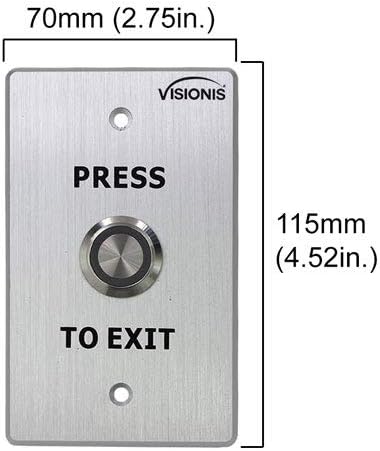
To exit the secured area, simply press the VIS-7001 Request to Exit button. This will momentarily release the magnetic lock, allowing the door to open.
4.2 External Doorbell (VIS-8006)
The VIS-8006 external doorbell provides an audible alert when activated from the keypad, allowing visitors to signal their presence.
5. Programming (Keypad)
The VIS-3002 keypad allows for programming of user PINs, proximity cards, and keytags. Refer to the specific programming instructions in the user manual included with the VIS-3002 keypad for detailed steps.
5.1 Accesso alla modalità di programmazione
Typically, you will need to enter a master code to access programming mode. For many Visionis keypads, this involves pressing * followed by the master code and then #.
5.2 Aggiunta di utenti
Follow the keypad's specific menu options to add new user PINs or enroll new proximity cards/keytags. Each user will be assigned a unique identifier or PIN.
5.3 Eliminazione di utenti
To remove access for a user, enter programming mode and follow the instructions to delete their specific PIN or card/keytag from the system's memory.
6. Manutenzione
Una manutenzione regolare garantisce la longevità e l'affidabilità del vostro sistema di controllo accessi.
- Pulizia: Wipe the keypad and other components with a soft, dry cloth. Avoid abrasive cleaners or solvents.
- Verifiche della connessione: Controllare periodicamente tutti i collegamenti elettrici per assicurarsi che siano saldi e privi di corrosione o danni.
- Allineamento della serratura magnetica: Ensure the magnetic lock and armature plate remain properly aligned and make full contact. Any gaps can reduce holding force.
- Alimentazione elettrica: Verify the power supply (VISCP200) is functioning correctly and providing stable 12V power to the system.
7. Risoluzione Dei Problemi
If you encounter issues with your Visionis access control system, refer to the following common troubleshooting steps:
- Porta non bloccata/sbloccata:
- Check power supply to all components.
- Ensure the magnetic lock and armature plate are in full contact. Adjust if necessary.
- Verify wiring connections between the keypad, mini controller, and magnetic lock.
- La tastiera non risponde:
- Check power to the keypad.
- Ensure the keypad is securely mounted and not tampcon cui.
- Carta/Chiavetag Not Granting Access:
- Confirm the card/keytag is properly enrolled in the system.
- Ensure the card/keytag is presented correctly to the reader.
- Problemi di programmazione:
- Double-check the master code and programming sequence. For many keypads, a * is needed before the master code and a # dopo di esso.
- Refer to the specific programming section of the VIS-3002 user manual.
- Anti Tampehm Allarme: The VIS-3002 keypad features an anti-tamper alarm that activates if the unit is illegally removed or torn down. If this alarm sounds, inspect the keypad's mounting and connections.
8. Specifiche
| Componente | Specificazione |
|---|---|
| VIS-3002 Keypad | |
| Capacità dell'utente | 1,000 utenti |
| Ingresso/uscita | Wiegand 26 |
| Ingresso volumetage | CC 12V |
| Temperatura di esercizio | Temperatura di funzionamento: da -45°C a 55°C (da -49°F a 131°F) |
| Umidità di esercizio | 0% ~ 95% |
| Searching Time (Card) | Meno di 0.1 |
| Frequenze supportate | 125KHz (EM cards), 13.56MHz (MFR cards) |
| VIS-ML300LED Magnetic Lock | |
| Forza di tenuta | 300 libbre |
| Applicazione | Uso interno |
| VIS-MINI-CNTRL Mini Controller | |
| Capacità dell'utente | Fino a 1,000 utenti |
| Software | Nessun software richiesto |
| VISCP200 Power Supply | |
| Produzione | 12V 2Amp |
| Certificazione | Elencato UL |
9. Garanzia e supporto
For warranty information, technical support, or service inquiries, please contact Visionis customer support. Details can typically be found on the Visionis websito o nella confezione del prodotto.