
1. Introduzione
This manual provides detailed instructions for the safe and proper installation and operation of your Mount-It! Full Motion Dual Arm TV Wall Mount (Model MI-4461). Please read all instructions carefully before beginning installation to ensure correct setup and to prevent damage or injury. Keep this manual for future reference.
2. Informazioni sulla sicurezza
AVVERTIMENTO: Failure to read and follow all instructions may result in personal injury, property damage, or voiding of the warranty. Do not install into drywall alone. Always mount into wood studs, solid concrete, or concrete block walls.
- Verify your wall construction before installation.
- Assicurarsi che la superficie di montaggio possa sostenere in modo sicuro il peso combinato dell'apparecchiatura e di tutti i componenti e l'hardware collegati.
- Use only the provided mounting hardware. If you are unsure about any part of the installation, consult a qualified professional.
- Tenere le parti di piccole dimensioni lontano dalla portata dei bambini.
3. Contenuto della confezione
Verify all components are present and undamaged before installation. If any parts are missing or defective, contact Mount-It! customer service.
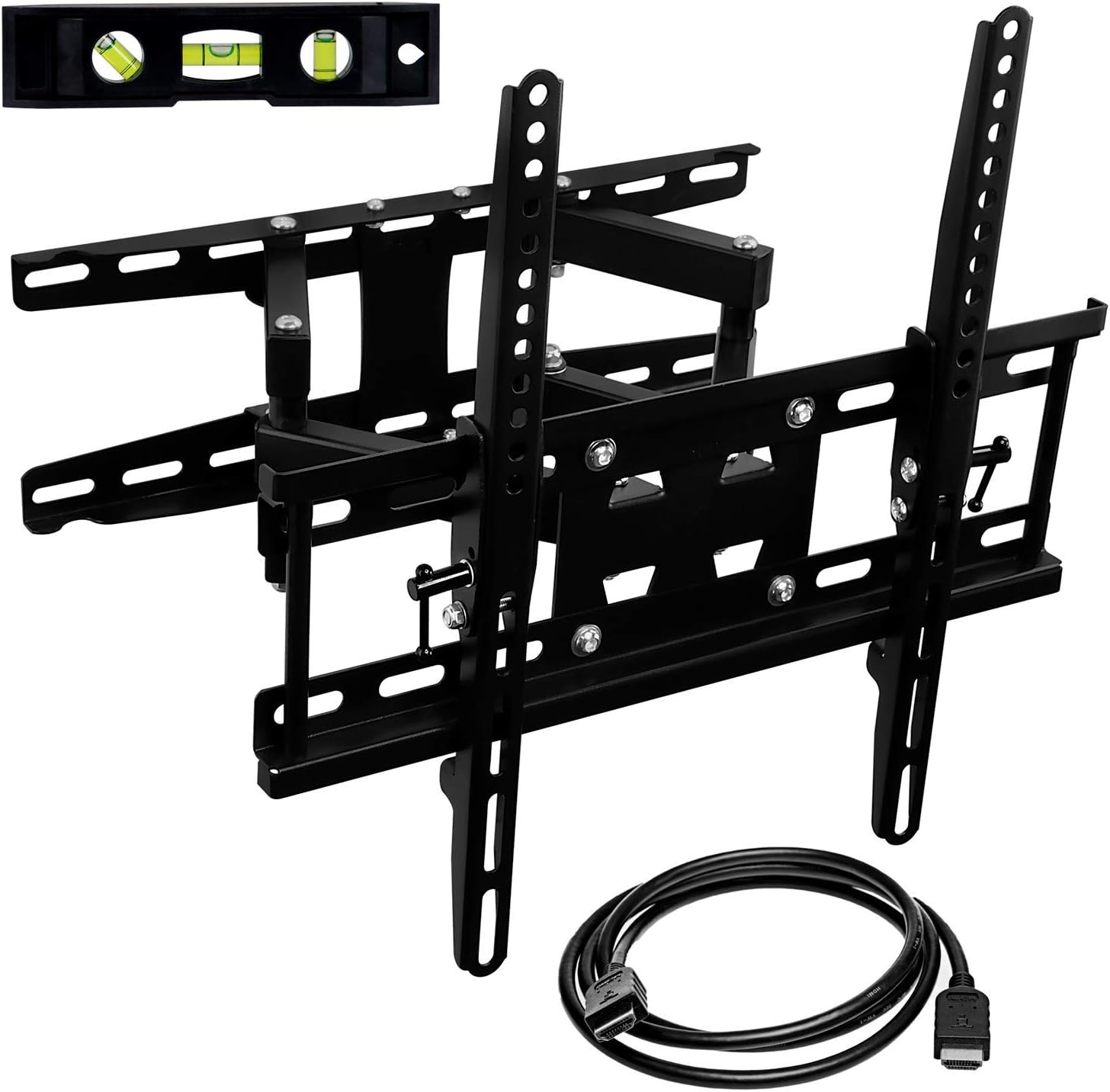
Immagine: Oltreview of the Mount-It! MI-4461 TV Wall Mount, showing the main bracket, a small bubble level, and an HDMI cable, all included in the package.
- Wall Plate/Arm Assembly
- Staffe TV (2x)
- Kit di montaggio (viti, tasselli, rondelle varie)
- Livella a bolla
- Cavo HDMI
- Manuale di istruzioni
4. Specifiche
| Marca | Montalo! |
| Numero di modello | MI-4461 |
| Compatibilità con le dimensioni della TV | 32-55 pollici |
| Capacità di peso | Fino a 115 libbre (52 kg) |
| Compatibilità VESA | da 75x75mm a 400x400mm |
| Tipo di movimento | Articolato, girevole, inclinabile |
| Angolo di inclinazione | 12 gradi |
| Angolo di rotazione | 90 gradi (sinistra/destra) |
| Estensione da parete | Da 2.7 pollici (min) a 13.5 pollici (max) |
| Materiale | Acciaio legato |

Image: Technical drawing showing the dimensions of the wall mount, including width, height, and extension range.

Image: Diagram illustrating various VESA mounting patterns (75x75mm to 400x400mm) supported by the mount.
5. Installazione
Before starting, ensure you have all necessary tools (e.g., stud finder, drill, pencil, screwdriver, socket wrench). It is recommended to have a second person assist with hanging the TV.

Image: A visual guide showing the four main steps of installation: 1. Install the mount on the wall. 2. Connect the brackets to the TV. 3. Connect the TV to the wall mount. 4. Adjust viewangoli di inclinazione.
5.1. Controlli pre-installazione
- Peso del televisore: Assicurati che il peso del televisore non superi gli 115 libbre (52 kg).
- Modello VESA: Check your TV's VESA mounting pattern (distance between mounting holes on the back of the TV) is between 75x75mm and 400x400mm.
- Tipo di parete: Determine if your wall is wood stud, solid concrete, or concrete block. Do NOT install into drywall alone.
5.2. Installazione del montante in legno
- Use a stud finder to locate the edges and center of the wood studs. Mark the center of the studs at the desired height for the top of your TV.
- Hold the wall plate assembly against the wall, aligning the mounting holes with the marked stud centers. Use the included bubble level to ensure the plate is level. Mark the drill points.
- Drill pilot holes at the marked locations using a 1/4 inch (6mm) drill bit to a depth of 3.5 inches (90mm).
- Attach the wall plate assembly to the wall using the provided lag screws and washers. Tighten securely with a socket wrench.
5.3. Solid Concrete or Concrete Block Installation
- Hold the wall plate assembly against the wall at the desired height. Use the included bubble level to ensure the plate is level. Mark the drill points.
- Drill pilot holes at the marked locations using a 1/2 inch (12mm) masonry drill bit to a depth of 3.7 inches (95mm).
- Insert the concrete anchors into the pilot holes. Tap gently with a hammer if necessary until they are flush with the wall surface.
- Attach the wall plate assembly to the wall using the provided lag screws and washers. Tighten securely with a socket wrench.
5.4. Attaching VESA Brackets to the TV
- Appoggia il televisore a faccia in giù su una superficie morbida e pulita per evitare graffi.
- Select the appropriate mounting bolts and washers from the hardware kit that fit your TV's VESA holes.
- Attach the two TV brackets to the back of your TV. Ensure the brackets are oriented correctly (usually with the hooks facing upwards or inwards, depending on the design). Tighten the bolts securely.

Immagine: Posteriore view of a television with the two vertical VESA brackets of the Mount-It! MI-4461 mount securely attached to its back panel.
5.5. Hanging the TV on the Wall Mount
Si consiglia di farsi assistere da una seconda persona per questa fase.
- Carefully lift the TV with the attached VESA brackets.
- Align the hooks on the TV brackets with the horizontal bars of the wall plate assembly.
- Gently lower the TV, ensuring the brackets securely hook onto the wall plate.
- Engage the safety latches on the VESA brackets to prevent accidental dislodging. Tighten any security screws if provided.
Video: Official Mount-It! installation guide for a heavy-duty full motion TV wall mount, demonstrating the step-by-step process of mounting the bracket to the wall and attaching the TV.
6. Istruzioni per l'uso
The MI-4461 mount offers full motion capabilities for optimal viewangoli di inclinazione.
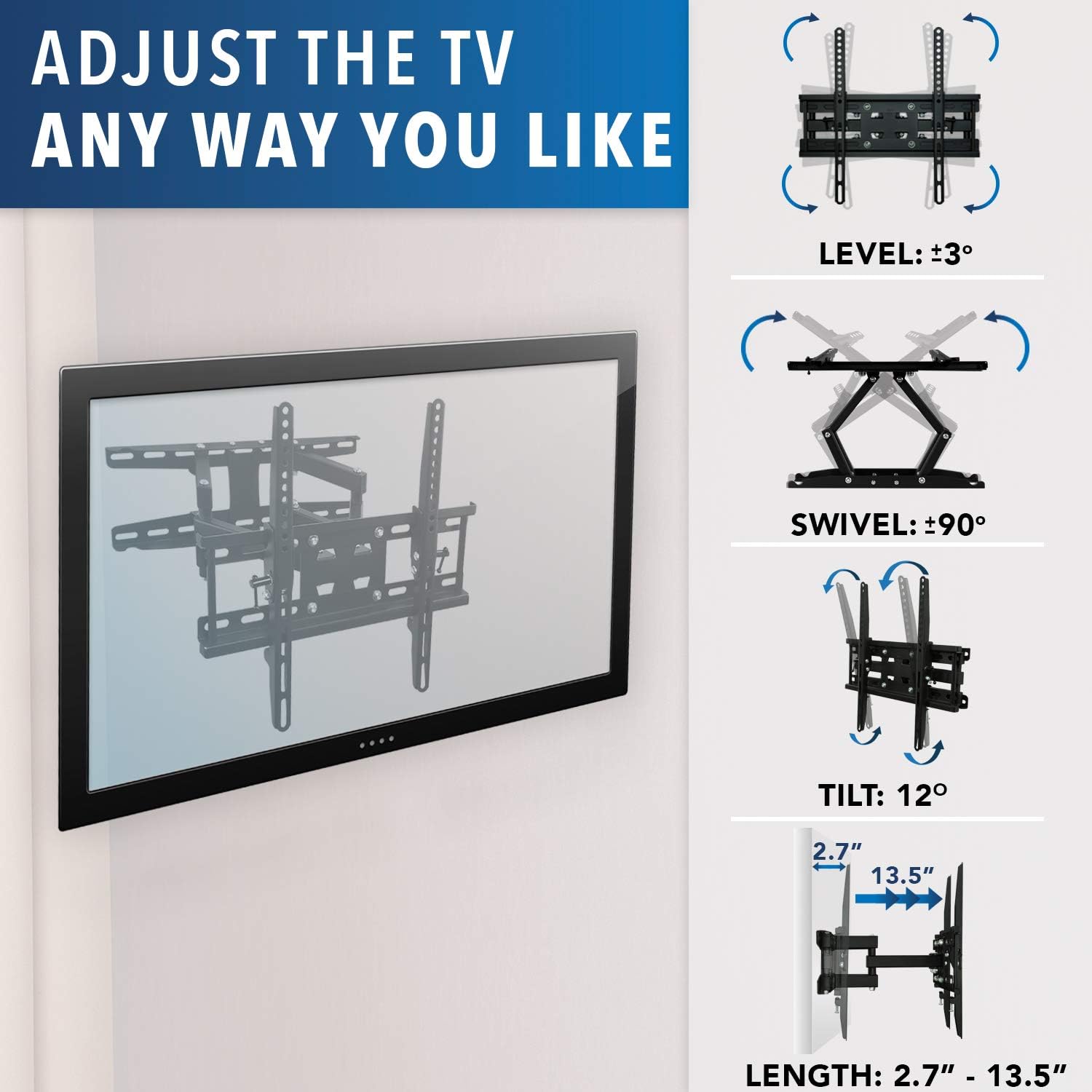
Image: A diagram illustrating the various adjustment options: Level (±3°), Swivel (±90°), Tilt (12°), and Extension (2.7" - 13.5").
6.1. Regolazione della rotazione
Gently push or pull the TV to swivel it left or right up to 90 degrees in each direction. This allows for flexible viewing from different positions in the room.
6.2. Regolazione dell'inclinazione
To adjust the tilt angle (up to 12 degrees), slightly loosen the tilt adjustment bolts located on the TV brackets. Adjust the TV to the desired angle, then re-tighten the bolts to secure it in place.
6.3. Regolazione del livello
If the TV appears unlevel after installation, slightly loosen the leveling bolts on the VESA brackets. Adjust the TV until it is level, then re-tighten the bolts.
6.4. Estensione e retrazione
The dual articulating arms allow the TV to extend up to 13.5 inches from the wall or retract to a minimum distance of 2.7 inches. Gently pull the TV forward to extend it or push it back towards the wall to retract it.
Video: Demonstration of the full motion capabilities of the Mount-It! MI-4461 dual arm TV wall mount, showcasing its swivel, tilt, and extension features.
7. Manutenzione
Una manutenzione regolare garantisce la longevità e il funzionamento sicuro del supporto TV.
- Ispezione periodica: Check all screws and connections every few months to ensure they remain tight. Re-tighten if necessary.
- Pulizia: Pulire il supporto con un panno morbido e asciutto. Non utilizzare detergenti abrasivi o solventi.
- Gestione dei cavi: Ensure cables are not pinched or stressed during movement. Adjust cable ties as needed.
8. Risoluzione Dei Problemi
- La TV non è in piano: Refer to Section 6.3 (Level Adjustment) to correct the screen's horizontal alignment.
- La TV è difficile da spostare/regolare: Check for any pinched cables or obstructions. Ensure all pivot points are free of debris. If the movement is too stiff, some joints may have adjustable tension screws (refer to the detailed manual for specific locations).
- Il monte sembra instabile: Immediately remove the TV from the mount. Re-check all wall mounting screws and TV bracket screws for tightness. Ensure the mount is installed into appropriate wall studs or concrete. If issues persist, contact customer support.
9. Garanzia e supporto
The Mount-It! MI-4461 Full Motion TV Wall Mount is backed by a manufacturer lifetime warranty. For technical support, missing parts, or warranty claims, please contact Mount-It! customer service.
- Supporto tecnico: 1-800-356-5829 (Mon-Fri 10am - 5pm PST)
- E-mail: support@mount-it.com
- Websito: www.mount-it.com