
MUSE M-1350 BTC
MUSE M-1350 BTC Portable Bluetooth Speaker
Manuale d'uso
Introduzione
Thank you for choosing the MUSE M-1350 BTC Portable Bluetooth Speaker. This manual provides essential information for the safe and efficient operation of your device. Please read it thoroughly before use and retain it for future reference.
The MUSE M-1350 BTC is a versatile audio system featuring Bluetooth A2DP, MP3 CD player, FM PLL tuner, USB port with charging capability, and dual auxiliary inputs. It boasts a robust wooden casing and stands approximately 100cm tall, delivering 120W of power.

Davanti view of the MUSE M-1350 BTC Portable Bluetooth Speaker.
Informazioni sulla sicurezza
- Non esporre l'unità alla pioggia o all'umidità per evitare incendi o scosse elettriche.
- Assicurare una ventilazione adeguata. Non ostruire le aperture di ventilazione.
- Posizionare l'unità su una superficie stabile e piana.
- Utilizzare solo accessori/componenti specificati dal produttore.
- Scollegare l'unità durante i temporali o quando non viene utilizzata per lunghi periodi.
- Affidare tutti gli interventi di assistenza a personale qualificato.
Caratteristiche e componenti del prodotto
The MUSE M-1350 BTC is designed with user convenience and high-quality audio in mind. Key features include:
- Bluetooth A2DP for wireless audio streaming.
- CD/MP3 player.
- PLL FM Tuner with 30 presets.
- USB port for MP3 playback and device charging.
- Two auxiliary input jacks.
- Integrated subwoofer for strong bass.
- Adjustable Bass & Treble, Loudness control.
- Alarm and Sleep functions.
- NFC for easy Bluetooth pairing.

Key features of the MUSE M-1350 BTC, highlighting Bluetooth connectivity, real wood casing, strong bass, and FM radio.

Dettagliato view of the top panel showing the integrated smartphone/tablet dock and CD player, alongside a note about the integrated subwoofer.
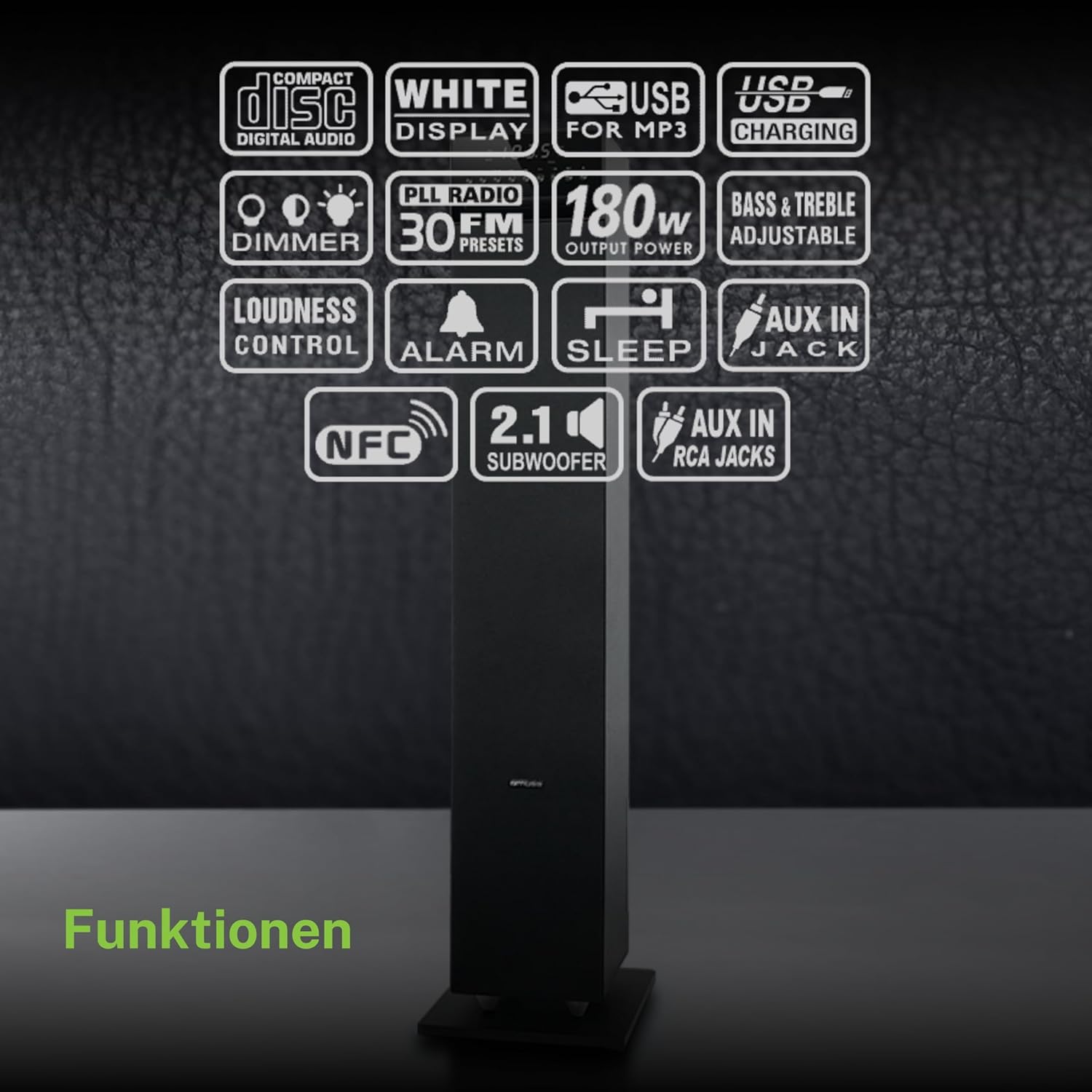
Un oltreview of the various functions and connectivity options available on the MUSE M-1350 BTC, including CD playback, USB, Bluetooth, FM radio, and audio adjustments.
Impostare
1. Disimballaggio
Carefully remove the speaker from its packaging. Check for any signs of damage during transit. Retain the packaging for future transport or storage.
2. Posizionamento
Place the speaker on a firm, level surface. For optimal sound performance, position it in a location free from obstructions and away from direct heat sources or excessive moisture.

The MUSE M-1350 BTC speaker positioned in a living room environment, demonstrating its sleek design.
3. Collegamento elettrico
Connect the power cord to the AC inlet on the rear of the speaker, then plug the other end into a suitable wall outlet (AC 230V ~ 50Hz).
4. Collegamento di dispositivi esterni
- Bluetooth: Ensure Bluetooth is enabled on your device. The speaker will automatically enter pairing mode when Bluetooth is selected.
- Ingresso AUX: Use a 3.5mm audio cable to connect external audio devices (e.g., MP3 players, smartphones) to the AUX IN jack.
- USB: Inserire una chiavetta USB nella porta USB per riprodurre file MP3.
Istruzioni per l'uso
1. Accensione/spegnimento
Press the POWER button on the top panel or remote control to turn the unit on or off.
2. Selezione della modalità
Press the MODE button repeatedly to cycle through available modes: CD, Bluetooth, FM Radio, USB, AUX.
3. Accoppiamento Bluetooth
- Select Bluetooth mode on the speaker. The display will show "BT" and flash, indicating pairing mode.
- On your Bluetooth device, search for "MUSE M-1350 BTC" in the Bluetooth settings.
- Select the speaker to pair. Once connected, the display will stop flashing.
4. Riproduzione CD
- Seleziona la modalità CD.
- Insert a CD into the CD slot. The unit will automatically begin playback.
- Use the PLAY/PAUSE, SKIP, and STOP buttons for control.
5. Sintonizzazione radio FM
- Seleziona la modalità FM.
- Press and hold the SCAN button to automatically scan and store available stations.
- Use the PRESET buttons to navigate through stored stations.
6. Riproduzione USB
- Inserire un'unità flash USB contenente MP3 files nella porta USB.
- Select USB mode. Playback will begin automatically.
- Use the PLAY/PAUSE, SKIP, and STOP buttons for control.
7. Ingresso AUX
Connect your external audio device to the AUX IN jack. Select AUX mode on the speaker. Audio will be played through the speaker.
8. Regolazioni audio
- Volume: Use the VOLUME knob or +/- buttons on the remote.
- Bassi/Alti: Adjust bass and treble levels using the dedicated controls on the remote or top panel.
- Loudness: Activate the Loudness function for enhanced bass and treble at low volumes.
Manutenzione
Pulizia
Wipe the unit with a soft, dry cloth. Do not use abrasive cleaners, waxes, or solvents. For stubborn stains, a slightly damp cloth may be used, followed by a dry cloth.
Magazzinaggio
Se l'unità non viene utilizzata per un periodo prolungato, scollegarla dalla presa di corrente e conservarla in un luogo fresco e asciutto, lontano dalla luce solare diretta e da temperature estreme.
Risoluzione dei problemi
| Problema | Possibile causa | Soluzione |
|---|---|---|
| Nessun potere | Cavo di alimentazione non collegato; presa di corrente difettosa | Assicurarsi che il cavo di alimentazione sia collegato saldamente; provare una presa diversa |
| Nessun suono | Volume too low; Incorrect input mode selected; Device not connected properly | Increase volume; Select correct input mode (Bluetooth, CD, AUX, USB); Reconnect device |
| L'associazione Bluetooth non riesce | Speaker not in pairing mode; Device too far; Bluetooth not enabled on source device | Ensure speaker is in Bluetooth mode and flashing; Move device closer; Enable Bluetooth on your device |
| Il CD non viene riprodotto | CD inserted incorrectly; CD is scratched/dirty; Incorrect mode | Reinsert CD correctly; Clean or replace CD; Select CD mode |
| Scarsa ricezione FM | Antenna non estesa; area con segnale debole | Fully extend the FM antenna; Reposition the speaker for better reception |
Specifiche
| Caratteristica | Dettaglio |
|---|---|
| Nome del modello | M-1350BTC |
| Marca | MUSA |
| Tipo di altoparlante | Torre |
| Tecnologia di connettività | Bluetooth, USB |
| Potenza massima in uscita dell'altoparlante | 120 Watt |
| Modalità di uscita audio | Stereo |
| Configurazione del canale audio surround | 2.1 |
| Materiale | Legna |
| Colore | Nero |
| Dimensioni del prodotto (PxLxA) | Dimensioni: 23.1 x 25.7 x 100.6 cm |
| Peso dell'articolo | 9.25 chilogrammi |
| Porte USB totali | 1 |
| Dispositivi compatibili | MP3 players, laptops, tablets, televisions, smartphones |
| Usi consigliati | Per smartphone o tablet |

Technical drawing illustrating the precise dimensions of the MUSE M-1350 BTC speaker in millimeters.
Garanzia e supporto
Questo prodotto è coperto da una garanzia del produttore di 1 anno dalla data di acquisto. Si prega di conservare la prova d'acquisto per eventuali reclami in garanzia.
For technical support or service inquiries, please contact your retailer or the official MUSE customer service. Contact information can typically be found on the manufacturer's websito o confezione del prodotto.