
1. Introduzione
This manual provides comprehensive instructions for the YI YHS-113-IR Home Camera 1. This wireless home camera system is designed to provide reliable surveillance with clear 720p HD video recording and two-way audio communication. It features a 111° wide-angle lens, 940nm infrared night vision, and 4x digital zoom for detailed monitoring of your home or workplace.
The non-invasive infrared sensor ensures monitoring without disturbance, making it suitable for various applications including baby monitoring and pet surveillance.

Figure 1: YI YHS-113-IR Home Camera 1. This image shows the white camera unit with its black lens and base, designed for indoor use.
2. Impostazione
Follow these steps to set up your YI Home Camera 1:
- Scarica l'app YI Home: Cercare "YI Home" in your smartphone's app store (available for Android and iOS).
- Accensione: Connect the provided USB cable to the camera and the power adapter, then plug the adapter into a power outlet. The camera will power on and indicate its status (e.g., blinking light).
- Connettiti al Wi-Fi: Open the YI Home App, create an account if you don't have one, and follow the on-screen instructions to add your camera. Ensure your Wi-Fi network is 2.4GHz, as the camera supports 802.11 bgn single-band 2.4Ghz Wi-Fi. The app will guide you through scanning a QR code displayed on your phone with the camera to establish the connection.

Figure 2: Visual guide for the initial setup process, showing the three main steps: downloading the YI Home app, plugging in the power cable, and connecting the camera to your phone via the app.
2.1 Installazione della scheda MicroSD (facoltativa)
For local video storage, you can install a microSD card. The YI Home Camera supports High Speed Class 10, UHS Speed Class 1 (U1), and UHS Speed Class 3 (U3) microSD cards (8-32GB). We recommend using high-quality microSD cards for optimal recording performance.

Figura 3: Esamples of recommended microSD card brands and types (SanDisk Ultra, Toshiba EXCERIA, Samsung EVO, Transcend Premium) for use with the YI Home Camera, indicating supported capacities (8GB, 32GB).
3. Istruzioni per l'uso
3.1 Vivere View e Registrazione
Once connected, you can access real-time streaming from your camera via the YI Home App. The camera records in 720p HD, providing clear video quality. You can view cibo vivotage, riview recorded events, and capture snapshots directly from the app.

Figure 4: The YI Home Camera positioned in a living room, illustrating its 720p HD resolution and 111° wide-angle lens capabilities for comprehensive room coverage.
3.2 Audio bidirezionale
The camera features a built-in microphone and speaker, enabling two-way audio communication. Use the YI Home App to speak through the camera and listen to audio from its surroundings. This feature is useful for communicating with family members, pets, or deterring intruders.

Figure 5: A smartphone displaying the YI Home App interface during a two-way conversation, highlighting the clear voice quality feature.
3.3 Rilevamento del movimento e avvisi
The camera is equipped with a motion sensor that triggers activity alerts. When motion is detected, you will receive notifications on your phone. The YI Home App allows you to customize alert settings, including defining specific activity regions and setting alert schedules to suit your preferences.
3.4 Visione notturna
With 940nm infrared technology, the camera provides clear night vision without visible red glow, ensuring non-invasive monitoring in low-light or dark conditions. This allows you to monitor areas discreetly, such as a child's room during sleep.
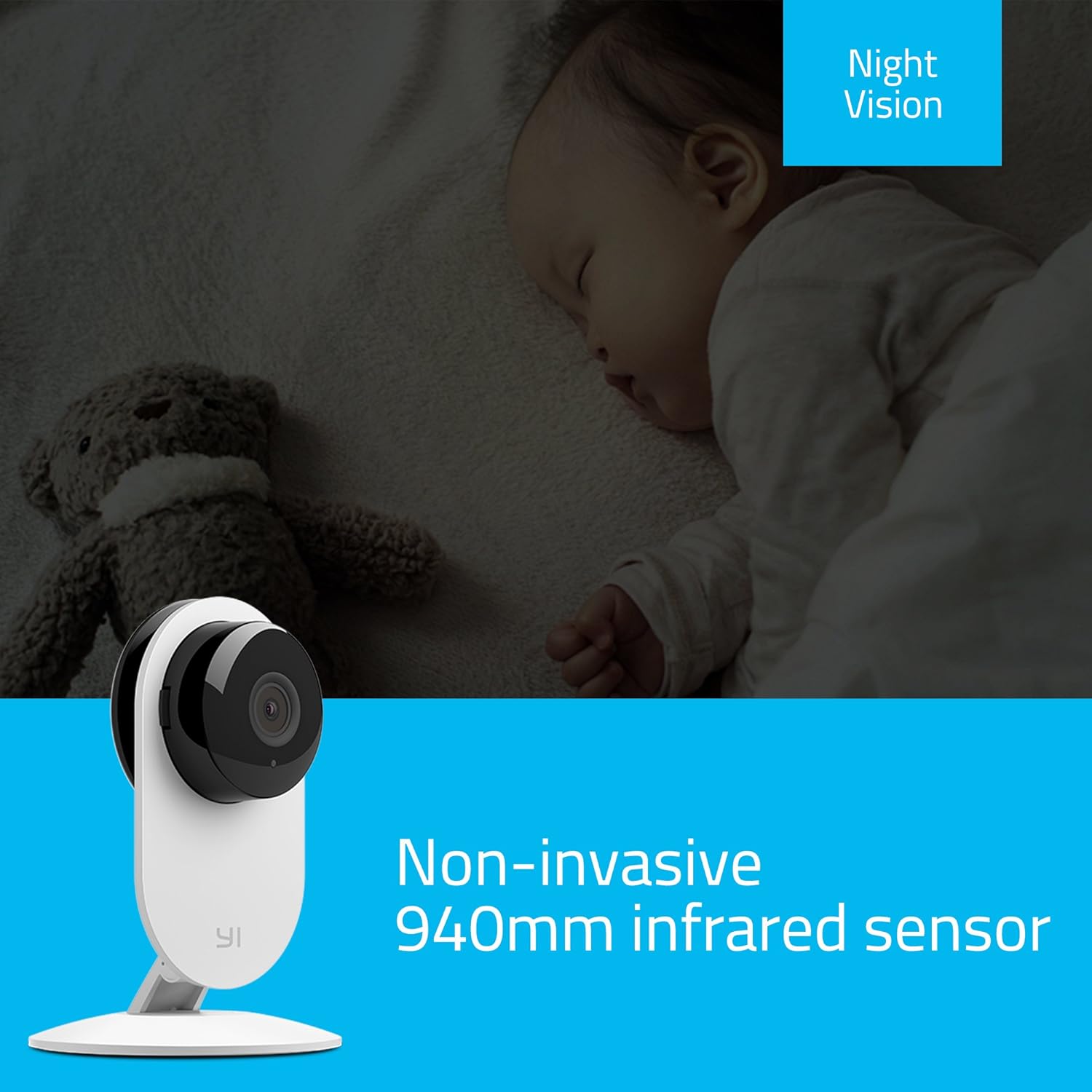
Figure 6: The YI Home Camera demonstrating its non-invasive 940nm infrared night vision capability, monitoring a sleeping baby without disturbance.
3.5 Manual Rotation
The camera unit can be manually rotated 180 degrees on its base to adjust the viewing angle as needed. This allows for flexible positioning to cover your desired area.
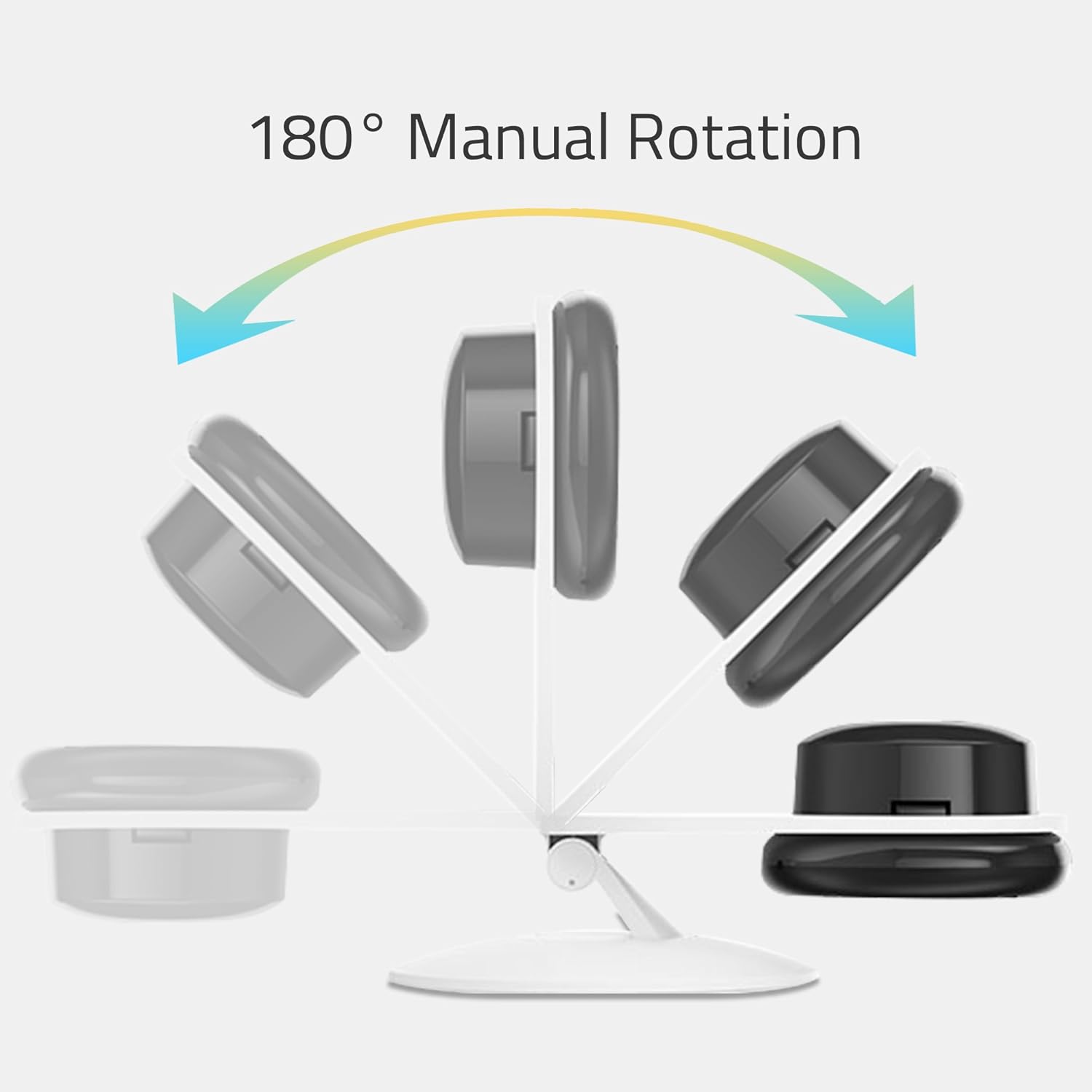
Figure 7: An illustration depicting the 180° manual rotation capability of the YI Home Camera, showing how the camera head can be adjusted on its stand.
4. Manutenzione
- Pulizia: Use a soft, dry cloth to clean the camera lens and body. Do not use liquid cleaners, aerosols, or harsh chemicals, as these may damage the device.
- Posizionamento: Ensure the camera is placed in a well-ventilated area to prevent overheating. Avoid placing it near heat sources or in direct sunlight.
- Energia: Always use the original power adapter and cable provided with the camera to ensure proper operation and safety.
5. Risoluzione Dei Problemi
If you encounter issues with your YI Home Camera, refer to the following common solutions:
- Fotocamera non in linea:
- Verificare che la fotocamera sia correttamente accesa e che l'adattatore di alimentazione sia collegato saldamente.
- Verifica che la tua rete Wi-Fi sia attiva e che la telecamera si trovi nel raggio d'azione.
- Assicurati che la tua rete Wi-Fi sia a 2.4 GHz.
- Riavviare la fotocamera scollegando e ricollegando il cavo di alimentazione.
- If the issue persists, try resetting the camera and re-pairing it with the YI Home App.
- Scarsa qualità video:
- Assicurarsi che l'obiettivo della fotocamera sia pulito e privo di polvere o macchie.
- Controlla la velocità della tua connessione internet. Per uno streaming ottimale è necessaria una connessione stabile e veloce.
- Regolare la posizione della telecamera per garantire un'illuminazione adeguata, soprattutto durante il giorno.
- No Audio or Poor Two-Way Audio:
- Check the volume settings on your smartphone and within the YI Home App.
- Assicurarsi che non vi siano ostacoli che bloccano il microfono o l'altoparlante della telecamera.
- Verify your internet connection for stable audio transmission.
- Avvisi di movimento non funzionanti:
- Confirm that motion detection is enabled in the YI Home App settings for your camera.
- Check the alert schedule and activity regions to ensure they are configured correctly.
- Verify that your phone's notification settings allow alerts from the YI Home App.
For further assistance, refer to the help section within the YI Home App or contact YI customer support.
6. Specifiche
| Marca | YI |
| Nome del modello | YI Home Camera 1 |
| Numero modello articolo | US Edition (YHS-113-IR) |
| Colore | Bianco |
| Risoluzione di acquisizione video | Risoluzione 720p |
| Viewangolo di ing | 111 gradi |
| Frequenza dei fotogrammi | 20 fotogrammi al secondo |
| Comunicazione senza fili | Wi-Fi (802.11 bgn, Single band 2.4Ghz) |
| Caratteristiche speciali | Motion Sensor, 2-Way Audio, Night Vision (940nm infrared) |
| Uso interno/esterno | Al chiuso |
| Dispositivi compatibili | Smartphone, Tablet (Android, iPhone) |
| Fonte di alimentazione | Elettrico con cavo (5 Volt, 1 Watt) |
| Materiale | Metallo |
| Dimensioni (L x P x A) | Dimensioni: 8.2 x 8.2 x 11.5 cm |
| Peso | 150 grammi |
| Componenti inclusi | YI Home Camera 1, USB Cable, Power Adapter, Manual |
7. Informazioni sulla garanzia
Per informazioni dettagliate sulla garanzia, fare riferimento alla scheda di garanzia inclusa con il prodotto o visitare il sito ufficiale YI Technology websito. I termini e le condizioni della garanzia possono variare in base alla regione e alla data di acquisto.
8. Assistenza clienti
If you require technical assistance or have questions regarding your YI YHS-113-IR Home Camera 1, please contact YI Technology customer support. Support contact details can typically be found on the official YI website or within the YI Home App.
You can also find frequently asked questions (FAQs) and troubleshooting guides on the YI Technology support portal.