
1. Introduzione
Welcome to the Gaggia Anima Coffee and Espresso Machine instruction manual. This document provides essential information for the safe and efficient operation, maintenance, and troubleshooting of your new super-automatic espresso machine. The Gaggia Anima combines over 75 years of espresso-making expertise with an elegant design, offering programmable options for a personalized coffee experience.
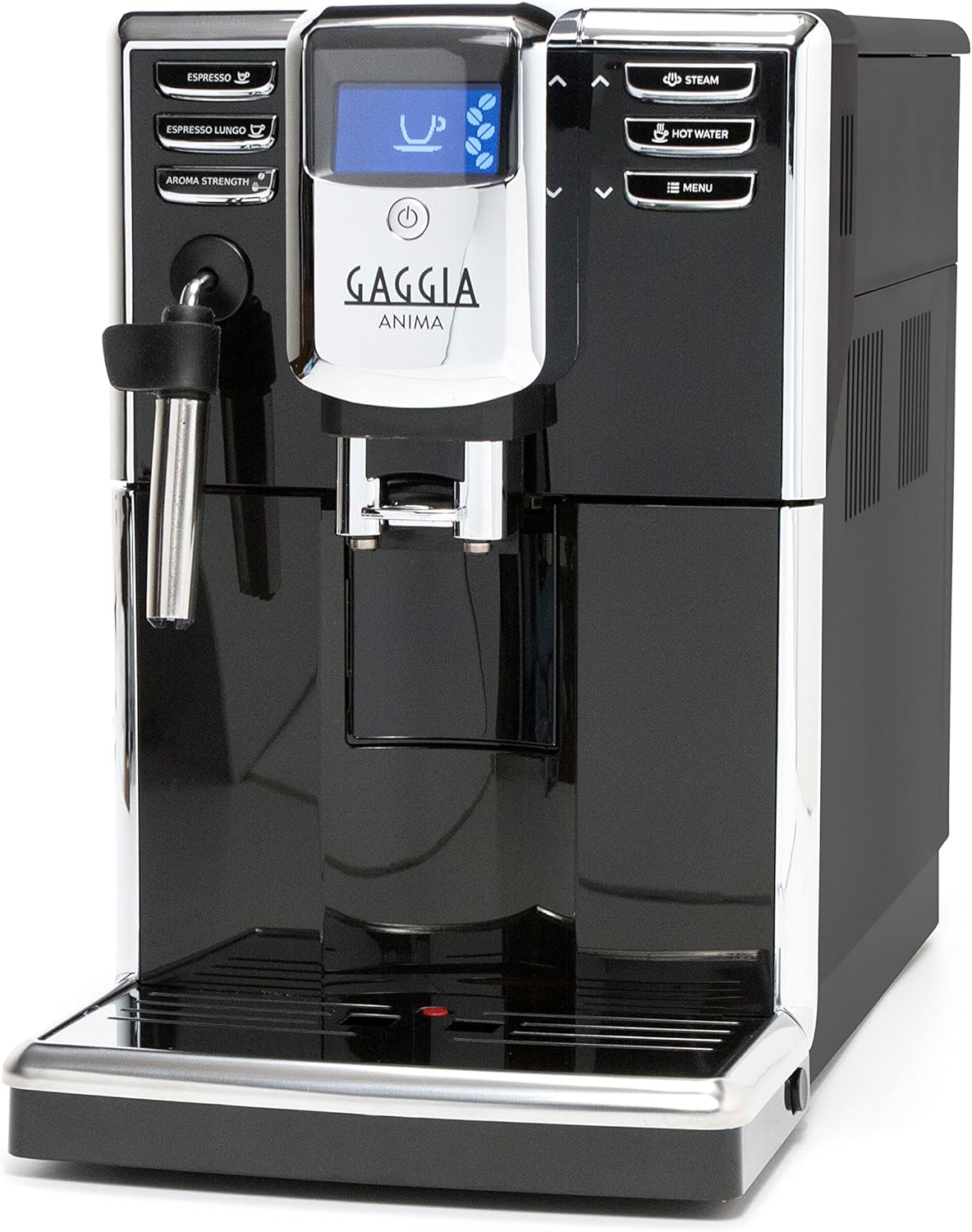
Figure 1: Gaggia Anima Coffee and Espresso Machine
2. Impostazione
2.1 Disimballaggio e posizionamento
Carefully remove the machine from its packaging. Ensure all packing materials are removed. Place the machine on a stable, level surface. The slim profile (less than 9 inches wide) allows it to fit under most upper cabinets.
2.2 Riempimento del serbatoio dell'acqua
The Gaggia Anima features a removable 60 oz water reservoir, accessible from the top left of the machine. Lift the lid and fill the reservoir with fresh, clean water. It is recommended to use filtered water to prolong the machine's life and improve coffee quality.
2.3 Riempimento della tramoggia dei fagioli
The 8.8 ounce capacity bean hopper is located on the top right of the machine. Lift the lid and fill with whole coffee beans. The machine will grind the beans fresh for each brew.

Figure 2: Easy access to water reservoir and bean hopper
2.4 Avvio iniziale
Follow the on-screen prompts for the initial setup. The machine will perform an automatic rinse cycle. Ensure a container is placed under the dispensing spouts to collect the water.
Video 1: Gaggia Anima Coffee and Espresso Machine Overview
3. Istruzioni per l'uso
The Gaggia Anima offers intuitive button controls and an LED display for easy operation.
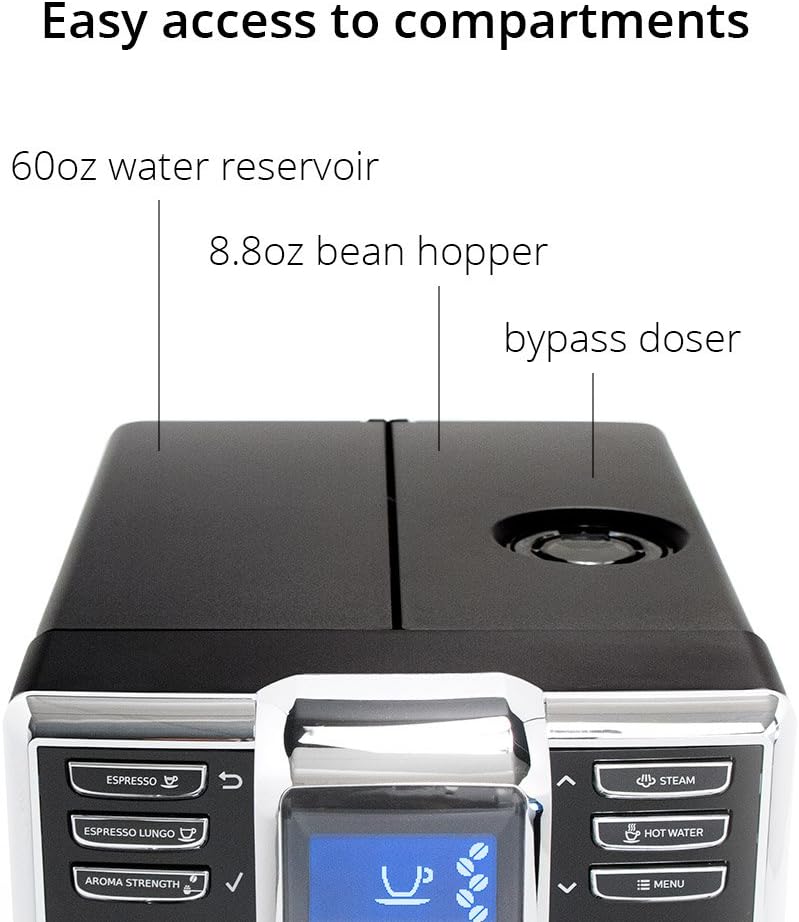
Figure 3: Simple, stylish LCD display and controls
3.1 Preparazione dell'espresso
- Place a cup under the dispensing spouts.
- Premere il tasto ESPRESSO button for a single espresso or ESPRESSO LUNGO for a longer shot.
- La macchina macinerà automaticamente i chicchi e preparerà il caffè.
You can program your preferred beverage volume, strength, pre-infusion, and temperature (Min/177.5 °F, Med/182.9 °F, Max/184.5 °F) via the menu options.
Video 2: How to Make an Espresso
Video 3: How to Make a Decaf Espresso
3.2 Using the Pannarello Steam Wand
The Pannarello steam wand simplifies milk frothing for lattes and cappuccinos and can also dispense hot water.
- Premere il tasto VAPORE button to activate the steam function.
- Submerge the wand into milk to froth. To stop adding air, submerge the wand's air intake hole.
- Per l'acqua calda, premere il tasto ACQUA CALDA pulsante.

Figure 4: Pannarello steam wand and hot water dispenser
Video 4: How to Make a Latte
Video 5: How to Make a Cappuccino
4. Manutenzione
Regular maintenance ensures optimal performance and longevity of your Gaggia Anima machine.
4.1 Unità di infusione rimovibile
The machine features a removable brew unit for easy cleaning. Open the side access panel and press the 'PUSH' button to release the brew unit. Rinse it under lukewarm water and allow it to air dry before reinserting.

Figure 5: Removable brew group for easy cleaning
4.2 Drip Tray and Dreg Bin
The drip tray can hold up to 24oz of water, and the internal dreg bin can hold up to 15 pucks of spent coffee. Empty and clean these components regularly to prevent overflow and maintain hygiene.
4.3 Ciclo automatico di risciacquo e decalcificazione
The machine performs an automatic rinse cycle upon startup and shutdown. It also features an automatic descale cycle. Follow the on-screen instructions when the descale alert appears to ensure proper descaling, which is crucial for preventing mineral buildup.
5. Risoluzione Dei Problemi
If you encounter issues with your Gaggia Anima, consider the following common solutions:
- Pressione inadeguata/cattiva infusione: Ciò può essere causato da una macinatura troppo grossolana, da una quantità di caffè insufficiente o da una macinatura insufficiente.amping the grounds. Adjust grind size and coffee quantity as needed.
- Grinder Issues: If the grinder stops working or shows an error, check for blockages. Ensure the coffee bean compartment is dry and free of paste-like residue. Refer to the manual for specific cleaning instructions for the grinder.
- Perdite: If the machine develops a leak, ensure all removable parts (water reservoir, brew unit, drip tray) are correctly seated. If the steam wand drips excessively, it may indicate a need for descaling.
- Messaggi di errore: Consult the machine's display for specific error codes and refer to the full user manual for detailed explanations and solutions.
6. Specifiche
| Caratteristica | Dettaglio |
|---|---|
| Marca | Gaggia |
| Nome del modello | FBA_RI8760 (RI8760) |
| Colore | Nero |
| Dimensioni del prodotto | 8.7"P x 16.93"L x 13.38"A |
| Peso dell'articolo | 16 libbre |
| Tipo di caffettiera | Macchina per caffè espresso |
| Modalità di funzionamento | Completamente automatico |
| Caratteristica speciale | Programmabile |
| Capacità del serbatoio d'acqua | 60 once (rimovibile) |
| Capacità tramoggia fagioli | 8.8 oncia |
| Dreg Bin Capacity | 15 dischi di caffè |
| Impostazioni della temperatura | 3 (Min/177.5 °F, Med/182.9 °F, Max/184.5 °F) |
| Voltage | 110 Volt |
| Componenti inclusi | Grinder Adjustment Key / Ground Coffee Scoop |
7. Garanzia e supporto
Your Gaggia Anima machine is covered by a manufacturer's warranty. Please refer to the warranty card included in your product packaging for specific terms and conditions. For technical support, spare parts, or service inquiries, please contact Gaggia customer service through their official websito o le informazioni di contatto fornite nella documentazione del prodotto.
For additional resources and product registration, visit the official Gaggia websito: www.gaggia.com


