
1. Introduzione e oltreview
The Maverick ET-851 Dual Sensor Oven Meat Thermometer is designed to provide precise temperature monitoring for both your oven and the food you are cooking. Its intuitive touch screen interface and large blue backlit LCD display ensure clear visibility and ease of use in various lighting conditions. This thermometer helps you achieve perfectly cooked meals by simultaneously tracking two temperatures and alerting you when your target is reached.

Image 1.1: The Maverick ET-851 thermometer unit with its dual-sensor probe.
Caratteristiche principali:
- Doppio monitoraggio della temperatura: Simultaneously track oven and meat temperatures for optimal cooking.
- Interfaccia touch screen: Easy and intuitive operation for setting temperatures and timers.
- Large Blue Backlit LCD Display: Provides clear visibility in any lighting condition.
- Intervallo di temperatura: Monitors temperatures from -25°F to +572°F (-10°C to +300°C).
- Funzione timer: Features a 99-minute, 59-second timer.
- Alarm Alerts: Notifies you when target meat temperature or timer duration is reached.
- Sonda durevole: High-quality, heat-resistant stainless steel probe with a 42-inch wire, rated to 572°F (300°C).
- Molteplici opzioni di montaggio: Includes a kickstand, magnet, hang hole, and wall mount for versatile placement.
- Batterie incluse: Viene fornito con 2 batterie AAA.
2. Configurazione e installazione
2.1 Installazione della batteria
- Individuare il vano batterie sul retro dell'unità termometro.
- Aprire il coperchio del vano batterie.
- Inserire 2 batterie AAA, assicurandosi della corretta polarità (+/-).
- Chiudere saldamente il coperchio del vano batterie.
2.2 Collegamento della sonda
- Carefully uncoil the stainless steel probe wire.
- Insert the probe's jack firmly into the designated port on the side of the thermometer unit.
2.3 Opzioni di posizionamento
The ET-851 offers several ways to position the unit for optimal viewin:
- kickstand: Pull out the integrated kickstand on the back of the unit to stand it upright on a flat surface.
- Magnete: Use the strong magnets on the back to attach the unit to a metal surface, such as an oven door or refrigerator.
- Foro per appendere: Utilize the hang hole for suspending the unit from a hook.
- Wall Mount: The unit can also be mounted on a wall using appropriate hardware (not included) through the designated mounting points.
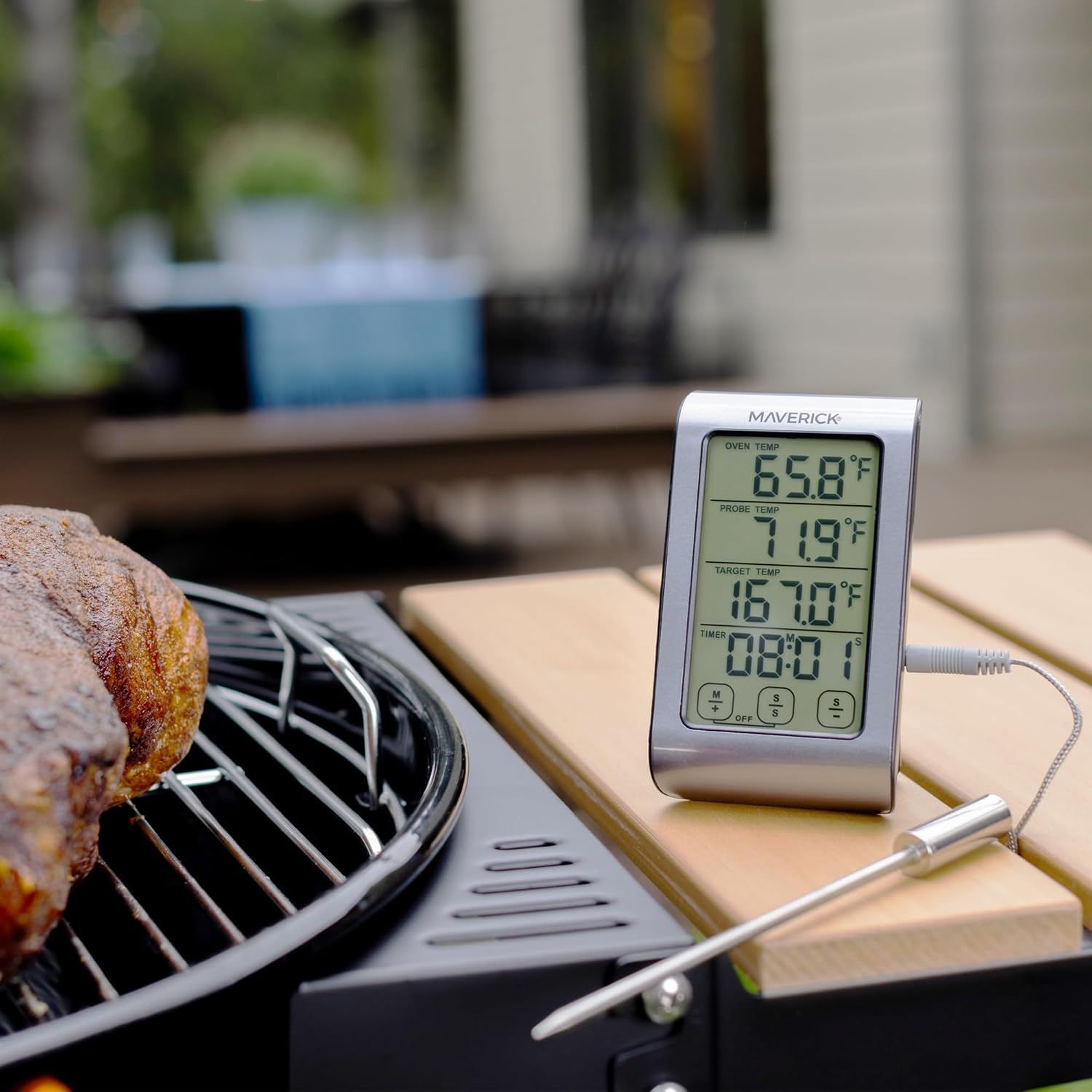
Image 2.1: The ET-851 thermometer positioned for outdoor grilling.
3. Istruzioni per l'uso
3.1 Accensione/spegnimento
Premere il tasto ACCESO/SPENTO button located on the front of the unit to turn the thermometer on or off.
3.2 Selecting Temperature Units (°F/°C)
Con l'unità accesa, premere il tasto °F/°C button to toggle between Fahrenheit and Celsius temperature displays.
3.3 Impostazione della temperatura target
- On the touch screen, locate the 'TARGET TEMP' section.
- Utilizzare il M+ E S- buttons (or similar touch controls) to adjust the desired target temperature. The display will show the selected temperature.
- Once the target temperature is set, the thermometer will continuously monitor the probe temperature and sound an alarm when it reaches the set target.

Immagine 3.1: Dettagliata view of the ET-851's touch screen display.
3.4 Utilizzo del timer
The ET-851 includes a 99-minute, 59-second countdown timer.
- Locate the 'TIMER' section on the display.
- Utilizzare il M+ (minutes) and S- (seconds) buttons to set the desired countdown time.
- Premere il tasto AVVIO/ARRESTO button to begin or pause the timer.
- When the timer reaches zero, an alarm will sound. Press any button to silence the alarm.
3.5 Monitoraggio delle temperature
Insert the stainless steel probe into the thickest part of the meat, avoiding bone or gristle. Position the probe wire so it is not pinched by the oven door. The display will show:
- OVEN TEMP: The ambient temperature inside your oven or grill.
- TEMPERATURA SONDA: The current internal temperature of your food.
- TEMPERATURA TARGET: Your desired final food temperature.

Image 3.2: Proper insertion of the probe into food.
4. Manutenzione
4.1 Istruzioni per la pulizia
The thermometer unit and probe should be cleaned after each use. The manufacturer recommends Lavare solo a mano for the probe. Do not immerse the main thermometer unit in water. Wipe the unit with a damp stoffa.
- Sonda: Wash the stainless steel probe with warm, soapy water. Rinse thoroughly and dry completely before storage. Avoid harsh abrasive cleaners.
- Unità: Pulire l'unità termometro con un panno morbido eamp panno. Non utilizzare detergenti abrasivi né immergere l'unità in acqua.
4.2 Conservazione
Store the thermometer and probe in a clean, dry place when not in use. Ensure the probe wire is not kinked or damaged during storage.
5. Risoluzione Dei Problemi
- Nessuna visualizzazione: Check if batteries are installed correctly and are not depleted. Replace batteries if necessary.
- Letture imprecise: Ensure the probe is fully inserted into the food and not touching bone or gristle. Verify the probe connection to the main unit is secure.
- Messaggio di errore della sonda: If an error message related to the probe appears, ensure the probe is correctly plugged in. If the issue persists, the probe may be damaged and require replacement.
- L'allarme non suona: Check if the volume is set appropriately or if the alarm function is enabled.
6. Specifiche
| Modello | ET-851 |
| Marca | NON CORRENTE |
| Intervallo di temperatura | Da -25°F a +572°F (da -10°C a +300°C) |
| Tipo di visualizzazione | LCD con retroilluminazione blu |
| Materiale della sonda | Acciaio inossidabile per uso alimentare |
| Lunghezza del filo della sonda | 42 pollici |
| Fonte di alimentazione | 2 batterie AAA (incluse) |
| Tempo di risposta | 3 secondi |
| Cura del prodotto | Solo lavaggio a mano (sonda) |
| Peso dell'articolo | 6.4 once |
7. Garanzia e supporto
7.1 Informazioni sulla garanzia
The Maverick ET-851 Dual Sensor Oven Meat Thermometer comes with a GARANZIA LIMITATA DI UN ANNO. Maverick Industries will repair or replace the unit within 1 year from the date of purchase for defects in materials or workmanship.
7.2 Supporto del produttore
For technical assistance, troubleshooting, or warranty claims, please contact Maverick Industries, the manufacturer of this product. Refer to the packaging or the official Maverick websito per le informazioni di contatto più aggiornate.
8. Informazioni aggiuntive
8.1 Video ufficiale del prodotto
Video 8.1: Un generale sopraview video mostraasing Maverick brand products, including grilling and cooking scenarios. This video provides a broader context of Maverick's offerings.