
Introduzione
Thank you for choosing the Perixx PERIMICE-608II Wireless Vertical Mouse. This manual provides essential information for setting up, operating, and maintaining your new ergonomic mouse. Designed for right-handed users, this mouse promotes a natural hand position to enhance comfort during extended use. Please read this manual thoroughly before using the product.
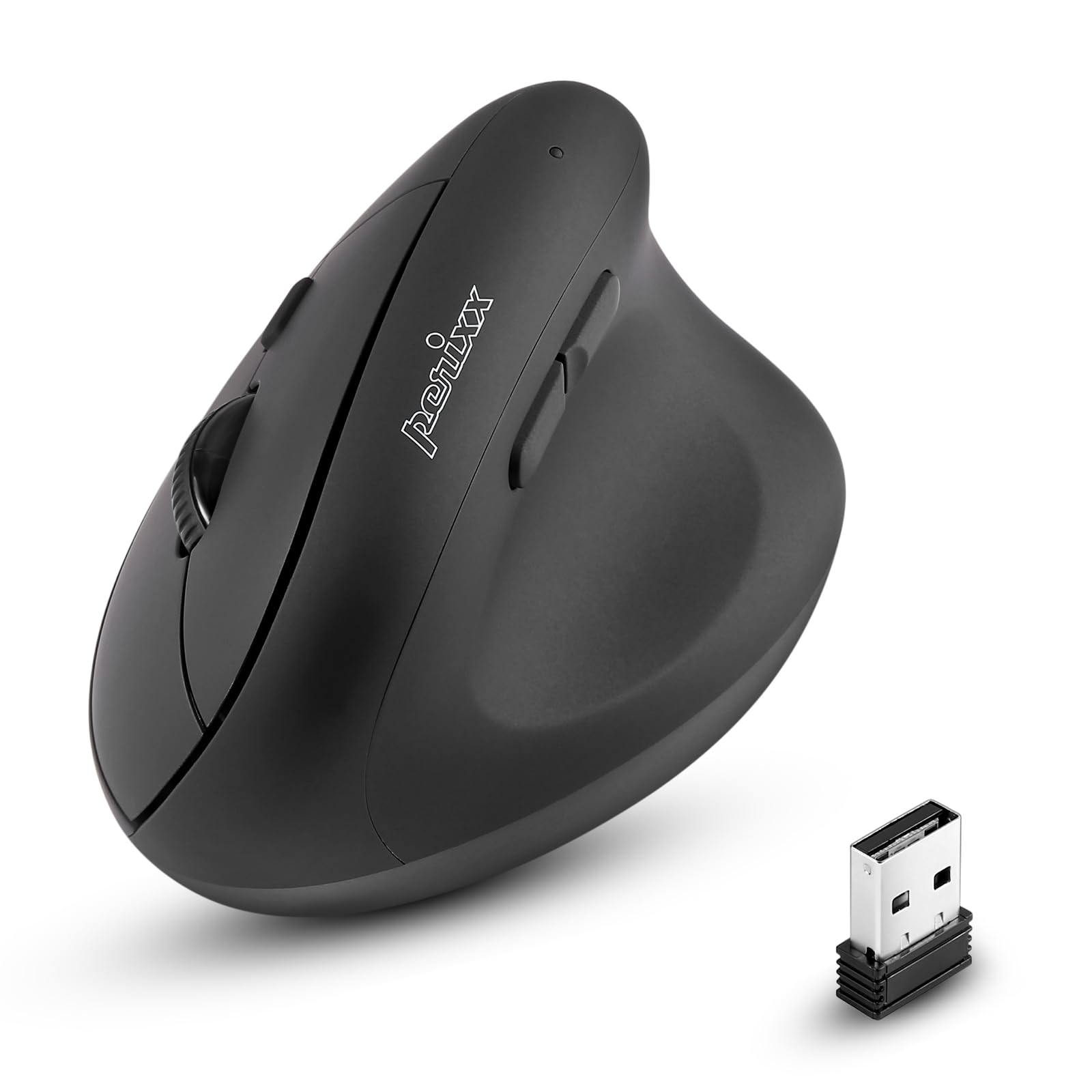
Davanti view of the Perixx PERIMICE-608II Wireless Vertical Mouse.
Cosa c'è nella scatola
Verifica che tutti gli articoli siano presenti nel tuo pacco:
- 1 x Perixx PERIMICE-608II Wireless Vertical Mouse
- Ricevitore USB 1 x
- 1 x Manuale utente (questo documento)
Istruzioni di installazione
- Installa la batteria: Locate the battery compartment on the underside of the mouse. Insert one AA battery (not included) according to the polarity indicators.
- Inserire il ricevitore USB: Remove the USB receiver from its storage slot on the mouse's underside. Plug the USB receiver into an available USB port on your computer.
- Accensione: Slide the ON/OFF switch on the bottom of the mouse to the "ON" position. The mouse should now be recognized by your computer and ready for use.

Underside of the mouse, illustrating the battery compartment and ON/OFF switch.

The mouse positioned next to a laptop, demonstrating the USB receiver plugged into a port.
Istruzioni per l'uso
Design ergonomico
The PERIMICE-608II features a vertical design that positions your hand in a natural handshake posture, reducing wrist strain and promoting comfort.

Demonstration of a relaxed, neutral grip on the vertical mouse.
Funzioni dei pulsanti
- Clic sinistro: Selezione e attivazione standard.
- Clic destro: Accede ai menu contestuali.
- Rotella di scorrimento: Scorre i documenti e web pages vertically. Can also be pressed for middle-click functionality.
- Pulsanti Avanti/Indietro: Located on the side for convenient web navigazione e esplorazione.
Regolazione DPI
The mouse features a DPI (Dots Per Inch) button to adjust cursor sensitivity. Press the DPI button located on the top of the mouse to cycle through the available settings: 800, 1200, 1600, and 2400 DPI. An LED indicator will briefly light up to confirm the change.

The DPI switch on the mouse, allowing for quick sensitivity adjustments.
Manutenzione
Pulizia
To clean your mouse, gently wipe the surface with a soft, damp panno. Evitare l'uso di prodotti chimici aggressivi o materiali abrasivi, poiché potrebbero danneggiare la finitura. Assicurarsi che nessun liquido penetri nei componenti interni del mouse.
Sostituzione della batteria
When the mouse performance degrades or it stops responding, it may be time to replace the AA battery. Follow the battery installation steps in the Setup section.
Risoluzione dei problemi
- Il mouse non risponde:
- Ensure the mouse is switched to the "ON" position on its underside.
- Verificare che il ricevitore USB sia collegato saldamente a una porta USB funzionante del computer.
- Sostituisci la batteria AA con una nuova.
- Prova a collegare il ricevitore USB a un'altra porta USB.
- Movimento irregolare del cursore:
- Assicurarsi di utilizzare il mouse su una superficie pulita e non riflettente.
- Regolare l'impostazione DPI utilizzando il pulsante DPI per trovare la sensibilità adatta.
- Problemi di connettività:
- Move the mouse closer to the USB receiver to ensure a strong 2.4GHz wireless connection.
- Evitare di utilizzare il mouse vicino ad altri dispositivi wireless che potrebbero causare interferenze.
Specifiche
| Marca | Perixx |
| Numero di modello | 12383 |
| Serie | PERIMICE-608 II |
| Tecnologia di connettività | Wireless a 2.4 GHz (ricevitore USB) |
| Livelli DPI | 800 / 1200 / 1600 / 2400 |
| Numero di pulsanti | 6 |
| Orientamento della mano | Right-Handed |
| Fonte di alimentazione | Alimentato a batteria (è necessaria 1 batteria AA) |
| Durata media della batteria | 100 ore |
| Peso dell'articolo | 4.4 once (circa 125 grammi) |
| Dimensioni del prodotto (LxWxH) | 4.87 x 2.67 x 2.43 pollici (circa 123.7 x 67.8 x 61.7 mm) |
| Compatibilità del sistema operativo | Linux, Windows 7, Windows XP (e versioni più recenti) |

Detailed dimensions and weight of the Perixx PERIMICE-608II mouse.
Garanzia e supporto
For detailed warranty information, technical support, and frequently asked questions, please visit the official Perixx website or contact Perixx customer service. You can find more information at the Negozio Perixx su Amazon.