
Introduzione
The VTech Spin & Learn Color Flashlight is an interactive toy designed for children aged 12 months to 3 years. It combines the fun of a flashlight with educational features to introduce colors, animals, letters, and music.
Contenuto della confezione
- One VTech Spin & Learn Color Flashlight
- Un manuale utente
- 3 AAA batteries (for demo purposes; replacement recommended for regular use)
Impostare
Installazione della batteria
- Individuare il vano batteria sul retro della torcia.
- Utilizzando un cacciavite, allentare la vite sul coperchio del vano batteria.
- Togliere il coperchio.
- Inserire 3 batterie AAA nuove, assicurandosi della corretta polarità (+/-).
- Riposizionare il coperchio del vano batterie e serrare la vite.
Note: Batteries included are for demonstration purposes only. For optimal performance, replace with new alkaline batteries.
Istruzioni per l'uso
Accensione/spegnimento e selezione della modalità
Locate the yellow slider switch on the side of the flashlight. This switch controls the power and operating modes:
- Posizione fuori: Slide the switch to the far left to turn the flashlight off.
- Modalità torcia: Slide the switch to the middle position (light bulb icon). Press the turtle button on the handle to activate the white flashlight beam.
- Modalità di gioco: Slide the switch to the far right (open book icon). In this mode, the flashlight introduces opposites (light on/off) and engages in interactive learning.
Funzionalità interattive
- Anello che cambia colore: Spin the clear ring at the front of the flashlight. The light will change to one of six bold colors (red, orange, yellow, green, blue, purple) and introduce the color and an associated animal.
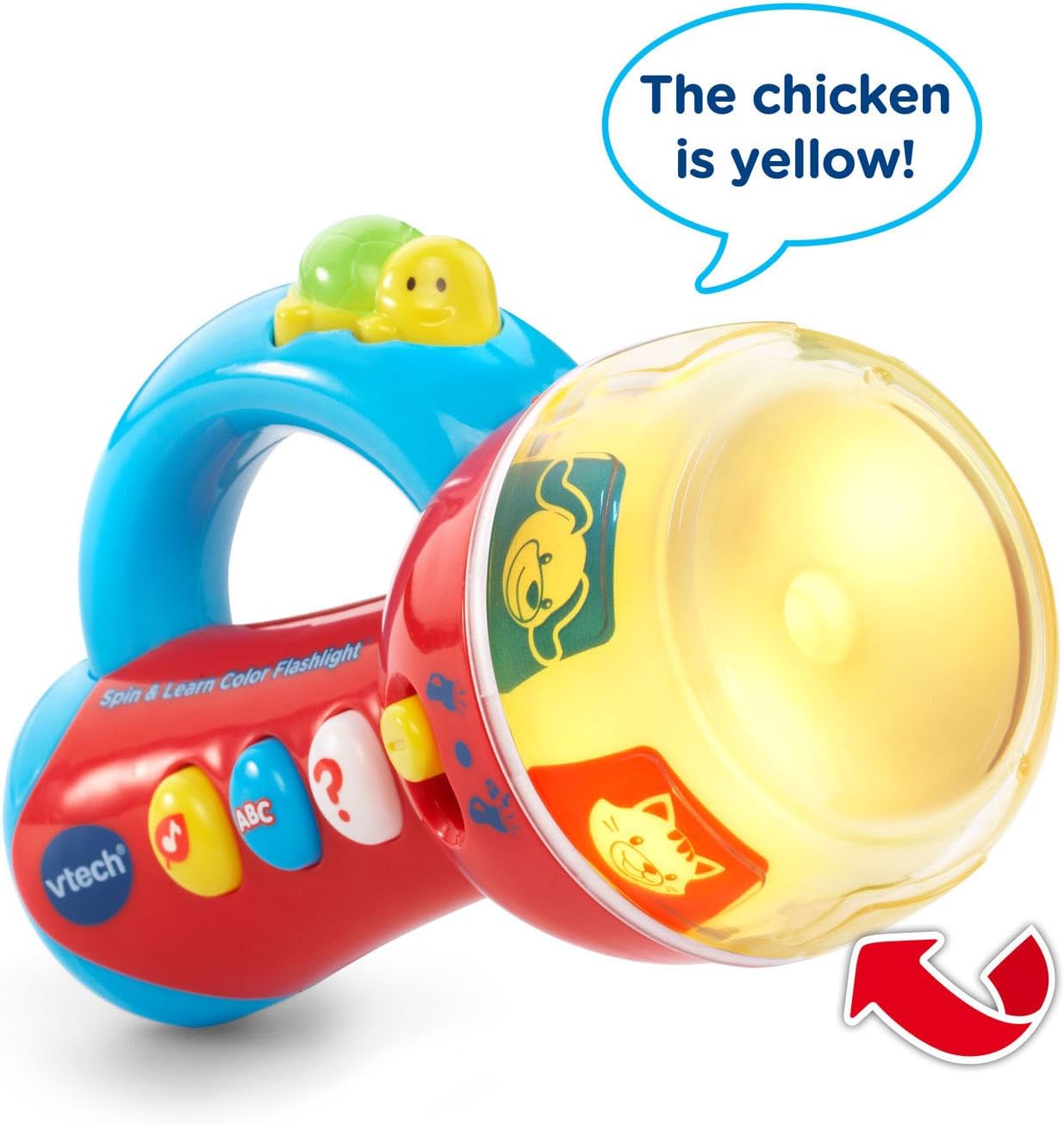
Image: The flashlight head displaying a yellow light with a chicken image, indicating the color and animal. An arrow points to the spinning ring.
- Three Side Buttons: Press the three colored buttons on the side of the flashlight to activate different learning activities:
- Music Button (Yellow Note): Plays fun melodies and nature sounds.
- ABC Button (Blue ABC): Introduces letters and letter sounds.
- Question Button (White Question Mark): Initiates an interactive game where the flashlight asks the child to find a specific color or animal by spinning the ring.
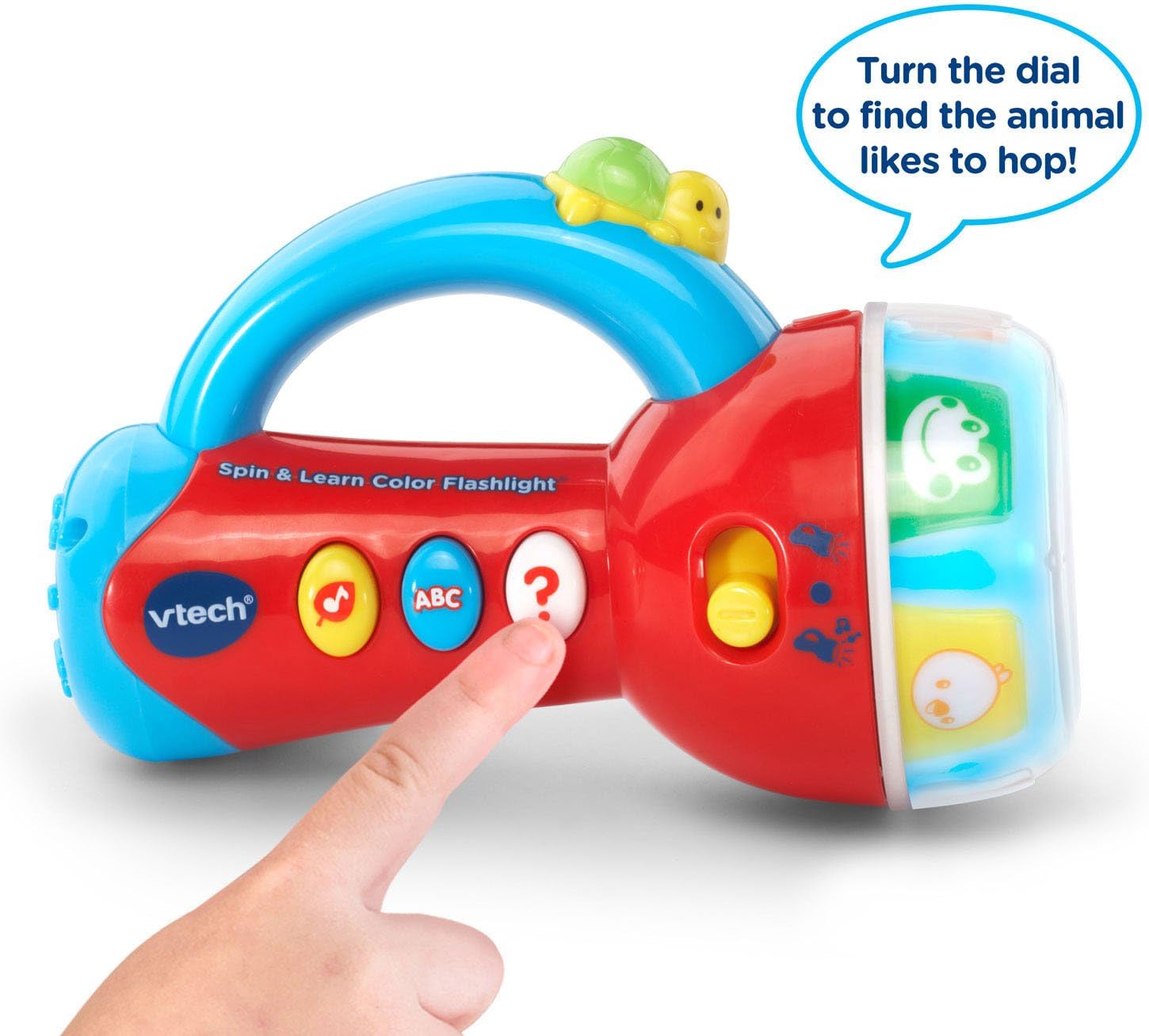
Image: A child's hand pressing the white question mark button on the flashlight, which is in play mode with animal images visible on the spinning ring.
- Turtle Button: In flashlight mode, press the turtle button on the handle to turn the white light beam on or off.

Image: The VTech Spin & Learn Color Flashlight with a red arrow indicating the turtle button on the handle, accompanied by the text "Light the way!".
Spegnimento automatico
To conserve battery life, the flashlight will automatically shut off after a period of inactivity. Press any button or spin the ring to reactivate it.
Manutenzione
- Pulizia: Pulisci la torcia con un panno morbido eamp panno. Non immergere in acqua.
- Cura della batteria: Remove batteries if the toy will not be used for an extended period. Dispose of old batteries responsibly.
- Magazzinaggio: Conservare la torcia in un luogo fresco e asciutto, lontano dalla luce solare diretta.
Risoluzione dei problemi
| Problema | Soluzione |
|---|---|
| La torcia non si accende. |
|
| Il suono è distorto o troppo basso. |
|
| Interactive features are not working correctly. |
|
Specifiche
- Numero modello: 80-185900
- Dimensioni del prodotto: 3.15 x 4.29 x 6.42 pollici
- Peso dell'articolo: 8.2 once
- Età consigliata: 12 mesi - 3 anni
- Batterie: Sono necessarie 3 batterie AAA (incluse per la dimostrazione)
- Produttore: VTech
Video del prodotto
VTech Flashlight Demonstration
Video: A demonstration of the VTech Spin & Learn Color Flashlight's features, including its light, sounds, and interactive modes. This video is provided by the seller.
Garanzia e supporto
For warranty information or customer support, please refer to the contact details provided on the product packaging or visit the official VTech webluogo. Conserva la ricevuta di acquisto per eventuali richieste di garanzia.