
1. Introduzione
The VTech Count and Learn Turtle is an interactive educational toy designed to introduce children aged 2 to 5 years to numbers, counting, basic math, shapes, colors, and instruments. It features light-up buttons, engaging sounds, melodies, and a bilingual mode to enhance learning and development.
2. Contenuto della confezione
- One VTech Count and Learn Turtle electronic learning toy
- 2 AA batteries (for demo purposes only; new batteries recommended for regular use)
3. Impostazione
3.1 Installazione della batteria
- Locate the battery compartment on the underside of the turtle.
- Utilizzando un cacciavite, allentare la vite e aprire il coperchio del vano batteria.
- Insert 2 new 'AA' (LR6) batteries, ensuring correct polarity (+/-) as indicated inside the compartment.
- Richiudere il coperchio del vano batteria e serrare saldamente la vite.
Nota: The included batteries are for demonstration purposes only. For optimal performance, replace them with new alkaline batteries.
3.2 Accensione/spegnimento
To turn the toy ON, slide the power switch, located on the top of the turtle's shell, to the 'ON' position. To turn the toy OFF, slide the switch to the 'OFF' position.
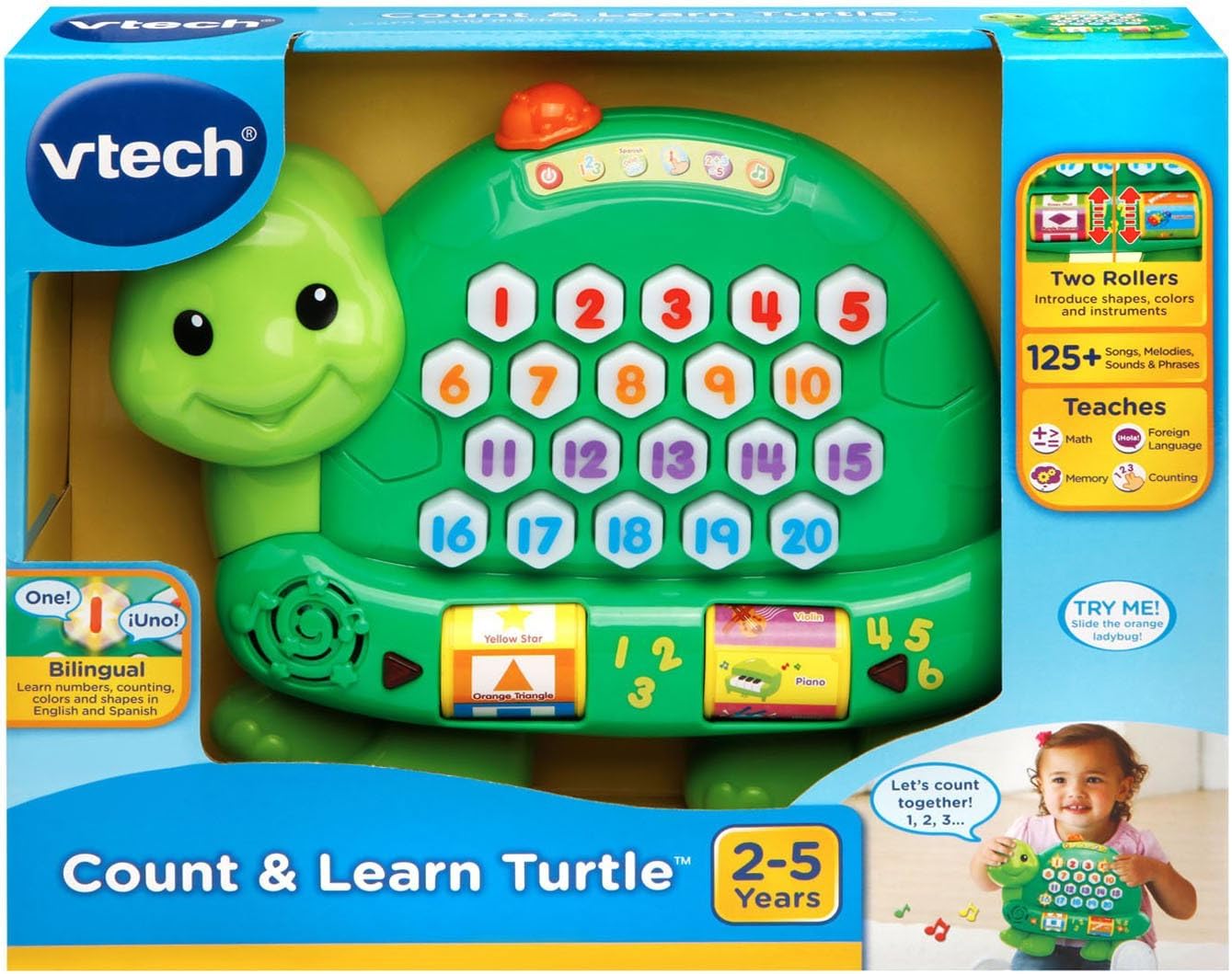
Image: The VTech Count and Learn Turtle, illustrating its overall design and the location of the power switch on its shell.
4. Istruzioni per l'uso
4.1 Number Buttons and Counting
Press any of the light-up number buttons (1-20) on the turtle's shell to hear the number spoken aloud. The turtle will also count along with your child.
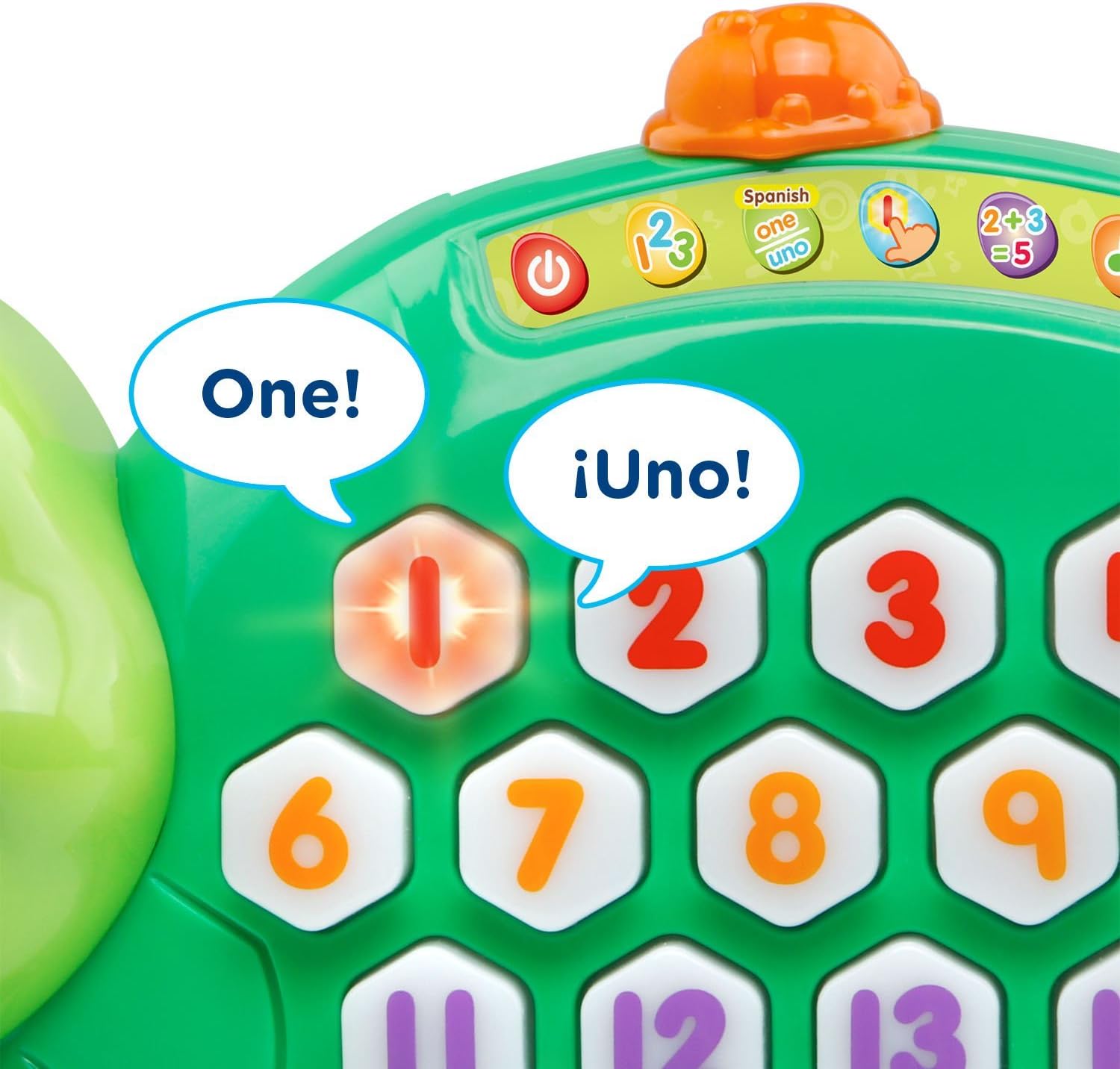
Immagine: un primo piano view of the turtle's shell, highlighting the interactive light-up number buttons.
4.2 Addition Activity
Select the addition activity mode (indicated by a '2+3=5' icon on the shell). The turtle will guide your child through simple addition problems, lighting up the correct number of buttons to represent the sum.
4.3 Roller Functions: Shapes, Colors, and Instruments
Spin the two rollers located on the sides of the turtle. Each roller introduces different shapes, colors, and musical instruments with corresponding sounds and phrases.

Immagine: Un dettaglio view of the interactive rollers on the side of the turtle, displaying various shapes and instruments.
4.4 Music Activity
Engage with the music activity mode to hear various sing-along songs and melodies. The sounds from the rollers will integrate into the music for an enriched experience.
4.5 Spanish Mode
Switch to Spanish mode to learn numbers, counting, colors, shapes, and instruments in Spanish. This feature supports bilingual development.
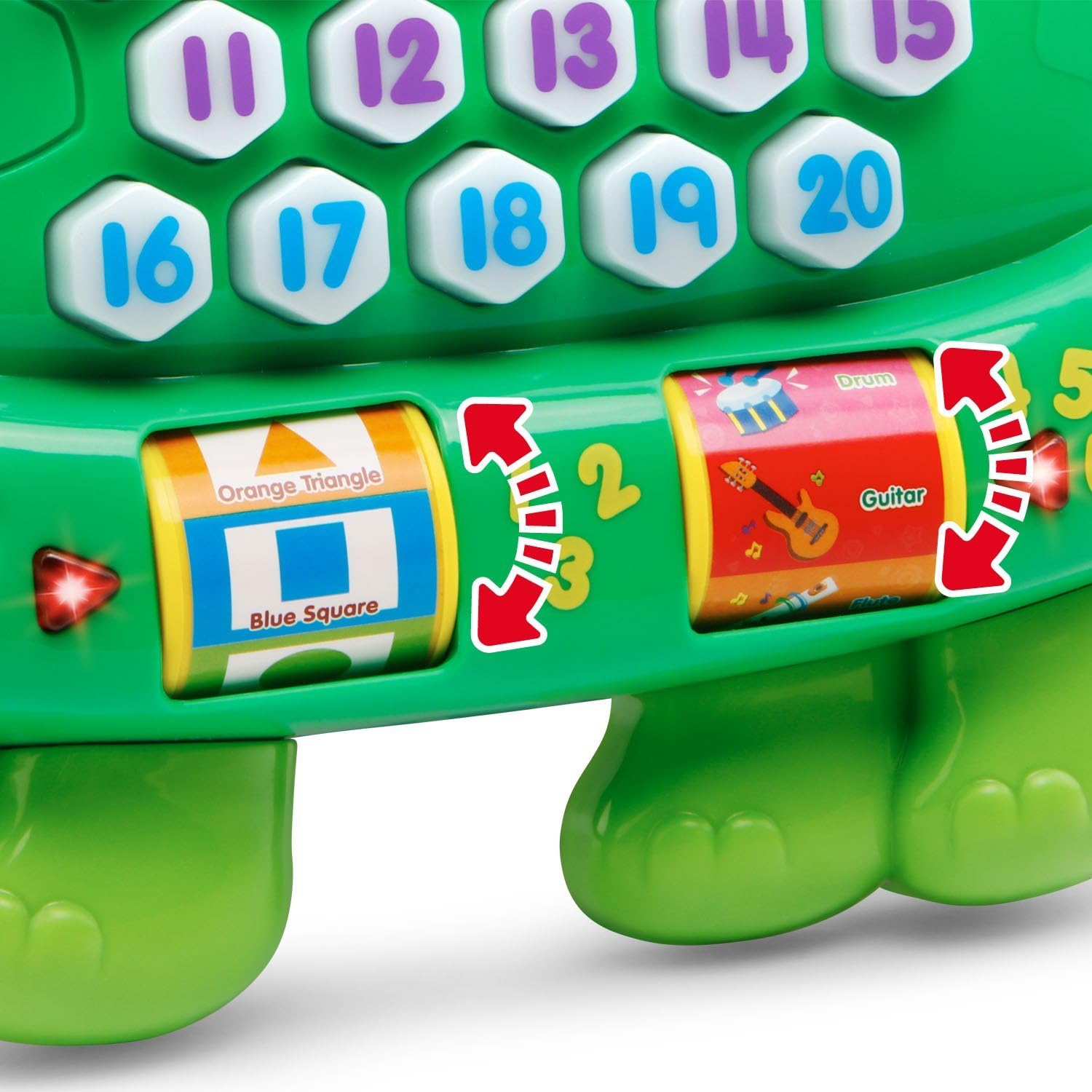
Image: The turtle's number buttons, demonstrating the bilingual feature with English and Spanish words for 'one'.
4.6 Memory Game
Activate the memory game mode. Watch the buttons light up in a sequence and then repeat the sequence by pressing the buttons in the correct order. This helps develop memory and hand-eye coordination.
Video: An official VTech demonstration of the Count and Learn Turtle's features, including counting, music, and interactive play modes.
5. Cura e manutenzione
- Mantenere pulita l'unità pulendola con un panno leggermenteamp stoffa. Non utilizzare prodotti chimici aggressivi o materiali abrasivi.
- Tenere l'unità al riparo dalla luce solare diretta e da fonti di calore dirette.
- Rimuovere le batterie se l'unità non verrà utilizzata per un lungo periodo.
- Do not drop the unit on a hard surface or expose it to moisture or water.
6. Risoluzione Dei Problemi
6.1 No Power or Intermittent Operation
- Ensure the batteries are installed correctly with the proper polarity.
- Sostituisci le vecchie batterie con nuove batterie alcaline.
- If the toy is still not functioning, try turning it off and then on again.
6.2 Problemi audio
- Check the volume setting.
- Ensure the toy is not in a quiet mode or muted.
7. Specifiche
| Caratteristica | Dettaglio |
|---|---|
| Dimensioni del prodotto | 2.34 x 9.8 x 8.31 pollici |
| Peso dell'articolo | 15.8 once |
| Numero modello articolo | 80-178100 |
| Età consigliata dal produttore | 24 mesi - 5 anni |
| Batterie | Sono necessarie 2 batterie AA (incluse per la dimostrazione) |
| Data di rilascio | 1 febbraio 2016 |
| Produttore | VTech |
8. Garanzia e supporto
Per informazioni sulla garanzia o supporto tecnico, fare riferimento al sito ufficiale VTech weboppure contatta direttamente il servizio clienti VTech. Conserva la ricevuta d'acquisto come prova d'acquisto.
You can visit the VTech store for more information: Negozio VTech su Amazon